
OpenClaw + 飞牛NAS部署指南
摘要:本文介绍了在Docker中部署OpenClaw中文版及配置QQ机器人的完整流程。首先通过docker-compose创建服务,配置端口映射、数据卷和环境变量。随后初始化OpenClaw,配置SiliconCloud作为服务商并设置API密钥。在安装QQ机器人插件时遇到Python3缺失问题,通过更新Debian源并安装依赖解决。最后完成QQ机器人配置时,由于Docker环境限制,需直接运行o
·
创建软件安装路径
空白处右键新建文件夹
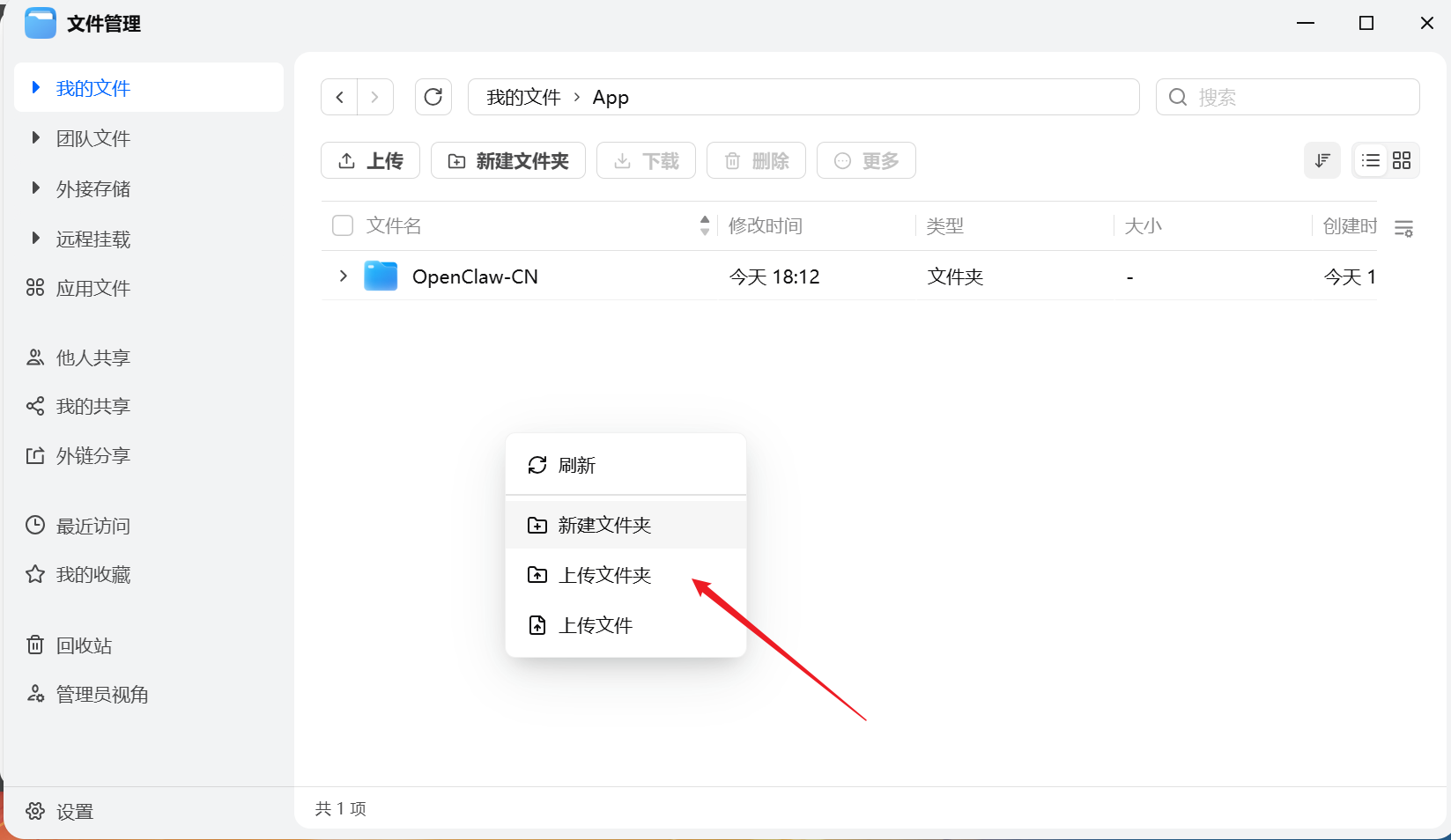
创建 docker
在 docker 中新建 Compose
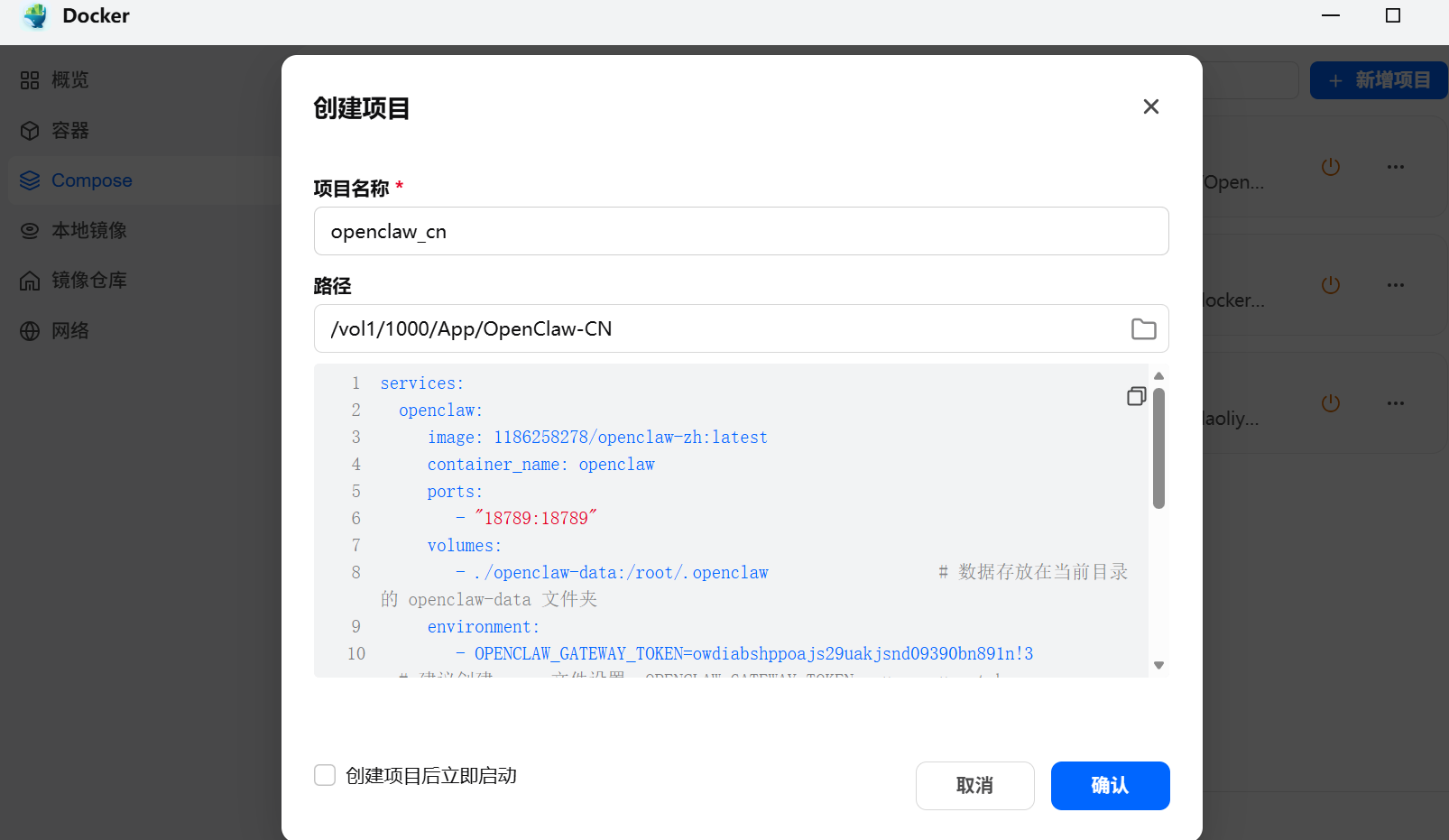
services:
  openclaw:
    image: alpine/openclaw:latest
    container_name: openclaw
    stdin_open: true
    tty: true
    restart: unless-stopped

    # 如果需要端口(根据实际情况改)
    ports:
      - "3000:3000"

    # 挂载数据(避免数据丢失)
    volumes:
      - ./data:/app/data

    # 环境变量(可选)
    environment:
      - TZ=Asia/Shanghai

    # 网络(默认即可)
    network_mode: bridge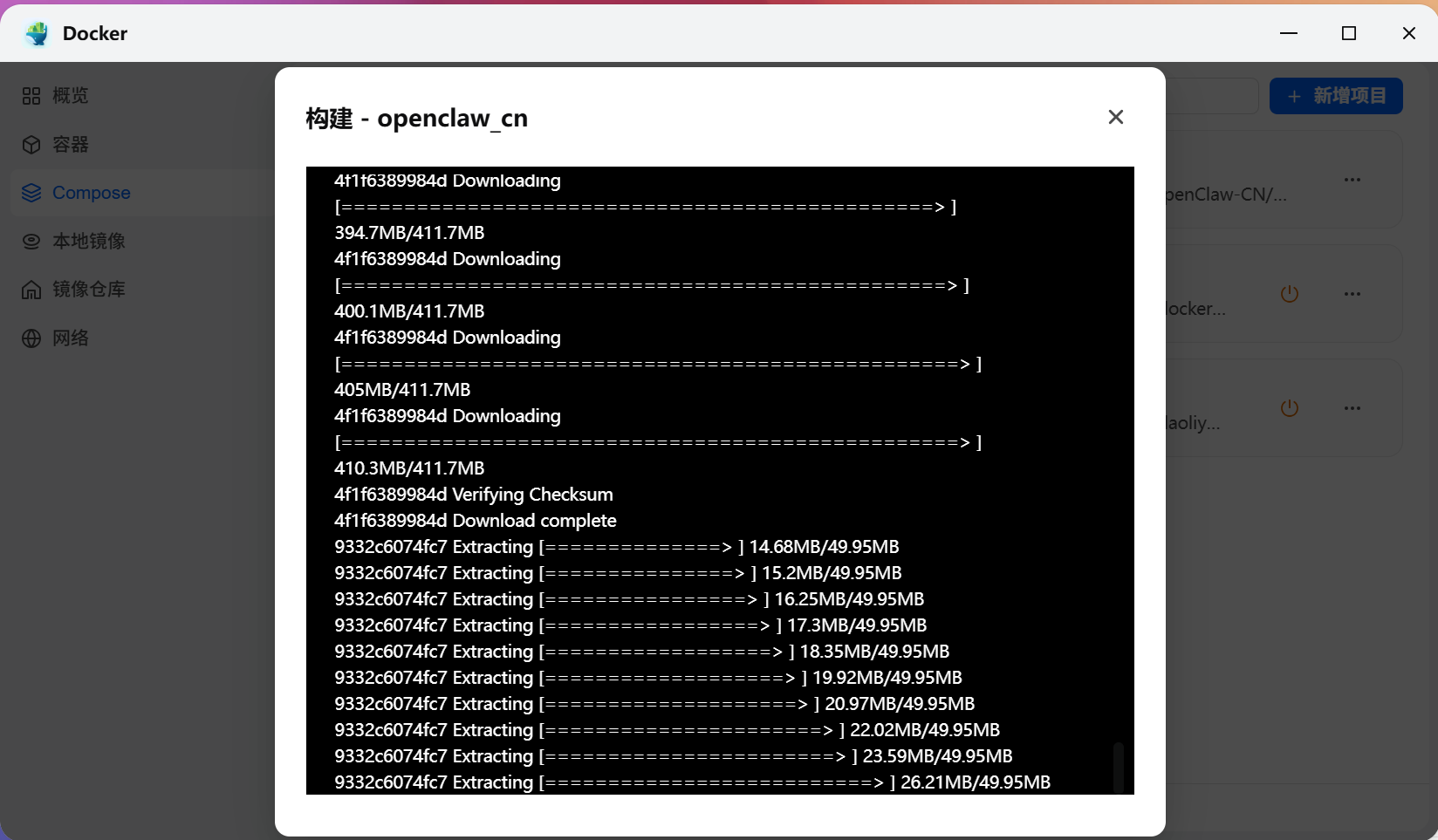
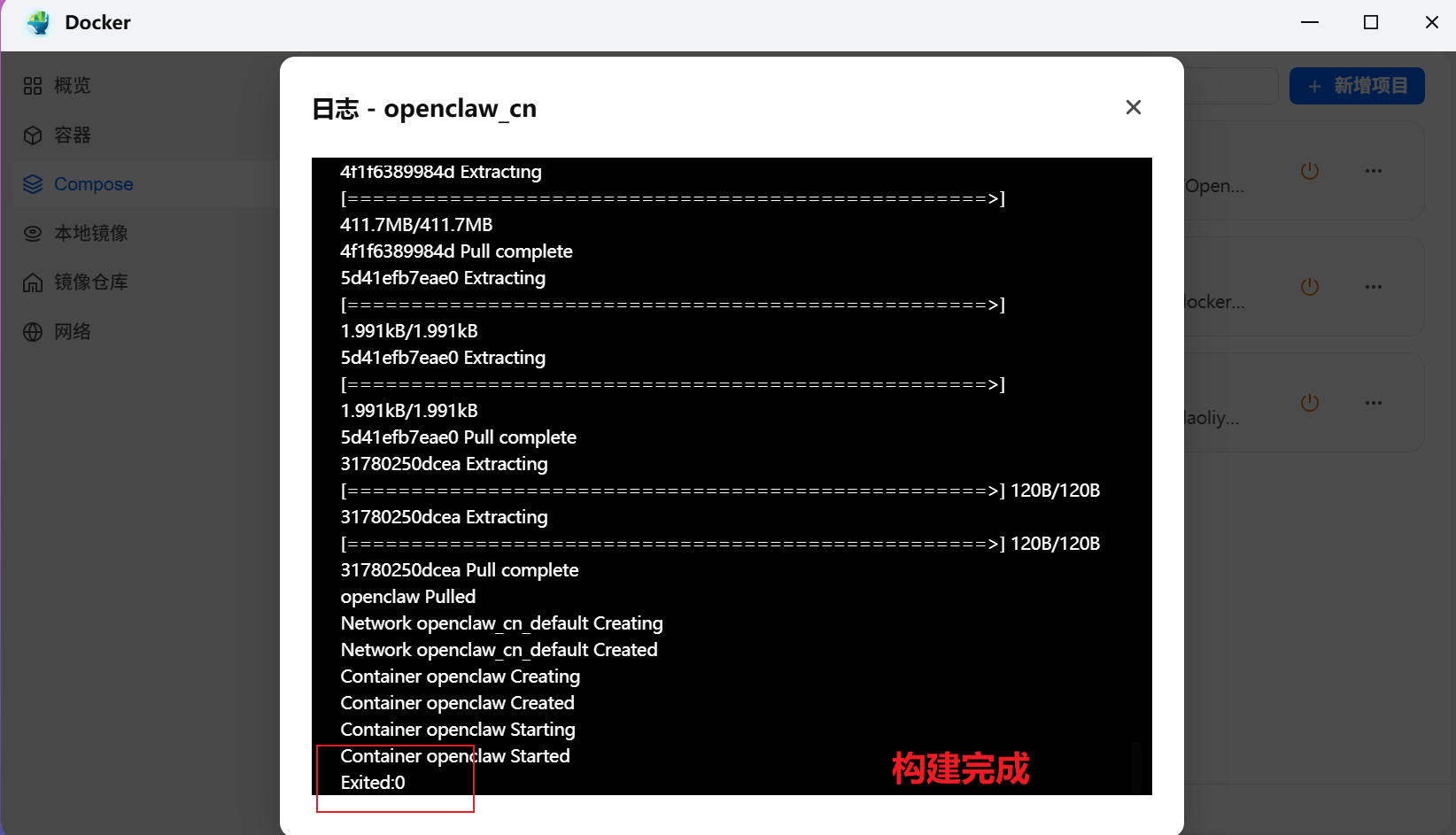
运行容器
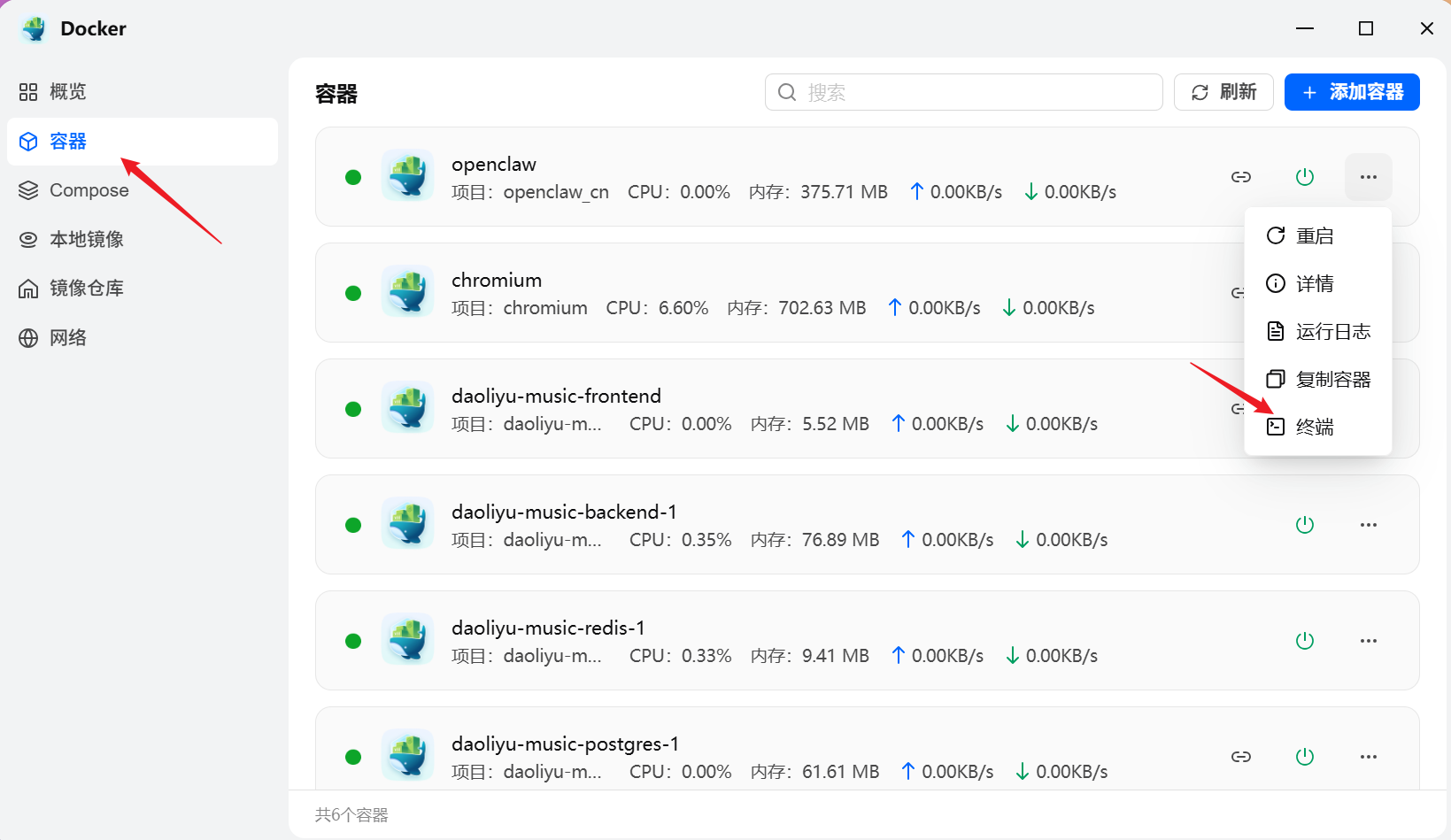
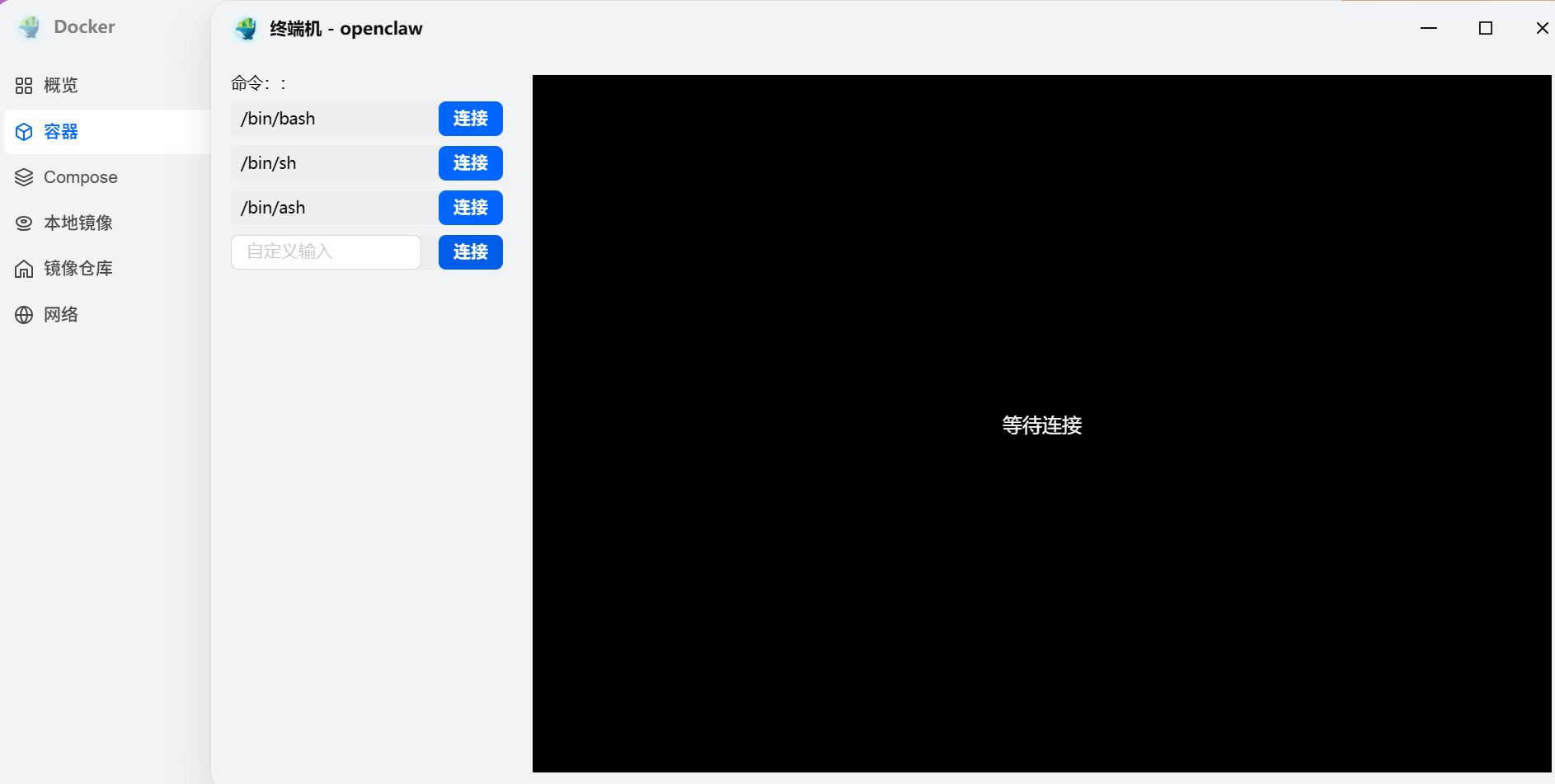
选择第一个进行连接
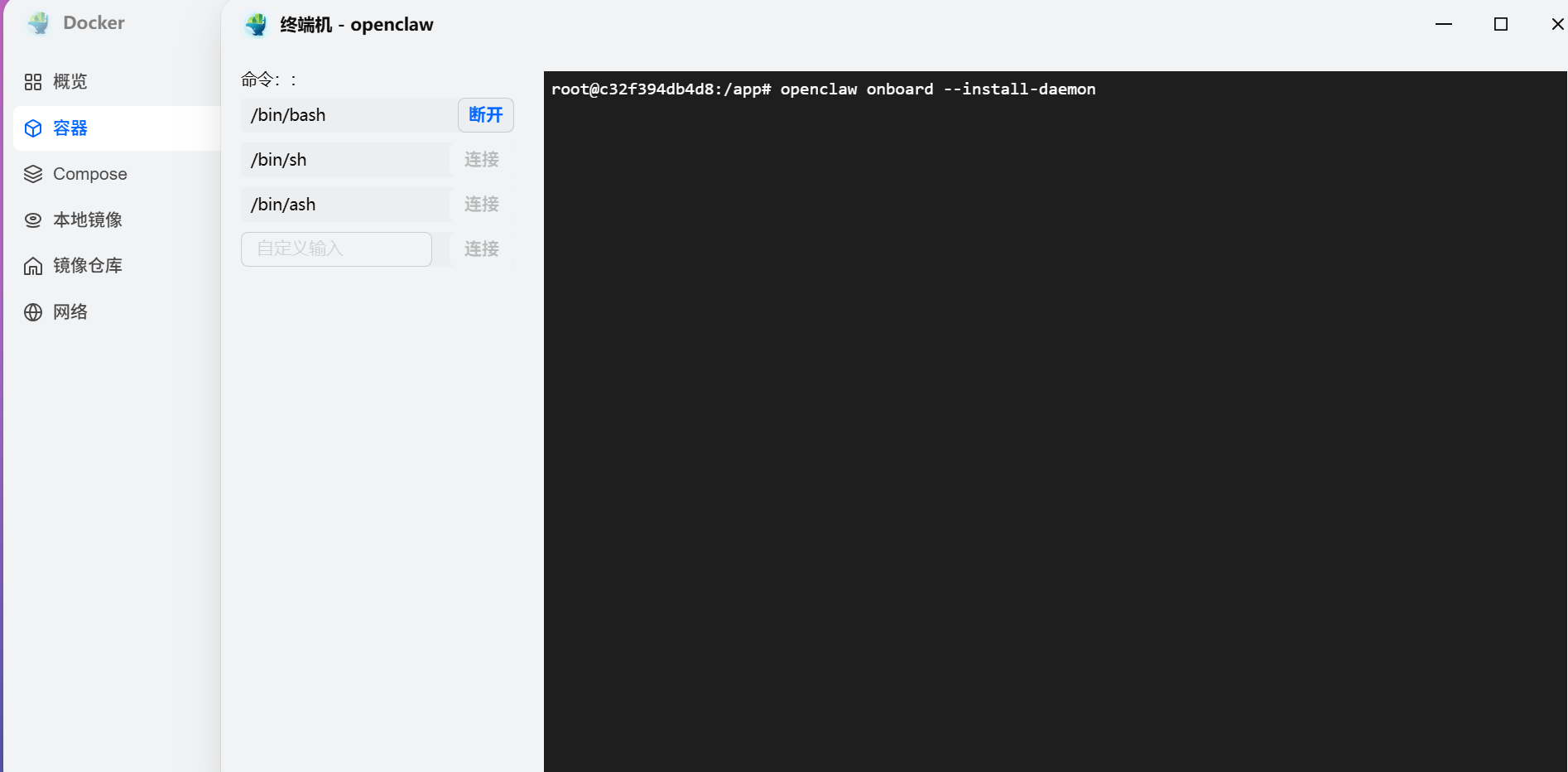
输入命令等待软件初始化
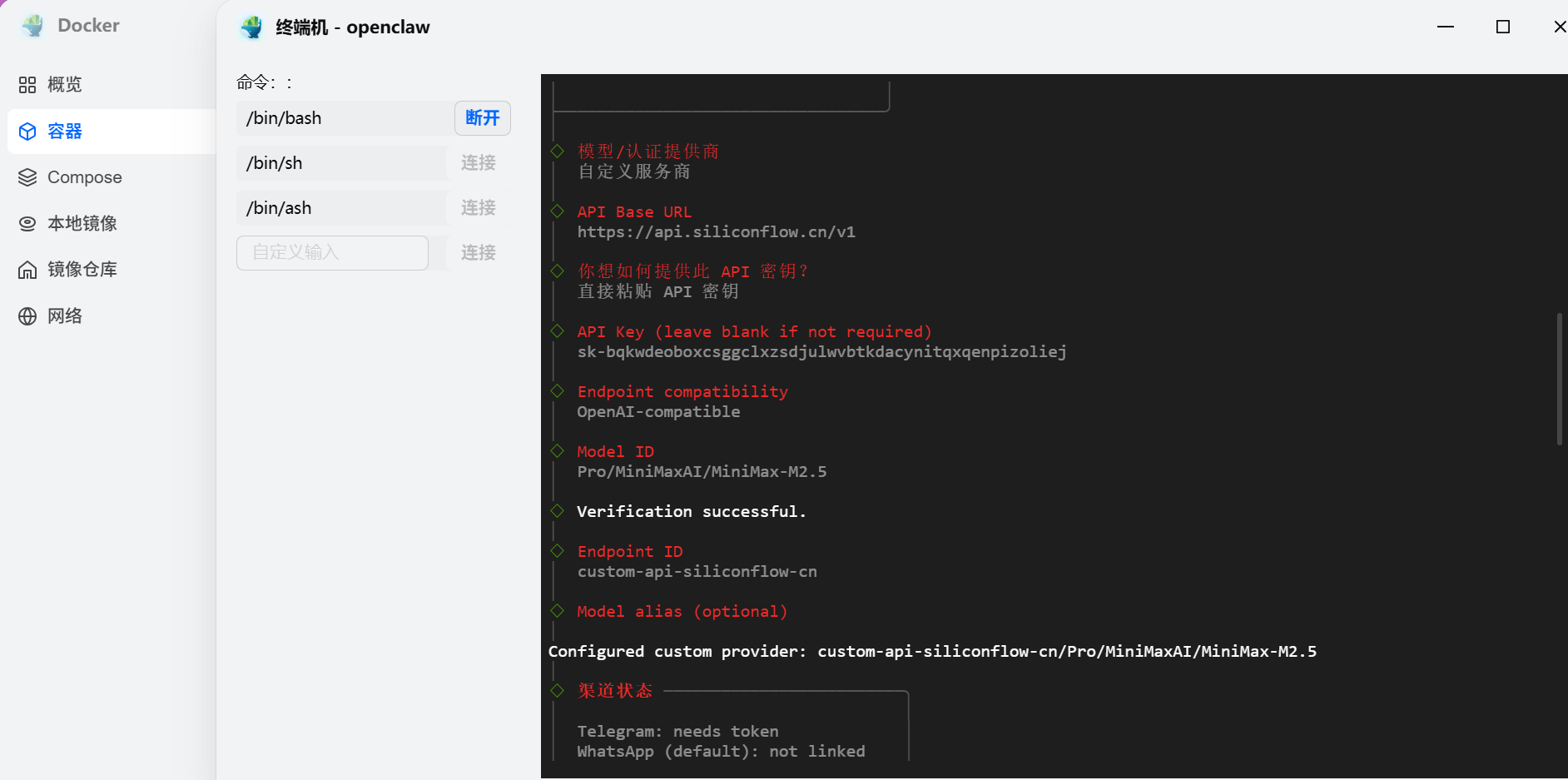
openclaw onboard --install-daemon根据页面提示,选择 自定义服务商 ==》 输入 siliconCloud 的 url(https://api.siliconflow.cn/v1) ==》输入你创建的密钥
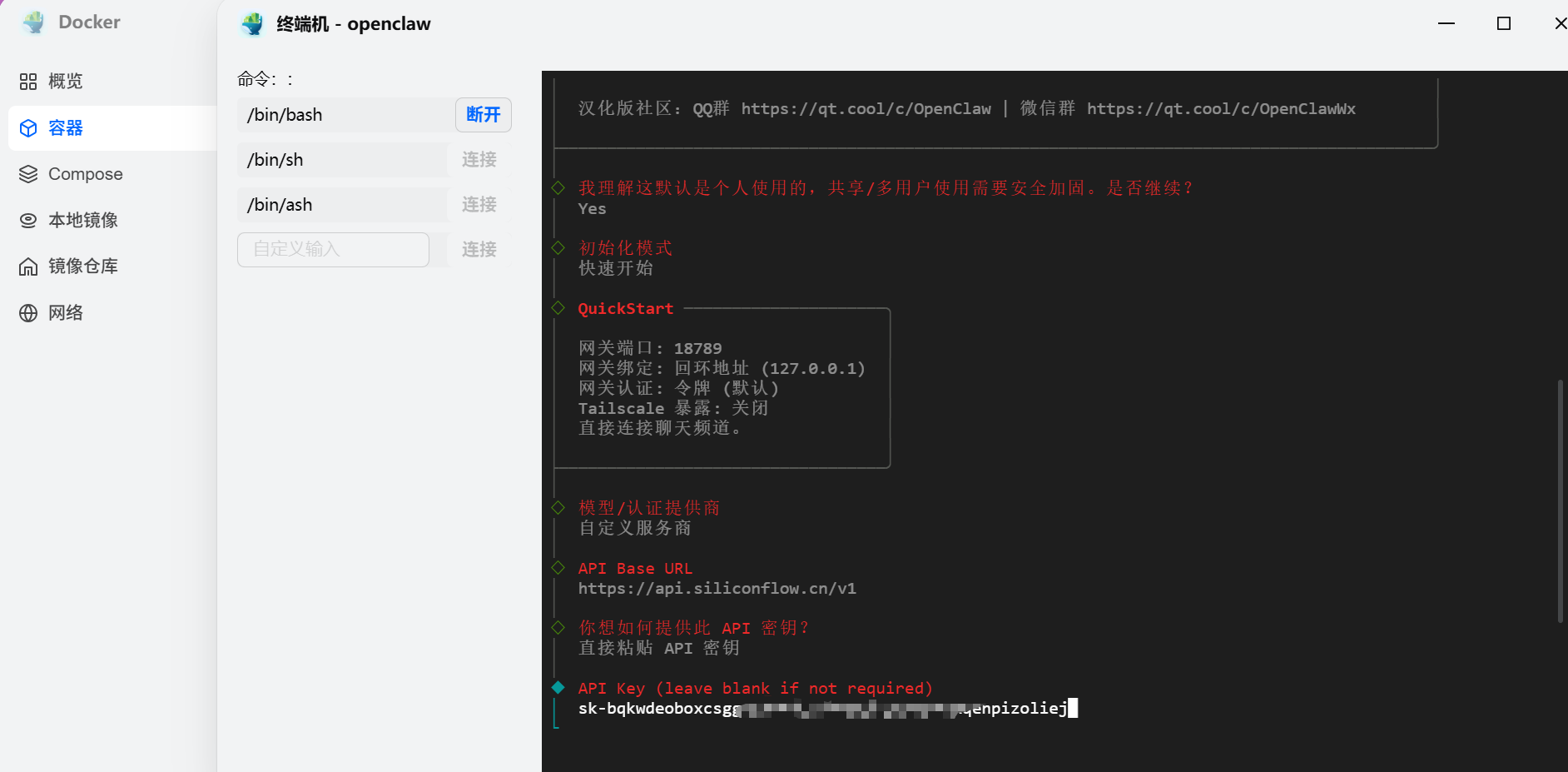
后续配置
- Endpoint compatibility 选择 OpenAI-compatible
- Model ID 选择 Pro/MiniMaxAI/MiniMax-M2.5
- 验证成功- Endpoint ID
- 默认选择 custom-api-siliconflow-cn Model alias (optional)直接回车即可
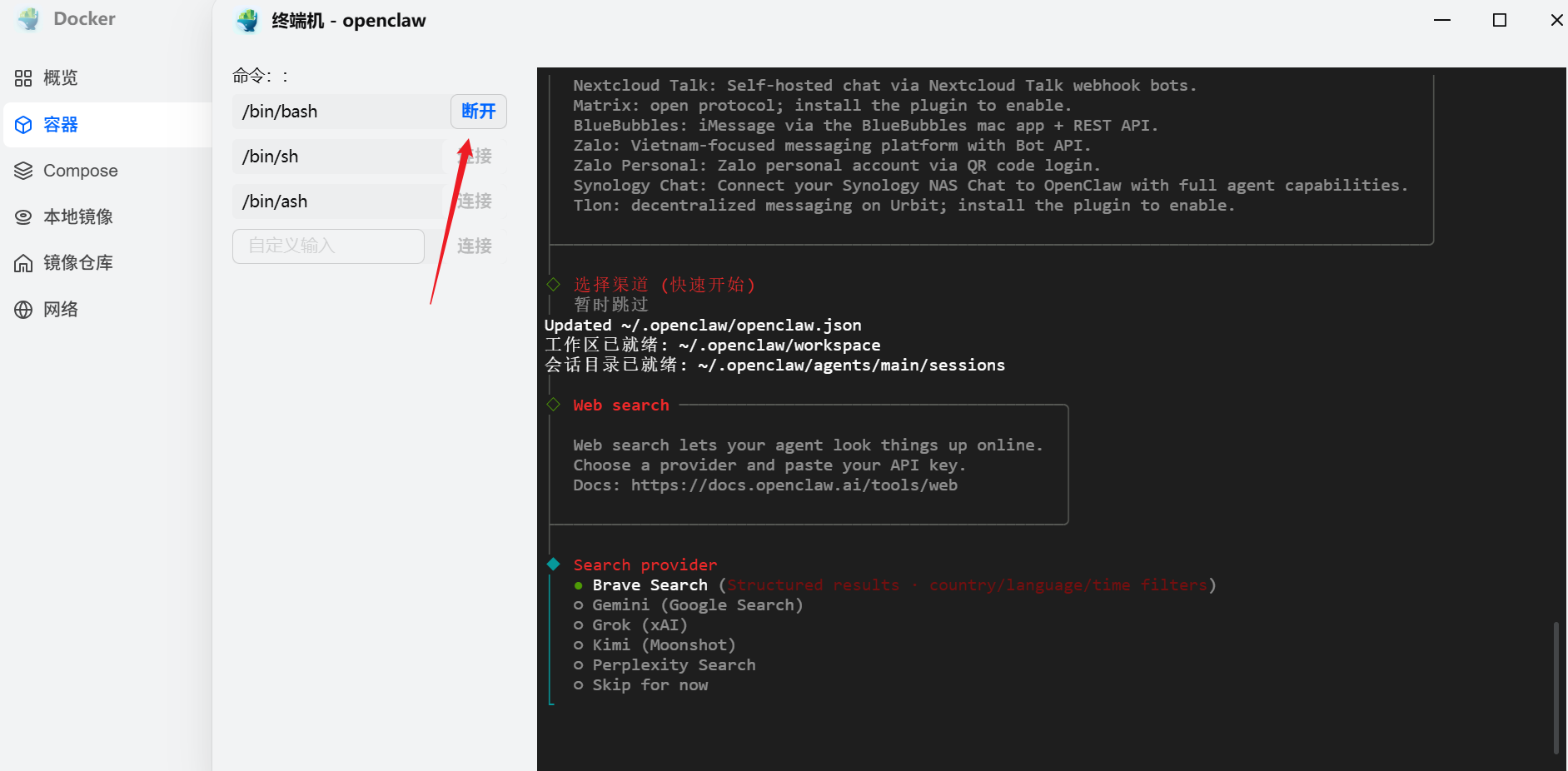
选择渠道暂时跳过
之后就会卡住,先断开链接,去注册 QQ 机器人
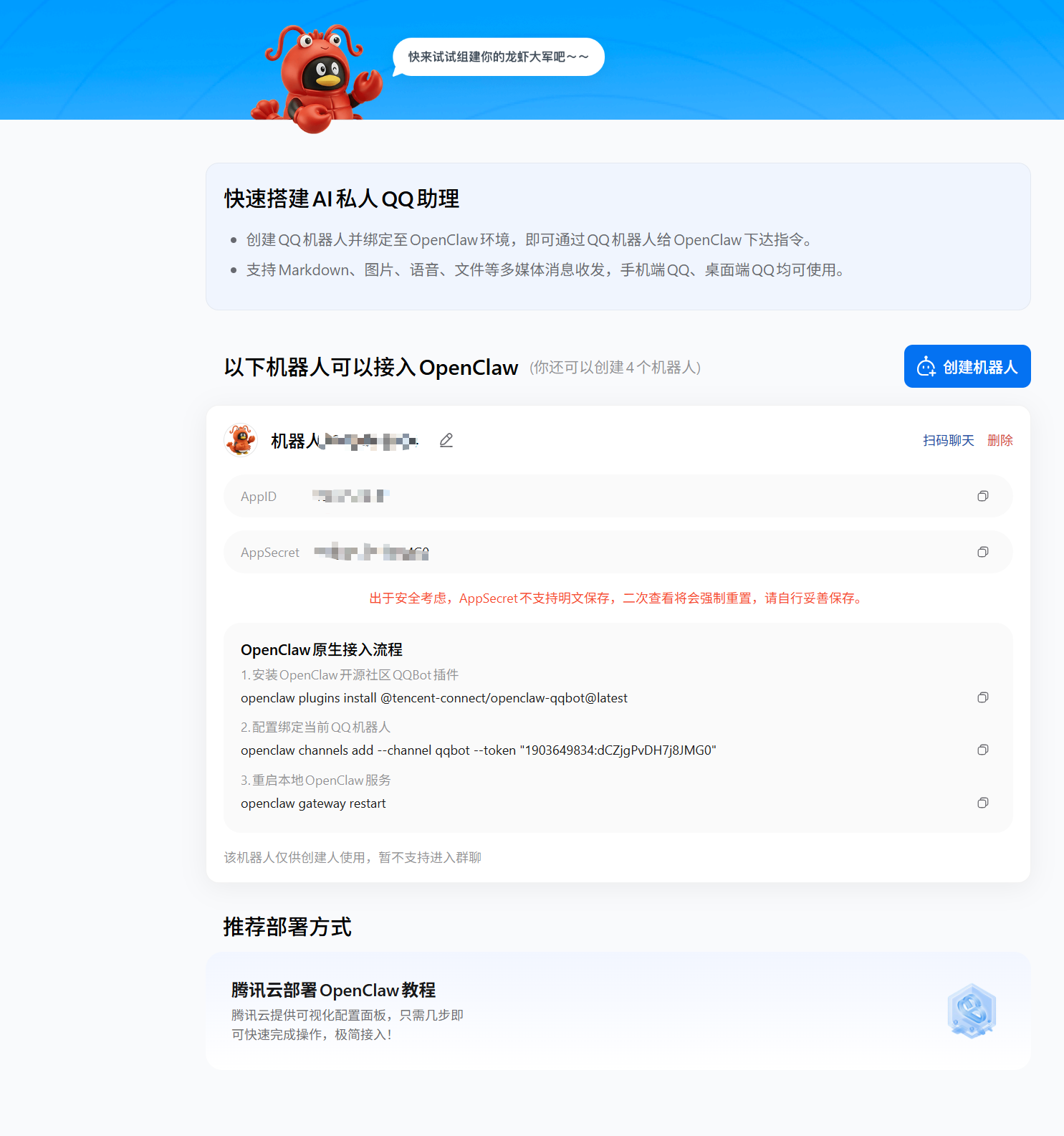
注册 QQ 机器人

安装 QQ 机器人依赖
出现如下报错:
root@c32f394db4d8:/app# openclaw plugins install @sliverp/qqbot@latest

🦞 OpenClaw 中文版 2026.3.13 (f6e5b67)
   I've read more man pages than any human should—so you don't have to.

Downloading @sliverp/qqbot@latest…
Extracting /tmp/openclaw-npm-pack-YDTcAX/sliverp-qqbot-1.6.1.tgz…
[openclaw] Unhandled promise rejection: Error: spawn python3 ENOENT
    at ChildProcess._handle.onexit (node:internal/child_process:285:19)
    at onErrorNT (node:internal/child_process:483:16)
    at process.processTicksAndRejections (node:internal/process/task_queues:89:21)
这是确实了依赖 python3 和 spawn
问题解决步骤:
- 查看 docker 的系统,发现是 Debian 系统
root@c32f394db4d8:/app# cat /etc/os-release
PRETTY_NAME="Debian GNU/Linux 12 (bookworm)"
NAME="Debian GNU/Linux"
VERSION_ID="12"
VERSION="12 (bookworm)"
VERSION_CODENAME=bookworm
ID=debian
HOME_URL="https://www.debian.org/"
SUPPORT_URL="https://www.debian.org/support"
BUG_REPORT_URL="https://bugs.debian.org/"
root@c32f394db4d8:/app# - 创建源文件(精简系统不包含 sources.list )
cat > /etc/apt/sources.list <<EOF
deb http://deb.debian.org/debian bookworm main
deb http://deb.debian.org/debian bookworm-updates main
deb http://security.debian.org/debian-security bookworm-security main
EOF- 更新源后直接安装软件包
apt update
apt install -y python3
安装后重新执行openclaw plugins install @sliverp/qqbot@latest,可以成功下载
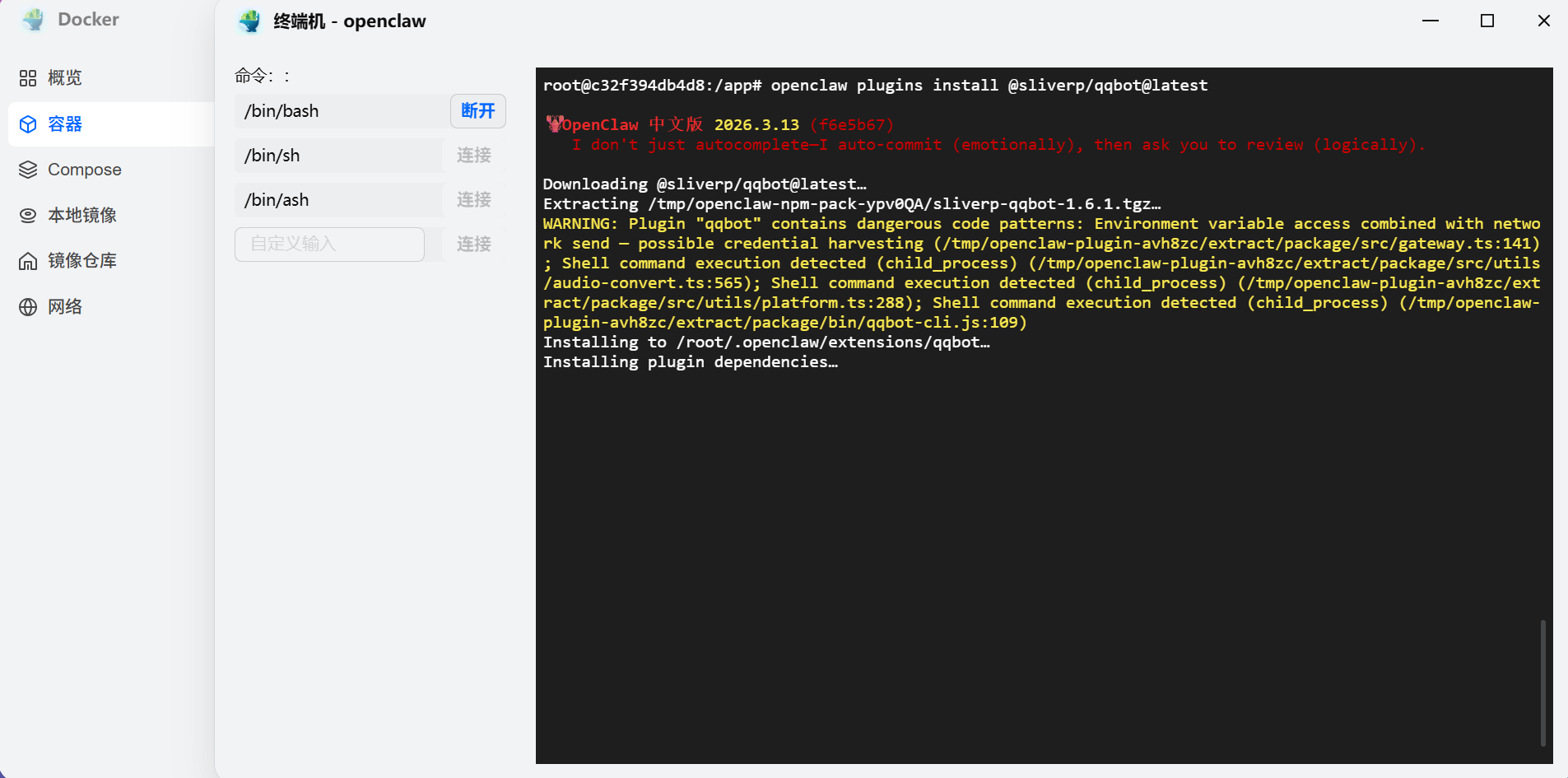
如果提示 npm install 失败,重试一下即可完成安装
配置 QQ 机器人
QQ 开放平台在你第一次绑定后会提示三个指令
openclaw plugins install @sliverp/qqbot@latest
openclaw channels add --channel qqbot --token "AppID:AppSecret"
openclaw gateway restart
其中最后一个命令在 Docker 环境中会提示错误,按照提示执行openclaw gateway 即可
debian的容器提示root@c32f394db4d8:/app# openclaw gateway restart

🦞 OpenClaw 中文版 2026.3.13 (f6e5b67) — Your config is valid, your assumptions are not.

05:46:10 [plugins] plugins.allow is empty; discovered non-bundled plugins may auto-load: qqbot (/root/.openclaw/extensions/qqbot/index.ts). Set plugins.allow to explicit trusted ids.
05:46:14 [restart] lsof failed during initial stale-pid scan for port 18789: ENOENT
Gateway service disabled.
Start with: openclaw gateway install
Start with: openclaw gateway
Start with: systemctl --user start openclaw-gateway.service
Start with: systemd 用户服务不可用;请安装/启用 systemd 或在你的进程管理器下运行网关。
Start with: 如果你在容器中,请在前台运行网关而不是使用 `openclaw gateway`。
root@c32f394db4d8:/app#
运行效果

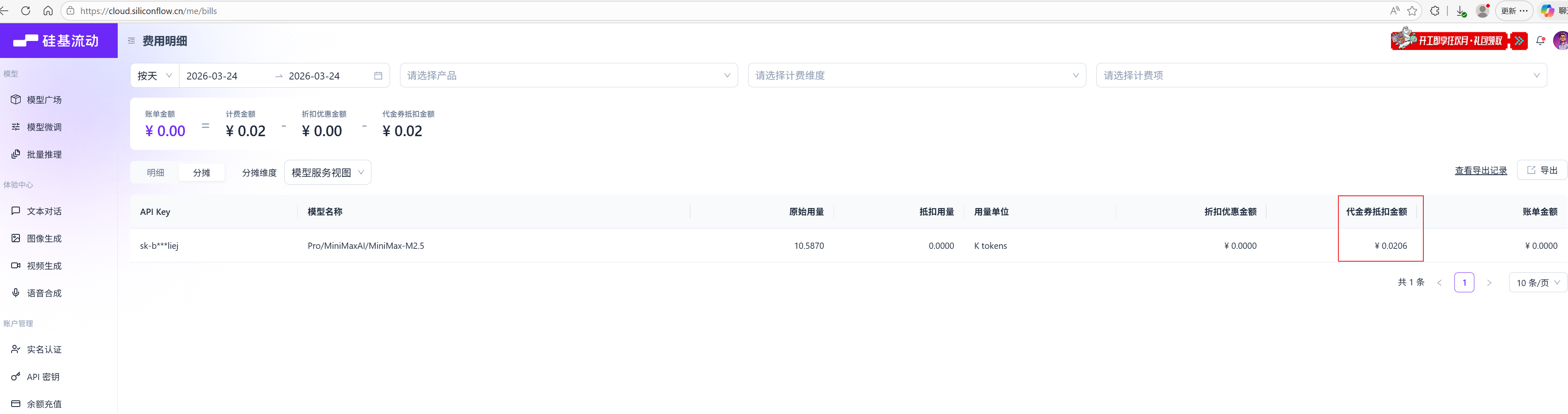
此次对话消耗的 token 可以在硅基流动上查看

小龙虾开发者社区是 CSDN 旗下专注 OpenClaw 生态的官方阵地,聚焦技能开发、插件实践与部署教程,为开发者提供可直接落地的方案、工具与交流平台,助力高效构建与落地 AI 应用
更多推荐


 4
4 0
0- 0


 已为社区贡献1条内容

所有评论(0)