
Windows安装OpenClaw (wls)
wls部署ubuntu安装OpenClaw
1.进入命令窗口
右键点击win图标,选择【终端管理员】
2.安装wsl
wsl --install
3.安装ubuntu-24.04 操作系统
wsl --install ubuntu-24.04
4.设置账号密码(ubuntu)
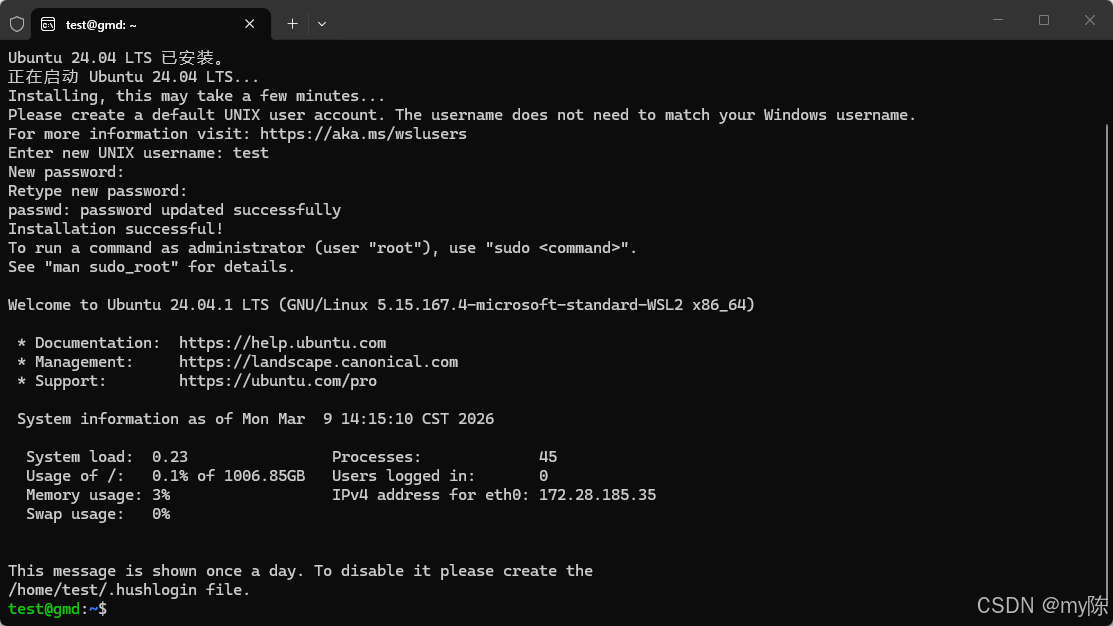
5.安装opencalw (时间会比较久,且没有输出)
curl -fsSL https://openclaw.ai/install.sh | bash输入上面设置的密码
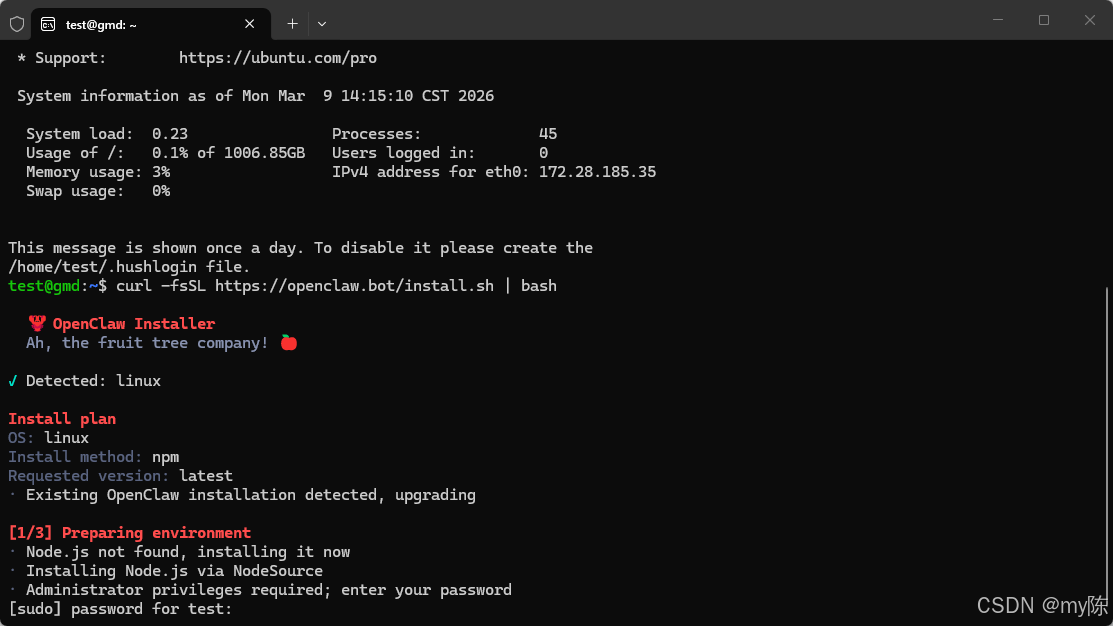
6.极简安装
执行运行新手引导
openclaw onboard --install-daemonI understand this is personal-by-default and shared/multi-user use requires lock-down. Continue?
y
Onboarding mode
│ ● QuickStart (Configure details later via openclaw configure.)
Config handling
│ ● Use existing valuesModel/auth provider(按方向键上)
│ ● Skip for now
Filter models by provider
│ ● All providersDefault model
│ ● Keep current (default: anthropic/claude-opus-4-6)Select channel (QuickStart)
│ ● Skip for now (You can add channels later via `openclaw channels add`)Search provider
│ ● Skip for now (Configure later with openclaw configure --section web)Configure skills now? (recommended)
│ ○ Yes / ● NoEnable hooks?(空格选中 回车确认)
│ ◻ Skip for now
│ ◼ 🚀 boot-md (Run BOOT.md on gateway startup)
│ ◼ 📎 bootstrap-extra-files (Inject additional workspace bootstrap files via glob/path patterns)
│ ◼ 📝 command-logger (Log all command events to a centralized audit file)
│ ◼ 💾 session-memory (Save session context to memory when /new or /reset command is issued)
Gateway service already installed
│ ● Restart
How do you want to hatch your bot?
│ ● Open the Web UI
安装完成
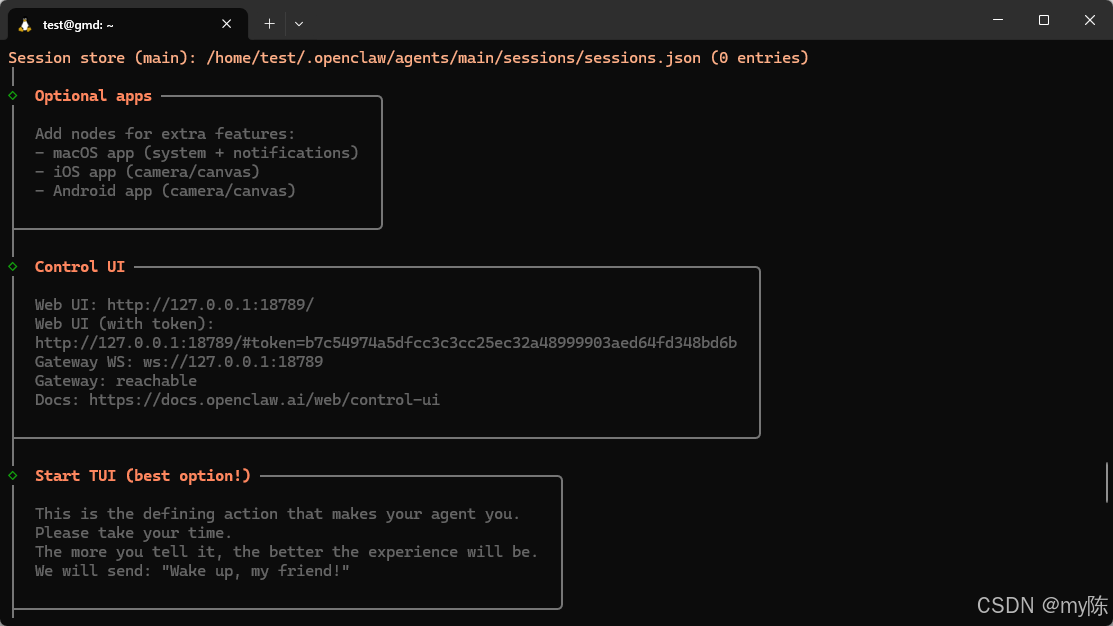
7.web访问(暂时还用不了要配置AI模型)本地访问地址 http://127.0.0.1:18789/chat?session=agent%3Amain%3Amain
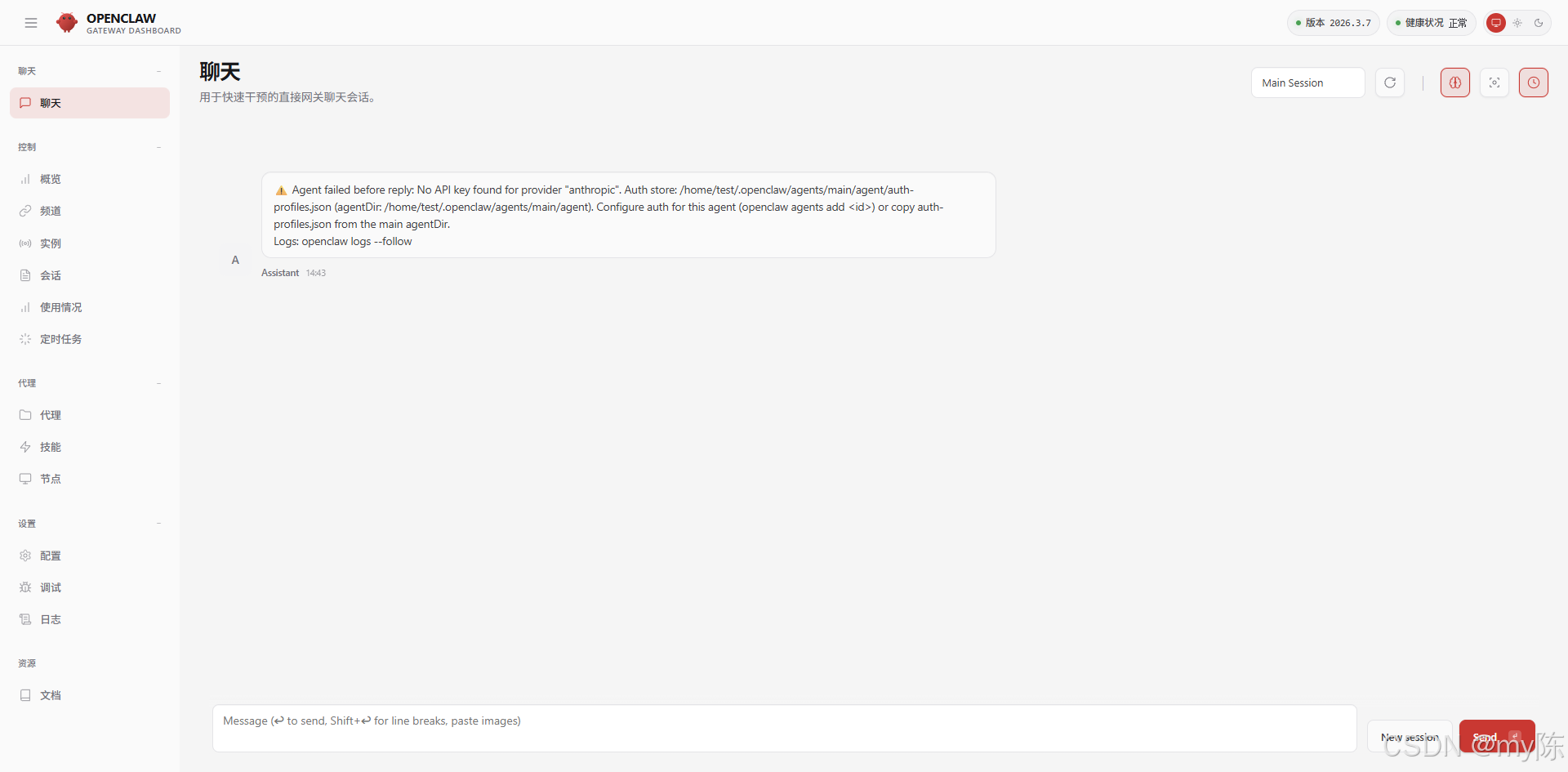
8.配置AI模型
openclaw config
Where will the Gateway run?
│  ● Local (this machine) (Gateway reachable (ws://127.0.0.1:18789))
│  ○ Remote (info-only)
 Select sections to configure
│  ○ Workspace
│  ● Model (Pick provider + credentials)
│  ○ Web tools
│  ○ Gateway
│  ○ Daemon
│  ○ Channels
│  ○ Skills
│  ○ Health check
│  ○ Continue
Model/auth provider

│  ● Qwen (OAuth)
授权(复制授权地址网页打开)
授权地址https://chat.qwen.ai/authorize?user_code=WUT0LS9D&client=qwen-code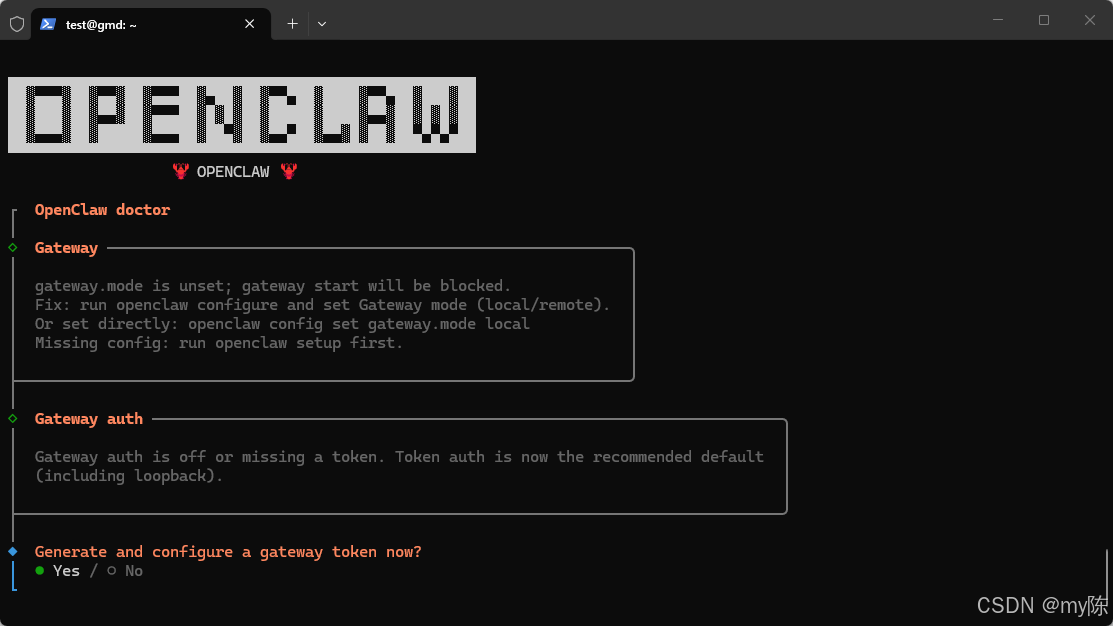
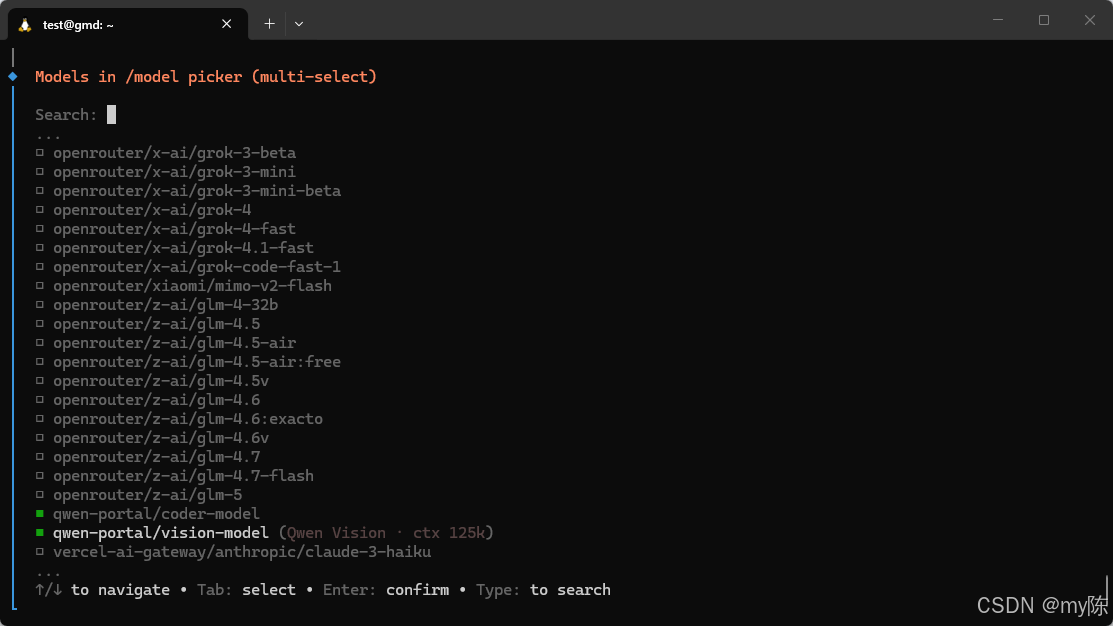
选择需要的模型 回车确认
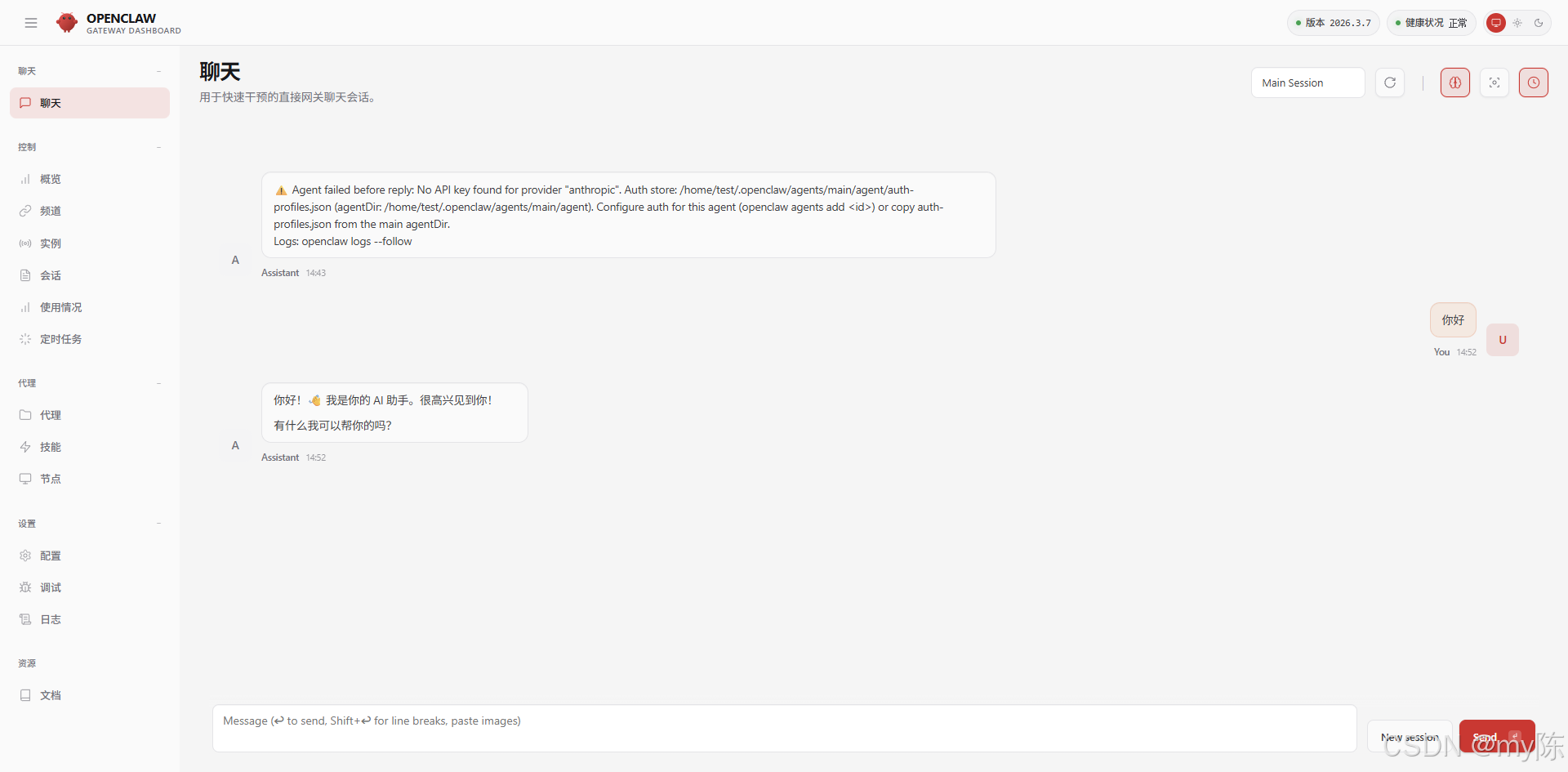
回到web提问
接入钉钉机器人
1.安装插件
openclaw plugins install @dingtalk-real-ai/dingtalk-connector2.创建钉钉机器人
参考文档 钉钉文档
3.配置属性
vim ~/.openclaw/openclaw.json"channels": {
"dingtalk-connector": {
"clientId": "", //AppKey
"clientSecret": "", //AppSecret
"gatewayToken": "", //在下面配置中获取
"gatewayPassword": "",
"sessionTimeout": 1800000
}
},// 这个原本就有找到并添加http配置
"gateway": {
"http": {
"endpoints": {
"chatCompletions": {
"enabled": true
}
}
}
}
4.重启网关
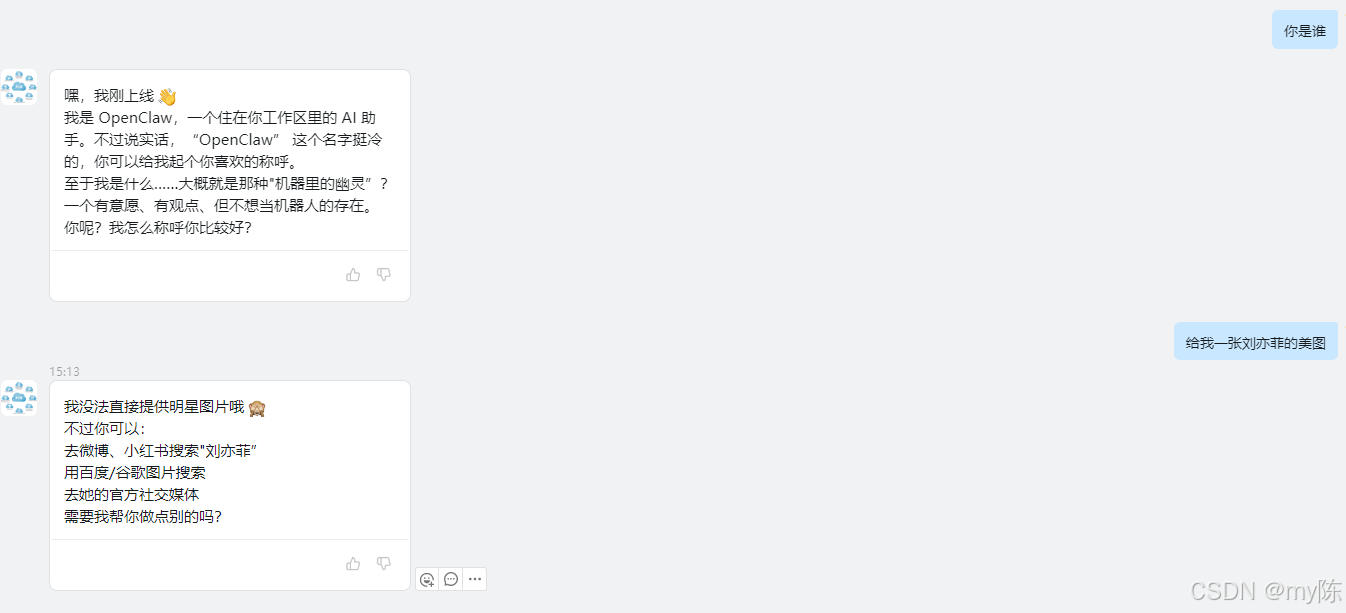
openclaw gateway restart5.机器人聊天(钉钉中找到机器人)
TISP
// 重新安装
openclaw onboard
// 配置
openclaw config
// 运行状态
openclaw status
// 启动网关
openclaw gateway
// 启动网关后台运行
openclaw gateway start (需要安装后台服务 openclaw gateway install)
// 关闭
openclaw gateway stop
// 重启
openclaw gateway restart
// 打开web
openclaw dashboard
// 查看日志
openclaw logs --follow
// 更新
openclaw update
错误:缺少 npm 全局的 bin 目录:
npm install failed for openclaw@latest
Command: env SHARP_IGNORE_GLOBAL_LIBVIPS=1 npm --loglevel error --silent --no-fund --no-audit install -g openclaw@latest
Installer log: /tmp/tmp.NSdvYalYQH
! npm install failed; showing last log lines
! npm install failed; retrying
echo 'export PATH="$HOME/.npm-global/bin:$PATH"' >> ~/.zshrc source ~/.zshrc配置谷歌(google)模型错误
Failed to start CLI: Error: Gemini CLI not found. Install it first: brew install gemini-cli (or npm install -g @google/gemini-cli), or set GEMINI_CLI_OAUTH_CLIENT_ID.
at resolveOAuthClientConfig (/home/test/.npm-global/lib/node_modules/openclaw/extensions/google-gemini-cli-auth/oauth.ts:212:9)
at buildAuthUrl (/home/test/.npm-global/lib/node_modules/openclaw/extensions/google-gemini-cli-auth/oauth.ts:262:24)
at loginGeminiCliOAuth (/home/test/.npm-global/lib/node_modules/openclaw/extensions/google-gemini-cli-auth/oauth.ts:679:19)
at process.processTicksAndRejections (node:internal/process/task_queues:103:5)
at async Object.run (/home/test/.npm-global/lib/node_modules/openclaw/extensions/google-gemini-cli-auth/index.ts:40:28)
at async applyAuthChoicePluginProvider (file:///home/test/.npm-global/lib/node_modules/openclaw/dist/auth-choice-CtvmIf50.js:802:17)
at async applyAuthChoiceGoogleGeminiCli (file:///home/test/.npm-global/lib/node_modules/openclaw/dist/auth-choice-CtvmIf50.js:911:9)
at async applyAuthChoice (file:///home/test/.npm-global/lib/node_modules/openclaw/dist/auth-choice-CtvmIf50.js:1449:18)
at async promptAuthConfig (file:///home/test/.npm-global/lib/node_modules/openclaw/dist/configure-CTMqo0ZK.js:351:42)
at async runConfigureWizard (file:///home/test/.npm-global/lib/node_modules/openclaw/dist/configure-CTMqo0ZK.js:959:19)
npm install -g @google/gemini-cli
小龙虾开发者社区是 CSDN 旗下专注 OpenClaw 生态的官方阵地,聚焦技能开发、插件实践与部署教程,为开发者提供可直接落地的方案、工具与交流平台,助力高效构建与落地 AI 应用
更多推荐

 13
13 0
0- 0


 已为社区贡献1条内容

所有评论(0)