Disable scrolling and handle Close method for Sidebar in BootstrapVue
·
Answer a question
I would like to ask 2 questions about Sidebar in BootstrapVue.
- Disable scrolling after opened Sidebar
- How to handle closing method when click outside the Sidebar (Backdrop)
I'm using https://bootstrap-vue.org/docs/components/sidebar
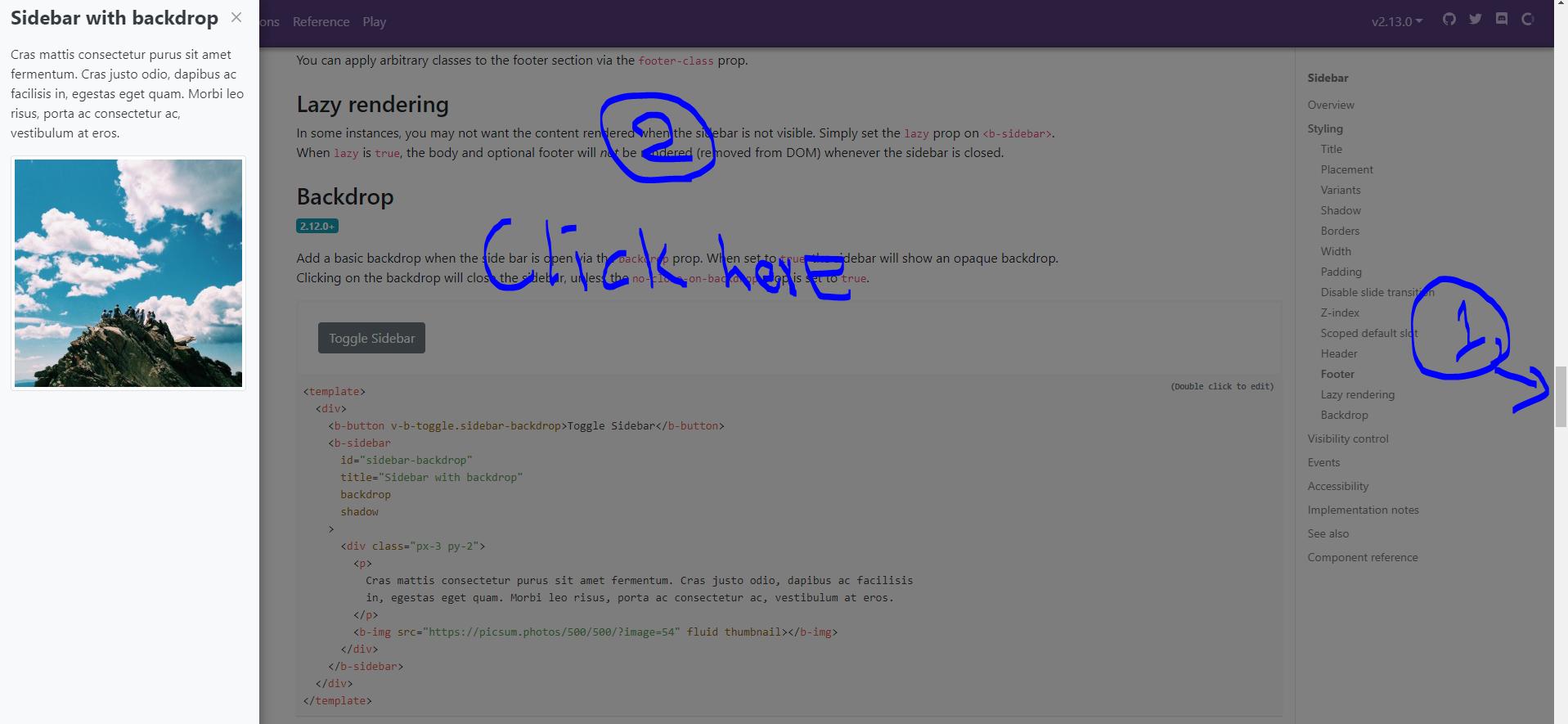
<template>
  <div>
    <b-button v-b-toggle.sidebar-backdrop>Toggle sSidebar</b-button>
    <b-sidebar
      id="sidebar-backdrop"
      title="Sidebar with backdrop"
      backdrop
      shadow
    >
      <div class="px-3 py-2">
        <p>
          Cras mattis consectetur purus sit amet fermentum. Cras justo odio, dapibus ac facilisis
          in, egestas eget quam. Morbi leo risus, porta ac consectetur ac, vestibulum at eros.
        </p>
        <b-img src="https://picsum.photos/500/500/?image=54" fluid thumbnail></b-img>
      </div>
    </b-sidebar>
  </div>
</template>
Thank you and appreciate.
Answers
You can remove the scrollbar by adding the bootstrap class overflow-hidden to your body.
Hook a method up to the @change method on the sidebar, which is fired when the sidebar is shown and hidden.
The sidebar also has a @hidden event, which is fired when the sidebar gets hidden.
new Vue({
  el: '#app',
  methods: {
    toggleBodyScrollbar(visible) {
      const body = document.getElementsByTagName('body')[0];

      if(visible)
        body.classList.add("overflow-hidden");
      else
        body.classList.remove("overflow-hidden");
    }
  }
})
<link href="https://unpkg.com/bootstrap@4.4.1/dist/css/bootstrap.min.css" rel="stylesheet" />
<link href="https://unpkg.com/bootstrap-vue@2.13.0/dist/bootstrap-vue.css" rel="stylesheet" />

<script src="https://unpkg.com/babel-polyfill/dist/polyfill.min.js"></script>
<script src="https://cdnjs.cloudflare.com/ajax/libs/vue/2.6.11/vue.js"></script>
<script src="https://unpkg.com/bootstrap-vue@2.13.0/dist/bootstrap-vue.js"></script>

<div id="app">
  <b-sidebar id="sidebar-1" title="Sidebar" shadow backdrop @change="toggleBodyScrollbar">
    <div class="px-3 py-2">
      <p>
        Cras mattis consectetur purus sit amet fermentum. Cras justo odio, dapibus ac facilisis
        in, egestas eget quam. Morbi leo risus, porta ac consectetur ac, vestibulum at eros.
      </p>
      <b-img src="https://picsum.photos/500/500/?image=54" fluid thumbnail></b-img>
    </div>
  </b-sidebar>

  <p v-for="i in 10">Some content</p>
  <b-button v-b-toggle.sidebar-1>Toggle Sidebar</b-button>
  <p v-for="i in 10">Some content</p>
</div>

Vue社区为您提供最前沿的新闻资讯和知识内容
更多推荐
 0
0 0
0- 0



 已为社区贡献21229条内容

所有评论(0)