
OpenClaw升级最新3.23版本后微信连接失败问题解决方案
摘要:升级OpenClaw至2026.3.23-2版本后,微信插件因缺失openclaw/plugin-sdk/channel-config-schema模块导致连接失效。经排查,原因是插件未正确链接主程序包。解决方案: 在主包目录执行npm link创建全局链接; 在插件目录运行npm link openclaw建立本地链接; 重新执行openclaw channels login扫码登录。通过
近日Openclaw在一场史上最大版本的更新,新版本定位为跨平台的个人AI助手,更新重点包括Openclaw插件安装优先从clawhub安装,而非npm;同时删除旧插件系统,使用全新的插件开发工具包。版本发布后不到一天,大量用户在github等渠道反馈报错问题。例如:运行阶段微信、飞书等通讯插件无法加载、直接瘫痪,部分用户反馈微信clawbot插件更新后完全无法同步消息;浏览器扩展relay功能因路径移除而失效,minimax等国产模型配置异常,windows沙箱出现权限错误。
前面为我本地龙虾部署了个人微信的渠道(Channel),昨天升级本地龙虾版本后(2026.3.23-2 (7ffe7e4)),微信连接失效。
PS C:\Users\xxxxx> openclaw --version
OpenClaw 2026.3.23-2 (7ffe7e4)
启动龙虾的Gateway会有一个报错: Error: Cannot find module 'openclaw/plugin-sdk/channel-config-schema')
🦞 OpenClaw 2026.3.23-2 (7ffe7e4) — Your AI assistant, now without the $3,499 headset.
......
13:32:21 [plugins] openclaw-weixin failed to load from C:\Users\xxxxxx\.openclaw\extensions\openclaw-weixin\index.ts: Error: Cannot find module 'openclaw/plugin-sdk/channel-config-schema'
Require stack:
- C:\Users\xxxxxx\.openclaw\extensions\openclaw-weixin\index.ts
[openclaw] Failed to start CLI: PluginLoadFailureError: plugin load failed: openclaw-weixin: Error: Cannot find module 'openclaw/plugin-sdk/channel-config-schema'
Require stack:
- C:\Users\xxxxxx\.openclaw\extensions\openclaw-weixin\index.ts
    at maybeThrowOnPluginLoadError (file:///C:/Users/xxxxxx/AppData/Roaming/npm/node_modules/openclaw/dist/pi-embedded-CbCYZxIb.js:149250:8)
检查后推测:openclaw-weixin 微信插件与 OpenClaw 新版本不兼容,插件依赖的 SDK 模块在当前主程序中不存在,导致插件无法加载、登录失败。
【原因分析】
node_modules 里没有 openclaw,所以 import "openclaw/plugin-sdk/channel-config-schema" 会失败。

根本原因:微信插件依赖 openclaw 包作为 peer dependency,但插件目录下的 node_modules 没有安装或链接到主 OpenClaw 包。
网上查了下,发现微信还没有版本更新,找了一个临时解决方案,解决方案如下:
【解决方案】:
1 . 步骤一,加npm link(如果有龙虾,可以让龙虾去自动执行):在插件目录下创建 openclaw 的符号链接到主包。
`npm link` 的工作原理:

1. **全局链接**:在 OpenClaw 主包目录创建一个全局符号链接
   ```
   cd C:\Users\luzhe\AppData\Roaming\npm\node_modules\openclaw
   npm link
   ```

2. **本地链接**:在插件目录链接到全局
   ```
   cd C:\Users\luzhe\.openclaw\extensions\openclaw-weixin
   npm link openclaw
   ```

执行后,插件的 `node_modules/openclaw` 会指向主包位置,这样 `import "openclaw/plugin-sdk/..."` 就能正确解析了。
2. 重新扫码连接(重要):
2.1 扫码方法:
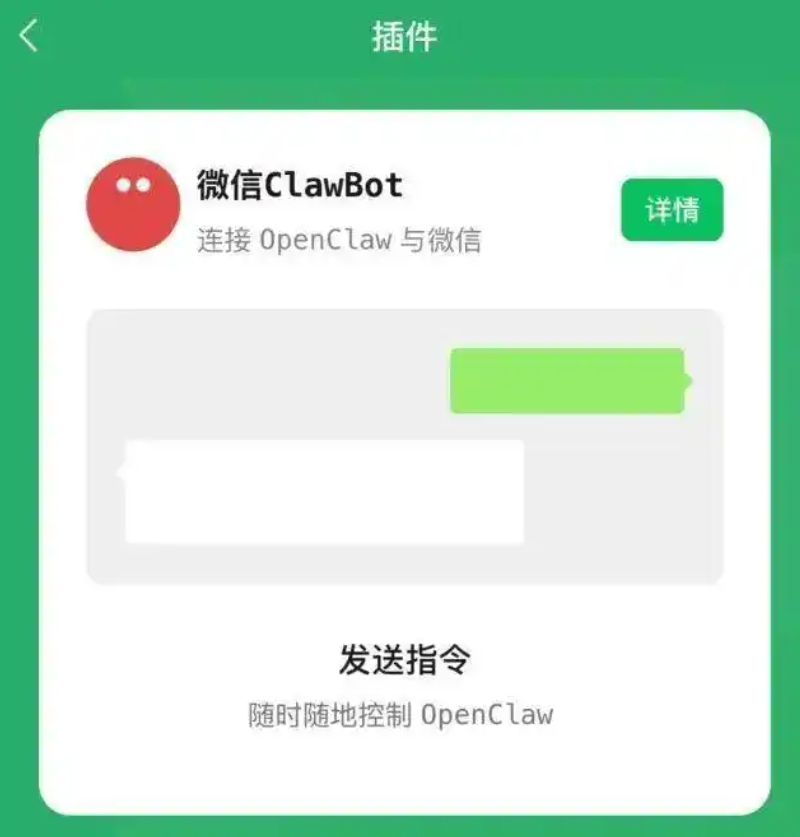
* 打开微信,在路径:「我-设置-插件」,可以查看终端安装指令。
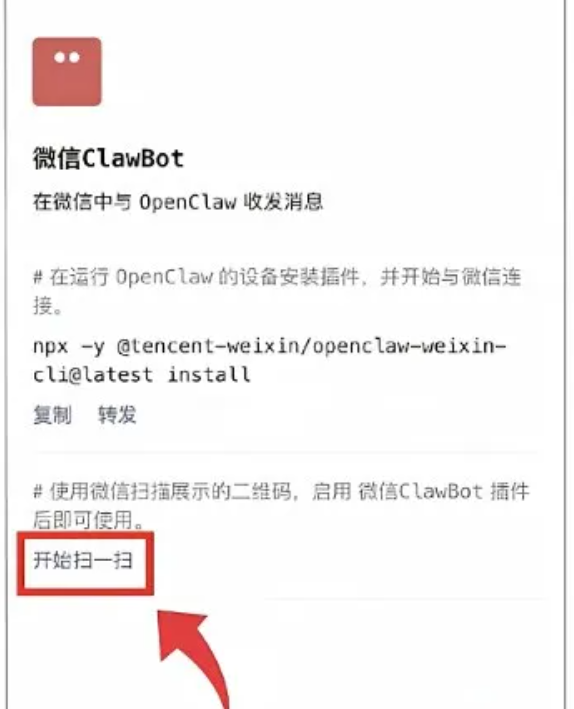
2.2 重新生成连接二维码扫码:
在powershell下启动login命令
PS C:\Users\xxxxxx> openclaw channels login --channel openclaw-weixin
重新扫码连接后,问题解决。

小龙虾开发者社区是 CSDN 旗下专注 OpenClaw 生态的官方阵地,聚焦技能开发、插件实践与部署教程,为开发者提供可直接落地的方案、工具与交流平台,助力高效构建与落地 AI 应用
更多推荐
 0
0 0
0- 0


 已为社区贡献1条内容

所有评论(0)