

写文章


- @dulo2005


简介
该用户还未填写简介
擅长的技术栈
未填写擅长的技术栈
可提供的服务
暂无可提供的服务
在Linux(deepin-community-25)下安装MongoDB
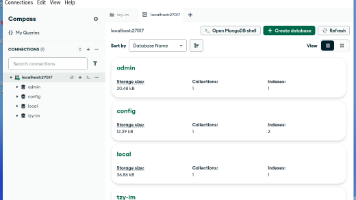
本文简要介绍了MongoDB社区版的安装与配置流程。首先从官网下载软件包并移动到指定目录,使用dpkg命令安装后启动服务。接着设置服务自启动并安装MongoDB Compass图形客户端。为开放局域网访问权限,需修改配置文件将绑定IP从127.0.0.1改为0.0.0.0,并重启服务。整个过程包括软件安装、服务配置和网络访问设置三个主要步骤。
When allowCredentials is true, allowedOrigins cannot contain the special value “*“ since that cannot
出现该问题是跨域问题,当allowCredentials为true时,allowingOrigins不能包含特殊值“ *”,因为无法在“ Access-Control-Allow-Origin”响应标头上设置。处理方法是:首先找打你后端跨域设置文件,将方法中的addAllowedOrigin(““)替换成addAllowedOriginPattern(””)

springboot集成thymeleaf报错:template might not exist or might not be accessible by any of the configured
springboot集成thymeleaf报错:template might not exist or might not be accessible by any of the configured Template Resolvers的解决方法

到底了