Bootstrap Dropdown is not working in React
·
Answer a question
I include a dropdown button to React from bootstrap Dropdowns, But it is not working and shows as a normal button. Can you give me a solution for this?
<div className="dropdown">
    <button className="btn btn-secondary
                 dropdown-toggle"
                 type="button"
                 id="dropdownMenuButton"
                 data-toggle="dropdown"
                 aria-haspopup="true"
                 aria-expanded="false">
                 Dropdown button
    </button>
            <div className="dropdown-menu" aria-labelledby="dropdownMenuButton">
                <a className="dropdown-item" href="#">Action</a>
                <a className="dropdown-item" href="#">Another action</a>
                <a className="dropdown-item" href="#">Something else here</a>
            </div>
</div>
The output is a normal button like this. 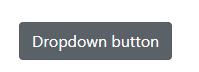
Answers
Dropdowns are not working without popper.js and jquery.js.
So please install popper.js and jquery.js in your system using npm install popper.js jquery --save and don't forget to include it.
With CDN
https://stackblitz.com/edit/create-react-class-m3qfxu?file=index.html
With NPM
https://stackblitz.com/edit/create-react-class-xvsthx?file=index.js

React社区为您提供最前沿的新闻资讯和知识内容
更多推荐
 0
0 0
0- 0


 已为社区贡献29246条内容

所有评论(0)