Displaying text on multiple lines in `react-tooltip`
·
Answer a question
I use the library: https://www.npmjs.com/package/react-tooltip. I have a too long text, which is on one line, how can put it on multiple lines?
<p data-tip="hello world">Tooltip</p>
<ReactTooltip className="tooltip"/>

.tooltip {
  width: 100px;
}
Answers
You can use html={true} or multiline={true} both property to handle multiple line scenario
html
var tooltiptest = 'this is <br /> a test';

<div data-tip={tooltiptest} data-for='path'>Path</div>

<ReactTooltip id='path' type='light' html={true} />
your example:
<p data-for='path' data-tip="hello <br /> world">Tooltip</p>
<ReactTooltip id='path' className="tooltip" html={true} />

.tooltip {
  width: 100px;
}
multiline
<span data-tip='tooltip<br />multiline'></span>

<ReactTooltip multiline={true} />
your example
<p data-tip="hello <br /> world">Tooltip</p>
<ReactTooltip className="tooltip" multiline={true} />

.tooltip {
  width: 100px;
}
source - reference1 reference2
if you need to handle word-wrap for dynamic driven content, please follow the below style.
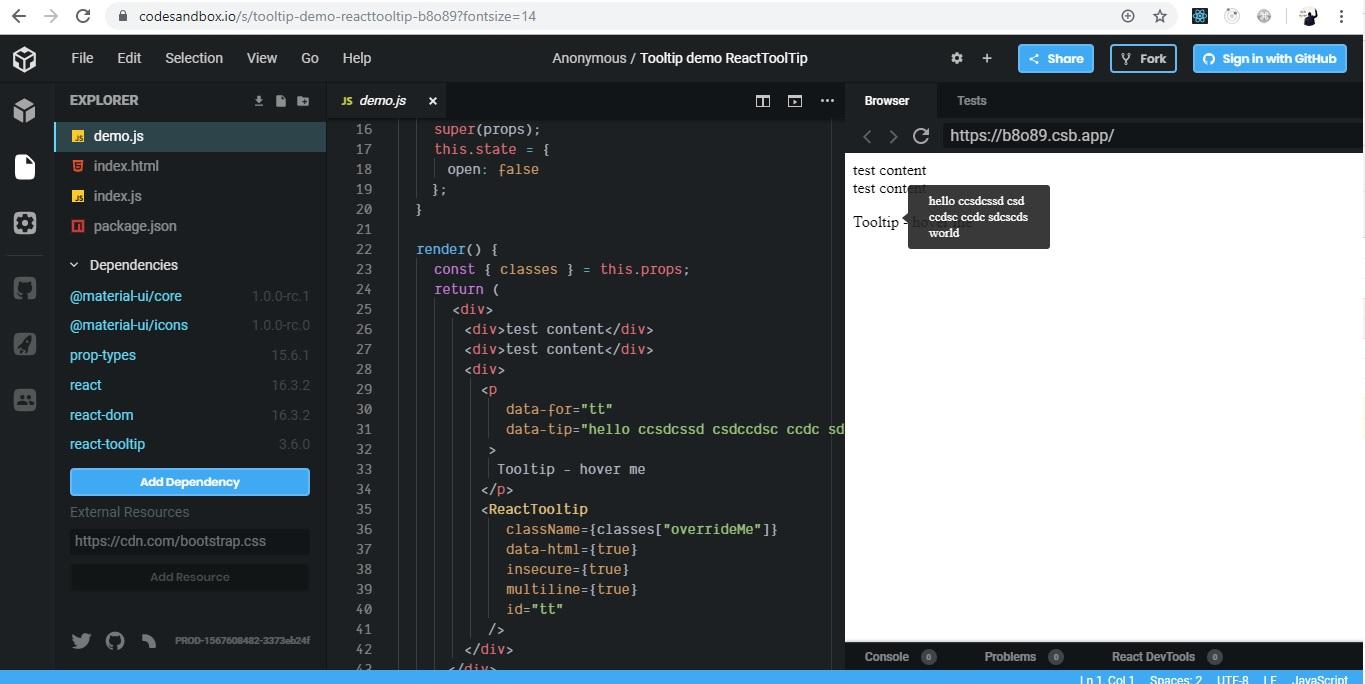
import React from "react";
import { withStyles } from "@material-ui/core/styles";
import ReactTooltip from "react-tooltip";

const styles = theme => ({
  overrideMe: {
    width: "100px",
    "word-break": "break-all",
    "overflow-wrap": "break-word",
    display: "block"
  }
});

class Opener extends React.PureComponent {
  constructor(props) {
    super(props);
    this.state = {
      open: false
    };
  }

  render() {
    const { classes } = this.props;
    return (
      <div>
        <div>test content</div>
        <div>test content</div>
        <div>
          <p
            data-for="tt"
            data-tip="hello ccsdcssd csdccdsc ccdc sdcscds world"
          >
            Tooltip - hover me
          </p>
          <ReactTooltip
            className={classes["overrideMe"]}
            data-html={true}
            insecure={true}
            multiline={true}
            id="tt"
          />
        </div>
      </div>
    );
  }
}

export default withStyles(styles)(Opener);
play with the code - code sandbox

React社区为您提供最前沿的新闻资讯和知识内容
更多推荐
 0
0 0
0- 0


 已为社区贡献29245条内容

所有评论(0)