FontAwesome spinner won't spin in React
Answer a question
I created a React application with npx create-react-app.
Then following these instructions
https://fontawesome.com/how-to-use/on-the-web/using-with/react
I installed the Font Awesome dependences:
npm i @fortawesome/fontawesome-svg-core
npm i @fortawesome/free-solid-svg-icons
npm i @fortawesome/react-fontawesome
Then I changed the App.js to this:
import logo from './logo.svg';
import './App.css';
import { FaSpinner } from 'react-icons/fa';

function App() {
  return (
    <div className="App">
          <FaSpinner icon="spinner" spin /> This is a test.
    </div>
  );
}

export default App;
But it only displays a spinner icon that is not spinning:
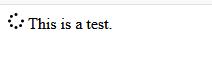
How do I get the spinner to spin?
NOTE:
Outside of React, Font Awesome works fine without doing any extra work to animate the icons, e.g. this simple HTML code shows an animated icon:
<!DOCTYPE html>
<html lang="en">
<head>
    <link rel="stylesheet"
          type="text/css"
          href="https://maxcdn.bootstrapcdn.com/font-awesome/4.7.0/css/font-awesome.min.css" />
    <title>testspin</title>
</head>
<body>
    <i class="fa fa-spinner fa-spin"
       aria-hidden="true"></i>
This is a test
</body>
</html>
What do I need to do in order to get the React version to work this easily?
Answers
By default, the spinner will not spin. But a simple way to trigger it to spin just like the logo of React after creating a new react app.
Add a className of spin to the icon and add a little css to trigger it spinning such like that below:
App.js
import react from 'react';
import './App.css';
import { FaSpinner } from 'react-icons/fa';

function App() {
  return (
    <div className="App">
          <FaSpinner icon="spinner" className="spinner" /> This is a test.
    </div>
  );
}

export default App;
App.css
.spinner {
    animation: spin infinite 5s linear;

    /*You can increase or decrease the timer (5s) to
     increase or decrease the speed of the spinner*/
  }

@keyframes spin {
  from {
    transform: rotate(0deg);
  }
  to {
    transform: rotate(360deg);
  }
}

React社区为您提供最前沿的新闻资讯和知识内容
更多推荐
 0
0 0
0- 0


 已为社区贡献29247条内容

所有评论(0)