Error: Unable to resolve module `@react-native-community/toolbar-android`
Answer a question
Weirdly, the react-native-vector-icons was working well but by using ^ ("^6.6.0") for its version in the package.json file on the new release this error happens.
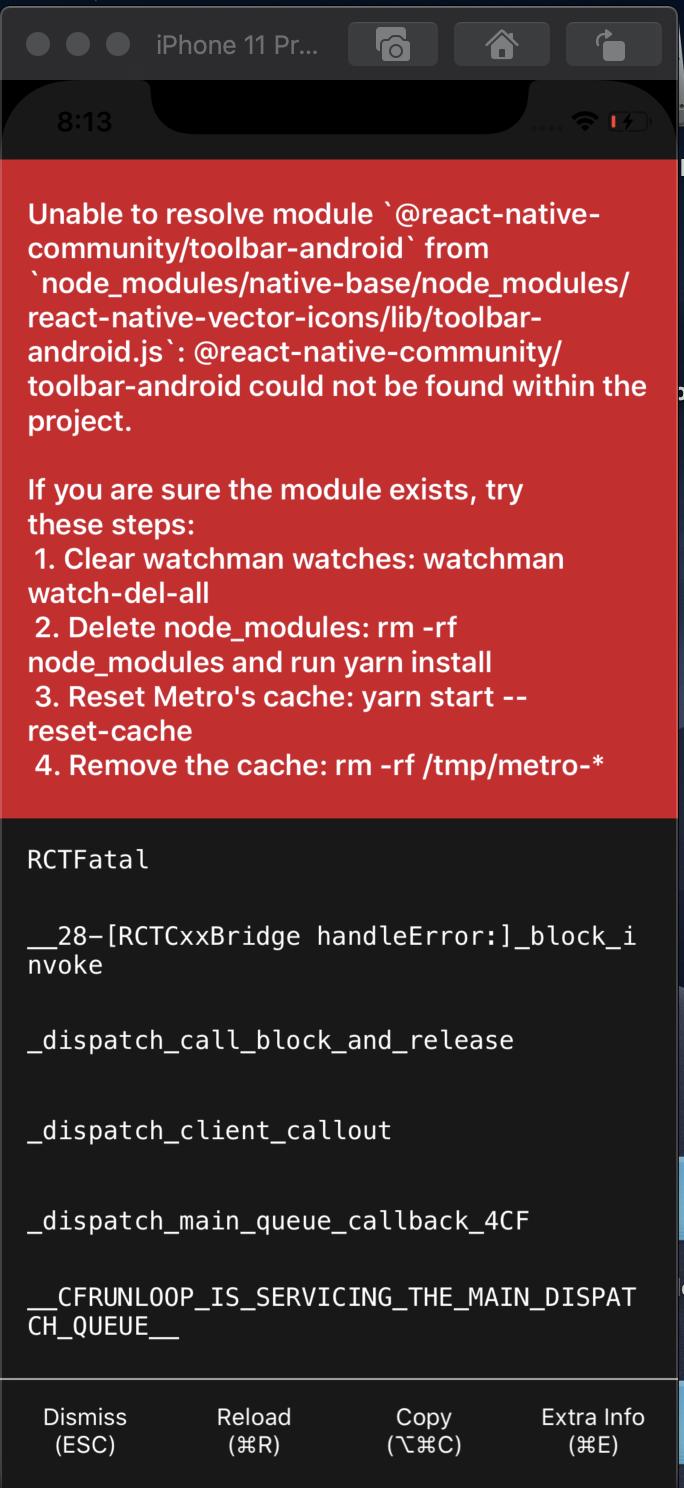
It's weird because two days ago it works well but now starting of my project ran to this error:
error: Error: Unable to resolve module
@react-native-community/toolbar-androidfromnode_modules\react-native-vector-icons\lib\toolbar-android.js: @react-native-community/toolbar-android could not be found within the project.
Answers
After reading this issue and trying many solutions I reach to two solutions:
-
You can delete all
node_modulesfolder and put the version ofreact-native-vector-iconsto"6.6.0"instead of"^6.6.0"and then install all packages again. absolutely, it is better to delete all caches and builds and start everything again. (NOT Recommended) -
You can install the
@react-native-community/toolbar-androidby using the below command:yarn add @react-native-community/toolbar-androidOr
npm install --save @react-native-community/toolbar-android
Note: Both of these solutions are temporary and soonly this bug will be fixed and there is no need to install the toolbar-android package.
Prev Update
I update the package to the version "^7.0.0" on my project and still, the issue is remaining, so this solution is currently perseverance.
New Update
this issue is fixed on version "^7.1.0" and there is no need to install the @react-native-community/toolbar-android.

React社区为您提供最前沿的新闻资讯和知识内容
更多推荐
 0
0 0
0- 0


 已为社区贡献29247条内容

所有评论(0)