Few Rich Text Formatting editors compared
I finally decided to stop building Writings with Flutter Web when I got closer to its rich text formatting features. Actually, at the beginning of my journey, I didn't have in mind to make Writings rich text aware. I wanted to build a small tool that you can use to write and export images only. But as things became more interesting and because I started building Writings to solve my own problem, rich text formatting became a necessity to have.
Flutter Web is a great tool if you are not picky about things. Keep it calm. I talked about it in another article. But once your appetites grow, you might need to reconsider it. Or try hard to achieve what you need. For me, it was the first case. I moved to Next.js. The only problem was that I was learning Next.js as I was migrating the functionalities. Eventually, I came to the same version I had released before. That meant time spent but on the other hand, it enabled other great things that exist in the React/NextJs/JavaScript world.
One of them was the usage of existing JavaScript RTF editors I could immediately start using. I remembered a recommendation I received on Twitter, about an editor library called TipTap. It was the first thing I did after Writings' migration to Next.js.
After that, I tried two more. All three libraries are open source and free of charge. In this article, I will share my experience with them.
Providing a smoother writing experience with Writings, I had to find the optimal library. I didn't look for perfection, but there was some balance I was after.
The Rich Text building frameworks
If you ask an experienced web developer what to use to enable rich text support for your application, some of them would say “use contentEditable”. This might be more extreme than what you'd expect but it's a good start if you want to understand how rich text formatting usually works with JavaScript. So what is contentEditable? It's an attribute that you can assign to an HTML element to indicate that the element itself is editable. You can do this over practically anything.
But understanding the theory doesn't mean you should apply it. If you want to implement things faster, you will for sure go with something that might be using this under the hood, but you don't have to implement a bit of it. One of those implementations is a framework for creating rich text editors called ProseMirror.
You can use ProseMirror to create editors, gain control over them and debug potential issues along the way. ProseMirror provides rich text functionalities on top of the contentEditable attribute.
It's an abstraction if you will.
TipTap - the headless WYSIWYG editor
TipTap on the other hand is a library built using ProseMirror to enable rich text formatting, in an easy way. It's an abstraction over an abstraction.
To integrate TipTap within your app all you need to do is:
-
install the npm package
-
define the component that will be the editor
-
add the component where needed.
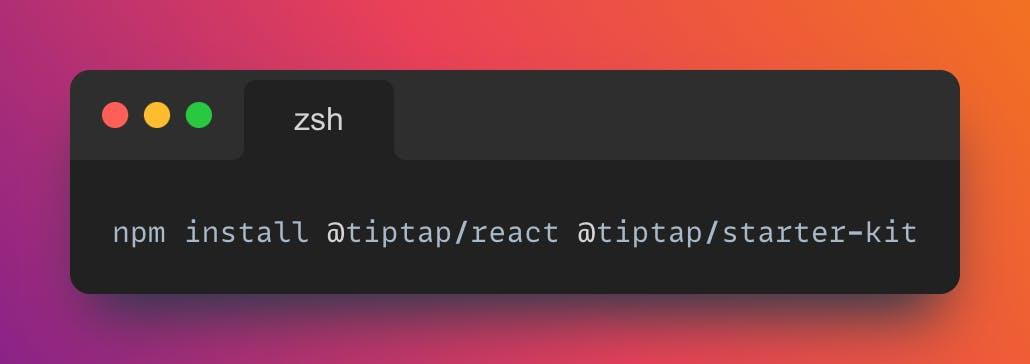
In three easy steps, you will have robust and elegant rich text formatting features for your app. The great thing is that TipTap is not just free, but also open source. There is significant support from the community, which is the best validator of a technology.
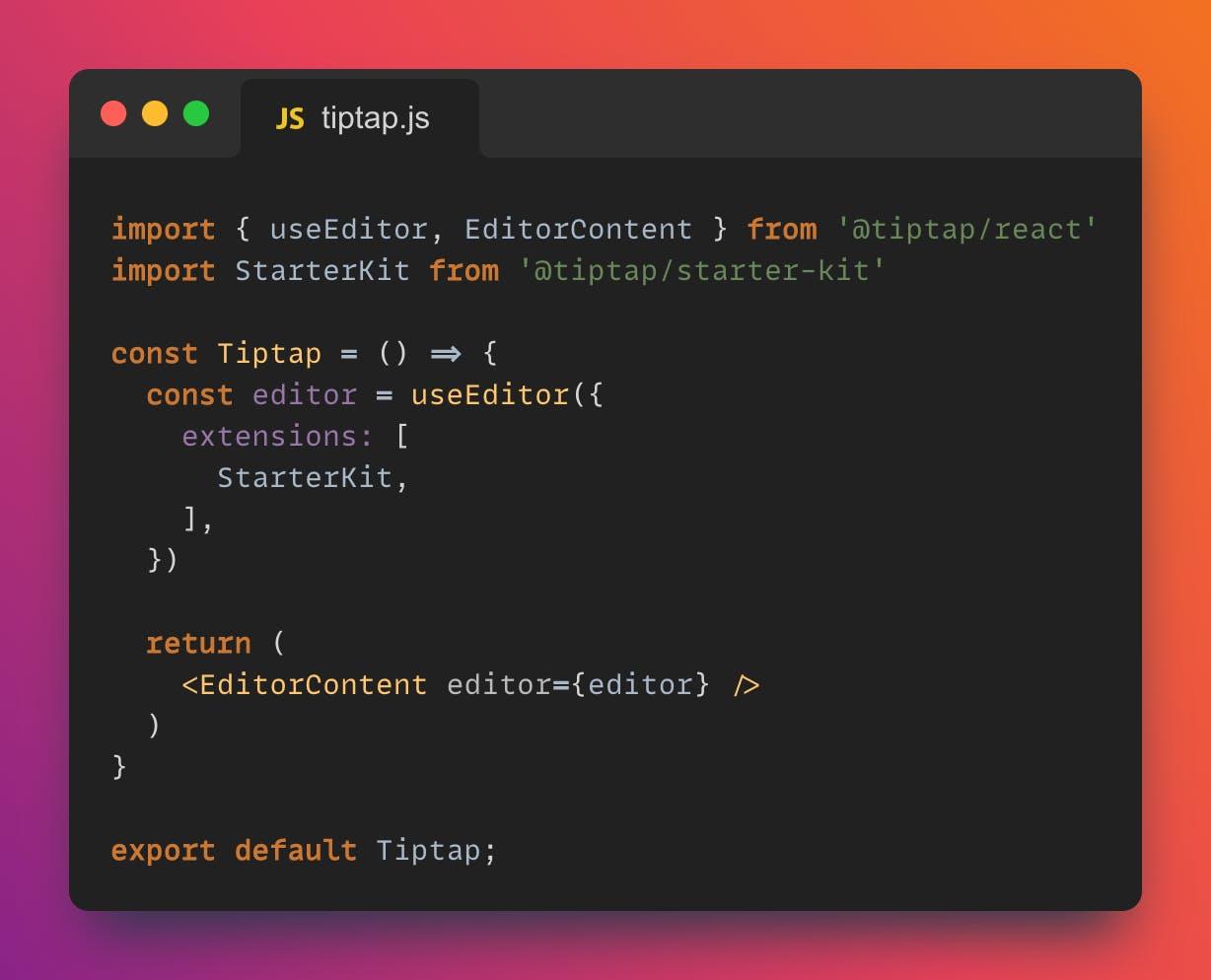
The problems for me started appearing when I started using the editor for longer texts. It has a lot to do with my use case so I would not say that TipTap does not scale well, but if you want to have more atomic control over what the user is typing and do something with it, there could be problems. In my case, I was listening for the changes in the text the whole time, converting the text to plain text and I was doing some more operations over it, to provide statistics for the written text (number of words, time to read, etc.). The moment I started live listening for these changes, TipTap performance dropped significantly.
The alternative was to perform the statistics operation after the text is written or with small debounce after the user has stopped typing. Without much hesitation, I started checking out other alternatives.
Another negative aspect is that TipTap does not support Markdown. And I wanted to have this support ever since I thought about Writings as a solution. Frameworks influence product decisions and in this case, I didn't want to overthink my features (as simple as they were) because of a framework limitation.
TipTap Pros
- It is really simple to integrate
- it's headless (you just implement it, everything is integrated, no need for additional CSS only until you don't really need it)
- has a great community and with that amazing support
- has a satisfactory number of plugins to use out of the box
TipTap Cons
- you cannot customize existing plugins easily
- performance issues for larger documents with a lot of formatting
- no markdown support
Still, if you need an easy and non-complex RTF editor, give Tip Tap a try. It's still an amazing piece of software.
Slate - the bloated baboon
Slate is another framework similar to ProseMirror. You can use it to build frameworks. It's never good to start being negative, but there are two main problems with Slate: it's under-documented and (because of that) difficult to integrate.
Think about this statement that it comes from a person that has 6 months of web development experience building a side-project for a limited amount of time.
Installation and integration are very similar to what I had to do with TipTap: install, create the component, and use it.
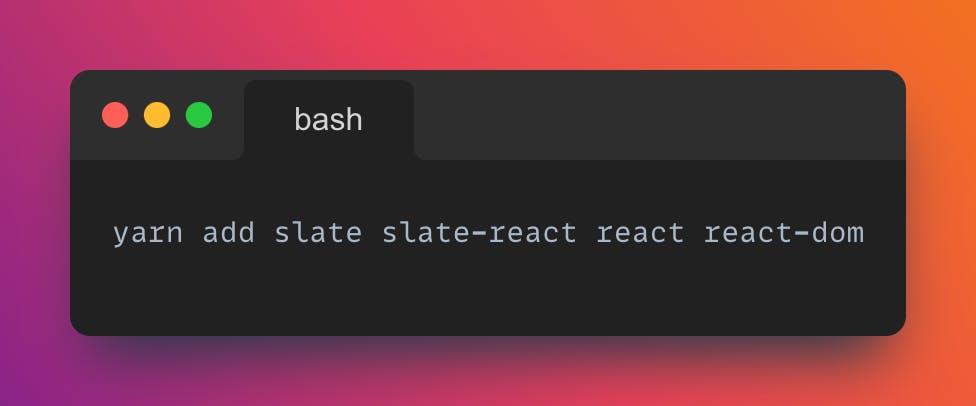
The tricky part was to find out how to enable the more advanced features. Those around rich text formatting. Namely, by default, if you create the editor it might not have rich text support. That is why Slate is a framework, you can build anything, pretty much, but you have to do it yourself. And, as I said, the documentation sometimes was just not there.
One thing I noticed and I think it's a technical problem of their website is that, while you are browsing the documentation of Slate, you can select which version that doc is about. If you don't see it, and you end up reading a document for a plugin version different than what you have just installed, things will become grim. For me, that meant spending few hours trying to understand why an import does not resolve. It's because I was not reading the latest documentation. And how can I know which version I use? By heart? No way.
The moment you figure out how to enable rich text formatting, I wanted to play with things like an imperative change of text formatting. Press a button to make the selection bold. Again, this took a significant amount of time to enable.
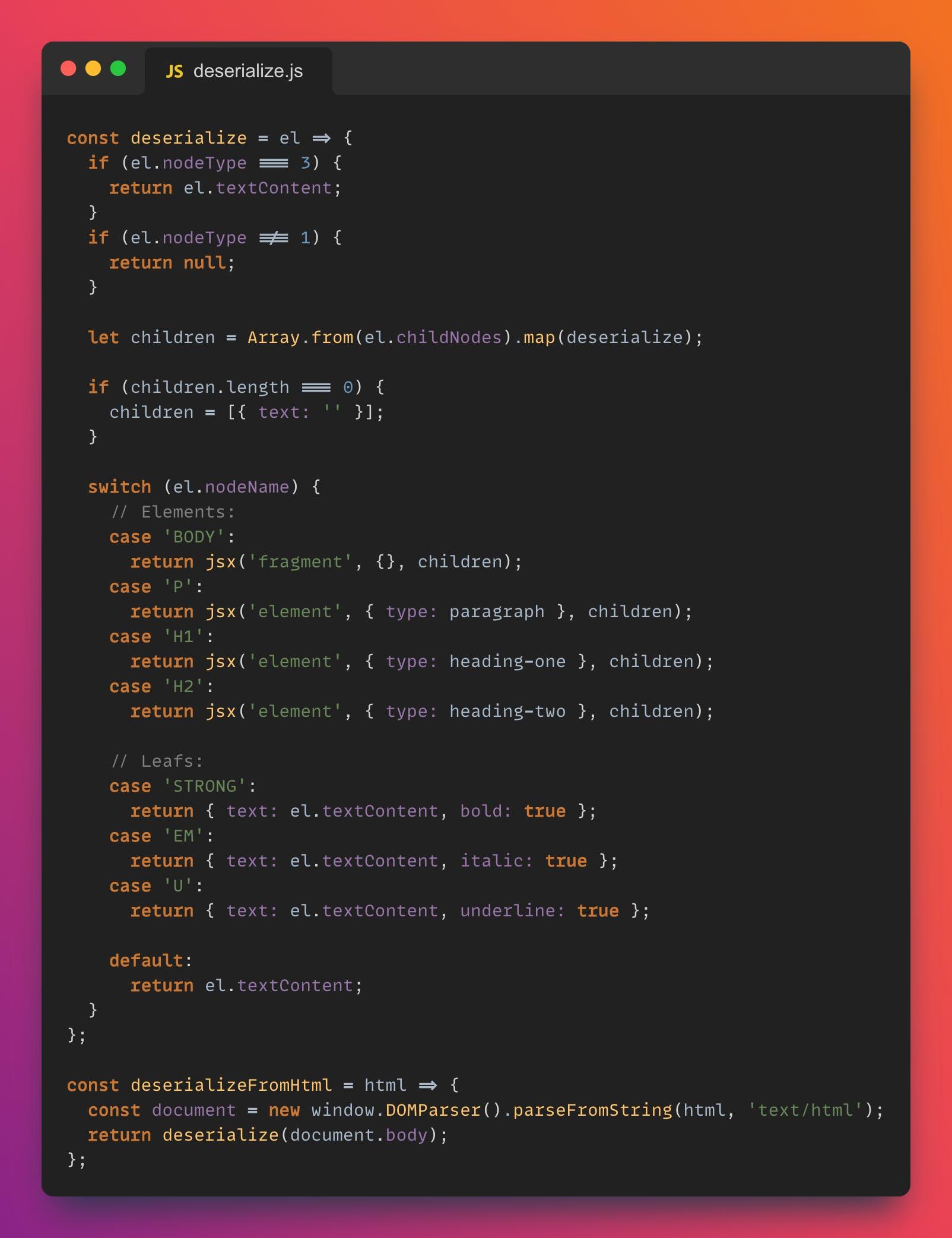
The final conclusion came when I tried to serialize/deserialize HTML. At one point, I had to use a manual parser that would parse the DOM tree and apply the necessary formatting and styles. Fine so far, as I found it online so I just reused it. But then I wanted to interact with that code which was almost impossible for me, and eventually, I broke everything.
Slate Pros
- Simple to integrate
- it's really powerful and you can have full control over what your RTF features are about
- has a good number of plugins to use out of the box
Slate Cons
- difficult to understand documentation
- variety of versions for the libraries and documentation
- difficult to implement plugins/features on top (only if you are not an expert)
- manual serialization/deserialization
Then, I decided to look for more.
Plate
As I was whining over Slate on Twitter, someone recommended Plate. It is an out-of-the-box RTF editor built on top of Slate.
Finding Plate for me was the perfect balance between performance and time. The greatest value of Plate is that it comes with a lot of plugins that you can simply use. It still has the problem with the documentation, I guess inherited from Slate. But it's far from its complexity. Which is a good enough trade-off.
For example, if I want to deserialize an HTML, there is a plugin for it that I have to install and then use. Then similarly to TipTap, performance became a problem as I was doing the same listen → deserialize pattern in this case too. But after restructuring the code a bit, and this is where the trade-off is, Plate started behaving as I expected. No performance issues, just a slight change of the use-case, and lots of plugins to use (my favorite is the Balloon Toolbar —part of the plate-ui-toolbar plugin.
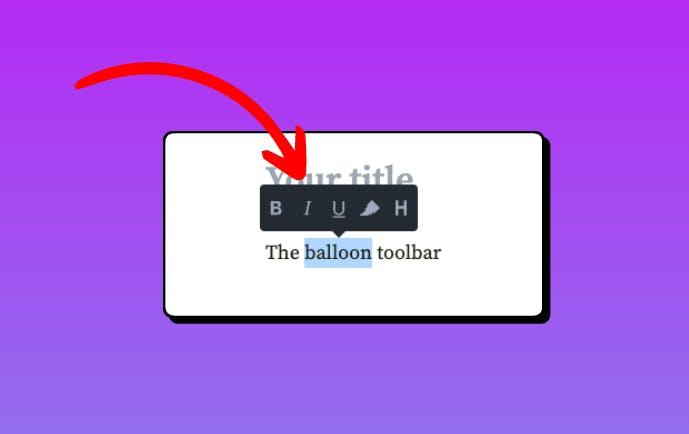
Plate Pros
-
solid and powerful as it's built on top of Slate
-
good enough documentation
-
great list of preprepared plugins
-
serialization/deserialization is bliss;
Plate Cons
-
not very clear documentation
-
examples sometimes are outdated
Conclusion
After these three free libraries, I was recommended to check a few more, paid. Professional and solid. But at the moment I don't need them. I found a good balance in Plate and with that, I can continue building my use case. The obvious winner for me was Plate.
If you are building an app that has integrated RTF support, besides my empathy for you, I want to emphasize my recommendation to try all of these three libraries, in the order given. If one of them works for you, you have the problem solved.

React社区为您提供最前沿的新闻资讯和知识内容
更多推荐
 0
0 0
0- 0


 已为社区贡献29247条内容

所有评论(0)