Material UI TextField type='search': How to replace/modify the 'clear' icon?
·
Answer a question
In the following example I'm using a text field with type='search'. 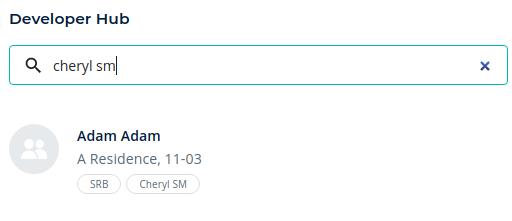
The 'clear' icon appears automatically. How can I change the styling of this icon or replace it with my own icon?
import SearchIcon from '@material-ui/icons/Search';

<TextField
   placeholder="Search"
   type="search"
   variant="outlined"
   fullWidth
   size="small"
   onChange={handleSearchFieldOnChange}
   InputProps={{
       startAdornment: (
           <InputAdornment position="start">
              <SearchIcon />
           </InputAdornment>
            ),
         }}
 />
Answers
you can do something like this:
import InputAdornment from "@material-ui/core/InputAdornment";
import TextField from "@material-ui/core/TextField";
import SearchIcon from "@material-ui/icons/Search";
import { IconButton } from "@material-ui/core";
import CancelRoundedIcon from '@material-ui/icons/CancelRounded'
export default function InputWithIcon() {
  const [value, setValue] = useState("");

  return (
    <TextField
      placeholder="Search"
      type="text"
      variant="outlined"
      fullWidth
      size="small"
      onChange={(e) => setValue(e.target.value)}
      value={value}
      InputProps={{
        startAdornment: (
          <InputAdornment position="start">
            <SearchIcon />
          </InputAdornment>
        ),

        endAdornment: value && (
          <IconButton
            aria-label="toggle password visibility"
            onClick={() => setValue("")}
          ><CancelRoundedIcon/></IconButton>
        )
      }}
    />
  );
}
see the sandbox

React社区为您提供最前沿的新闻资讯和知识内容
更多推荐
 0
0 0
0- 0


 已为社区贡献29247条内容

所有评论(0)