


PostgreSQL HA (High Availability)architectures
A mechanism to identify if a failure of the primary node occurs. A process to perform a failover in which the replica node is promoted to be a primary node. A process to change the query routing so that application requests reach the new primary node
What is Replication ?
In the context of a database, replication means making a copy of a database. Replication allows you to build HA ( High Availability) systems that can continue to operate in the event of a failure.
PostgreSQL has two replication functions:
streaming replication
logical replication
Streaming replication
Streaming replication, a standard feature of PostgreSQL, can synchronize the databases of the primary server and the standby server by sending updated information from the primary server to the standby server in real time.
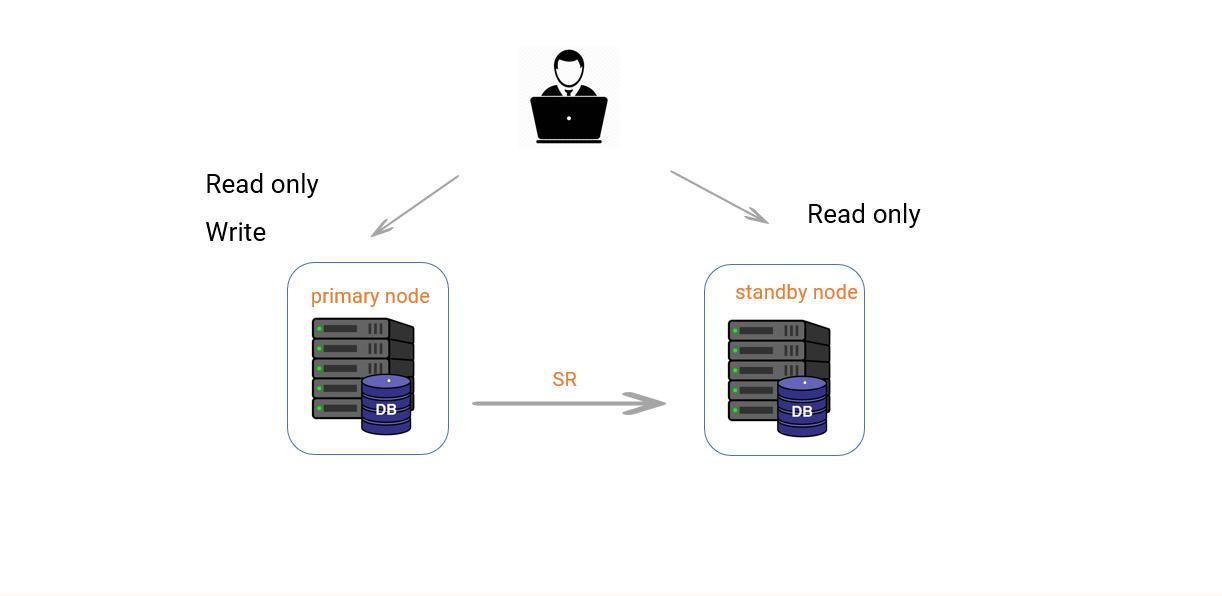
Start settings streaming replication
************************************************
Requirements:
- install the same PostgreSQL version on the primary and standby nodes
- check OS firewall status (2 servers must be able to communicate with each other)
Primary node
*********************
IP add = 192.168.56.162
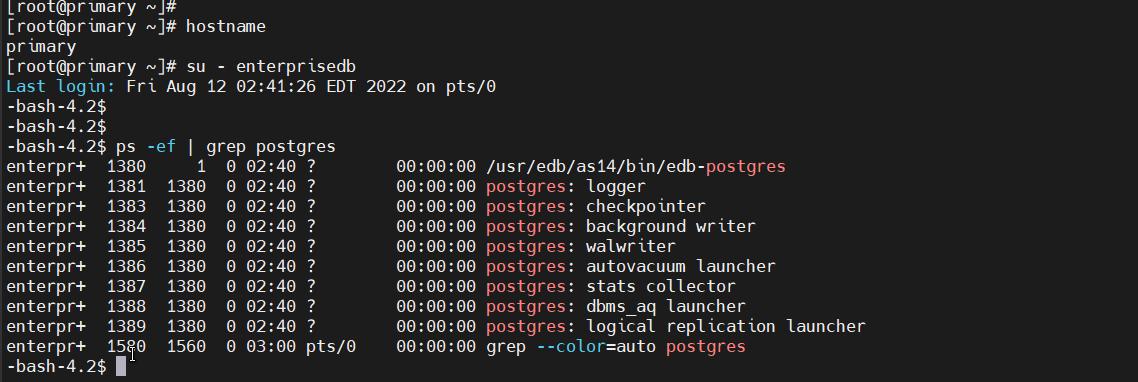
check server status
[root@primary ~]# hostname
primary
[root@primary ~]# su — enterprisedb
Last login: Fri Aug 12 02:40:19 EDT 2022 on pts/0
-bash-4.2$
-bash-4.2$
-bash-4.2$ ps -ef | grep postgres
enterpr+ 1380 1 0 02:40 ? 00:00:00 /usr/edb/as14/bin/edb-postgres
enterpr+ 1381 1380 0 02:40 ? 00:00:00 postgres: logger
enterpr+ 1383 1380 0 02:40 ? 00:00:00 postgres: checkpointer
enterpr+ 1384 1380 0 02:40 ? 00:00:00 postgres: background writer
enterpr+ 1385 1380 0 02:40 ? 00:00:00 postgres: walwriter
enterpr+ 1386 1380 0 02:40 ? 00:00:00 postgres: autovacuum launcher
enterpr+ 1387 1380 0 02:40 ? 00:00:00 postgres: stats collector
enterpr+ 1388 1380 0 02:40 ? 00:00:00 postgres: dbms_aq launcher
enterpr+ 1389 1380 0 02:40 ? 00:00:00 postgres: logical replication launcher
enterpr+ 1418 1398 0 02:41 pts/0 00:00:00 grep — color=auto postgres
-bash-4.2$
postgresql.conf parameter settings
wal_level = logical
wal_log_hints = on
max_wal_senders = 8
max_wal_size = 1GB
parameter info
wal_level = used to enable PostgreSQL streaming replication
wal_log_hints = helpful if the standby server is out of sync with the master server
max_wal_senders = sets the maximum number of simultaneously running WAL sender processes
max_wal_size = maximum size to let the WAL grow during automatic checkpoints.
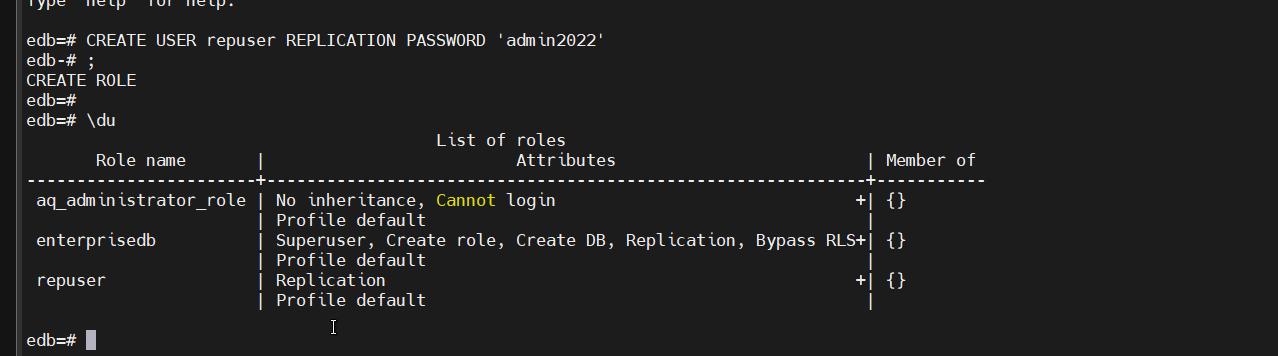
create replica user
bash-4.2$ CREATE USER repuser REPLICATION PASSWORD ‘admin2022’;
change pg_hba.conf parameter and reload
Add standby node IP address and
host replication repuser 192.168.56.165 md5
create replication slot and check status
bash-4.2$ select * from pg_create_physical_replication_slot(‘slot1’);
bash-4.2$ select slot_name, slot_type, active, wal_status from pg_replication_slots;
parameter info
What is replication slot?
A replication slot is a feature in PostgreSQL that ensures that the master server will retain the WAL logs that are needed by the replicas even when they are disconnected from the master.
Standby node
IP add = 192.168.56.165
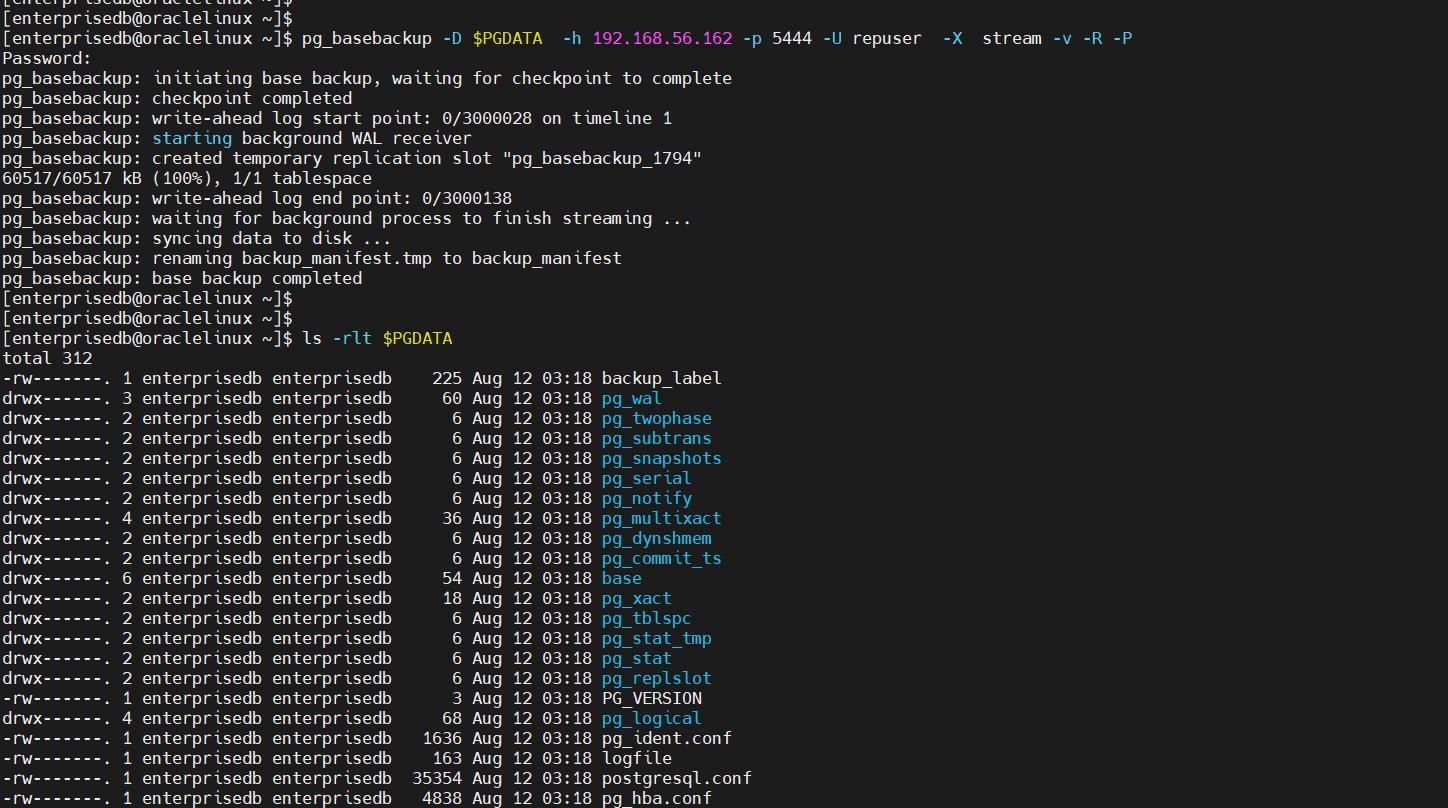
check $PGDATA area

pg_basebackup
bash-4.2$ pg_basebackup -D $PGDATA -h 192.168.56.162 -p 5444 -X -U repuser stream -v -R -P
parameter info
pg_basebackup options
pg_basebackup takes a base backup of a running PostgreSQL server. Usage: pg_basebackup [OPTION]…
Options controlling the output: -D, — pgdata=DIRECTORY receive base backup into directory
-F, — format=p|t output format (plain (default), tar)
-r, — max-rate=RATE maximum transfer rate to transfer data directory (in kB/s, or use suffix “k” or “M”)
-R, — write-recovery-conf write recovery.conf after backup
-T, — tablespace-mapping=OLDDIR=NEWDIR relocate tablespace in OLDDIR to NEWDIR
x, — xlog include required WAL files in backup (fetch mode)
-X, — xlog-method=fetch|stream include required WAL files with specified methodGeneral options:
-c, — checkpoint=fast|spread set fast or spread checkpointing
-l, — label=LABEL set backup label
-P, — progress show progress information
-v, — verbose output verbose messages
-V, — version output version information, then exit
-?, — help show this help, then exitConnection options:
-d, — dbname=CONNSTR connection string
-h, — host=HOSTNAME database server host or socket directory
-p, — port=PORT database server port number
-s, — status-interval=INTERVAL time between status packets sent to server (in seconds)
-U, — username=NAME connect as specified database user
-w, — no-password never prompt for password
-W, — password force password prompt (should happen automatically)
When complete, it copies over the complete PGDATA directory from the primary, including configuration files. It also creates a “standby.signal” file in the replica’s PGDATA directory to signal to PostgreSQL this is a standby server. Add the following to the “postgresql.conf” file on the replica, adjusting naming for your server.
# Standby
primary_conninfo = ‘user=repuser port=5444 host=192.168.56.162 password=admin2022’
primary_slot_name = ‘slot1’
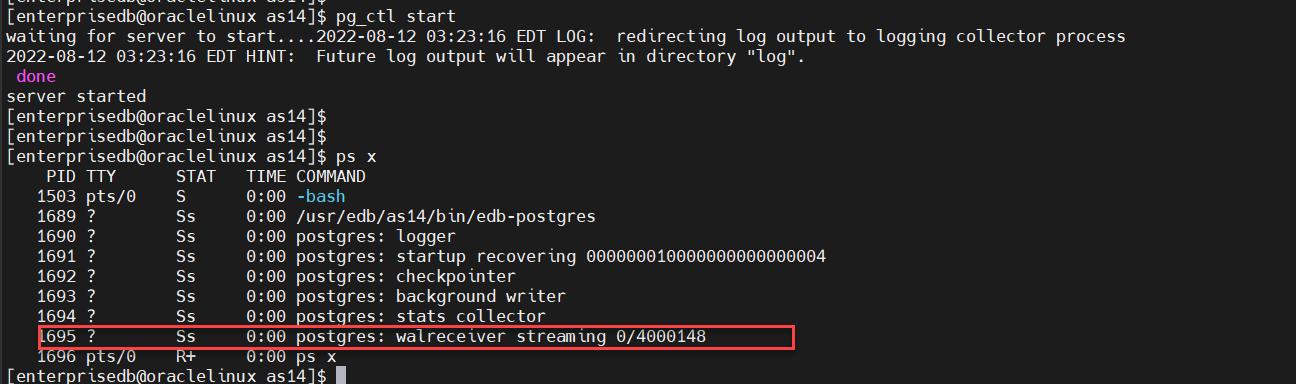
Start standby node
[enterprisedb@oraclelinux as14]$ pg_ctl start
waiting for server to start….2022–08–12 03:23:16 EDT LOG: redirecting log output to logging collector process
2022–08–12 03:23:16 EDT HINT: Future log output will appear in directory “log”.
done
server started
[enterprisedb@oraclelinux as14]$
[enterprisedb@oraclelinux as14]$
[enterprisedb@oraclelinux as14]$ ps x
PID TTY STAT TIME COMMAND
1503 pts/0 S 0:00 -bash
1689 ? Ss 0:00 /usr/edb/as14/bin/edb-postgres
1690 ? Ss 0:00 postgres: logger
1691 ? Ss 0:00 postgres: startup recovering 000000010000000000000004
1692 ? Ss 0:00 postgres: checkpointer
1693 ? Ss 0:00 postgres: background writer
1694 ? Ss 0:00 postgres: stats collector
1695 ? Ss 0:00 postgres: walreceiver streaming 0/4000148
1696 pts/0 R+ 0:00 ps x
Check replication status
*********************************
Primary server
bash-4.2$ ps -ef | grep postgres
enterpr+ 1753 1 0 03:17 ? 00:00:00 /usr/edb/as14/bin/edb-postgres
enterpr+ 1754 1753 0 03:17 ? 00:00:00 postgres: logger
enterpr+ 1756 1753 0 03:17 ? 00:00:00 postgres: checkpointer
enterpr+ 1757 1753 0 03:17 ? 00:00:00 postgres: background writer
enterpr+ 1758 1753 0 03:17 ? 00:00:00 postgres: walwriter
enterpr+ 1759 1753 0 03:17 ? 00:00:00 postgres: autovacuum launcher
enterpr+ 1760 1753 0 03:17 ? 00:00:00 postgres: stats collector
enterpr+ 1761 1753 0 03:17 ? 00:00:00 postgres: dbms_aq launcher
enterpr+ 1762 1753 0 03:17 ? 00:00:00 postgres: logical replication launcher
enterpr+ 1828 1753 0 03:23 ? 00:00:00 postgres: walsender repuser 192.168.56.165(49438) streaming 0/4000148
enterpr+ 1894 1560 0 03:31 pts/0 00:00:00 grep — color=auto postgres
-bash-4.2$

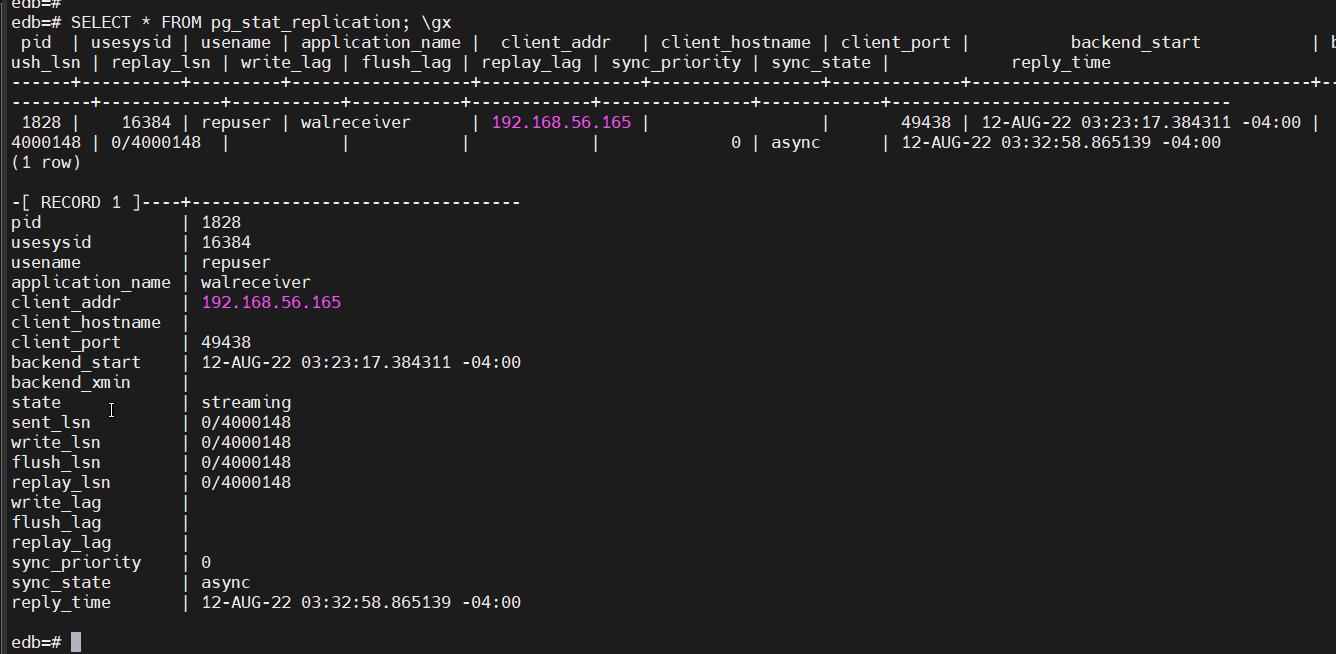
bash-4.2$ SELECT * FROM pg_stat_replication; \gx
parameter info
pg_stat_replication
The pg_stat_replication view will contain one row per WAL sender process, showing statistics about replication to that sender's connected standby server. Only directly connected standbys are listed; no information is available about downstream standby servers.
create table
edb=# create table rep_test (id int);
CREATE TABLE
edb=# \dt
List of relations
Schema | Name | Type | Owner
— — — — + — — — — — + — — — -+ — — — — — — —
public | rep_test | table | enterprisedb
(1 row)
edb=#

Standby server
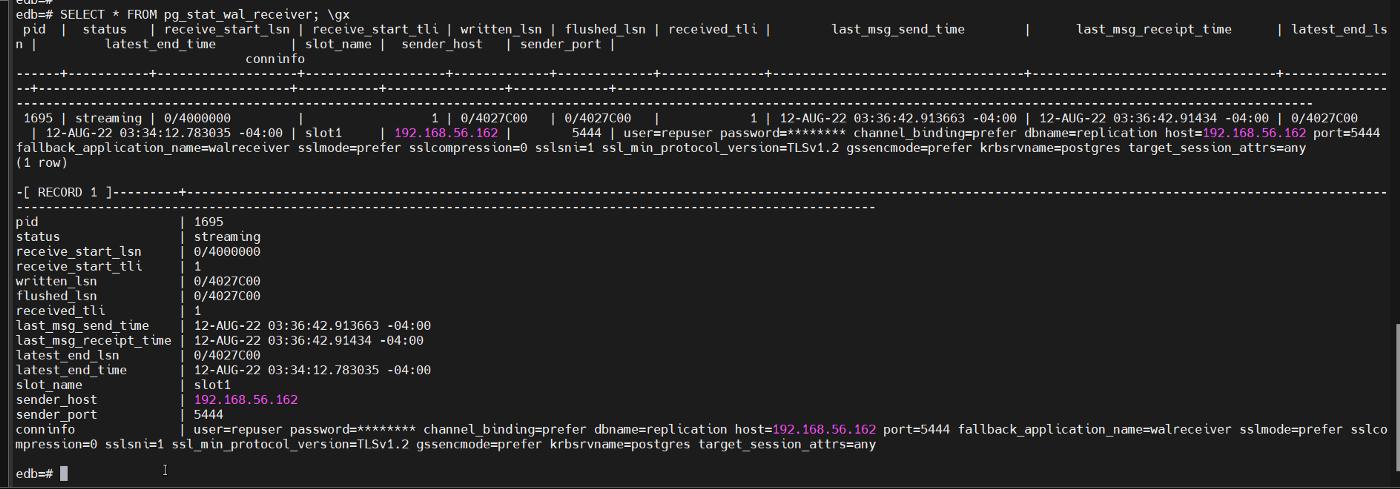
bash-4.2$ SELECT * FROM pg_stat_wal_receiver; \gx
parameter info
pg_stat_wal_receiver
The pg_stat_wal_receiver view will contain only one row, showing statistics about the WAL receiver from that receiver's connected server.
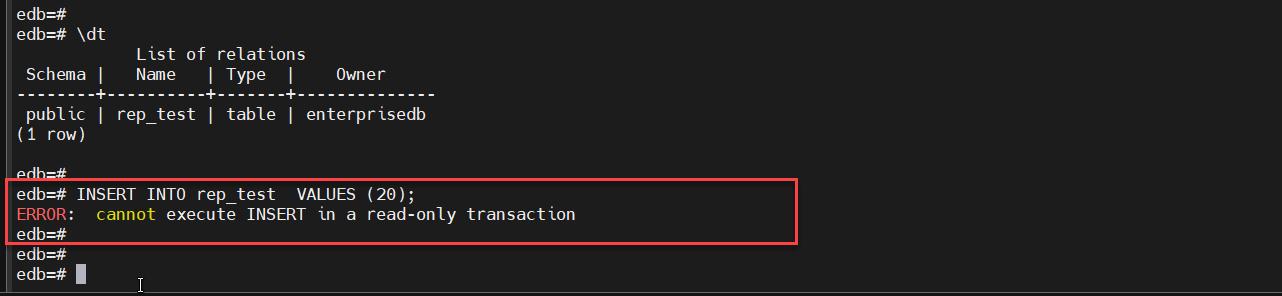
Since the replica is read-only, we can only select data from it, no creates, inserts, updates, deletes, etc.
edb=# \dt
List of relations
Schema | Name | Type | Owner
— — — — + — — — — — + — — — -+ — — — — — — —
public | rep_test | table | enterprisedb
(1 row)
edb=#
edb=# INSERT INTO rep_test VALUES (20);
ERROR: cannot execute INSERT in a read-only transaction
edb=#
Since Streaming Replication delivers changes in Master DB directly to the Slave DB in record units, which is the unit of change, data loss due to sudden death of the Master DB can be minimized.
**************************************************
Thanks for following my blog. I am not yet a professional in the DBA profession. I will be happy if you tell me my mistakes and shortcomings. For further suggestions and requirements, you can write to the following email address.
azikrashidov1103@gmail.com
*************************************************
@Azik 🧑🏻💻


 已为社区贡献19904条内容

所有评论(0)