

In this lesson we will learn constraints on how to add, delete, and modify constraints in a table.
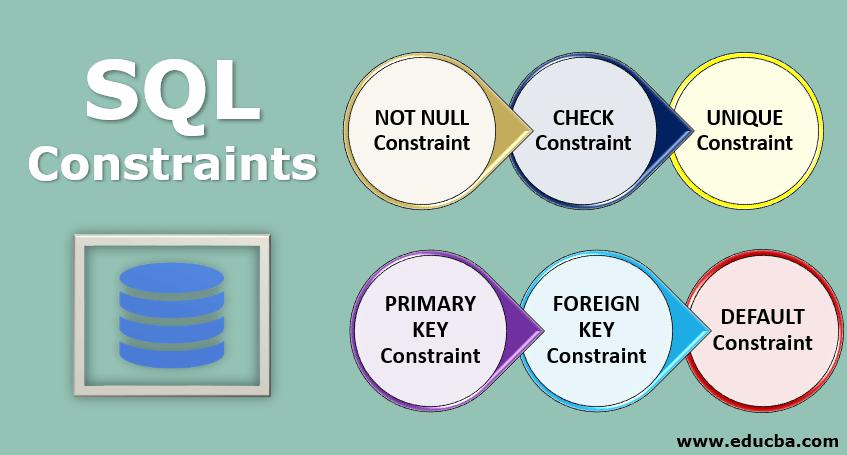
First: Introduction to Restrictions
Introduction to SQL Constraints:
SQL constraints are used to define the databases in the table.
Constraints are used to specify the type of data that can be entered into the table. This ensures the accuracy and reliability of the data in the table. If there is any violation between the constraint and the data action, the action will be aborted.
Constraints can be at the column level or at the table level. Column-level constraints apply to a column, and table-level constraints apply to the entire table.
What are the limitations of SQL?
SQL constraints are a set of rules applied to tables in relational databases to dictate what data can be inserted, updated, or deleted in their tables. This is done to ensure the accuracy and reliability of the information stored in the table. Constraints impose restrictions on the data or the type of data that can be inserted/updated/deleted from a table. The purpose of constraints is to maintain data integrity during update/deletion/insert into the table. Once the constraint is placed, if any operation in the database does not follow the rules defined by the constraint, the particular operation is aborted. In this article, we will learn what SQL constraints are, what are the different types of SQL constraints that are commonly used and how to implement and get rid of them. First, though, we’ll take a quick look at why it’s needed.
The need for SQL constraints
Before we get into the details of what SQL constraints are, let’s take a look at why they are necessary. In order to arrive at this answer, we first need to understand the way information is stored in relational databases and why it is of fundamental importance to ensure that there are frameworks that govern information that can be entered or changed in a way that the information in tables is not corrupted.
At a high level, information in relational databases is segregated into two types, facts and dimensions. Fact tables contain information relating to mathematical information, as a thumb rule, any information on which mathematical operations can be applied, are facts. Sales numbers, costs and revenues are examples of facts. Whereas information like name, date of birth, geographic location etc are examples of dimensional information. In an optimally normalised database, facts and dimensions are stored in separate tables. In order to facilitate rapid extraction of information, relations are built between particular columns in the fact and dimension tables. This is where relational databases get their name from and it is on the basis of these relationships that multiple tables are joined and the data in the tables extracted. Fact and dimension tables are organized in particular structures known as schemas. Star schema and snowflake schema are popular ways of organising this information.
SQL Create Constraints:
Constraints can be specified when the table is created with the CREATE TABLE statement, or after the table is created with the ALTER TABLE statement.
The following constraints are commonly used in SQL:
NOT NULL- Ensures that a column cannot have a NULL value.UNIQUE- Ensures that all values in a column are different.PRIMARY KEY- A combination of aNOT NULLandUNIQUEUniquely identifies each row in a table.FOREIGN KEY- Prevents actions that would destroy links between tables.CHECK- Ensures that the values in a column satisfies a specific condition.DEFAULT- Sets a default value for a column if no value is specified.CREATE INDEX- Used to create and retrieve data from the database very quickly.
Second: Statements Of SQL Constraints
1- SQL NOT NULL Constraint:
By default, a column can hold NULL values, The NOT NULL constraint enforces a column to NOT accept NULL values, This enforces a field to always contain a value, which means that you cannot insert a new record, or update a record without adding a value to this field, A NOT NULL constraint specifies that no cell value for any row in this column can be blank. Generally, this rule is applied to columns that capture information that is absolutely vital to identify and extract data from a table.
1- Syntax of Add NOT NULL constraint With CREATE TABLE Statement in SQL:
When adding the NOT NULL constraint to the table when creating it using the UCREATE TABLE clause, NOT NULL is written after the name and data type of the field.
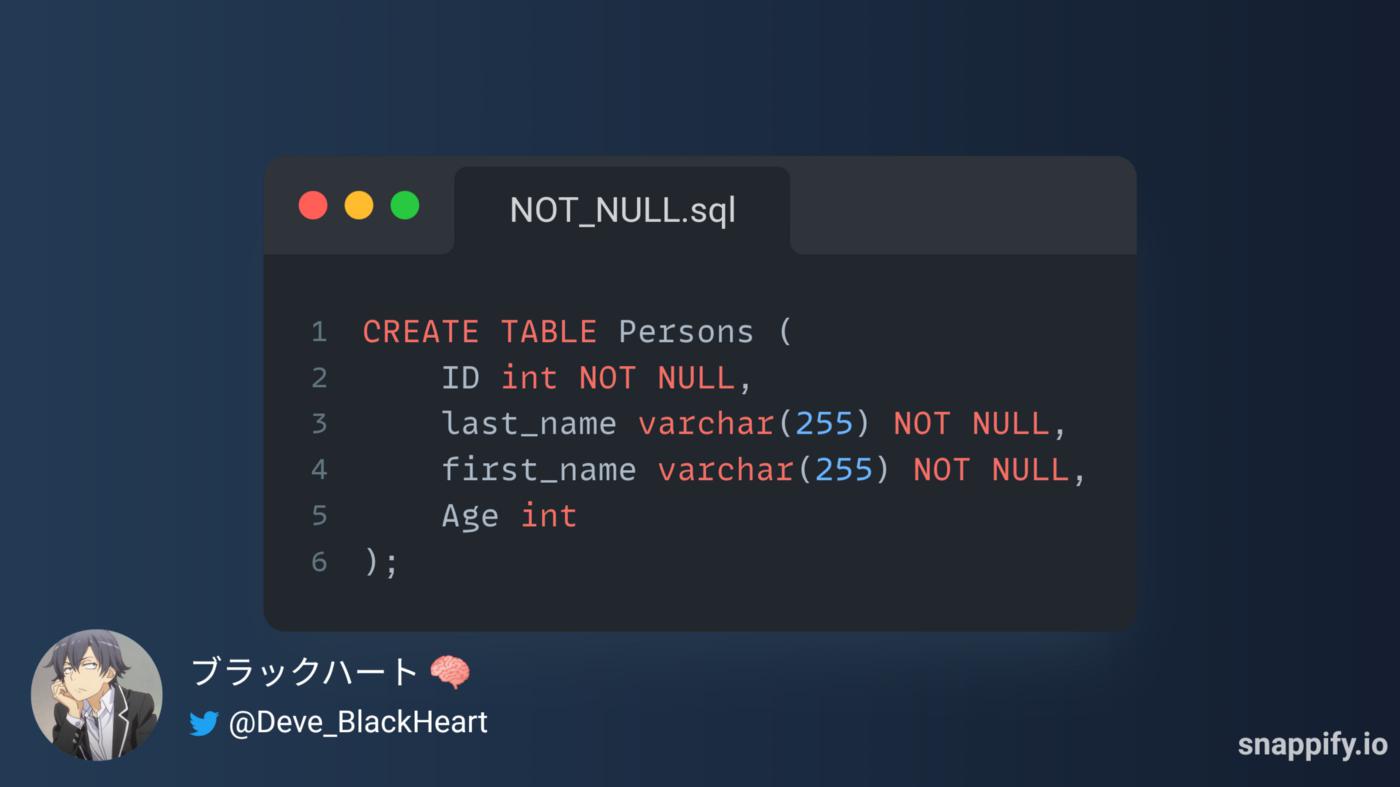
The following SQL ensures that the "ID", "last_name", and "first_name" columns will NOT accept NULL values when the "Persons" table is created.
2- Syntax of Add NOT NULL constraint With ALTER TABLE Statement in SQL:
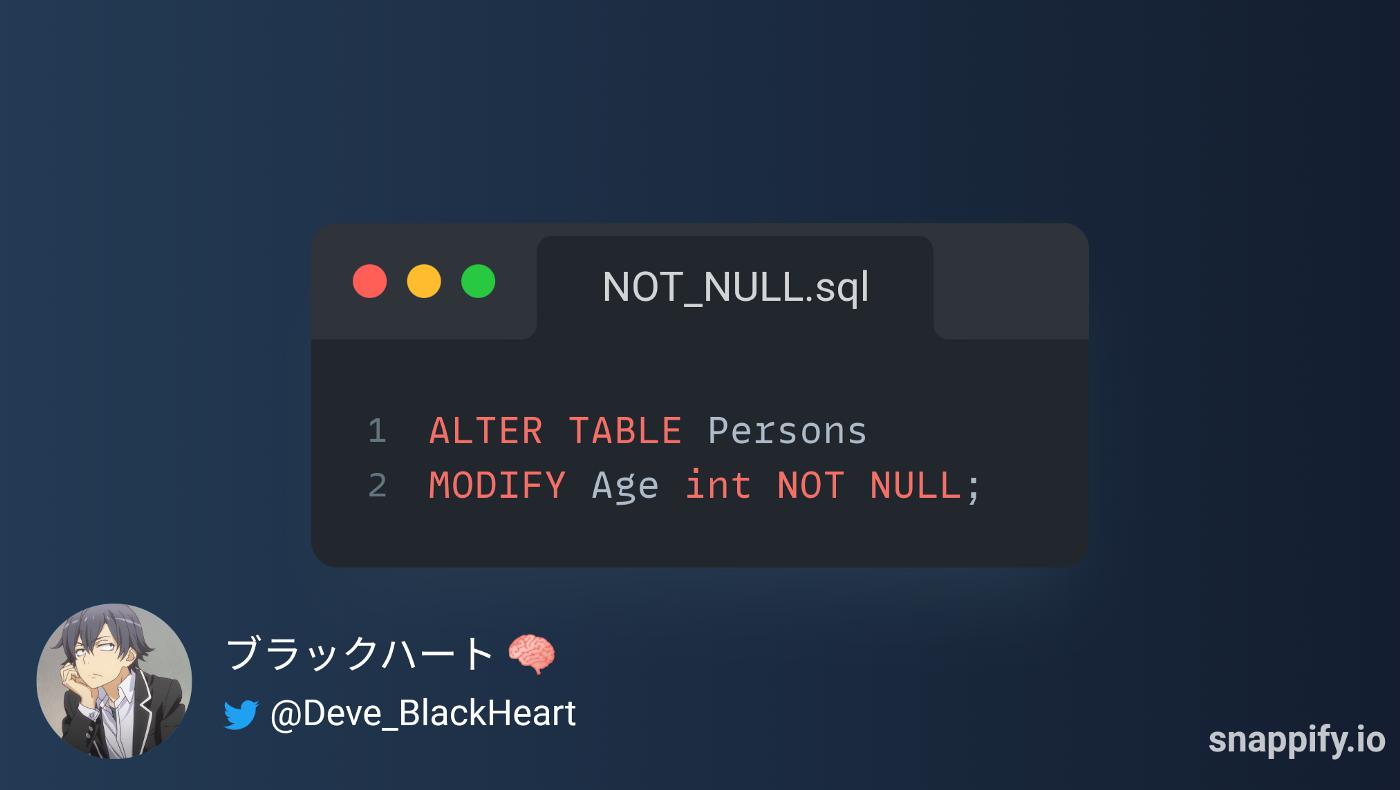
When you add Constraint NOT NULL, you can use the alter Table clause that the field does not contain NULL values.
To create a NOT NULL constraint on the "Age" column when the "Persons" table is already created, use the following SQL:
2- SQL UNIQUE Constraint:
By default, a column can contain duplicate values, The UNIQUE constraint forces a column not to accept duplicate values, This forces the field to always have a different value, which means you can't insert a new record or update a record without adding a different value to that field.
1- Syntax of Add UNIQUE constraint With CREATE TABLE Statement in SQL:
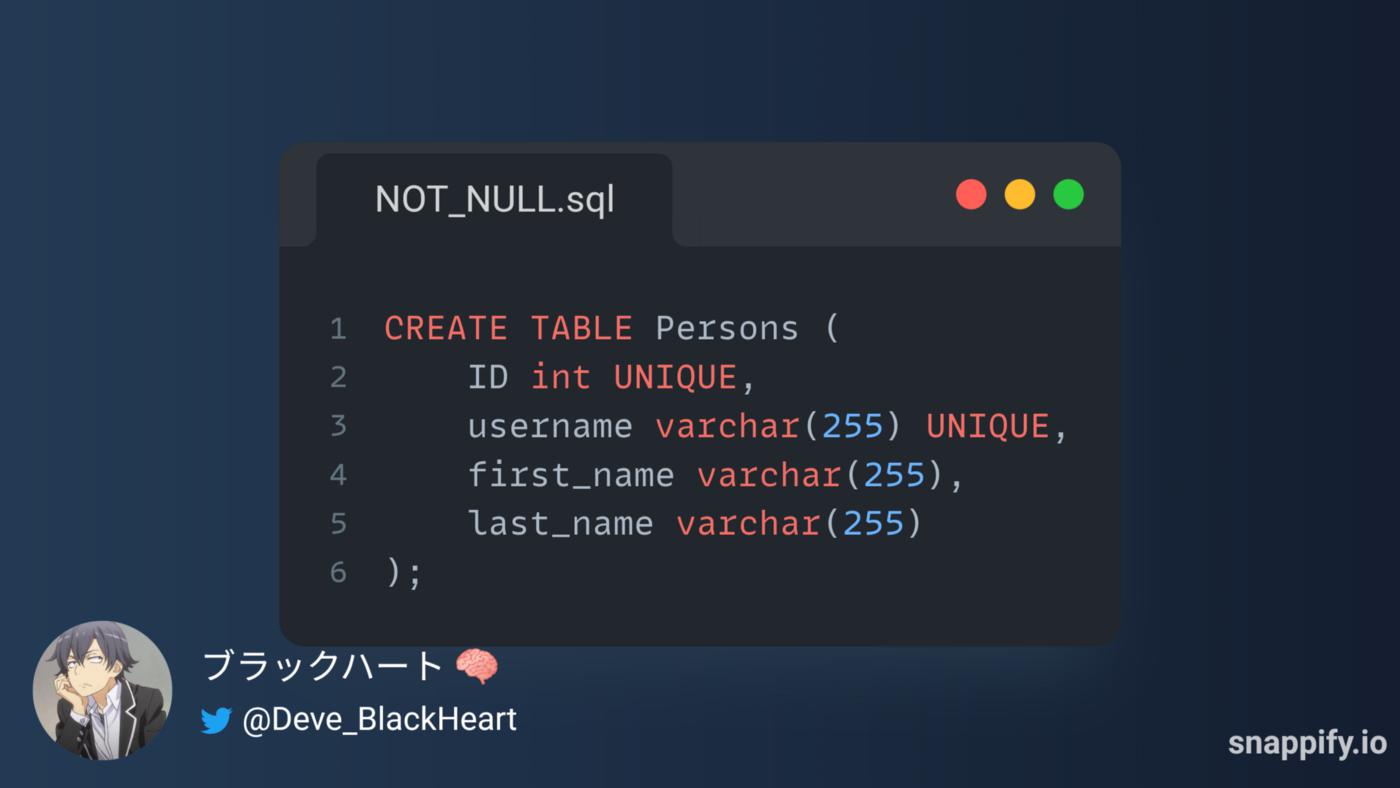
There are three ways to add the UNIQUE constraint when creating the table using a statement: CREAT TABLE
a- Add UNIQUE Constraint after the name and type data of field:
b- Add the UNIQUE constraint at the end of the CREATE TABLE statement:
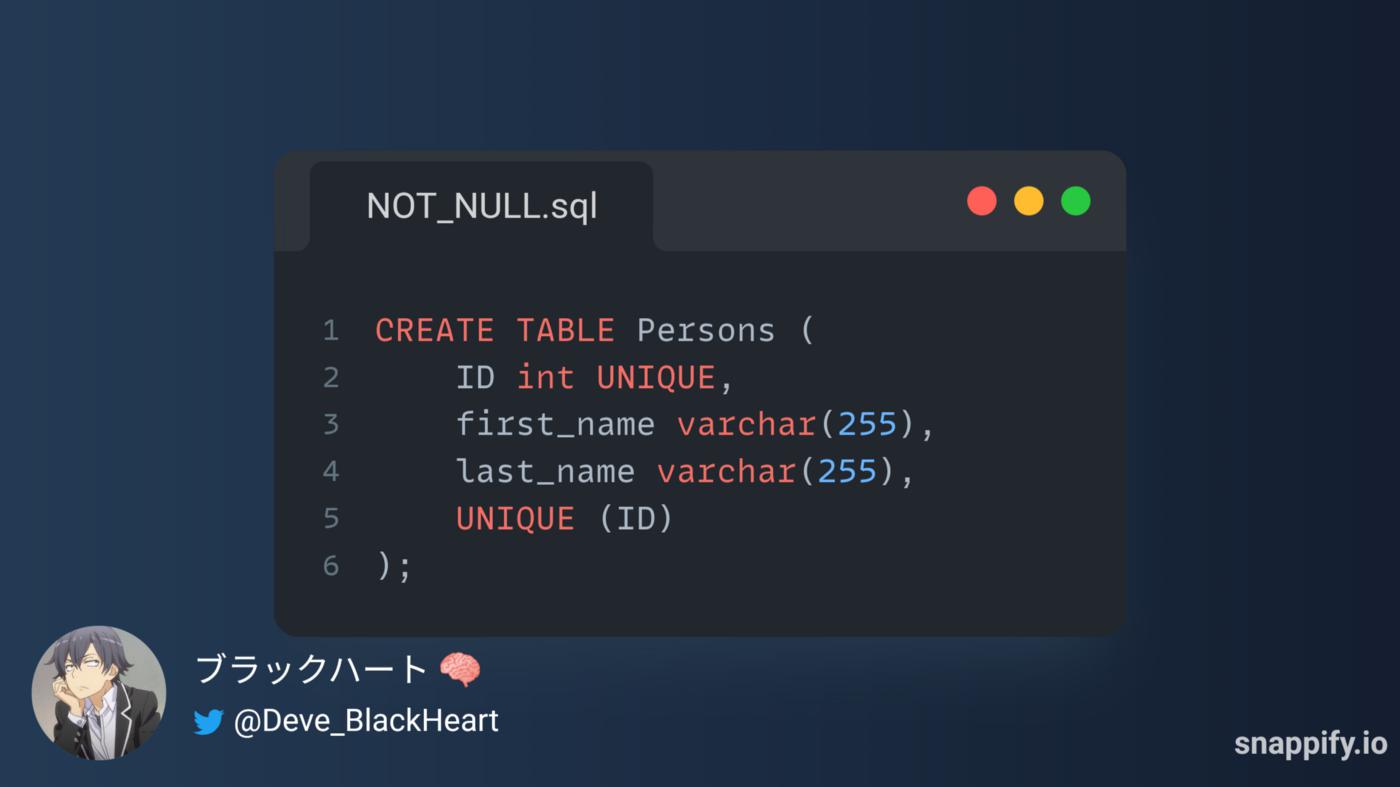
c- Add UNIQUE Constraint to multiple fields:
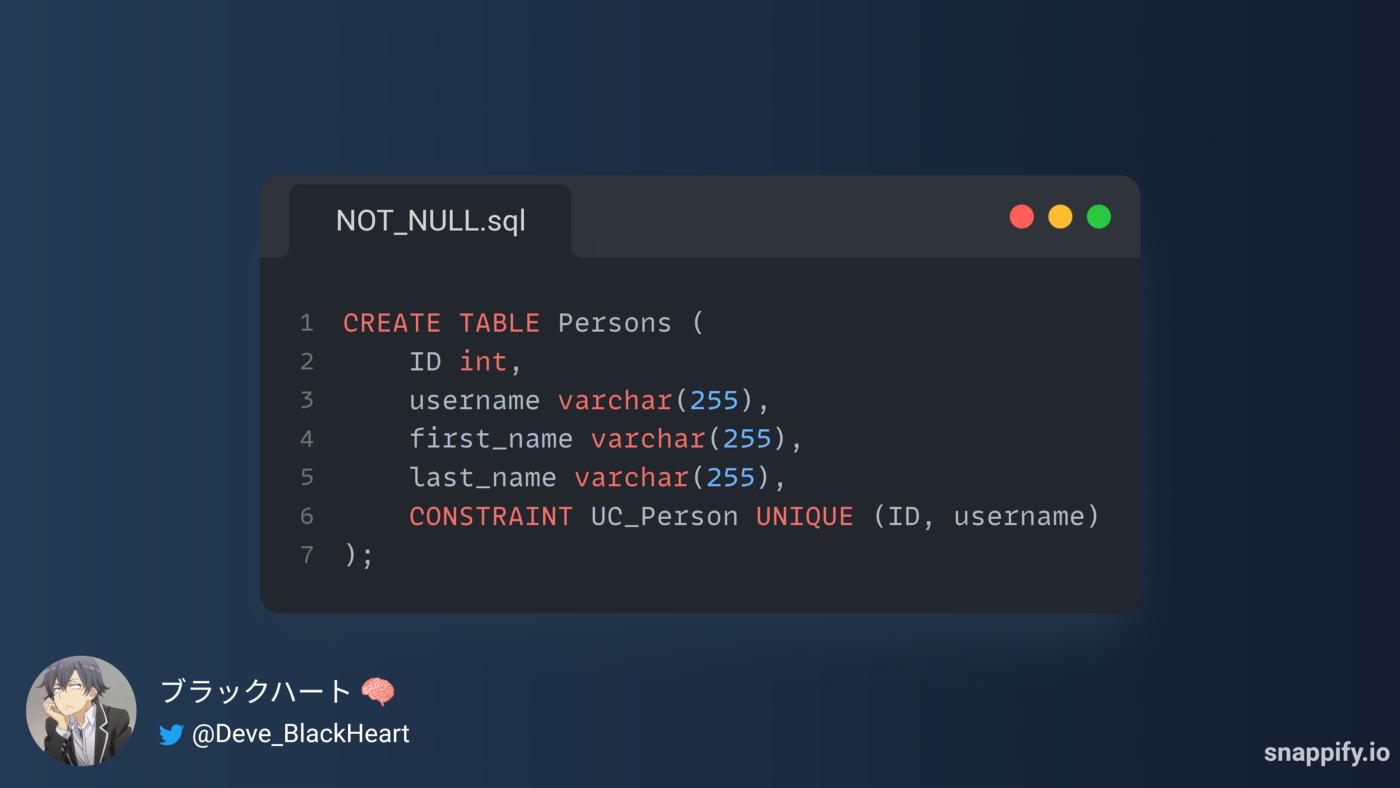
2- Syntax of Add UNIQUE constraint With ALTER TABLE Statement in SQL:
There are three ways to add the UNIQUE constraint when creating the table using a statement: ALTER TABLE
a- ADD UNIQUE with MODIFY Statement:
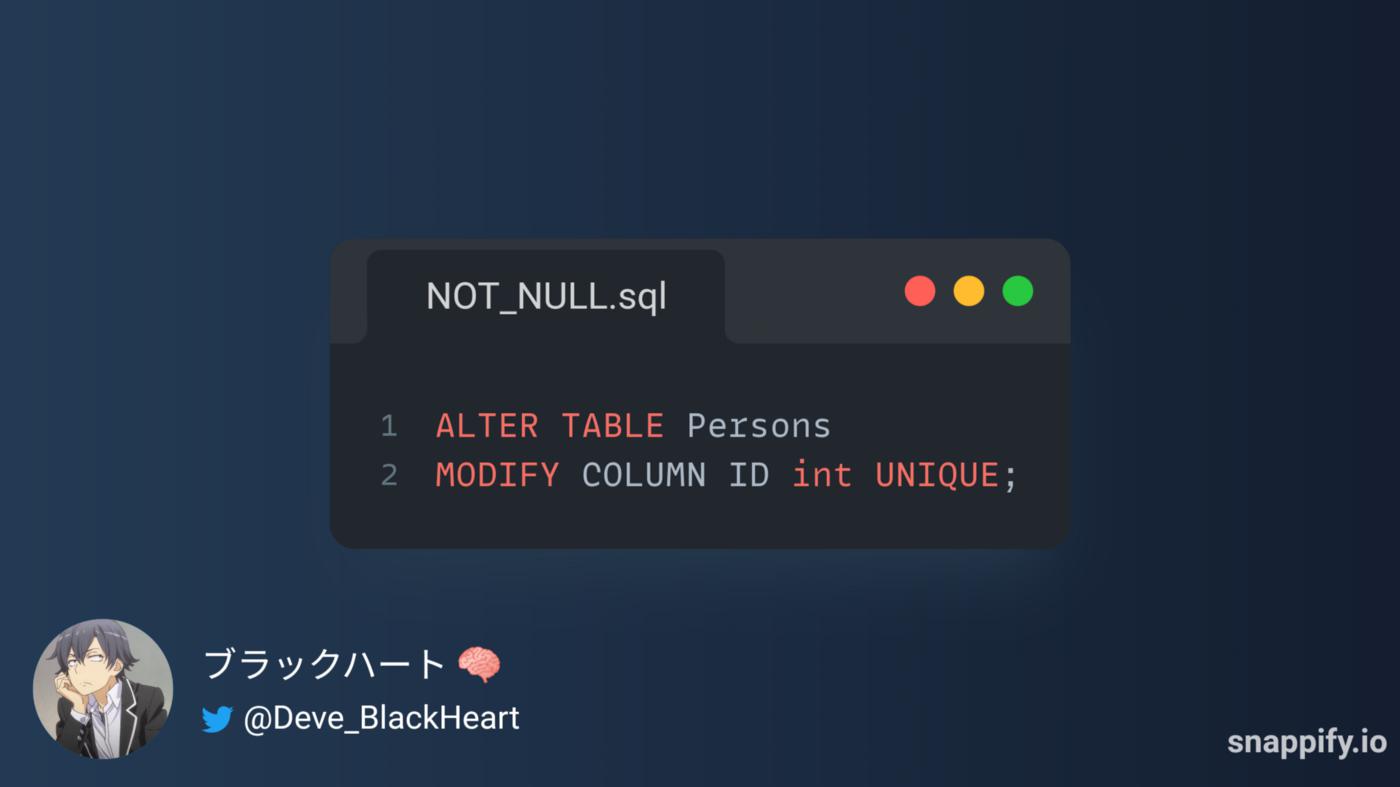
b- Add UNIQUE Constraint With ADD COLUMN Statement:
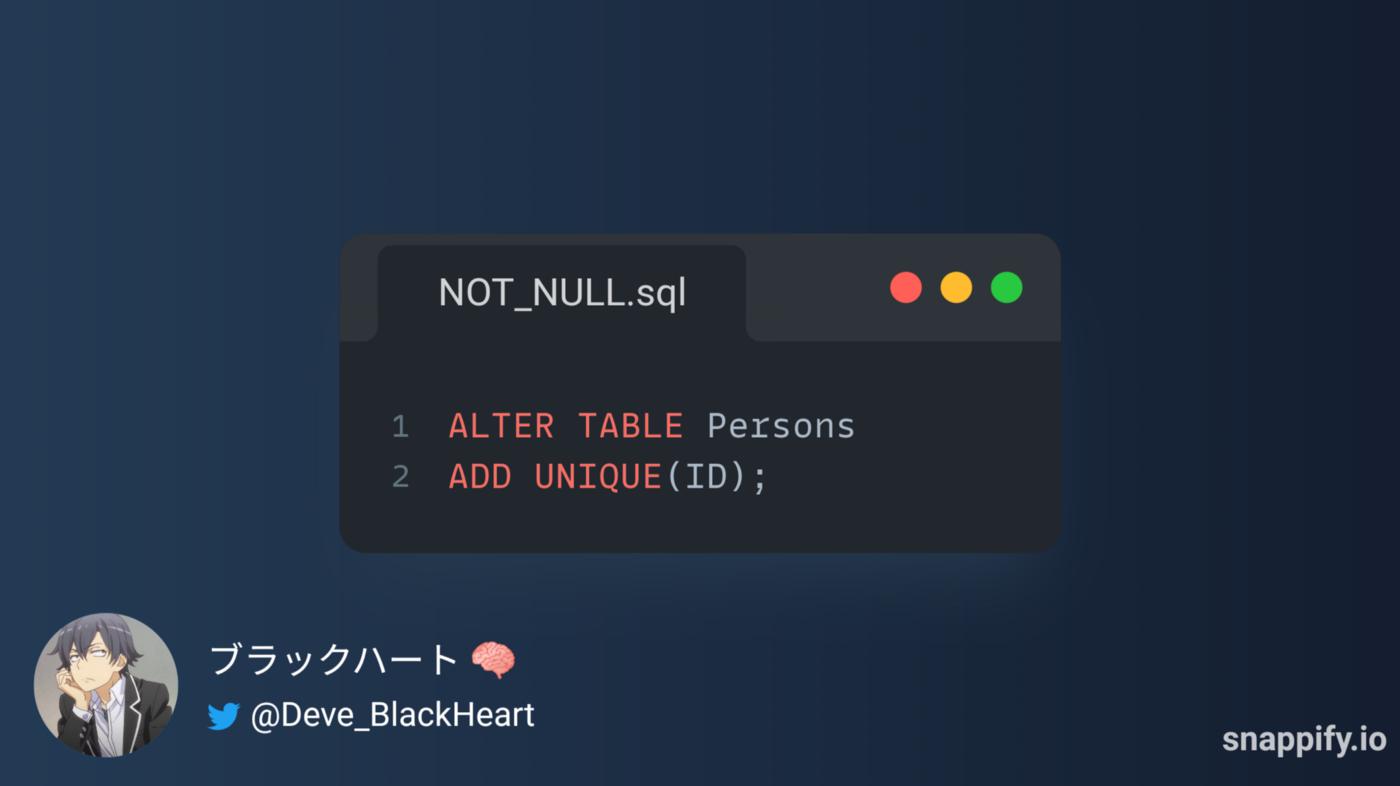
c- Add UNIQUE Constraint to multiple fields:
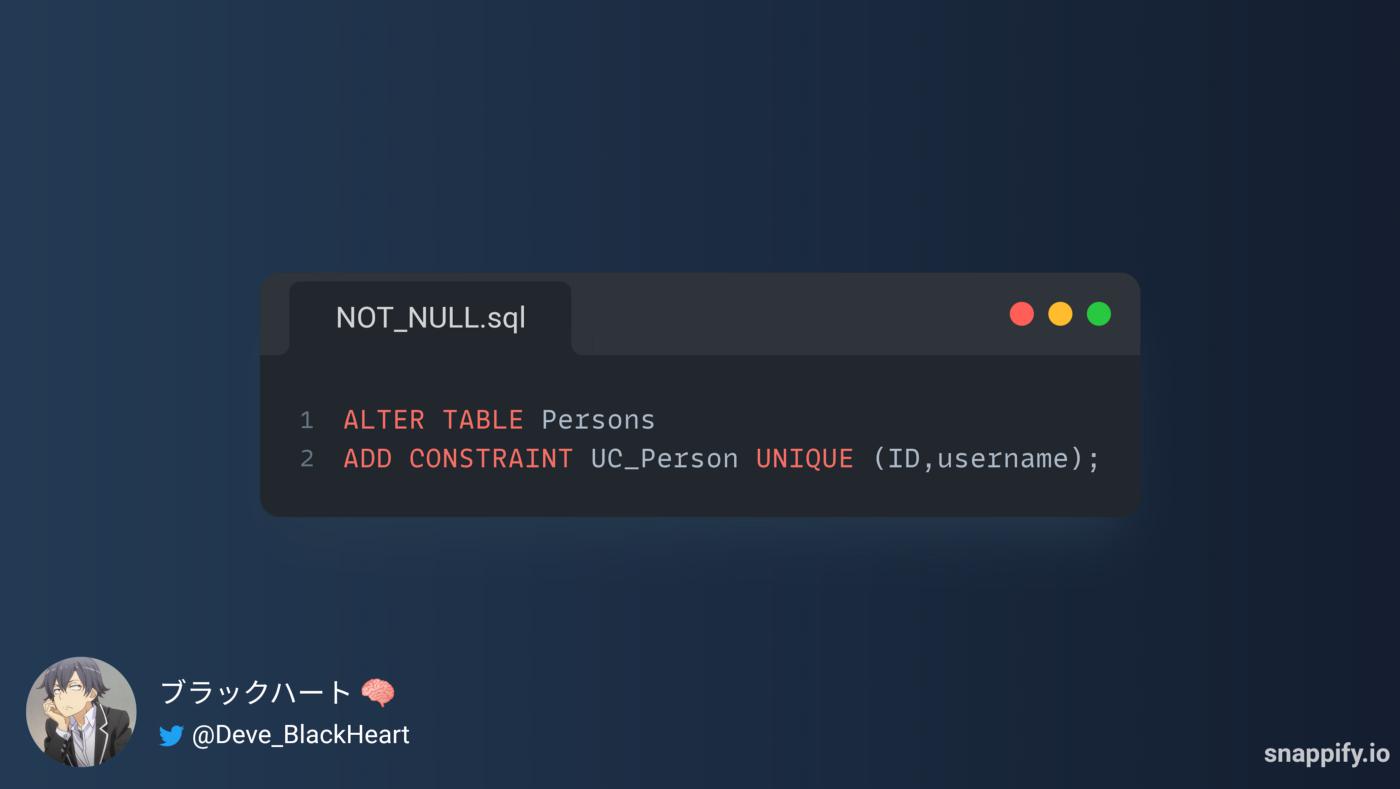
3- Syntax of Delete UNIQUE constraint From Table in SQL:

3- SQL PRIMARY KEY Constraint:
The PRIMARY KEY constraint uniquely identifies each record in a table, Primary keys must contain UNIQUE values, and cannot contain NULL values, A table can have only ONE primary key; and in the table, this primary key can consist of single or multiple columns (fields).
The primary key can be a natural key that means that it has presence or influence in the real world or outside the table, and it can be an alternate key that means that it has no presence or influence in the real world or outside the table, and it can be composed of a single field or group fields (combined key).
1- Syntax of Add PRIMARY KEY constraint With CREATE TABLE Statement in SQL:
There are three ways to add the PRIMARY KEY constraint when creating the table using a statement: CREAT TABLE
a- Add PRIMARY KEY Constraint after the name and type data of field:
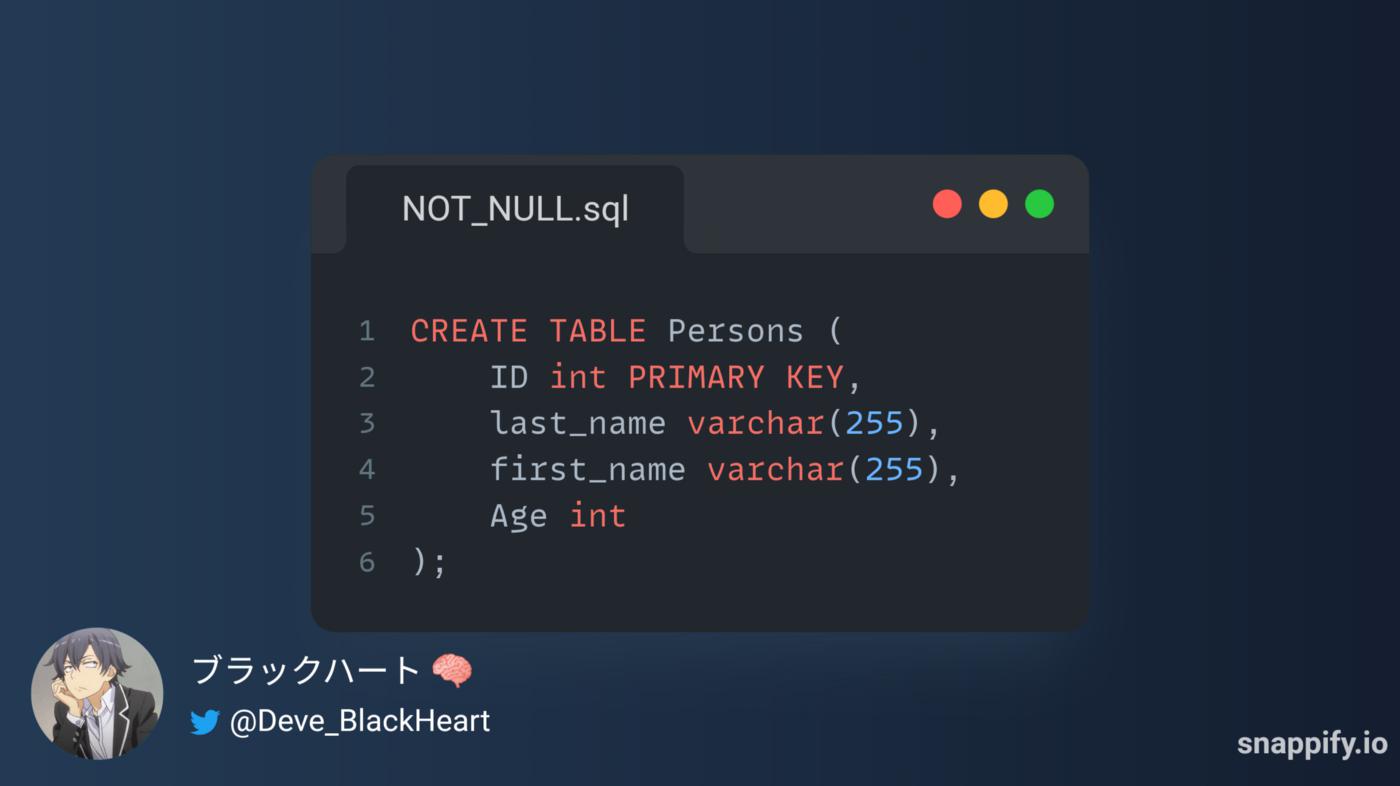
b- Add the PRIMARY KEY constraint at the end of the CREATE TABLE statement:
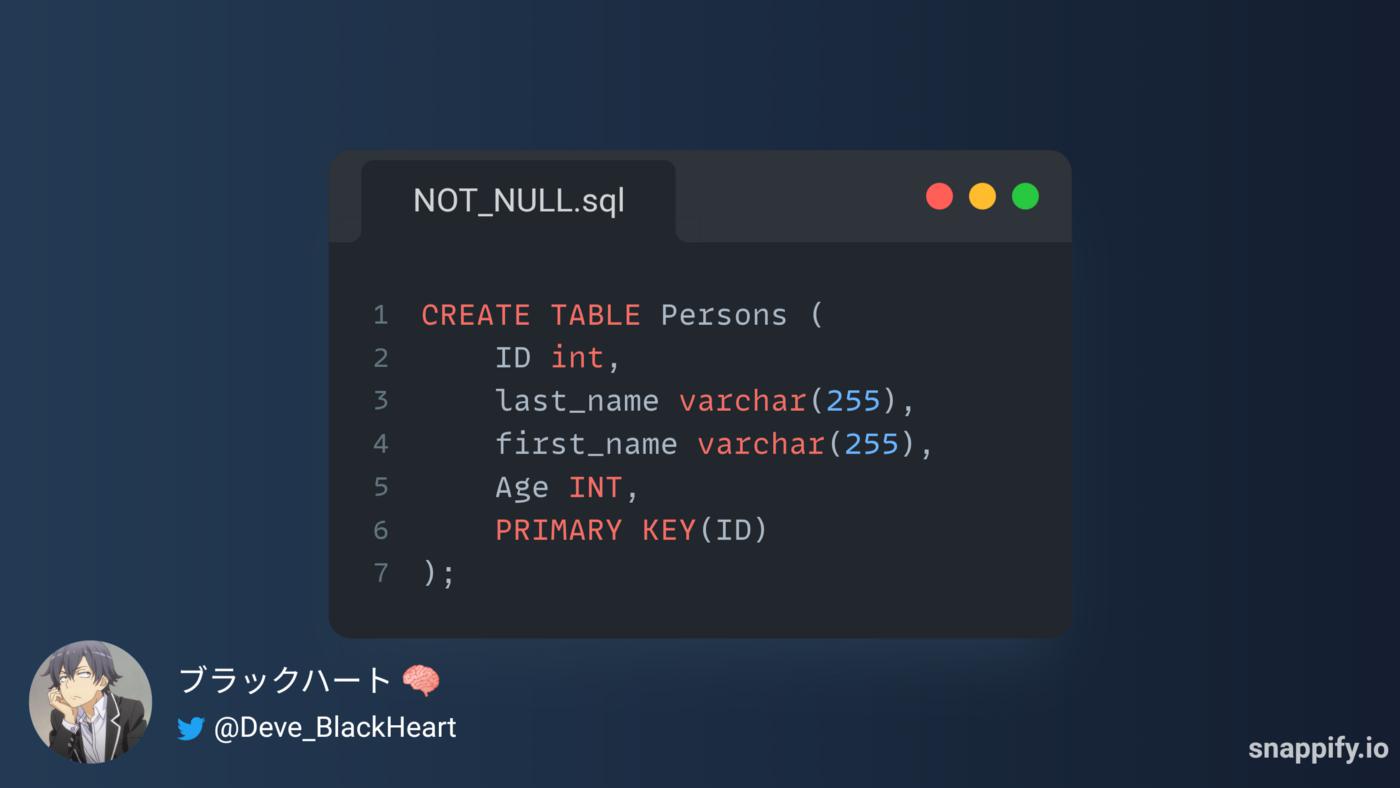
c- Add PRIMARY Constraint to multiple fields:
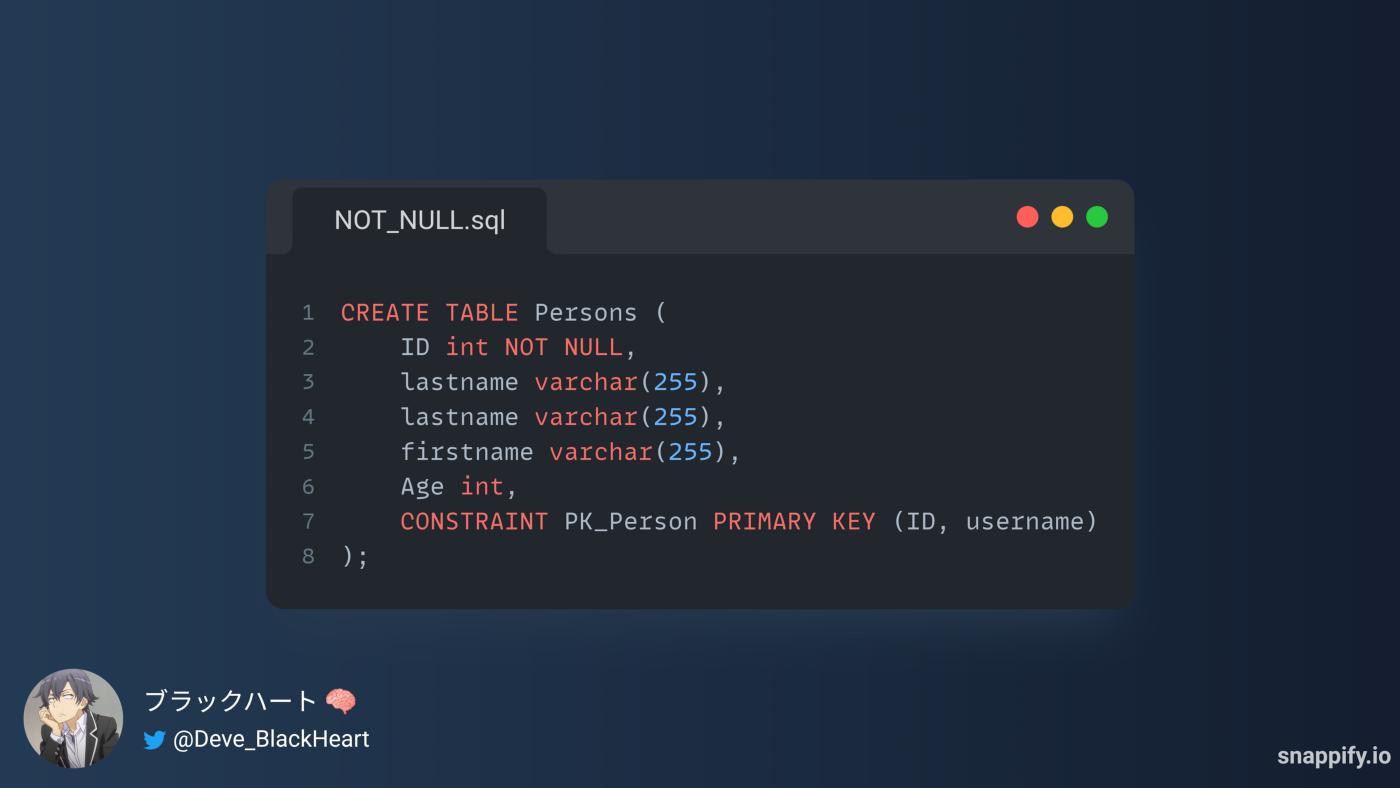
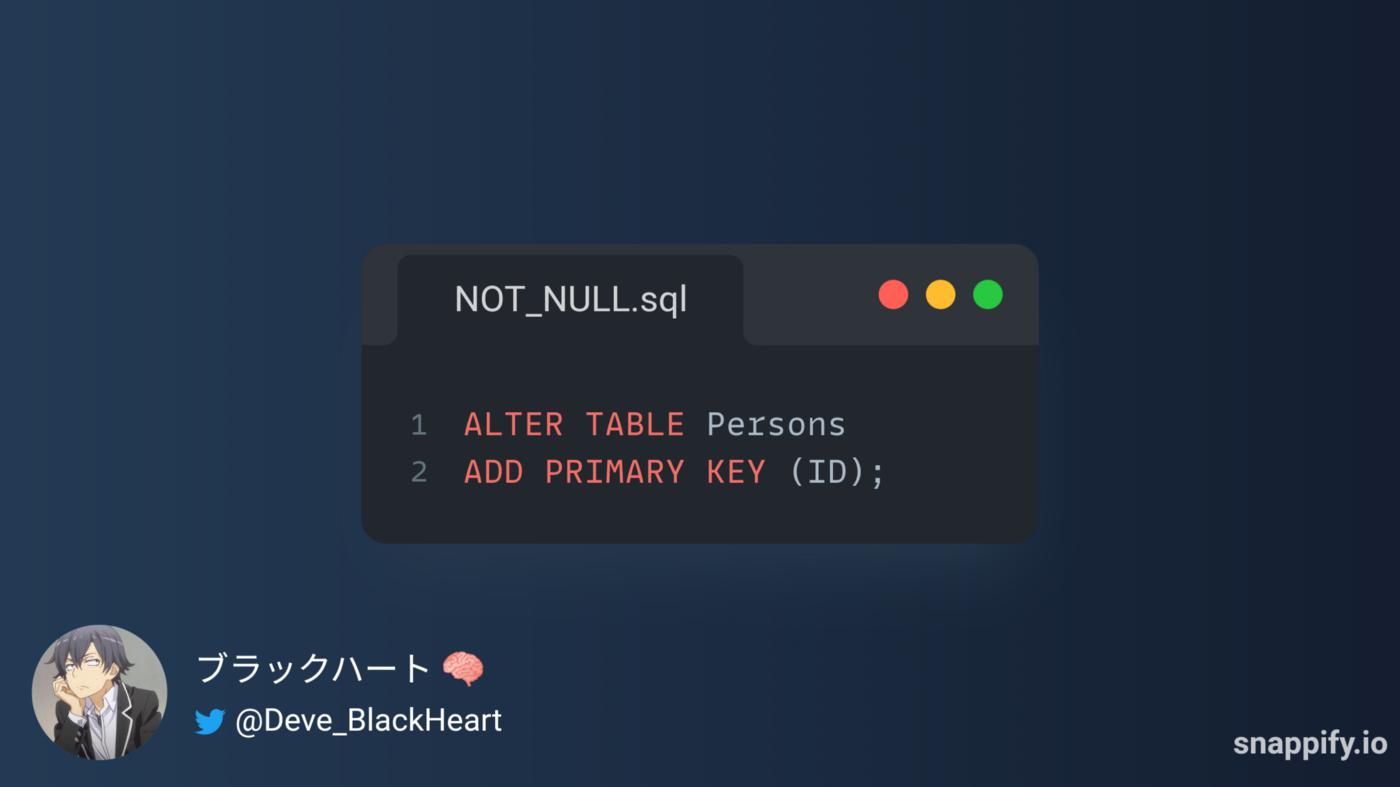
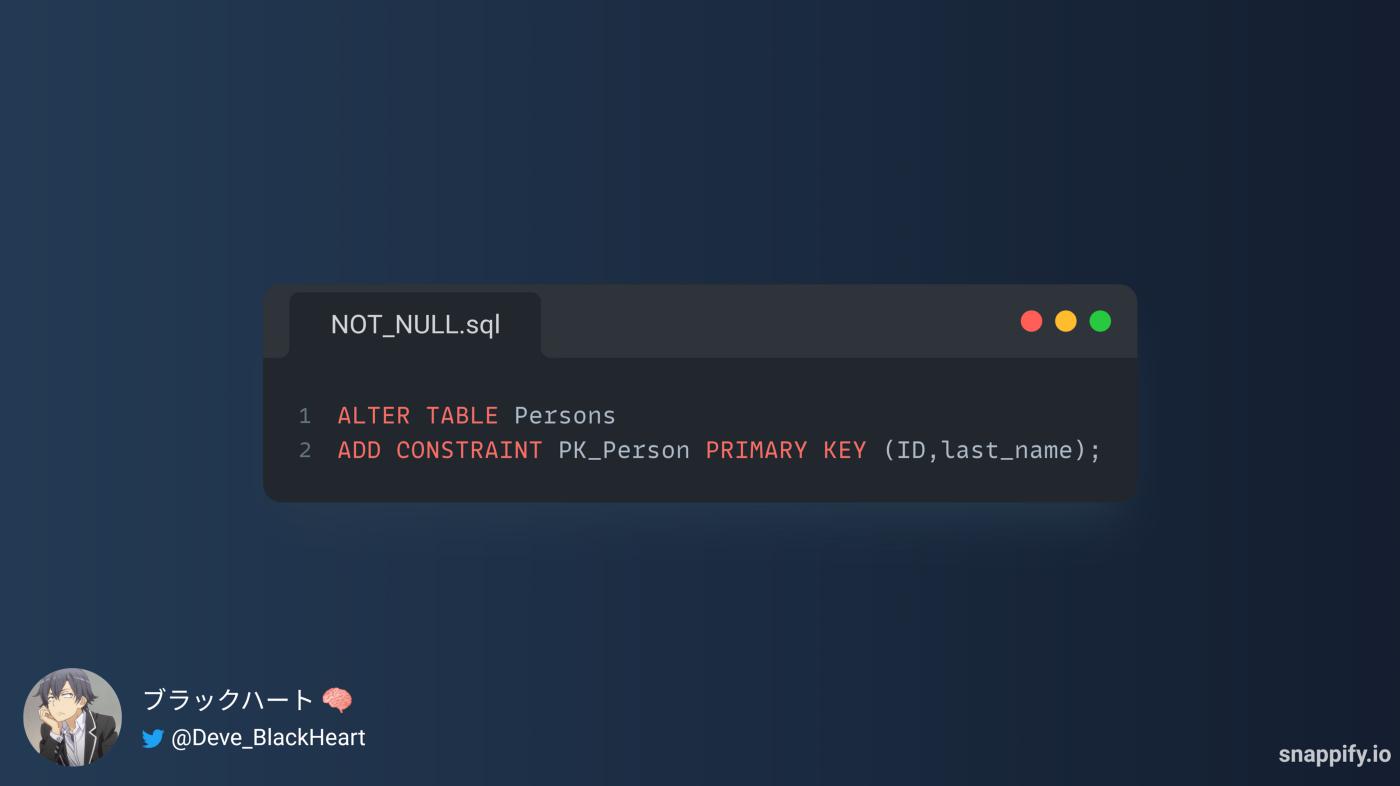
2- Syntax of Add PRIMARY KEY constraint With ALTER TABLE Statement in SQL:
There are three ways to add the PRIMARY KEY constraint when creating the table using a statement: ALTER TABLE.
Before adding the PRIMARY KEY constraint to the table, it is recommended to make sure that the field to be added does not contain empty or non-repeating values.
a- ADD PRIMARY KEY with MODIFY Statement:
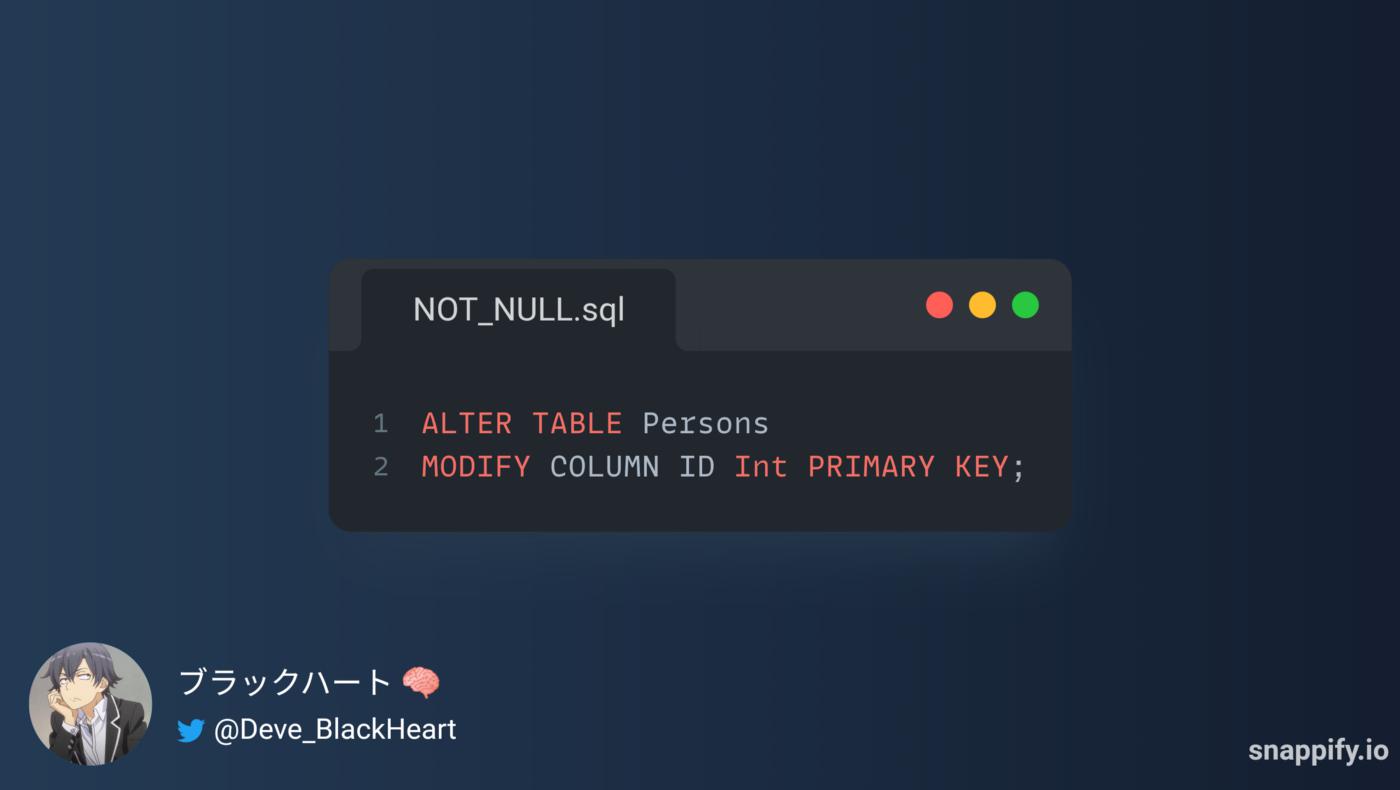
b- Add PRIMARY KEY Constraint With ADD COLUMN Statement:
c- Add PRIMARY KEY Constraint to multiple fields:
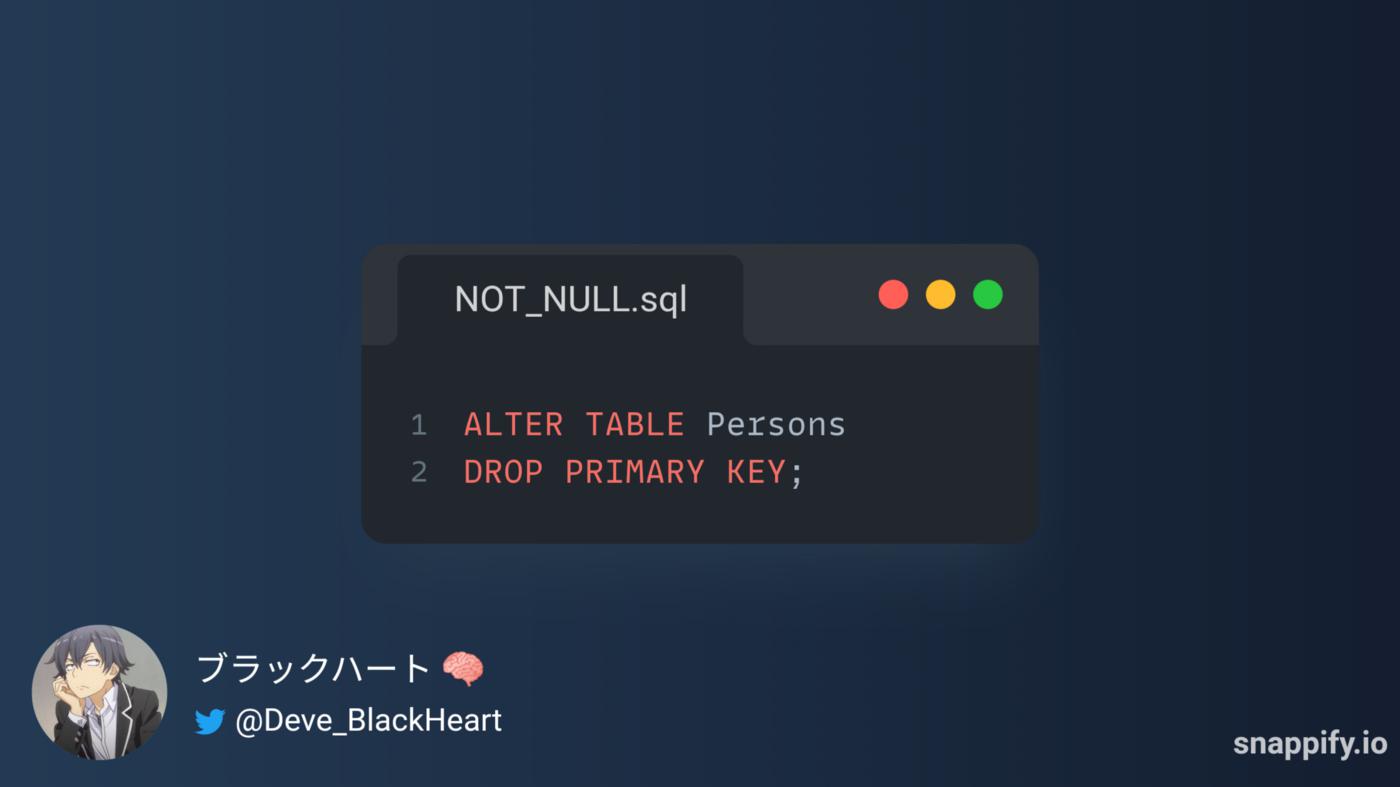
3- Syntax of Delete PRIMARY KEY constraint From Table in SQL:
4- SQL FOREIGN KEY Constraint:
The FOREIGN KEY constraint is used to prevent actions that would destroy links between tables.
A FOREIGN KEY is a field (or collection of fields) in one table, that refers to the PRIMARY KEY in another table
The table with the foreign key is called the child table, and the table with the PRIMARY KEY is called the referenced or parent table.
The FOREIGN KEY constraint prevents invalid data from being inserted into the foreign key column, because it has to be one of the values contained in the parent table.
1- Syntax of Add FOREIGN KEY constraint With CREATE TABLE Statement in SQL:
There are three ways to add the PRIMARY KEY constraint when creating the table using a statement: CREATE TABLE.
a- Add FOREIGN KEY Constraint after the name and type data of field:
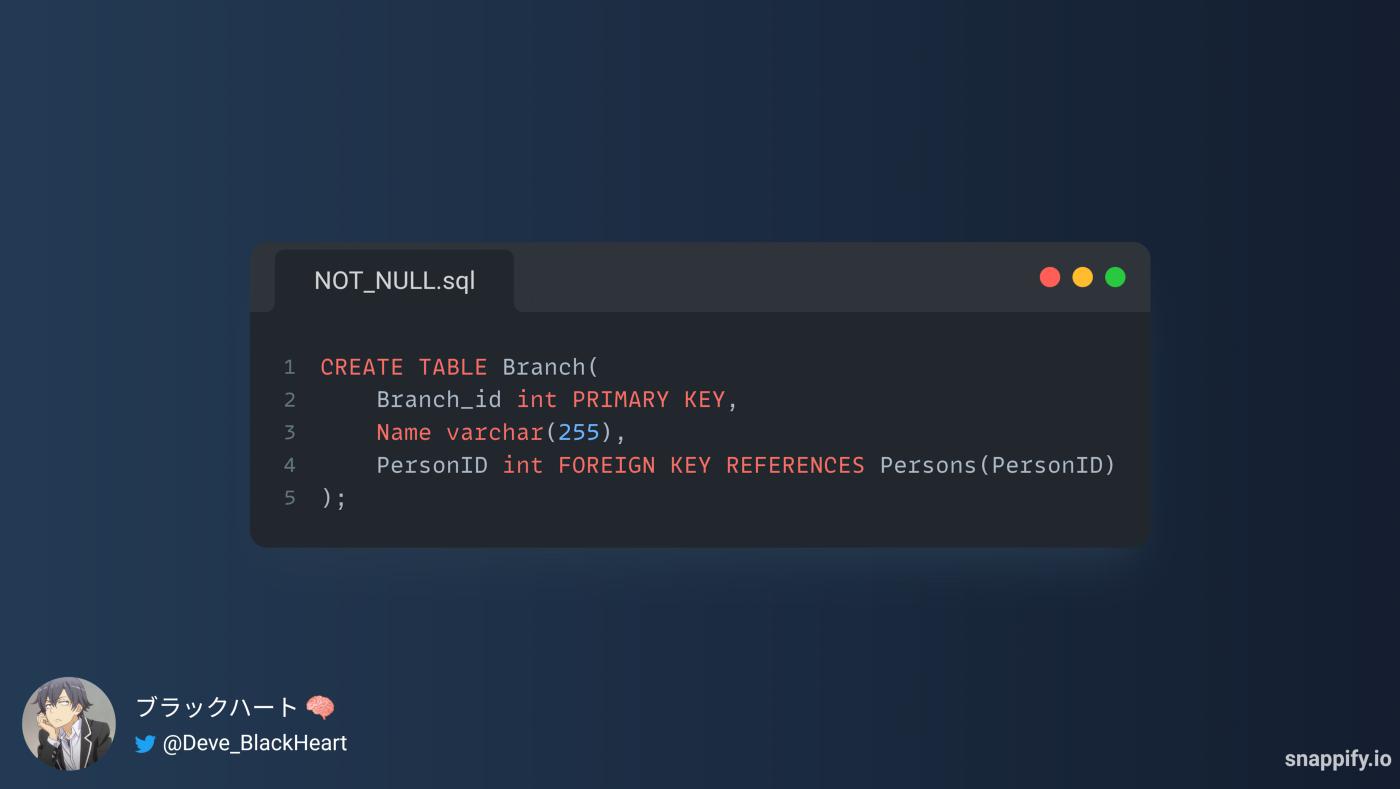
b- Add the FOREIGN KEY constraint at the end of the CREATE TABLE statement:
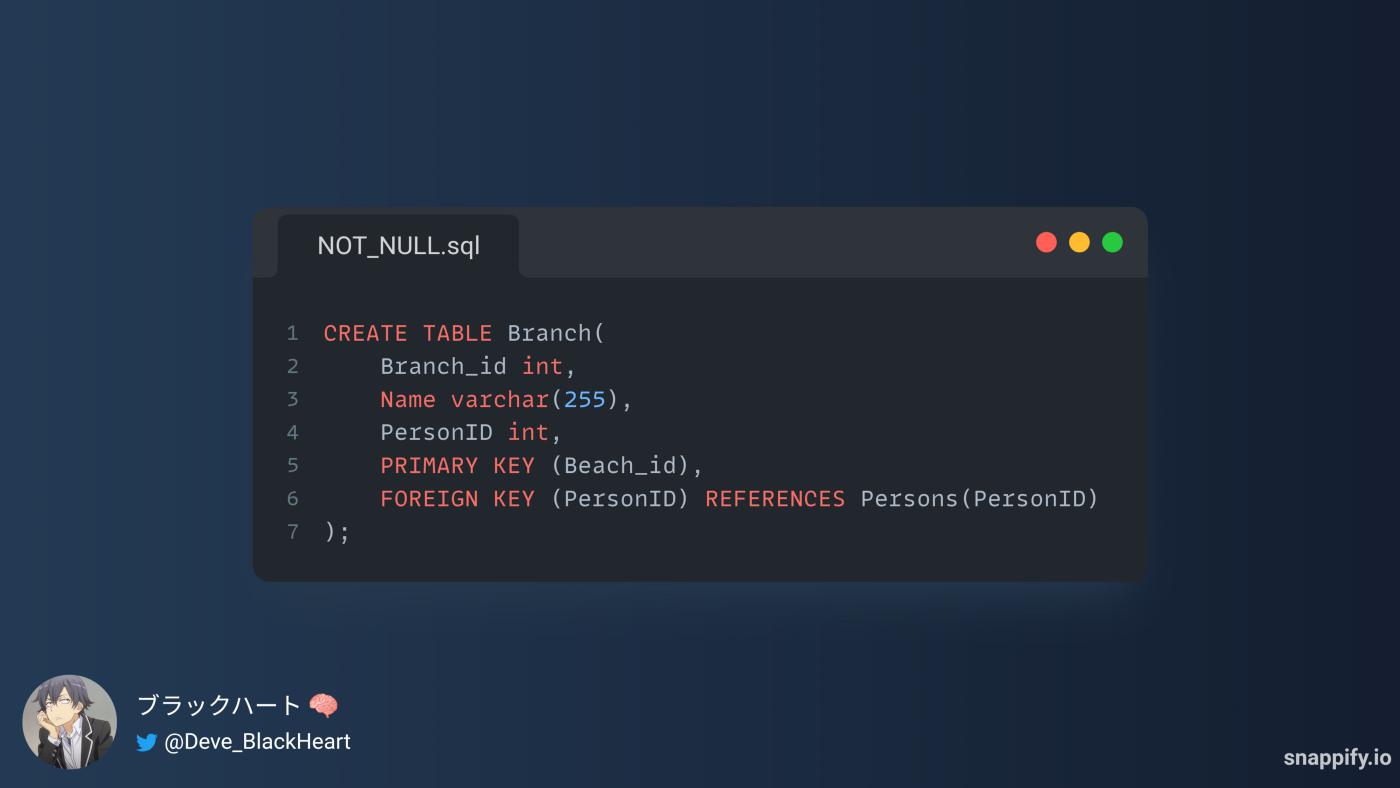
c- Add FOREIGN Constraint to multiple fields:
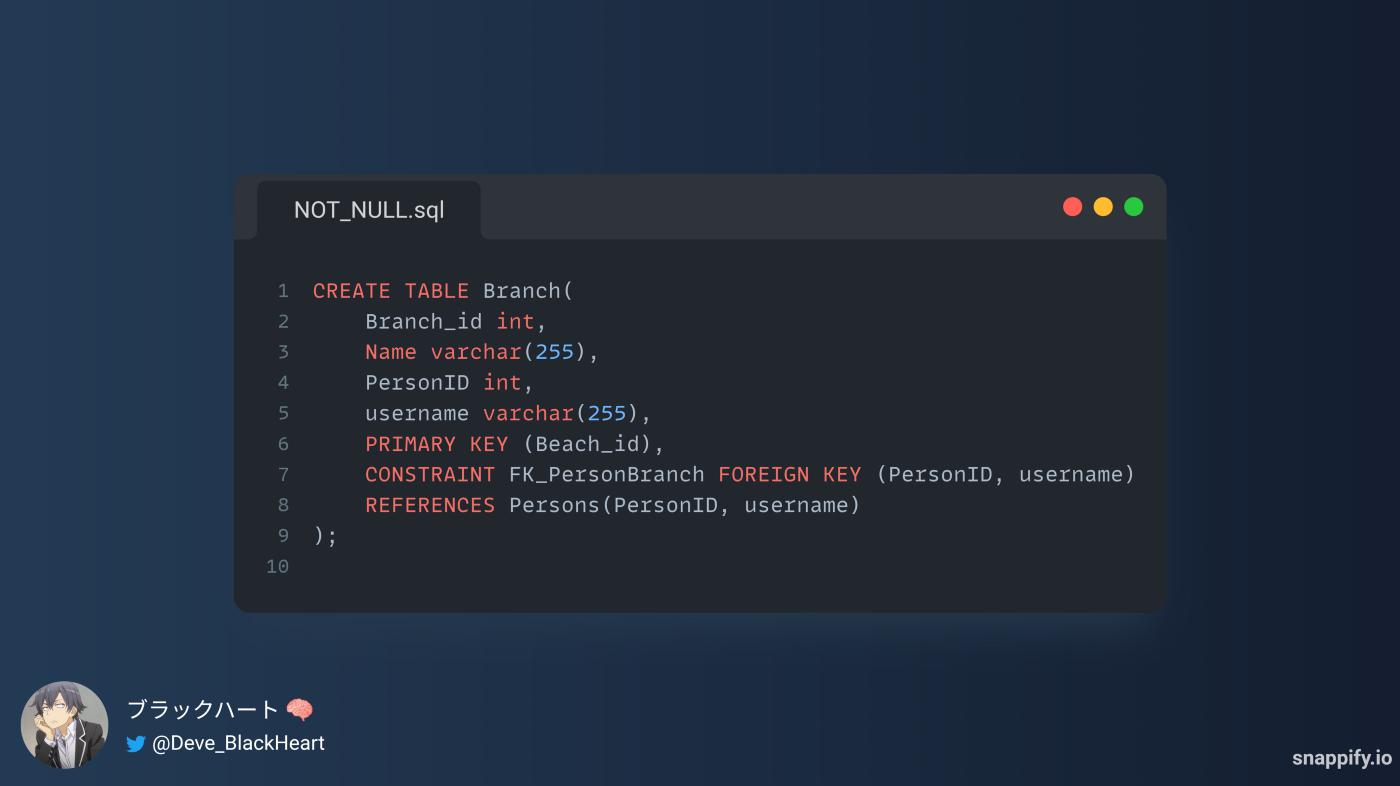
2- Syntax of Add FOREIGN KEY constraint With ALTER TABLE Statement in SQL:
a- ADD FOREIGN KEY with MODIFY Statement:
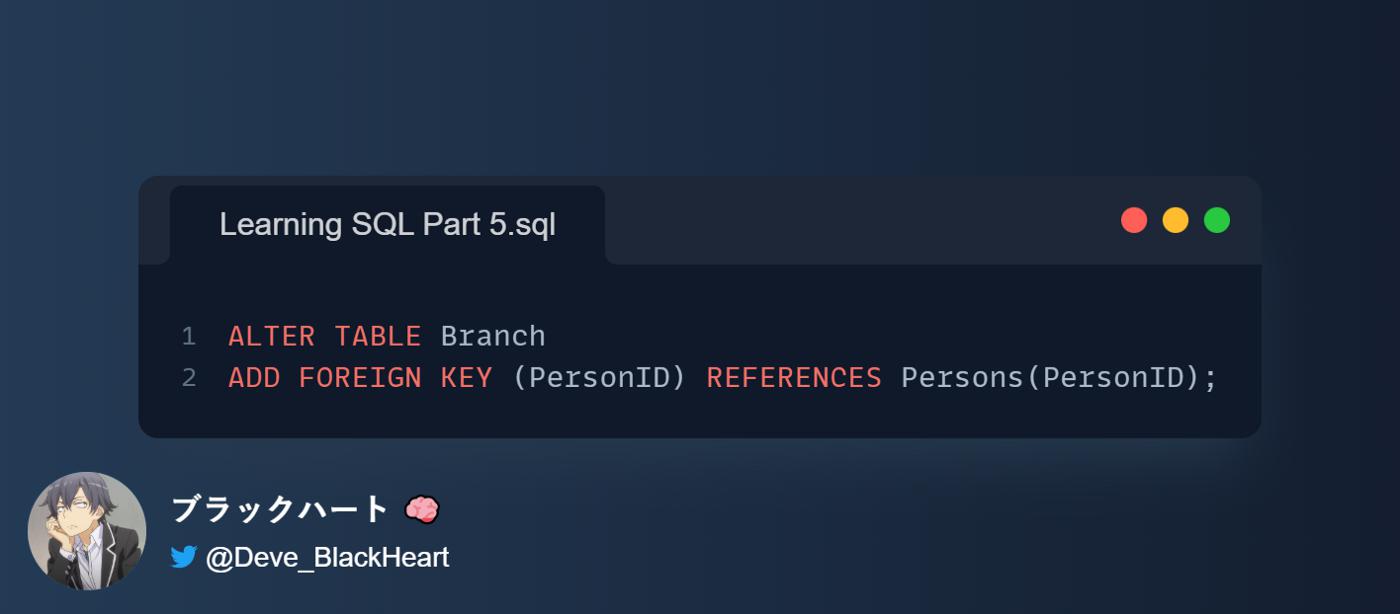
b- Add FOREIGN KEY Constraint With ADD COLUMN Statement:
c- Add FOREIGN KEY Constraint to multiple fields:
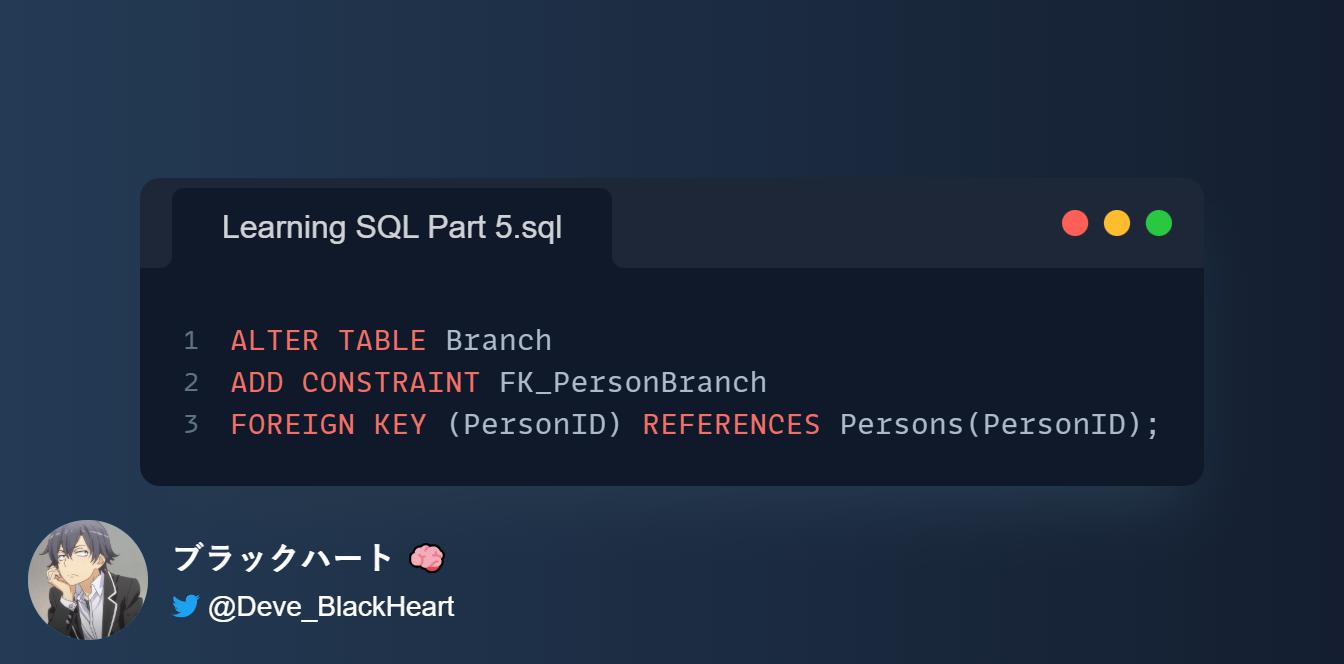
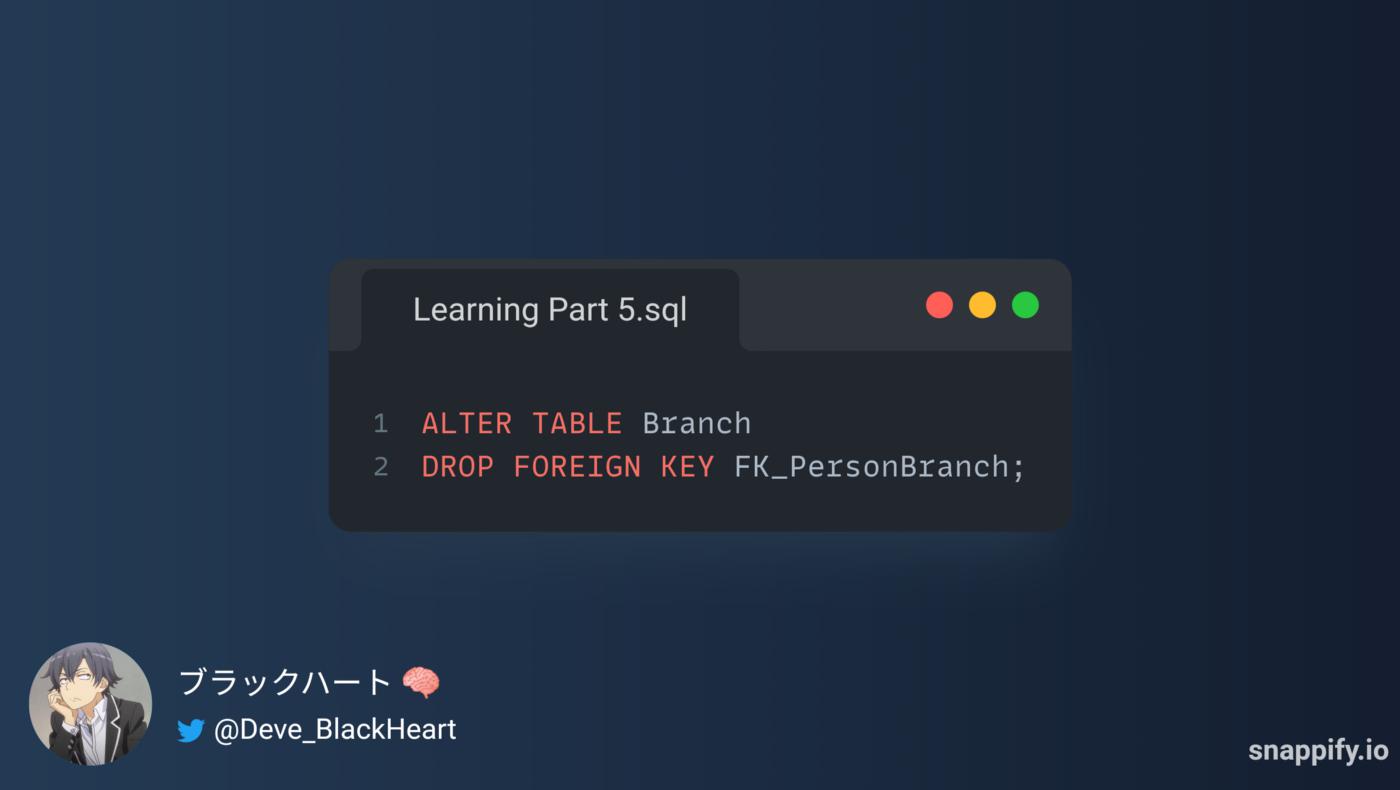
3- Syntax of Delete FOREIGN KEY constraint From Table in SQL:
5- SQL CHECK Constraint:
The CHECK constraint is used to limit the value range that can be placed in a column, The CHECK constraint is used to ensure that all the records in a certain column follow a specific rule. Generally, this constraint is used to enforce business logic on values in a column to make sure that no corrupt information is entered.
If you define a CHECK constraint on a column it will allow only certain values for this column.
If you define a CHECK constraint on a table it can limit the values in certain columns based on values in other columns in the row.
1- Syntax of Add CHECK constraint With CREATE TABLE Statement in SQL:
There are three ways to add the CHECK constraint when creating the table using a statement: CREATE TABLE
a- Add CHECK Constraint after the name and type data of field:
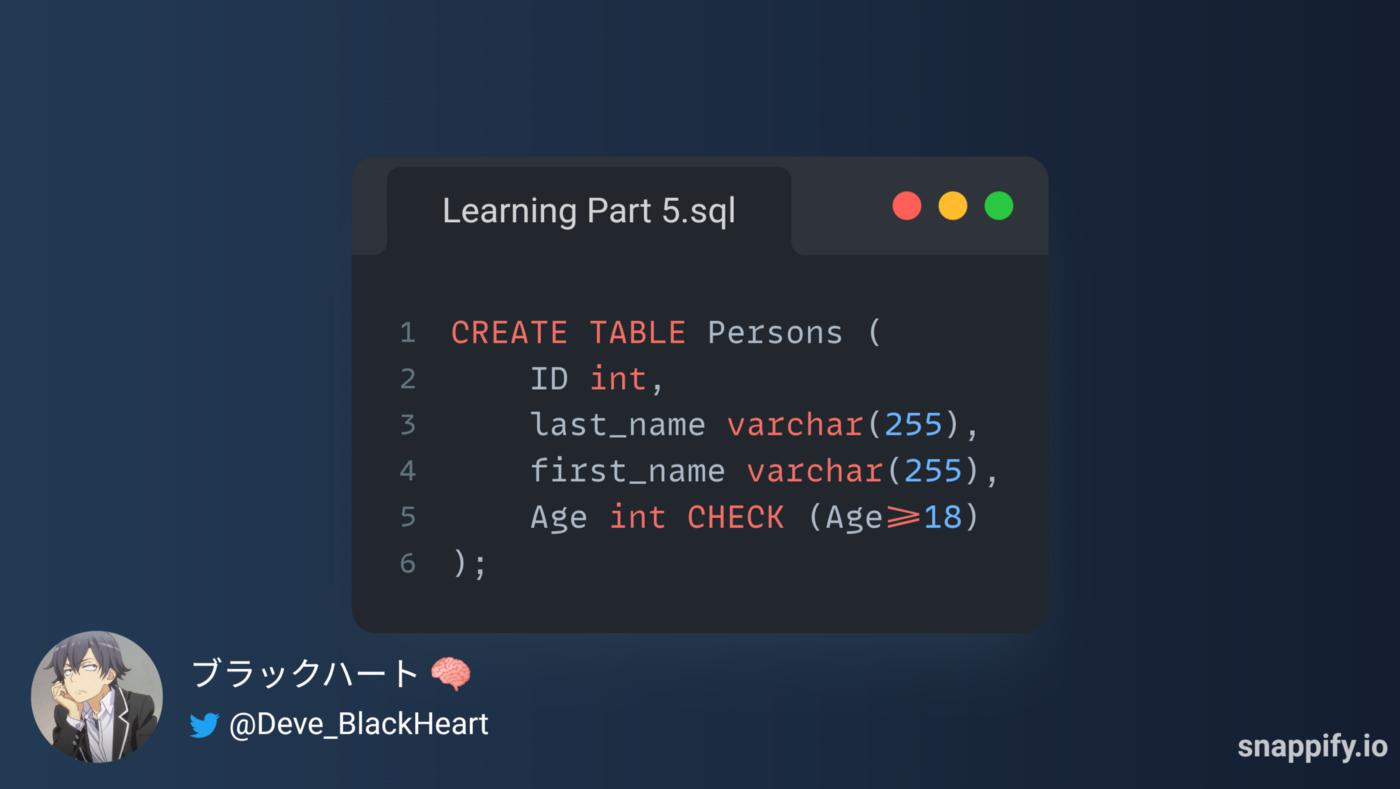
You can use the following conditions: (>, <, =, <>, ≥, ≤ )
b- Add the CHECK constraint at the end of the CREATE TABLE statement
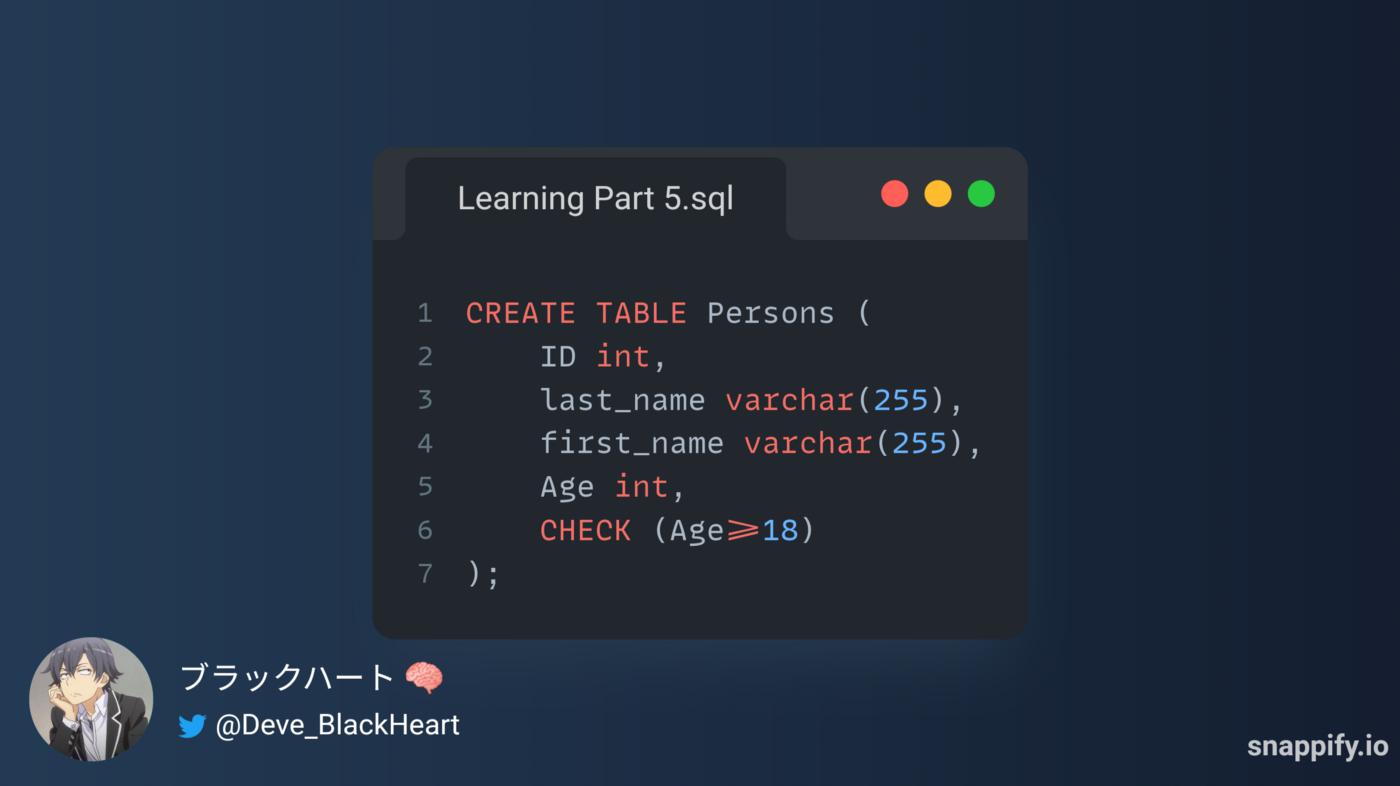
c- Add CHECK Constraint to multiple fields:

2- Syntax of Add CHECK constraint With ALTER TABLE Statement in SQL:
a- ADD CHECK with MODIFY Statement:
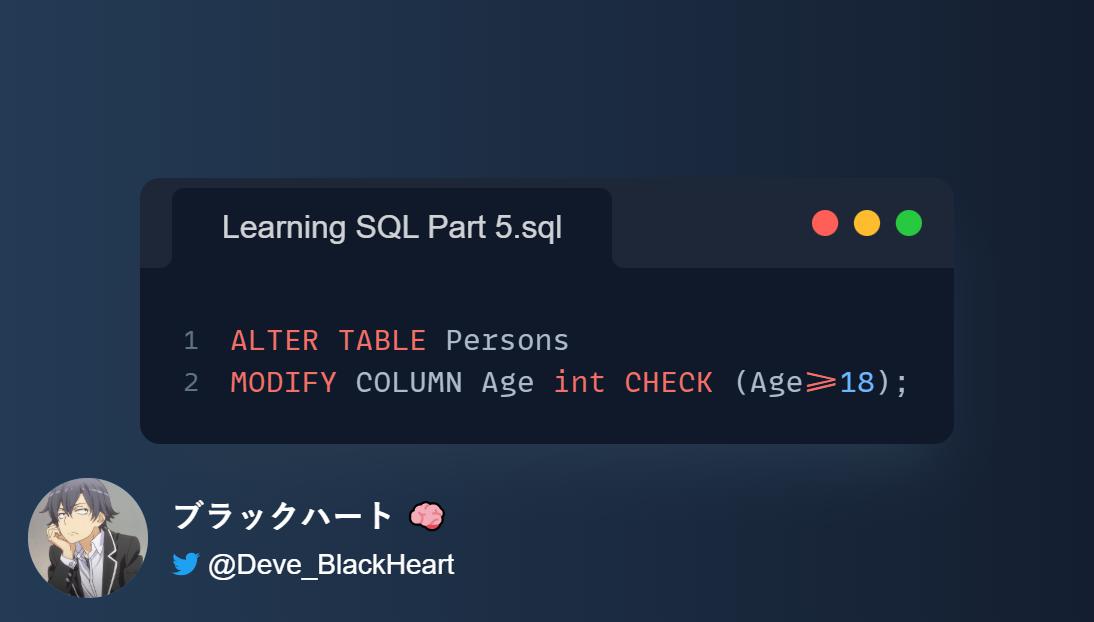
CHECK with MODIFY Statement
b- Add CHECK Constraint With ADD COLUMN Statement:

c- Add CHECK Constraint to multiple fields:
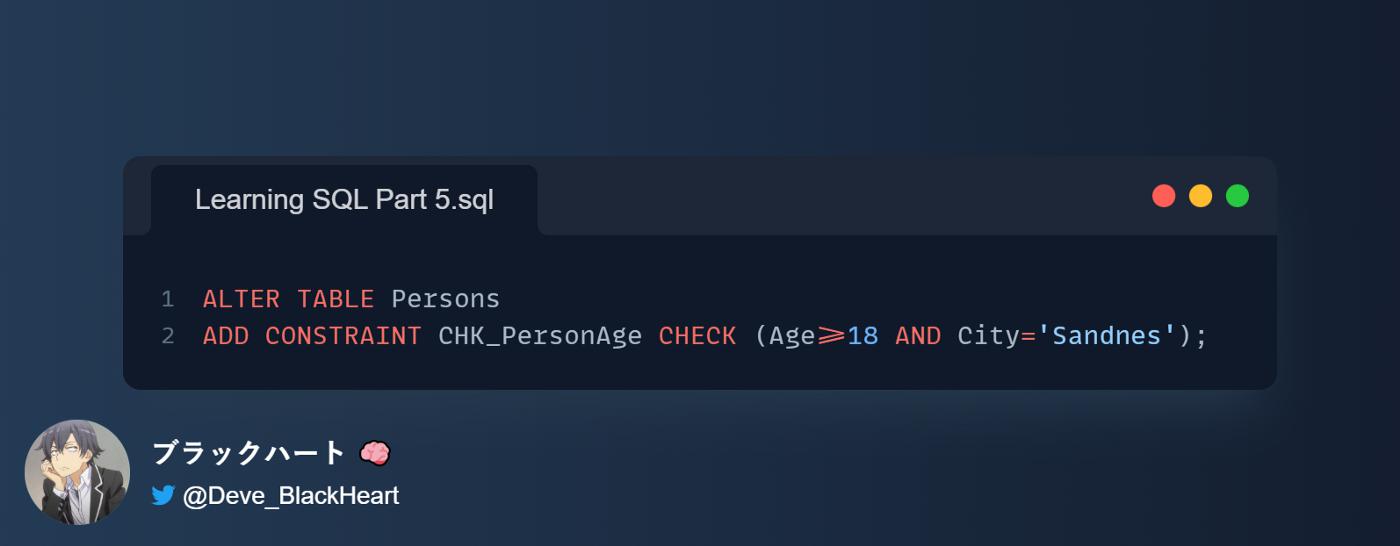
CHECK Constraint to multiple fields
3- Syntax of Delete CHECK constraint From Table in SQL:

CHECK constraint From Table in SQL
6- SQL DEFAULT Constraint:
The DEFAULT constraint is used to set a default value for a column.
The default value will be added to all new records, if no other value is specified.
1- Syntax of Add DEFAULT constraint With CREATE TABLE Statement in SQL:
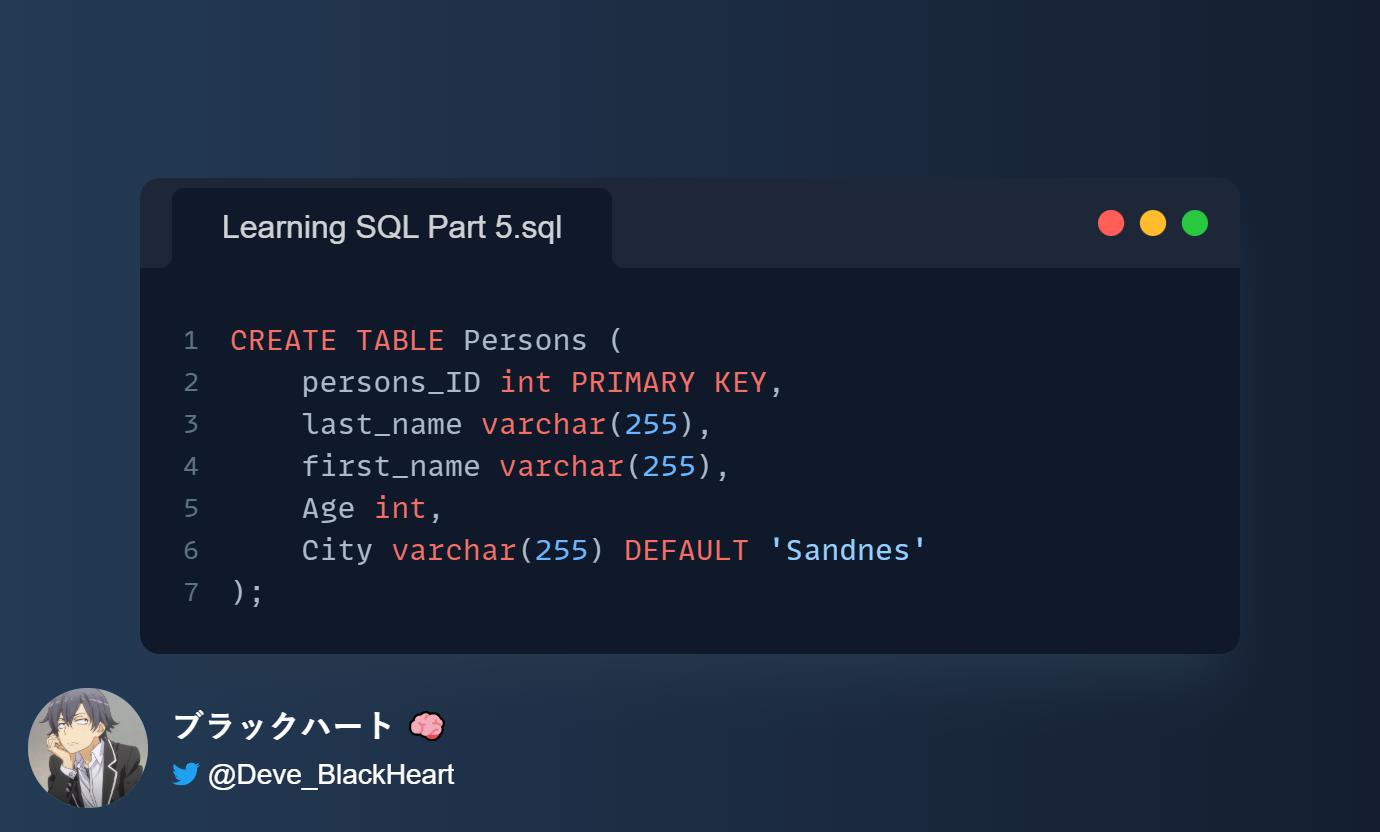
DEFAULT constraint With CREATE TABLE Statement in SQL
2- The DEFAULT constraint can also be used to insert system values, by using functions like GETDATE():
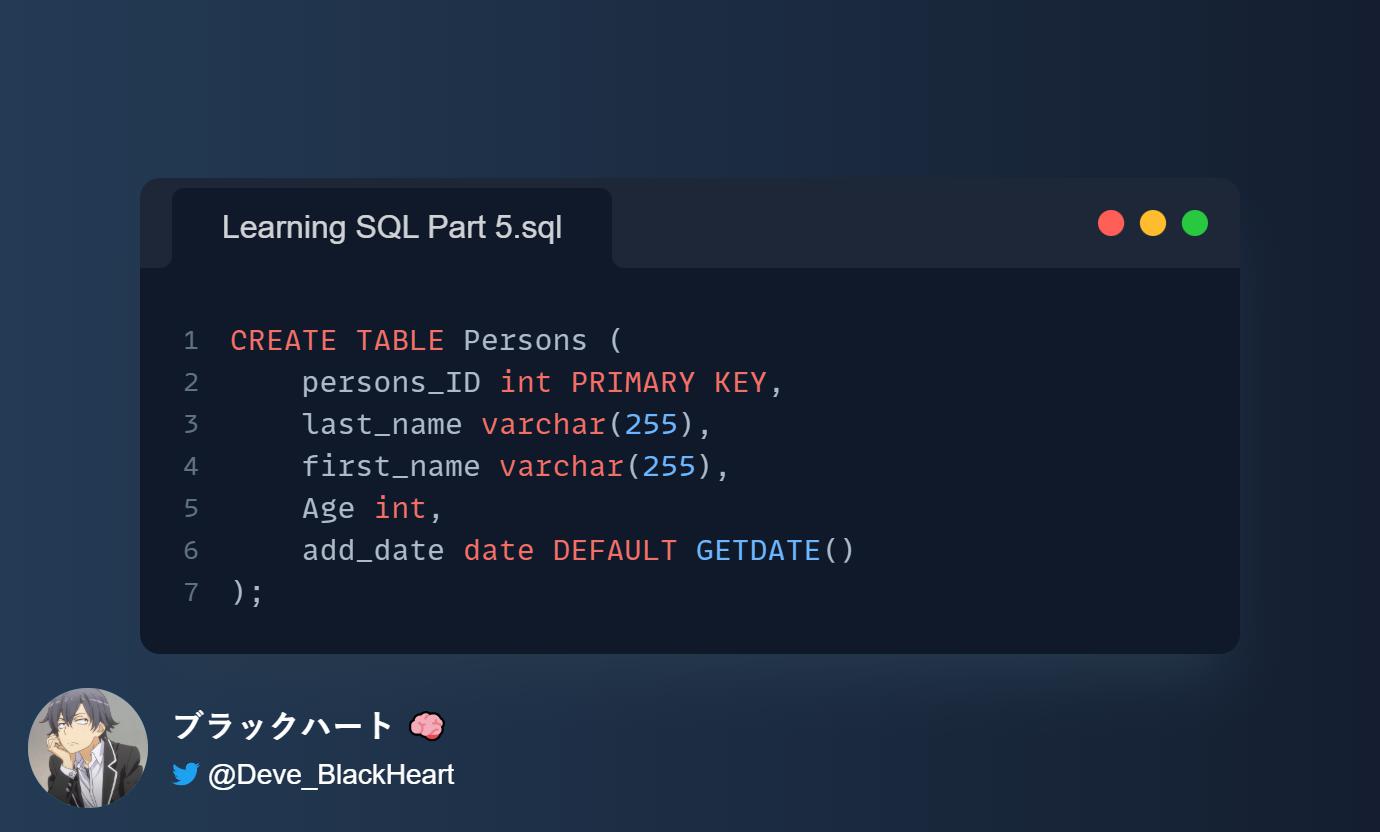
DEFAULT constraint can also be used to insert system values, by using functions like GETDATE()
3- Syntax of Add DEFAULT constraint With ALTER TABLE Statement in SQL:
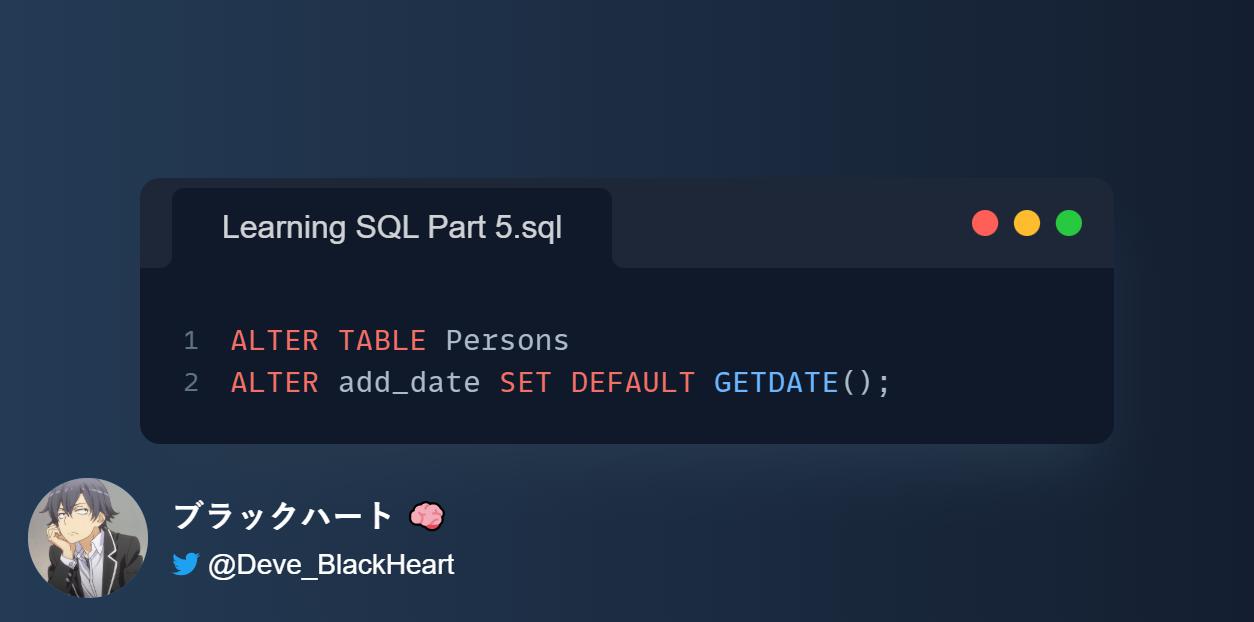
DEFAULT constraint With ALTER TABLE Statement in SQL
7- SQL AUTO INCREMENT Constraints:
Auto-increment allows a unique number to be generated automatically when a new record is inserted into a table.
Often this is the primary key field that we would like to be created automatically every time a new record is inserted.
By default, the starting value for AUTO_INCREMENT is 1, and it will increment by 1 for each new record.
1- Syntax of Add AUTO_INCREMENT constraint With CREATE TABLE Statement in SQL:
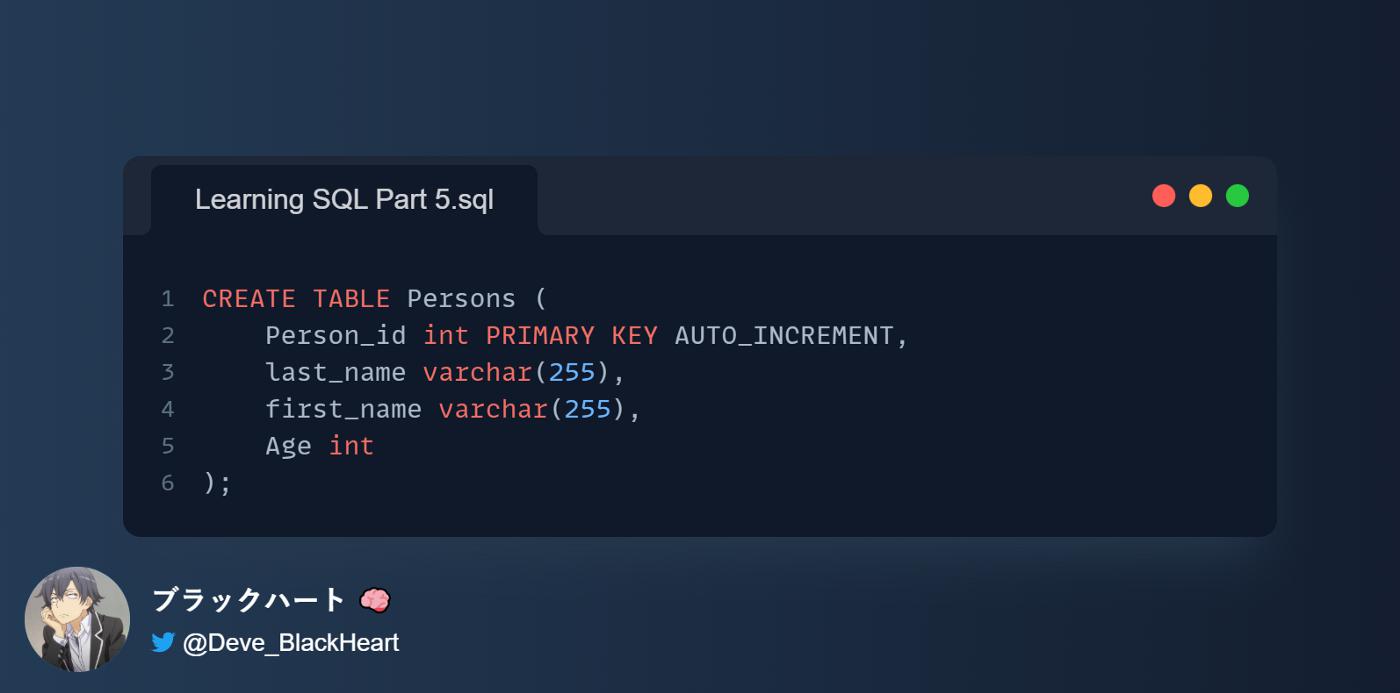
2- To let the AUTO_INCREMENT sequence start with another value, use the following SQL statement:

AUTO_INCREMENTللتسلسل بالبدء بقيمة أخرى ، استخدم عبارة SQL التالية:
مستودعي كل الأشياء التي تحتاج لمعرفتها حول SQL: تعلم SQL




 已为社区贡献23582条内容

所有评论(0)