
IFCONFIG / IP: Linux Commands
Introduction 👋🏽
These linux command are used to manage, control and configure all the networking things like IP, Interfaces Configurations , Netmask, Broadcast Addresses, MTU (Maximum Transmission Units) etc.
- ifconfig (old way)
- ip (new way)
I am also telling about ifconfig here (In case wanna learn only about “ip”, you can skip this part, most people are now switching to “ip”)
ifconfig (Interface Configuration)

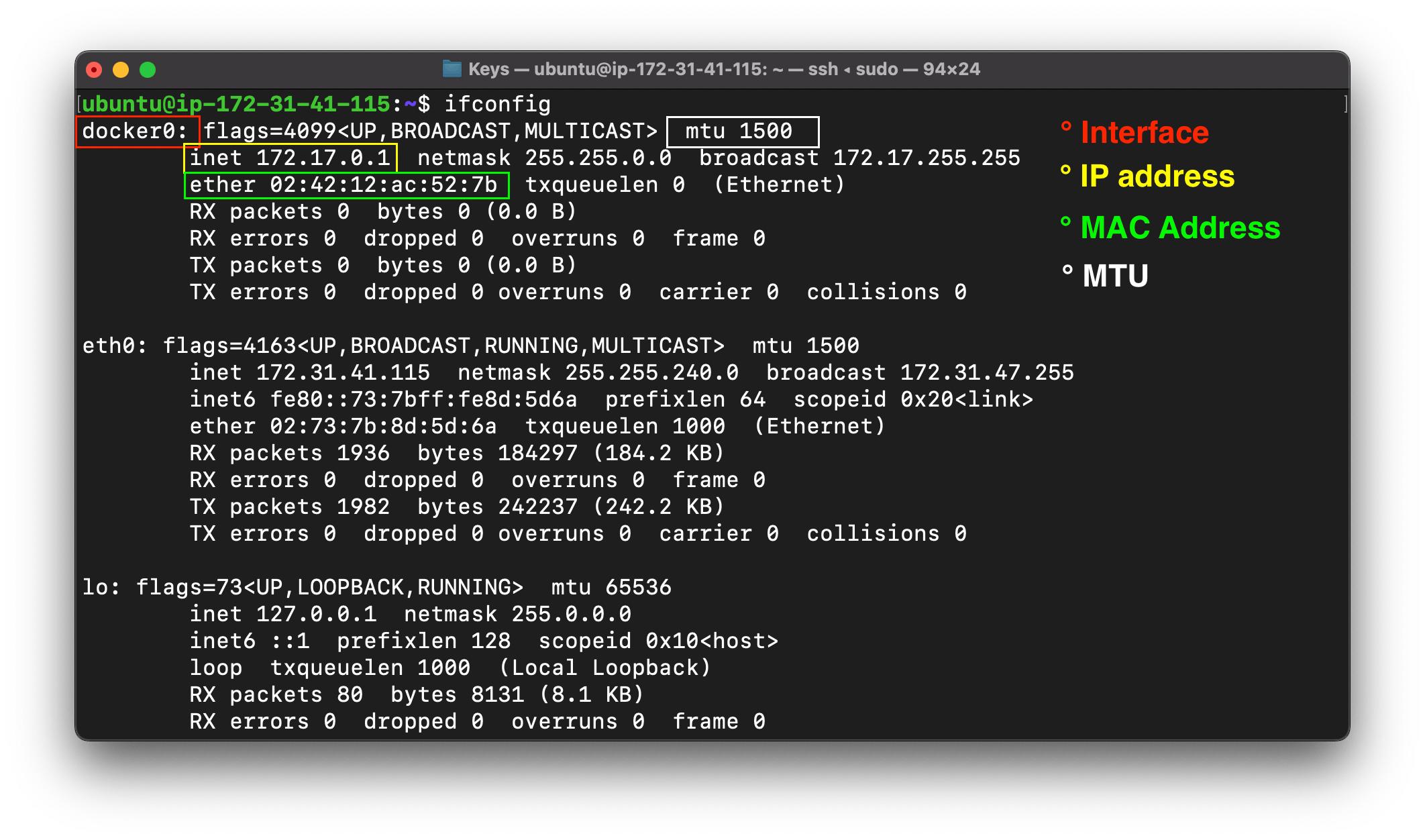
This helps to get all the basic details of the active interfaces we have in the network, like Ethernet, Localhost, WLAN etc.
ifconfig
- MAC (Media access control) address
A Media Access Control address (MAC address) is a hardware identifier that uniquely identifies each device on a network. Primarily, the manufacturer assigns it.
- IP (internet protocol) address
An IP address, or Internet Protocol address, is a series of numbers that identifies any device on a network. Computers use IP addresses to communicate with each other both over the internet as well as on other networks
- MTU (Maximum Transmission Unit)
It is the maximum size of a packet in bytes that can be transferred on the network, if data is bigger in size than the MTU, then it get fragmented and then travel onto the network/internet.
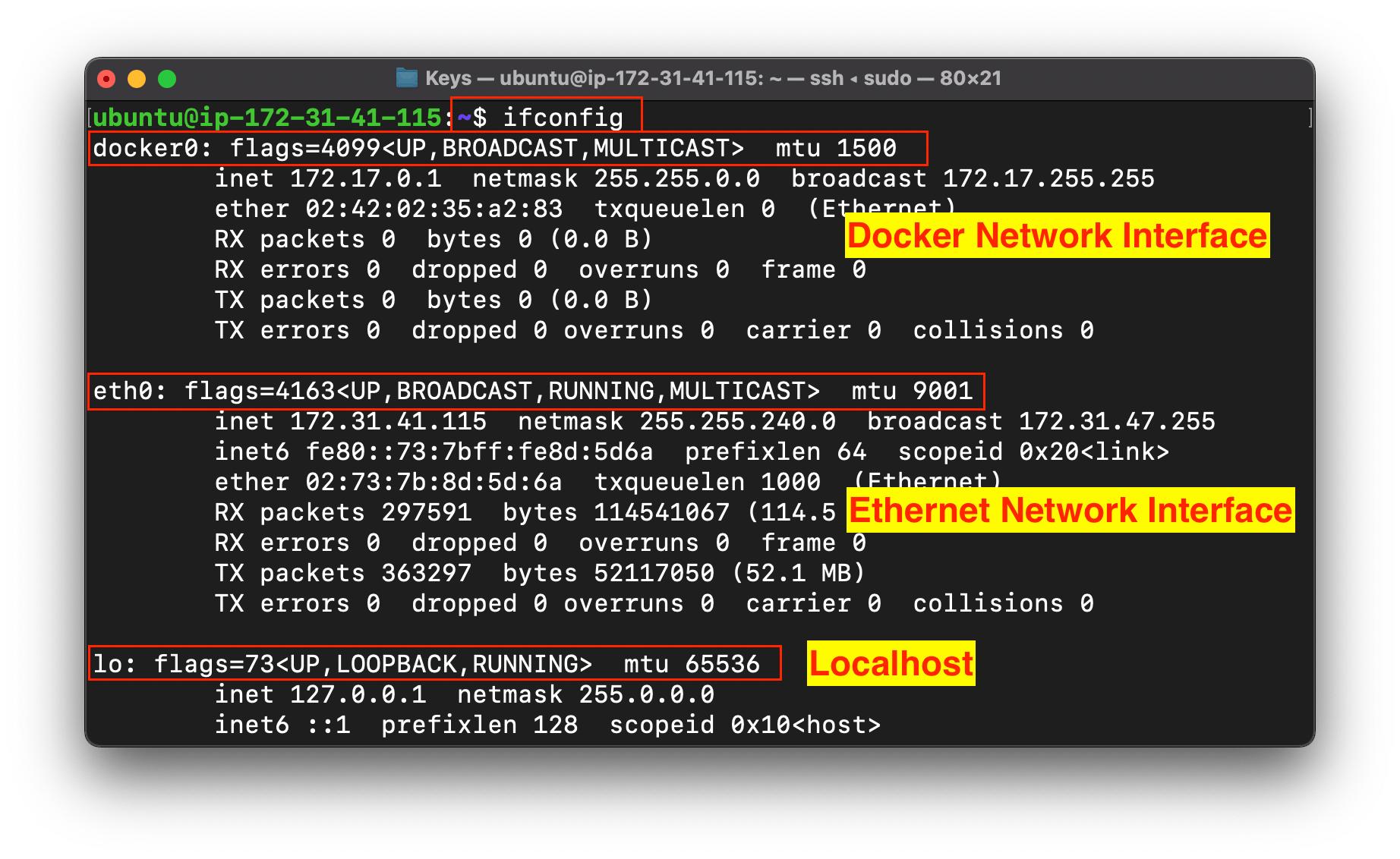
-
Incase want to see all the interfaces irrespective of they are active or not
ifconfig -a
-
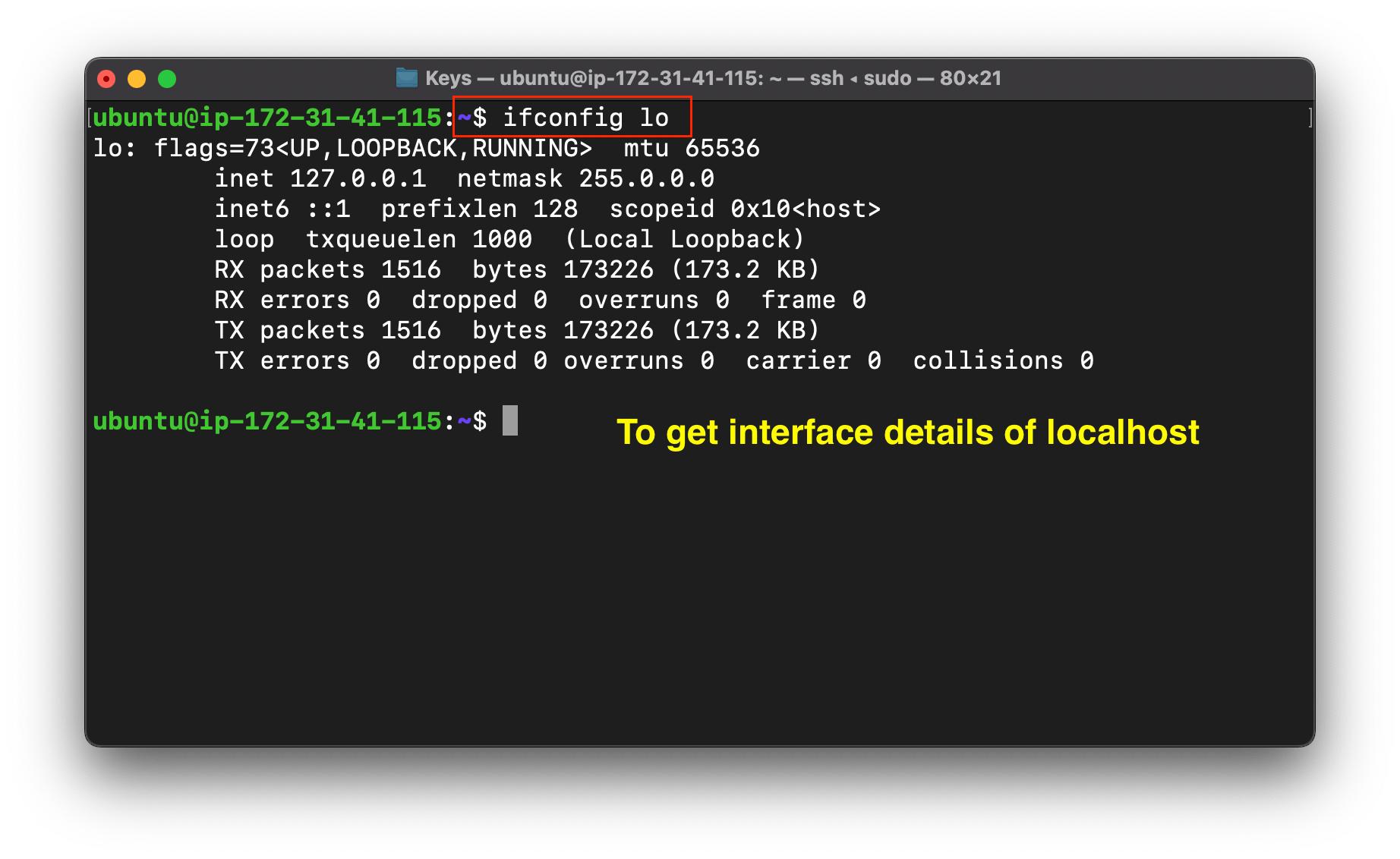
Want to see only a specific interface.
ifconfig "interface_name"
Features in ifconfig
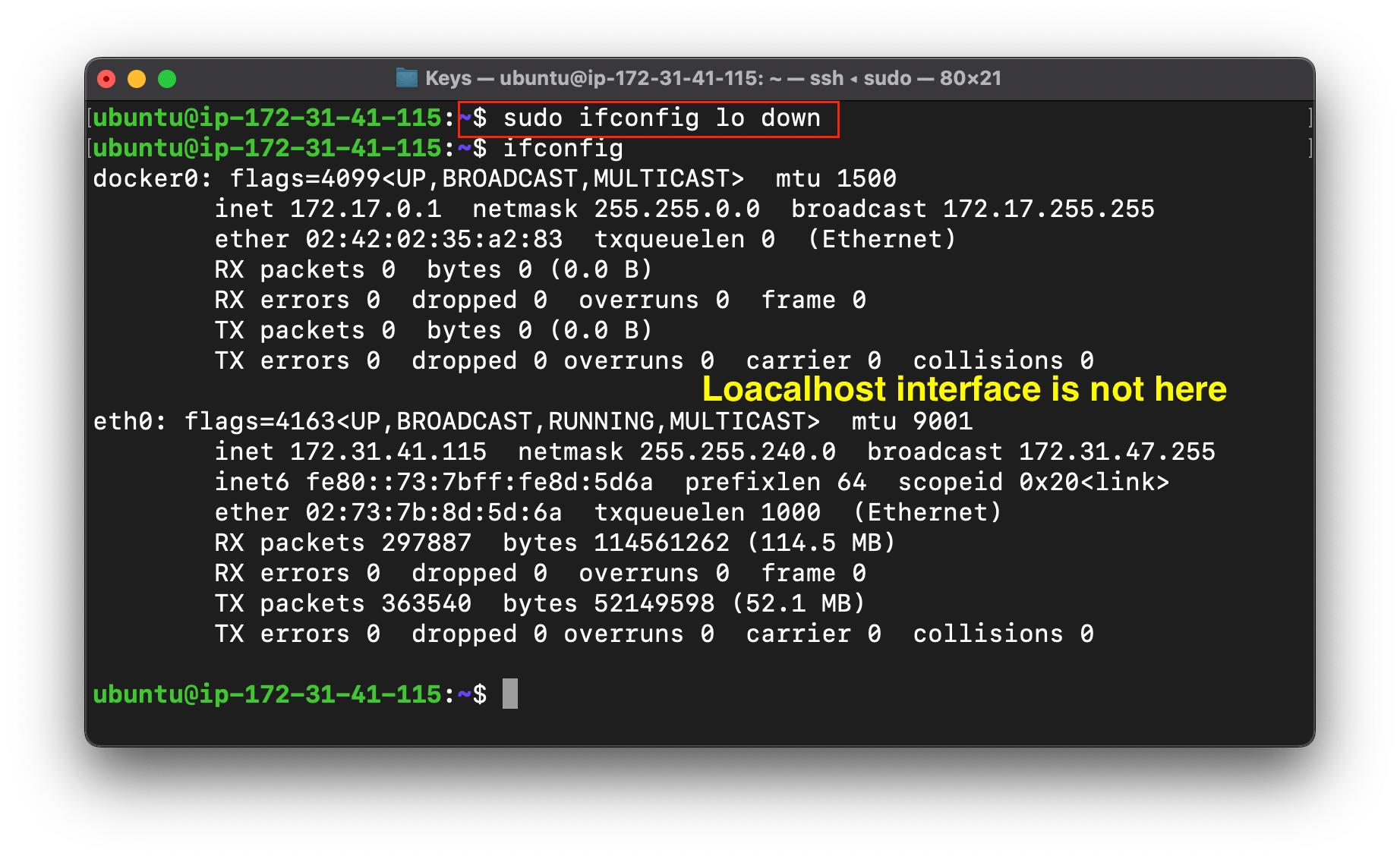
- Deactivate an interface
ifconfig "interface_name" down
- Activate an interface
ifconfig "interface_name" up
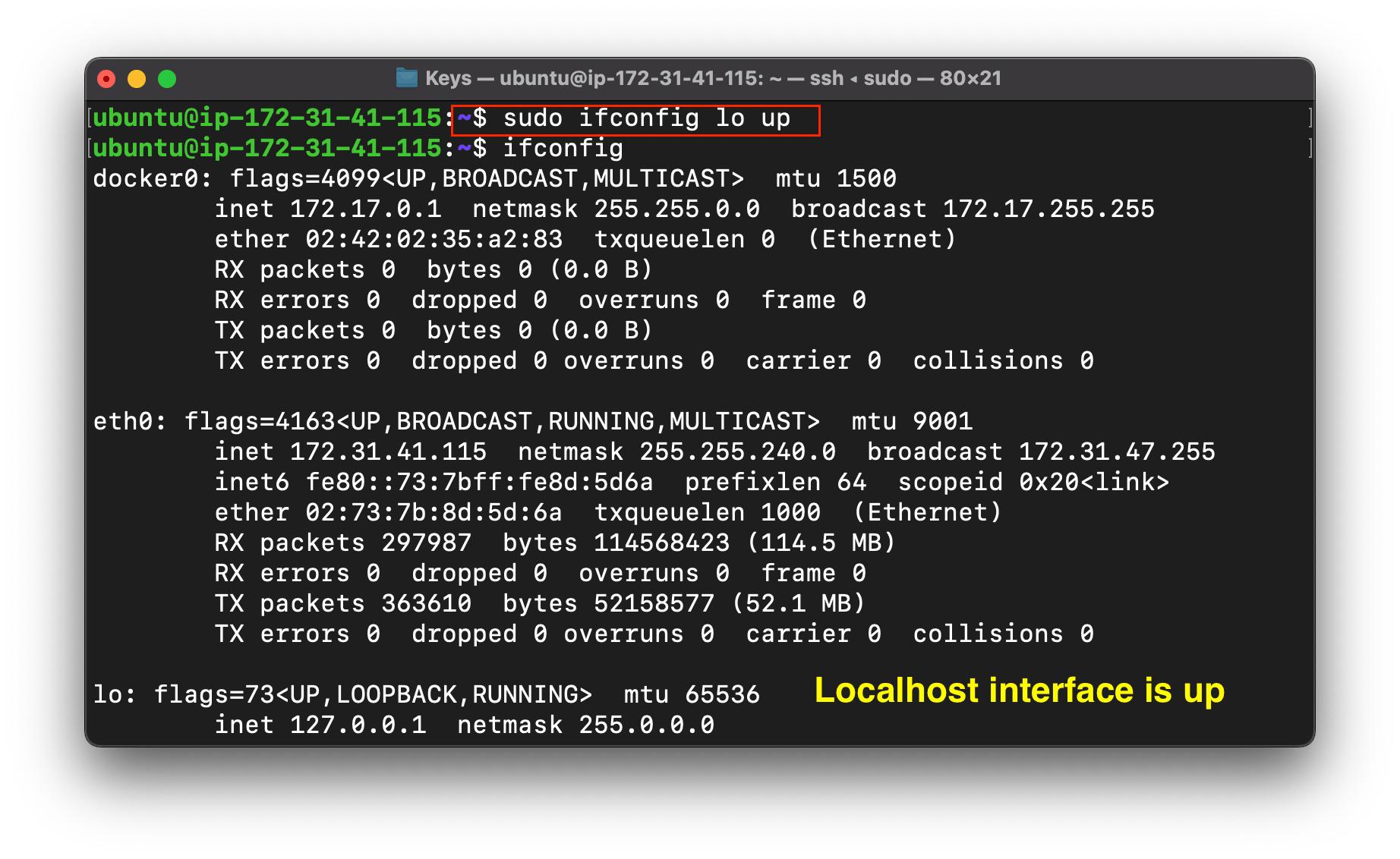
- Change the IP address of the interface
ifconfig "interface_name" "ip_address"
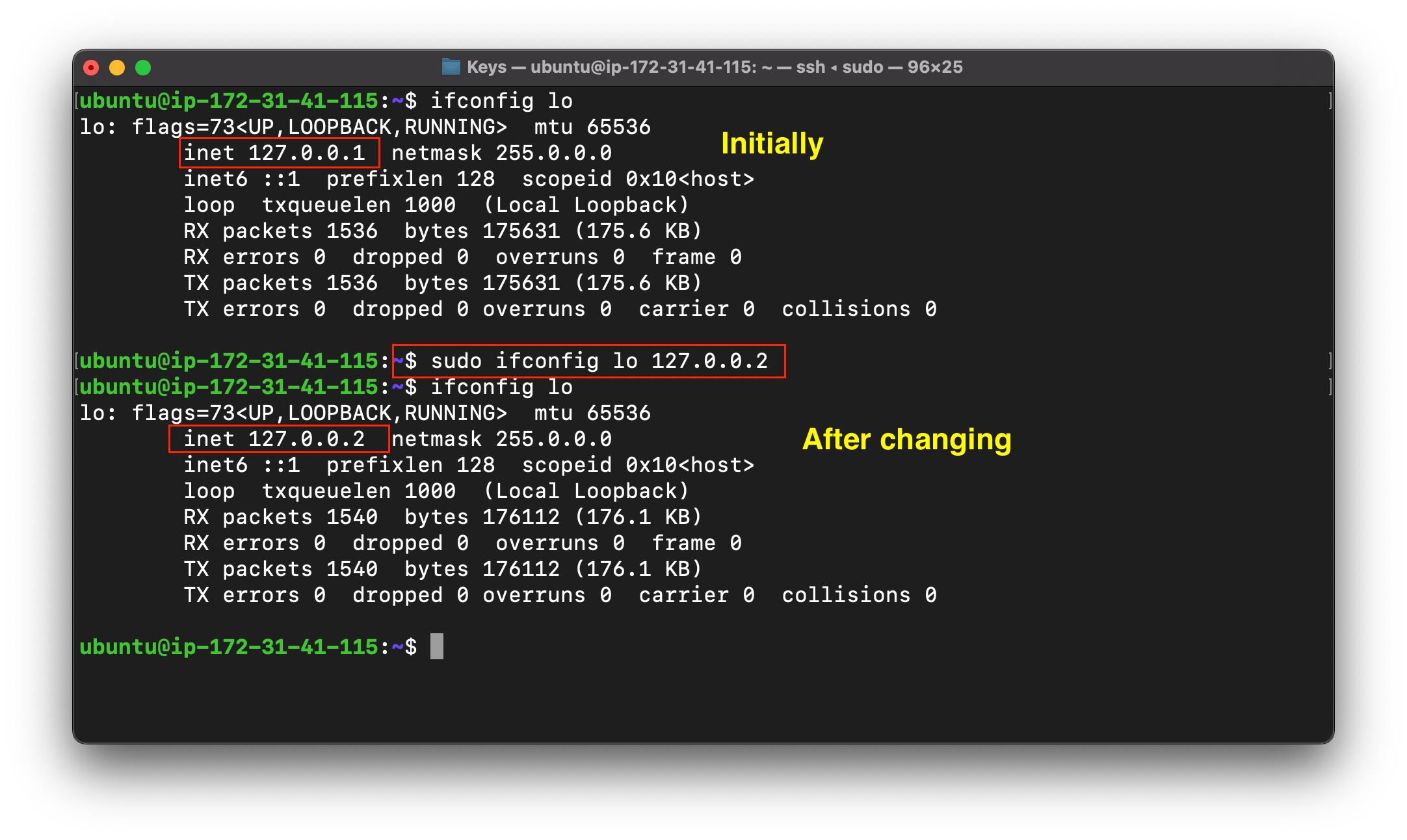
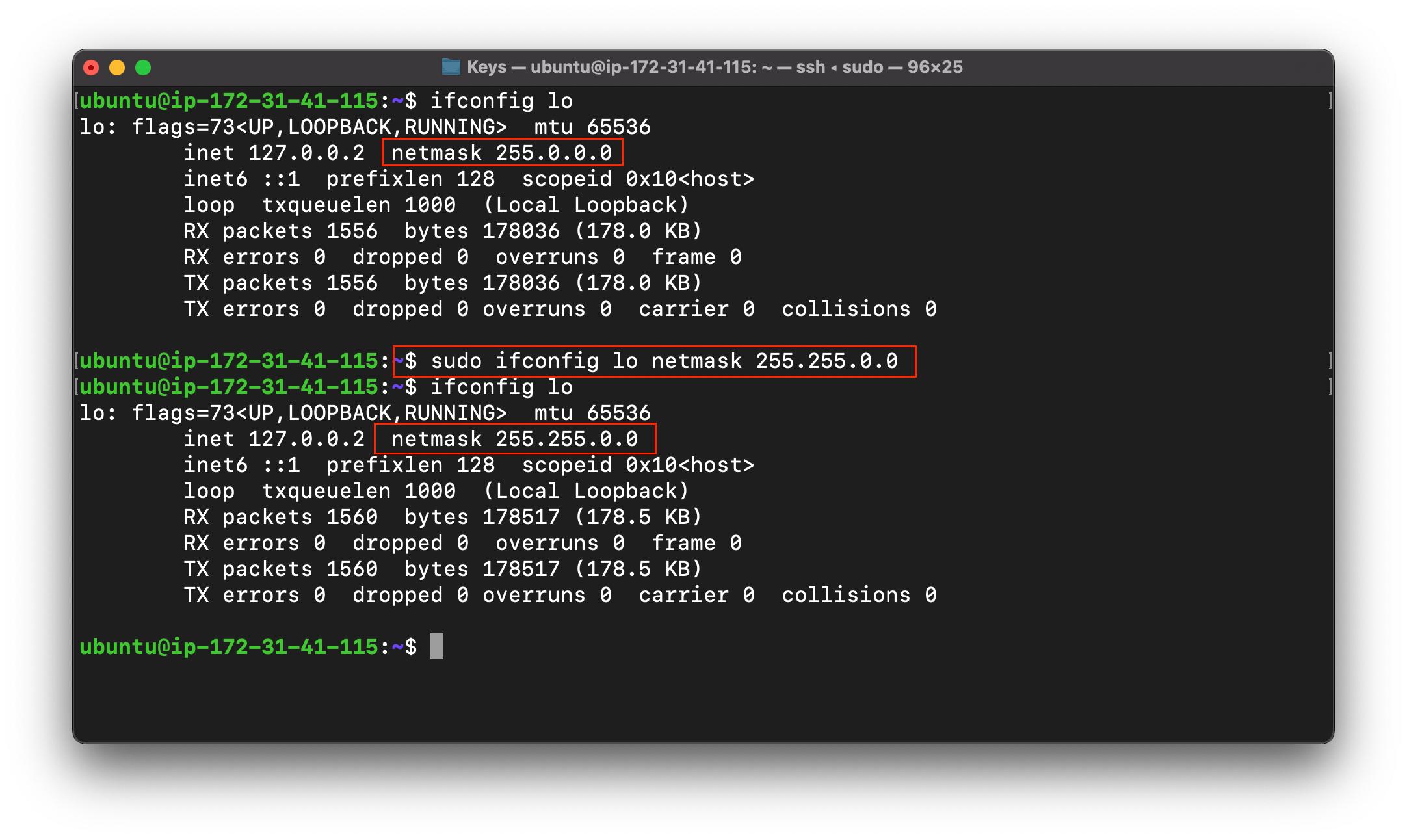
- Change the Netmask of the interface
ifconfig "interface_name" netmask "netmask"
Netmask - Every network has its own id so that the routers can select a network in which they want to route a data packet, that Netword ID is called as Netmask.
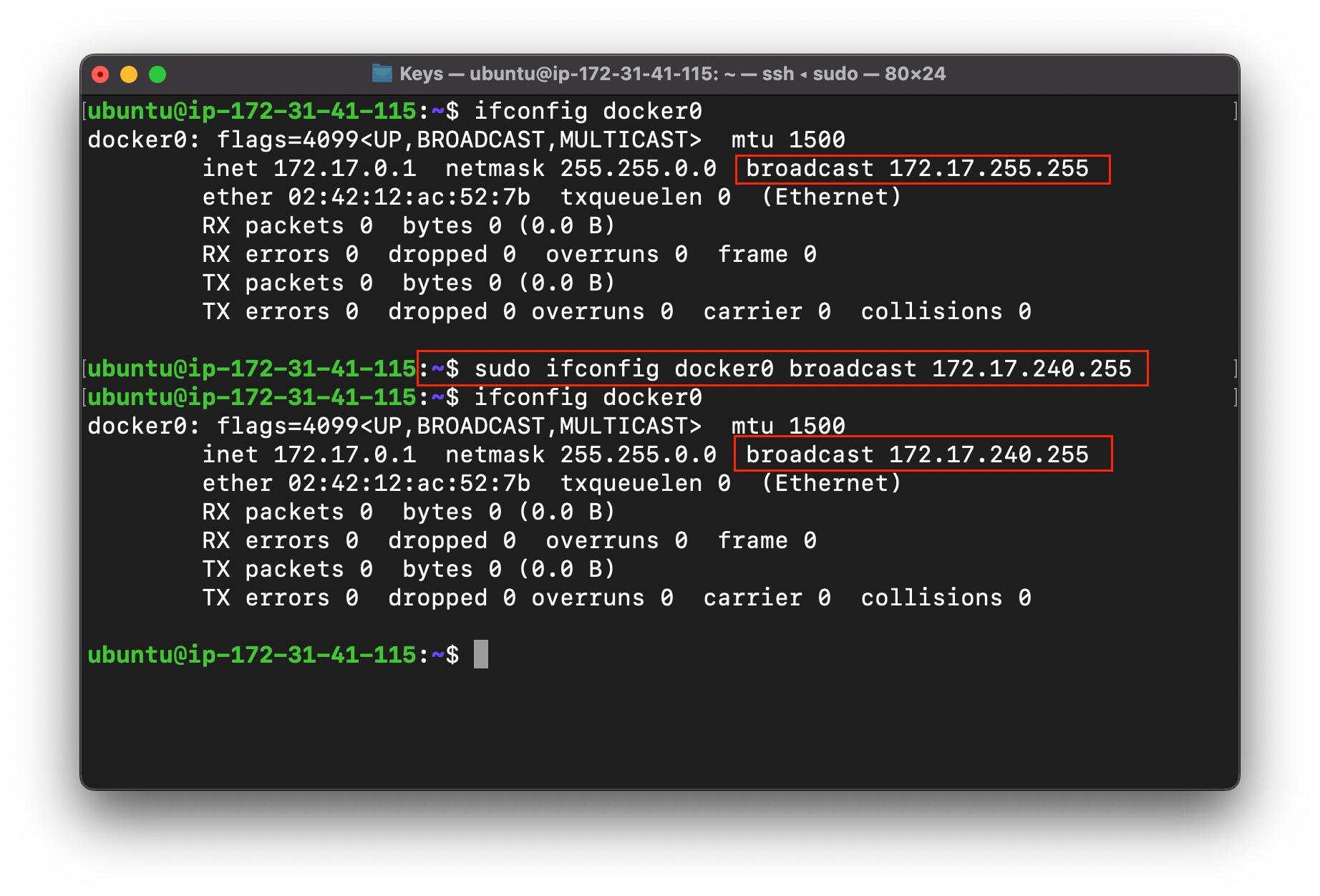
- Change the Broadcast address of the interface
ifconfig "interface_name" broadcast "broadcast"
Broadcast - Incase we want to send the message/data to every one in the network, then we make the destination address as the broadcast address.
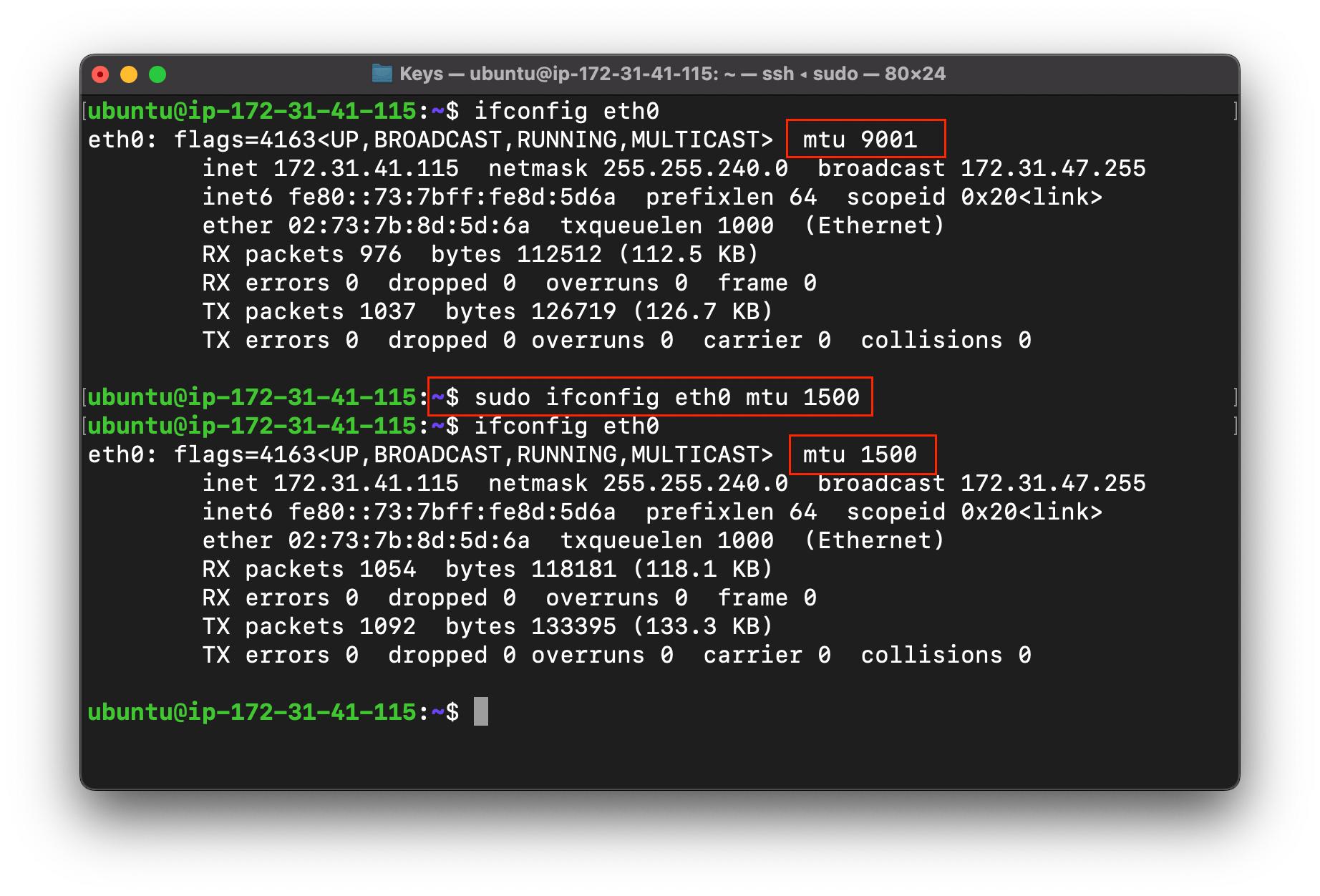
- Same for MTU
ifconfig "interface_name" mtu "mtu"
MTU (maximum transmission unit) - It means maximum size of a packet in bytes that can be transferred on the network, if data is bigger in size than the MTU, then it get fragmented and then travel onto the network/internet.
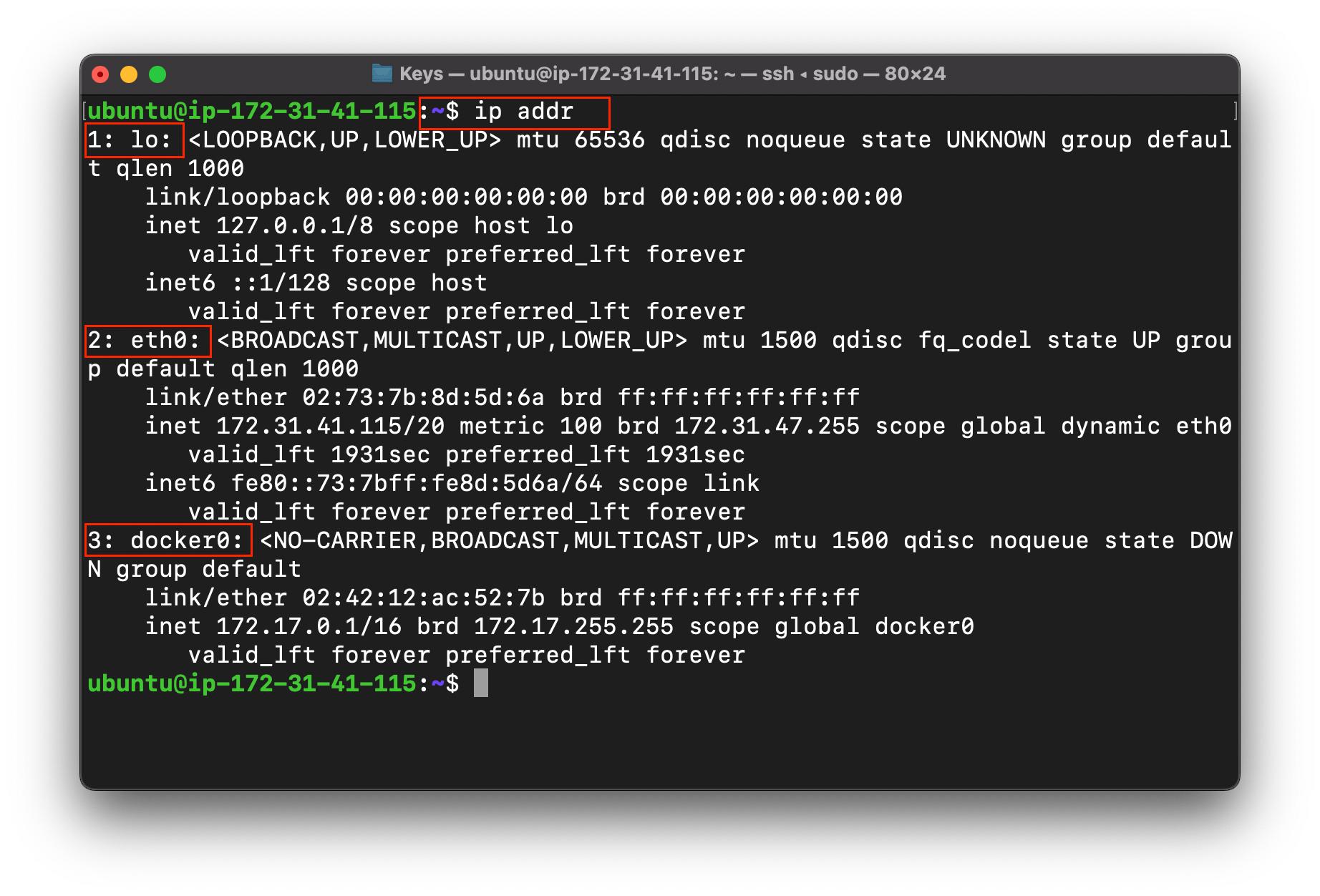
ip (internet protocol)

This command is used to show / manipulate routing, network devices, interfaces and tunnels.
Features in ip
- To show all the interfaces.
ip address show
ip address
ip addr show
ip addr
ip a show
ip a
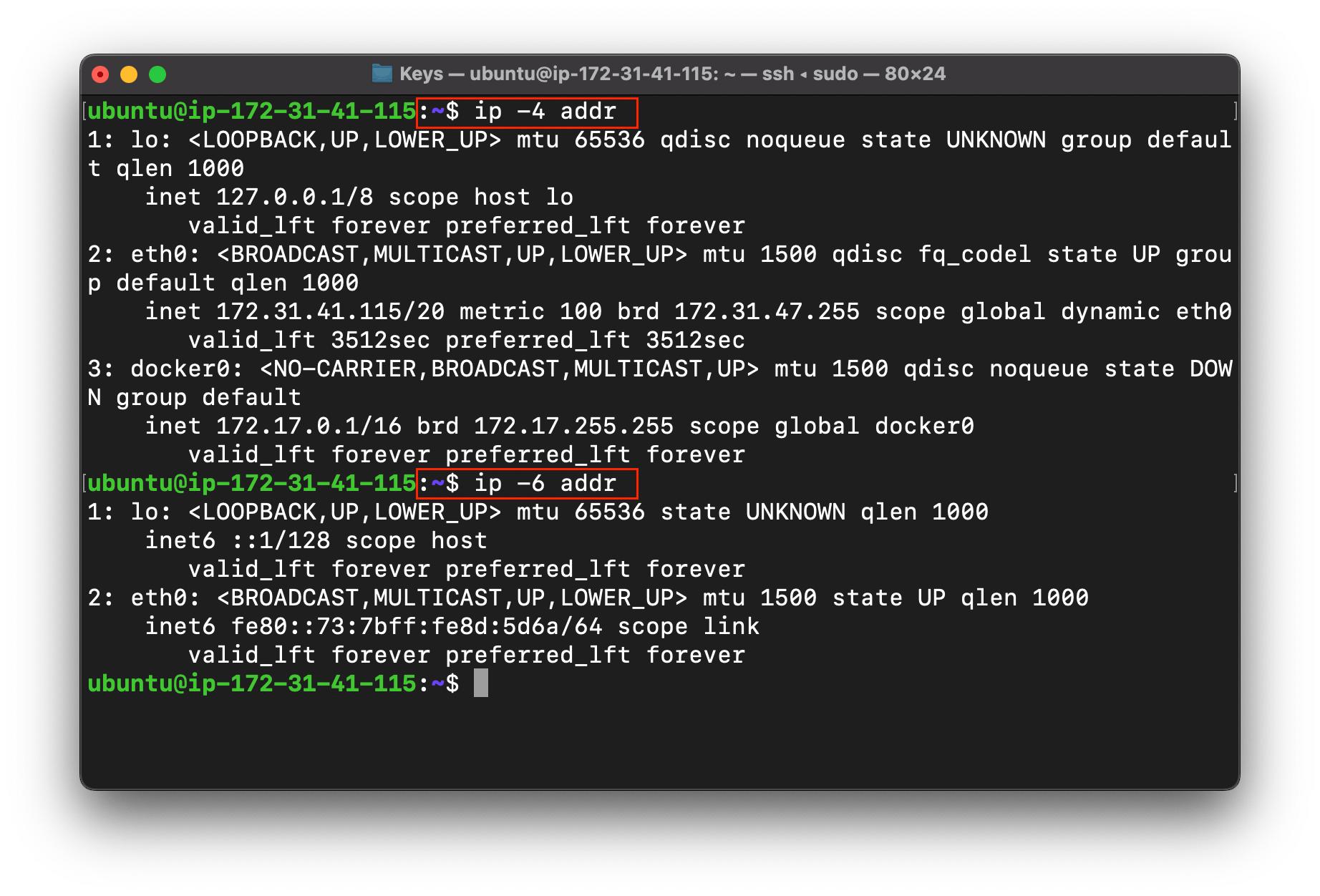
- To show only version 4 or version 6 addresses
ip -4 addr
ip -6 addr
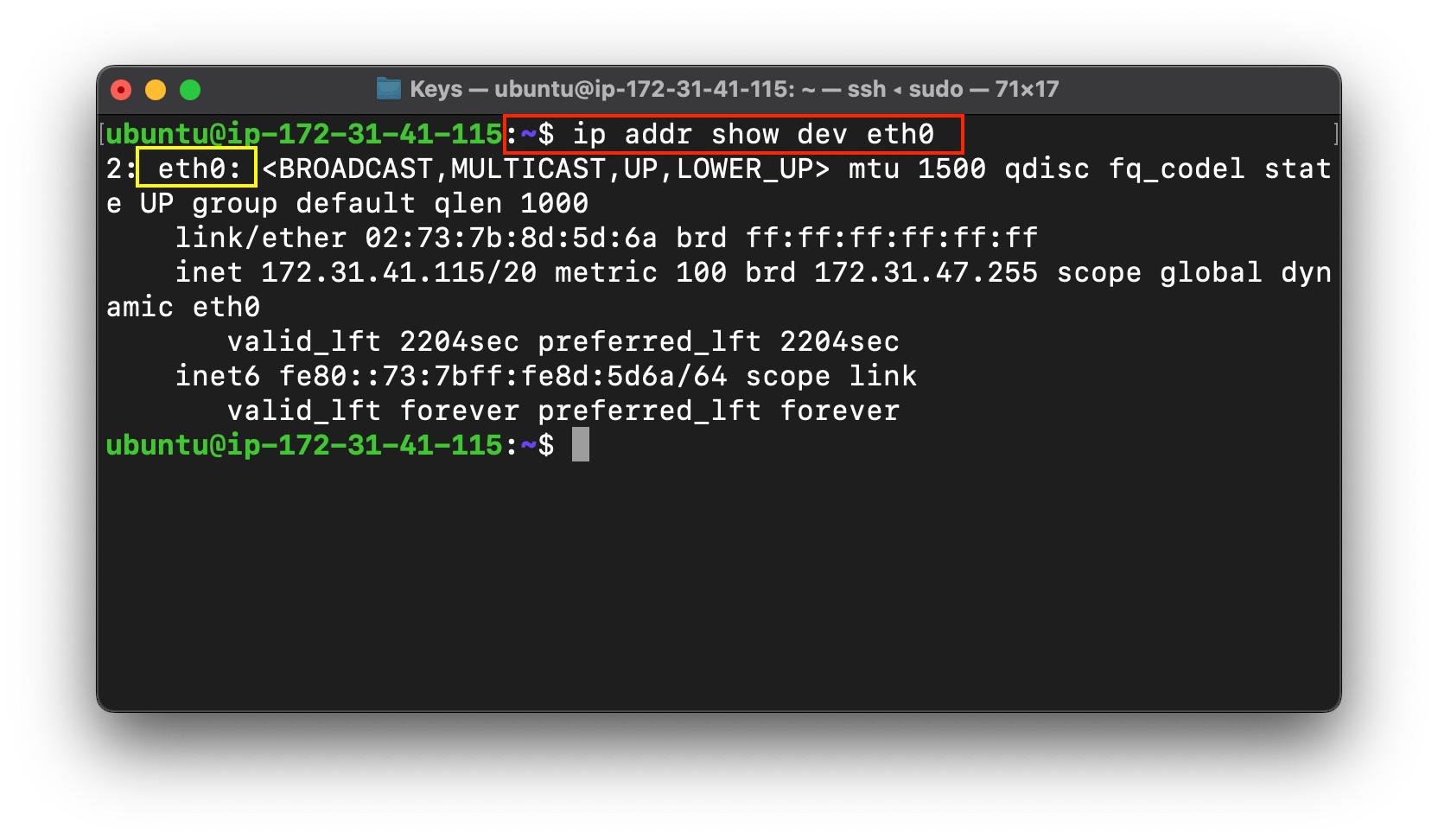
- Want to see only a specific interface.
ip addr show dev "interface_name"
show : Used to show the interfaces.
dev : Used to select a device from all the interfaces.
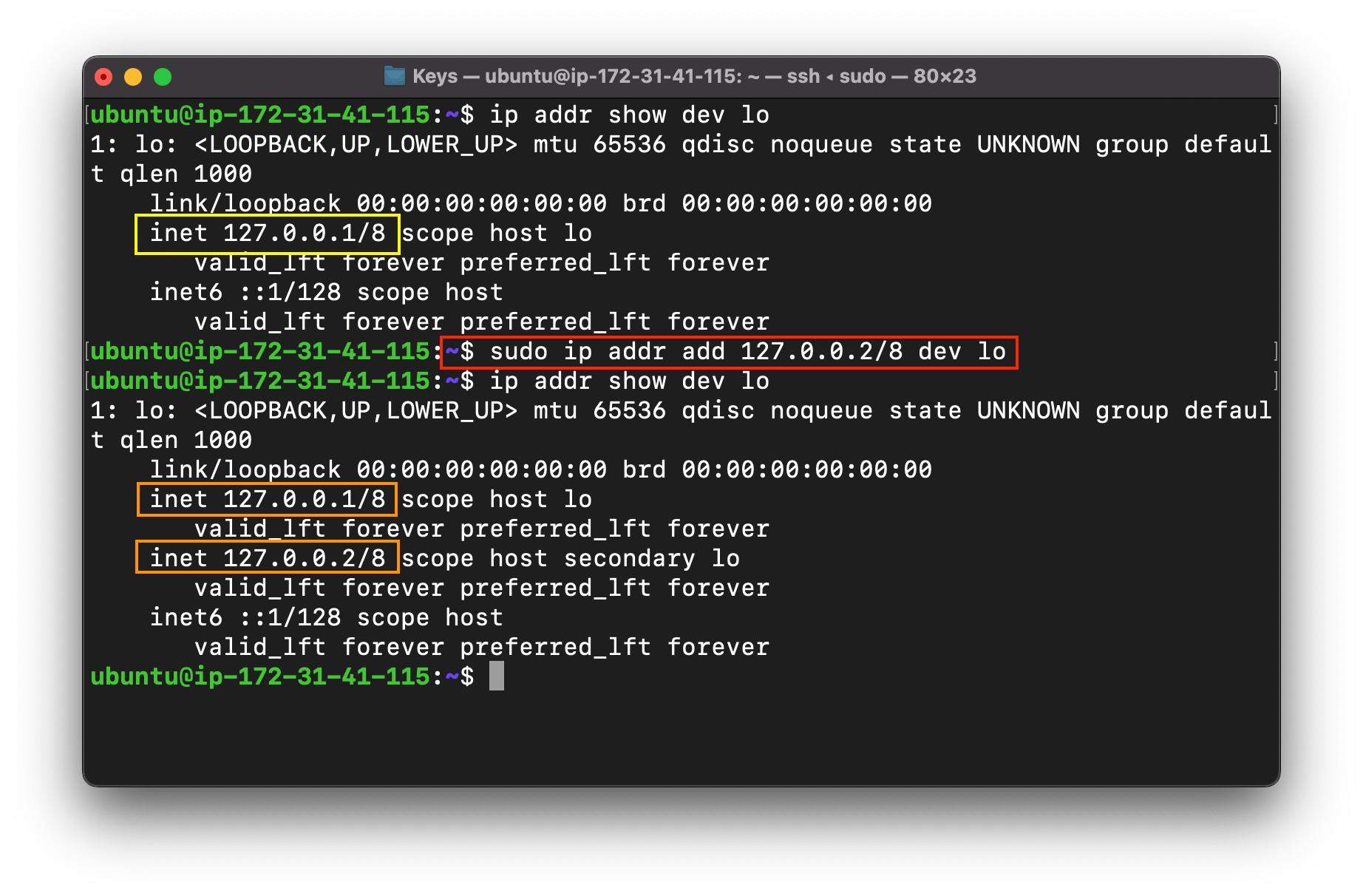
- Add multiple IP addresses to an Interface
sudo ip addr add "ip_address" dev "interface_name"
add : To add an IP to an Interface
dev : To select a device among all the interfaces in the HOST.
Addition of these IPs are temporary as the system boots up, all this will come back to the default once.
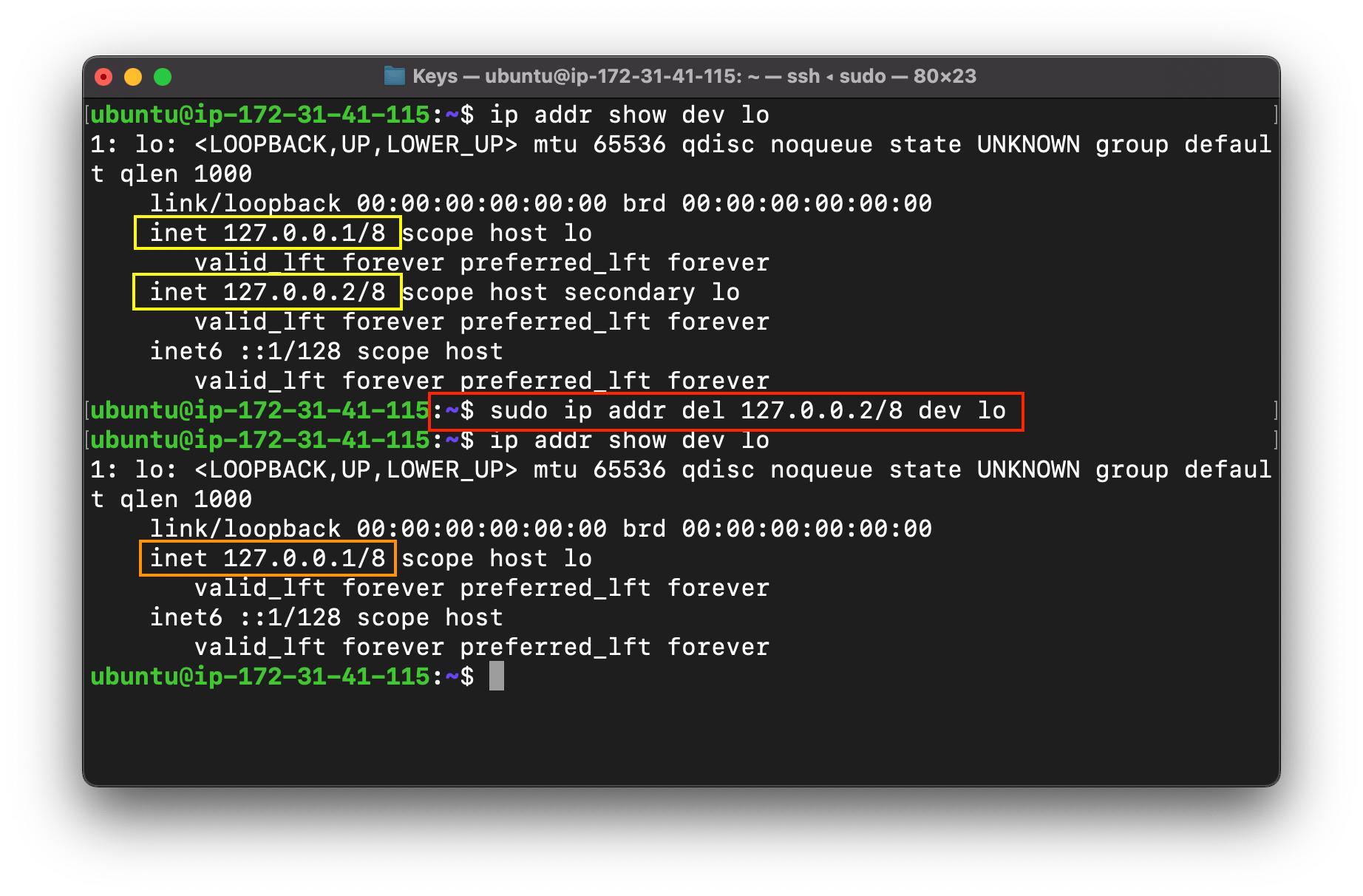
- Delete IP addresse from an Interface
sudo ip addr del "ip_address" dev "interface_name"
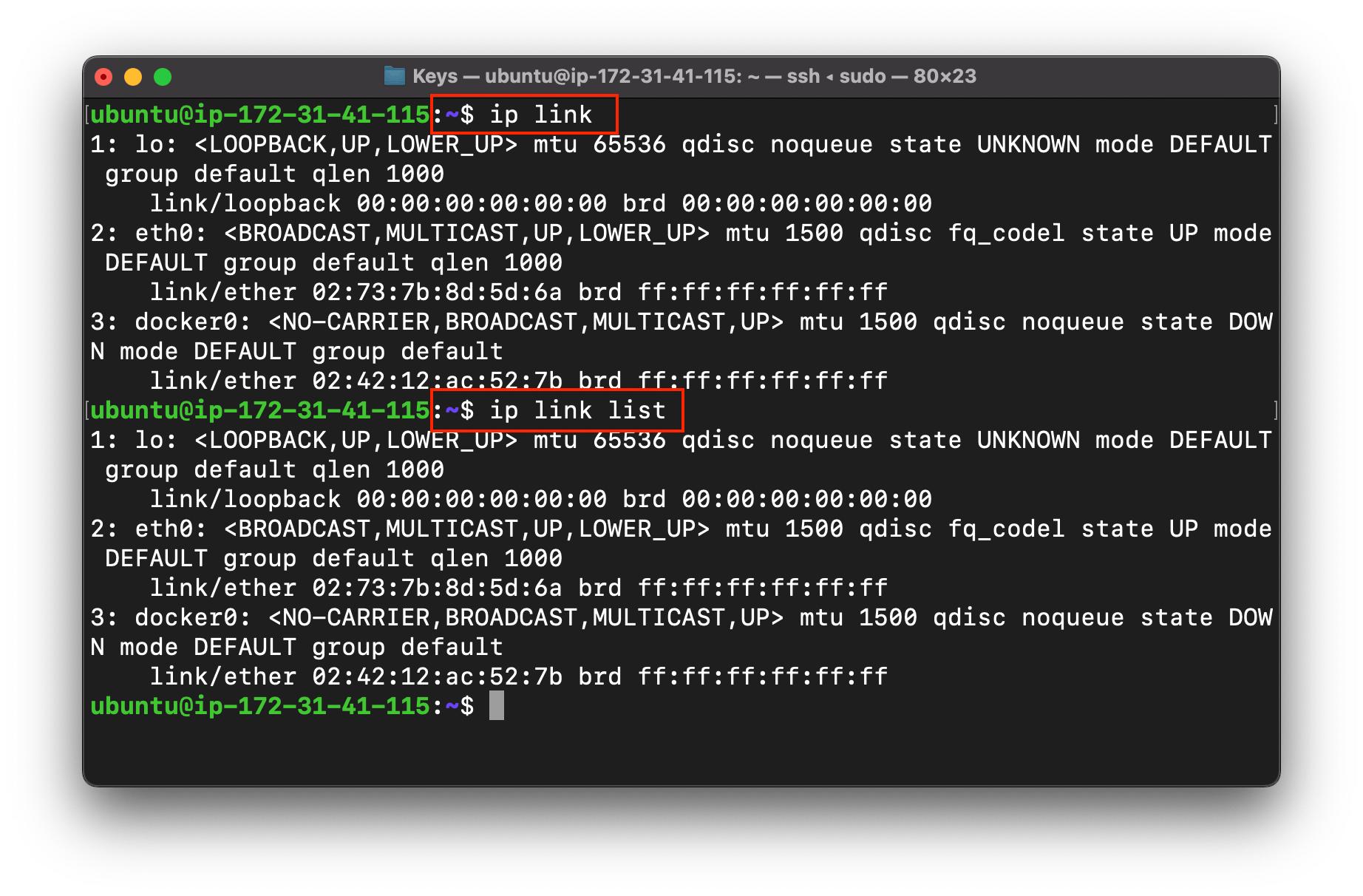
- Link command
It is used to display link layer information, it will fetch characteristics of the link layer devices currently available.
ip link
ip -s link
ip link list
ip link set dev "interface_name" down
- To activate
ip link set dev "interface_name" up
- To deactivate
Conclusion 🙇🏽♂️
In this post, I discussed about Some networking command of linux which basically helps us to manage, control and configure the networking variables in the network like (ip, netmask, broadcasting address, mtu, etc).
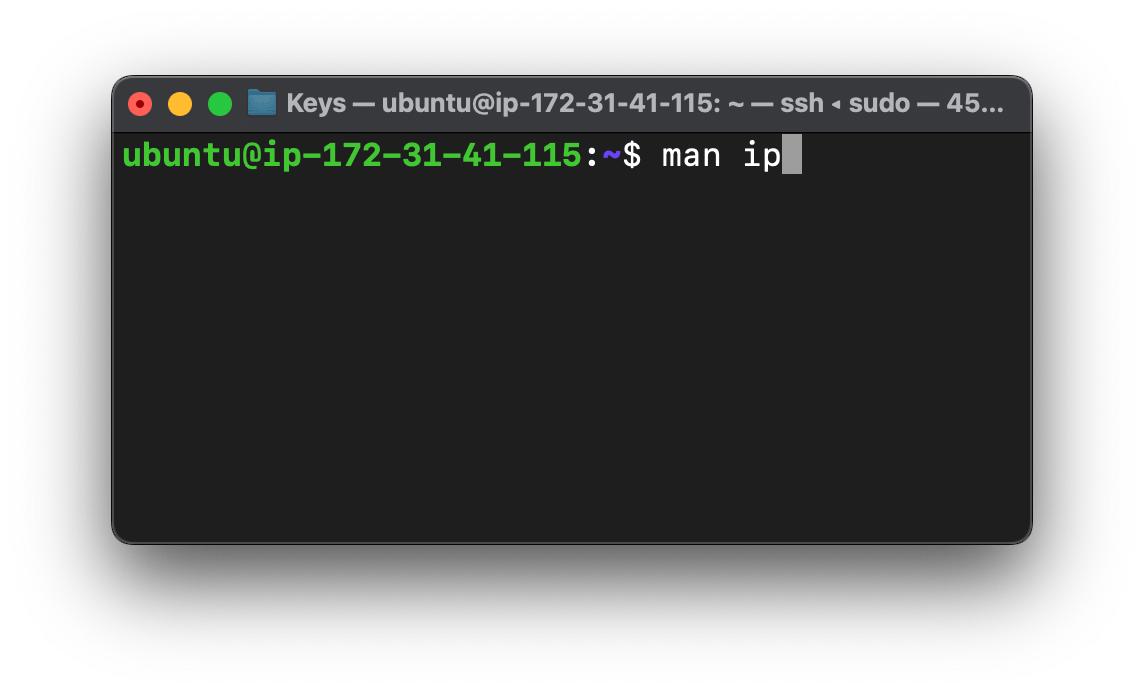
NOTE : Try these commands on your terminal side by side and experiment with these commands.
type man "command name" for more details in your own terminal.
What's NEXT
IP ROUTE : Used to manage the static routing in the network.
NOTE : Not covered in this one, because it deserves a dedicated blog. If you will come here after 4 days, when this blog is published, you will get the link for IP ROUTE and many other commands related to NETWORKING
Socials 🤝
Github
更多推荐


 0
0 0
0- 0



 已为社区贡献12892条内容

所有评论(0)