

This is the one of the topics that I found very difficult to find a good tutorial/guide on. If you're using a Desktop Environment like KDE, Gnome or cinnamon, they all have an autostart application that you can use to autostart scripts and applications.
This is not possible in servers and also if you're using a Window Manager. Hence, there are many ways to do it, but I’ll discuss only a few.
Spawn Vs SHCMD
Before going to the topic, it's essential to know that does spawn command and SHCMD do in your autostart script.
The spawn command is used mainly in programs, this will run the program, for example spawn firefox will run Firefox.
The SHCMD command is used for running bash commands, with this you can run other scripts and commands. For example, this is for running rofi.
SHCMD("rofi -combi-modi window,drun,ssh -show combi -icon-theme -show-icons")
.config/autostart
There is a folder in your home directory that allows you to run applications on start.
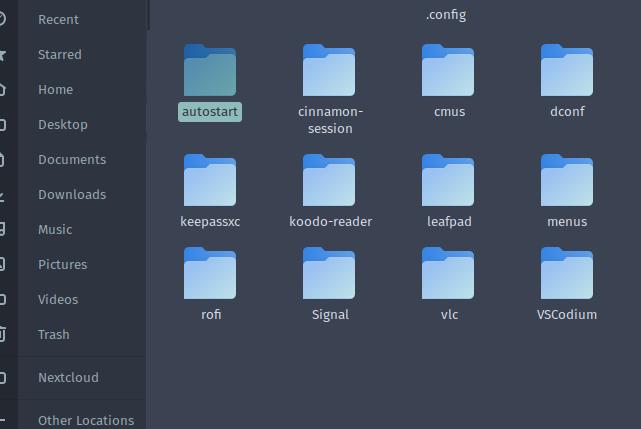
path to the folder: /home/$USER/.config/autostart
Here you can add your “.desktop” file of your applications to autostart them on startup. You can find your .desktop files on /usr/share/applications folder. This method is user specific, which means this can be configured differently for different users.
Autostarting On Window Managers
There will be an autostart config file for your window manager. This will be different for different Window Managers.Go to your autostart script and add the program names that you want to start on startup. For example, to start Firefox on startup, add the spawn firefox command to the file.
For autostarting flatpacks : For autostarting the Flatpaks, go to flathub.org and search for your app and click the app icon. Then scroll down and copy the run command for your Flatpak, then you can use this on your autostart script.
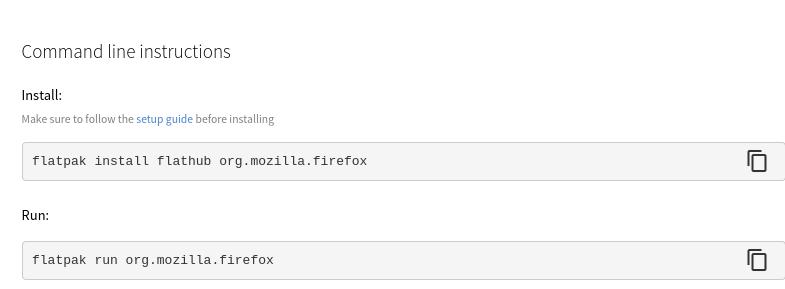
flatpak run org.mozilla.firefox
Autostarting Programs For All Users In A System
If you need to start programs, that will autostart for all the users in a system, then you need to add the .desktop file in:-
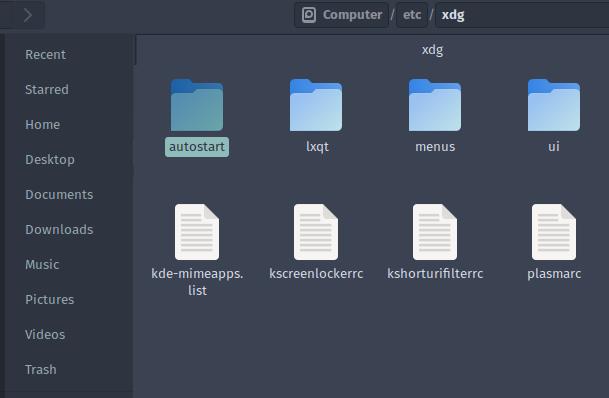
/etc/xdg/autostart
If you like this blog, please don’t forget to give a clap. If you want to learn more about privacy, security, technology and Linux, consider following me. Plus, whatever I find interesting and valuable.


 已为社区贡献12892条内容

所有评论(0)