
Making old school text banners with a Raspberry Pi
When I was in high school, I took a co-op course that involved working as a computer operator in exchange for credits.
One of my duties was to change the paper on the computer terminal. What's that? Well imagine a Keyboard hooked up to a mini computer (a very large computer actually) but with no screen, just a printer.
Everything you type comes out on the paper, including passwords. That made for great dumpster diving back in the day, but that is for another day.
I remember people using these terminals to print out text banners. I use the same style for my own code to break apart different areas of my programs.
![2021-09-10 23_42_24-meshtalk.py - meshtalk [SSH_ meshtasticPi.local] - Visual Studio Code.jpg](https://cdn.hashnode.com/res/hashnode/image/upload/v1631331980175/UEYN5a-FZ.jpeg?auto=compress,format&format=webp)
Making a text banner
I use Figlet from the command line on one of my Raspberry Pi computers, which are running Raspbian. Figlet is likely available for all flavors of Linux.
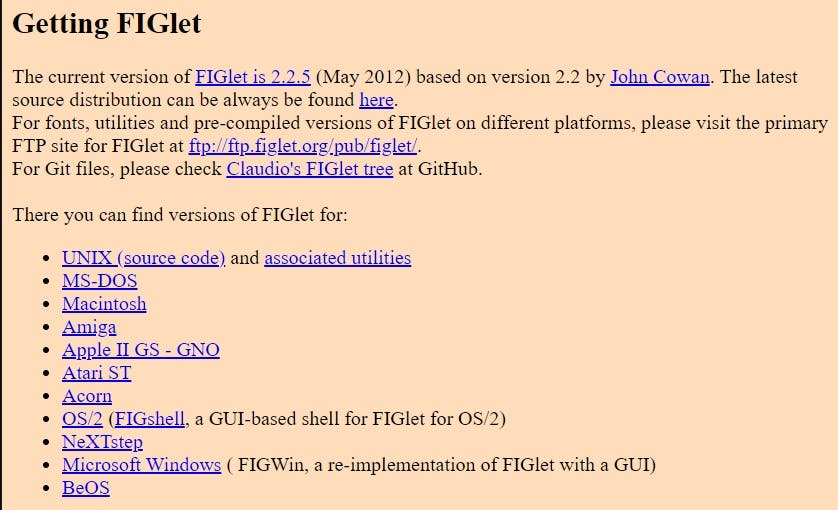
Install Figlet on a Raspberry Pi
What I love about Linux is how simple it is to install a desired component.
I connect to my Raspberry Pi with Kitty (An SSH client, a fork of Putty) and run the following command:
$ sudo apt-get install figlet
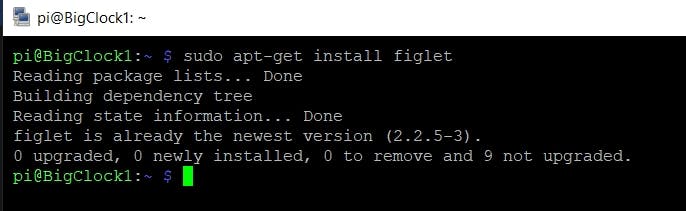
Then I run "figlet BlahBlah" to generate a banner. Copying and pasting from an SSH window is super easy. Then I paste it into Visual Studio Code and format it a bit.
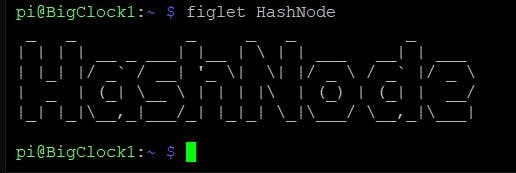
That's it. Enjoy figgling.
更多推荐


 0
0 0
0- 0



 已为社区贡献12493条内容

所有评论(0)