
Gitlab CI/CD Strange SSH issue on SSH2_MSG_KEX_ECDH_REPLY
Problem
A few days ago I've faced with a strange issue on my pipeline, I saw a strange error log that didn't mean anything to me:
Connection closed by UNKNOWN port 65535
So, I decided to enable verbose logs on all 3 levels for every ssh commands
The destination server didn't access the public network directly, so I need to use ProxyJump to access the destination server.
 script:
    - ssh -vvvJ jumpbox@$JUMPBOX_IP bahfo2683@$DEST_IP "echo 'hello'"
I found that the pipeline stuck at Kex Algorithm:
debug1: expecting SSH2_MSG_KEX_ECDH_REPLY
debug3: receive packet: type 96
debug2: channel 0: rcvd eof
debug2: channel 0: output open -> drain
debug2: channel 0: obuf empty
debug2: chan_shutdown_write: channel 0: (i0 o1 sock -1 wfd 5 efd -1 [closed])
debug2: channel 0: output drain -> closed
debug1: channel 0: FORCE input drain
debug2: channel 0: ibuf empty
debug2: channel 0: send eof
debug3: send packet: type 96
debug2: channel 0: input drain -> closed
Connection closed by UNKNOWN port 65535
Solution
After several searches with headache, I've found the solution 🎉 In this article they describe the exact issue that I had and the solution is to add the Kex Algorithm in the /etc/ssh/ssh_config of the destination server.
So I added KexAlgorithms curve25519-sha256,ecdh-sha2-nistp521 below Host * on both Jumpbox and Destination Server:
Host *
    KexAlgorithms curve25519-sha256,ecdh-sha2-nistp521
I added
curve25519-sha256as well because I see that in the pipeline the ssh client selected this algorithm.
I ran the pipeline again but guess what? it didn't work! So, I've came to test something, Firstly, I deleted the Kex Algorithms on Jumpbox Server and then tried to connect to the destination server from Jumpbox and I saw that the connection time out! So it came to my mind that in the pipeline the same thing happend. I need to set Kex Algorithm on the pipeline as well as both servers.
I edited my .gitlab-ci.yml file and added- sed -i -e "s/Host \*/&\nKexAlgorithms curve25519-sha256,ecdh-sha2-nistp521/g" line before anything with ssh:
before_script:
    - apk add openssh-client rsync
    - sed -i -e "s/Host \*/&\nKexAlgorithms curve25519-sha256,ecdh-sha2-nistp521/g"  /etc/ssh/ssh_config
with sed -i -e "s/Host \*/&\nKexAlgorithms curve25519-sha256,ecdh-sha2-nistp521/g" /etc/ssh/ssh_config I add Kex Algorithms to the ssh_config file and tried again.
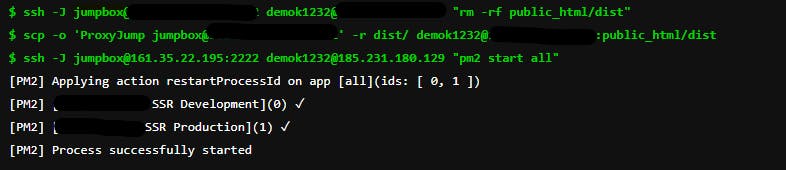
This time the pipeline worked successfully and my application is deployed on the destination server.
Conclusion
It's a rare case for ssh but keep it in mind if you see this error:
Connection closed by UNKNOWN port 65535
Try two things first:
- Enable Verbose log -vvv for debug levels 1,2 and 3
- Check at which step the ssh stuck and google that!
If pipeline stuck at SSH2_MSG_KEX_ECDH_REPLY then you should set Kex Algorithms on .gitlab-ci.yml and /etc/ssh/ssh_config of your server.
Most of them you find are Macs issues but my case was Kex Algorithm.
If you are reading this, I hope this article help you to fix your SSH issue.
Thank you and happy coding!
更多推荐


 0
0 0
0- 0



 已为社区贡献12493条内容

所有评论(0)