Visual Studio Code + Java - doesn't find my dependencies from build.gradle.kts
Answer a question
Visual Studio Code doesn't resolve dependencies declared in my build.gradle.kts file in this test project. Can you help me see what I'm doing wrong?
I'm using the newest VScode (downloaded 1.52.1 yesterday), and I've started from a clean install by deleting %APPDATA%\Code and %USERPROFILE%\.vscode before starting VScode.
When opening up my Java file and installing various suggested extensions (see below), I end up seeing The import org.keycloak cannot be resolved:
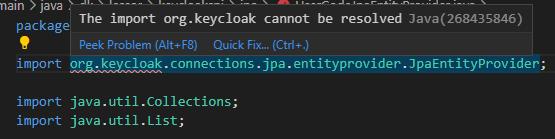
which is true for any dependencies from build.gradle.kts. Notice how java.util.List is fine.
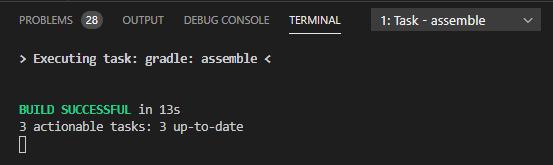
gradle builds the project fine, even from within VScode:
Also, "Java Projects" shows "Referenced Libraries" as empty:
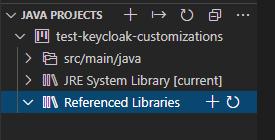
I suspect that an empty "Referenced Libraries" is related to not resolving org.keycloak above.
The exact same project is fine when opened in Intellij.
I've used this test project, and after installing various suggested extensions, I ended up with this list from code --list-extensions:
fwcd.kotlin
mathiasfrohlich.Kotlin
ms-vscode-remote.remote-wsl
naco-siren.gradle-language
redhat.java
richardwillis.vscode-gradle
richardwillis.vscode-gradle-extension-pack
VisualStudioExptTeam.vscodeintellicode
vscjava.vscode-java-debug
vscjava.vscode-java-dependency
vscjava.vscode-java-pack
vscjava.vscode-java-test
vscjava.vscode-maven
Edit: I've tried following https://github.com/redhat-developer/vscode-java/wiki/Troubleshooting. I looked at Developer: Toggle Developer Tools where I didn't see anything obviously related to my problem, although I'm not sure what I was looking for. (I've saved the log from developer tools, but warning: The saved file's formatting is not easy to read...) I also tried to run Java: Clean the Java language server workspace and that didn't help either.
Answers
Update on 8/26/2021
It's now supported! See: https://github.com/redhat-developer/vscode-java/issues/632#issuecomment-905715322
Gradle *.kts files are not supported right now, which means your project is not recognized correctly.
See: https://github.com/redhat-developer/vscode-java/issues/632

开发云社区提供前沿行业资讯和优质的学习知识,同时提供优质稳定、价格优惠的云主机、数据库、网络、云储存等云服务产品
更多推荐
 0
0 0
0- 0


 已为社区贡献4439条内容

所有评论(0)