

A guide for setting up custom plugins of Apache Airflow in the correct manner.

Airflow plugins are helpful for users to complete tasks not available or easily available using default operators. But how to correctly set up plugins so that Airflow can read and use them may be a problem at the early stage of implementation. In this post, I will use the custom operator as an example and show you how to make it right (may not be the only solution though).

Directory Structure
Before we start writing our first custom operator, let’s take a brief look at the directory structure of Apache Airflow.
From the snapshot below, you can see several folders lying within the home of Airflow. Some of them may not be generated by default, but that’s no big deal, just create it on your own.
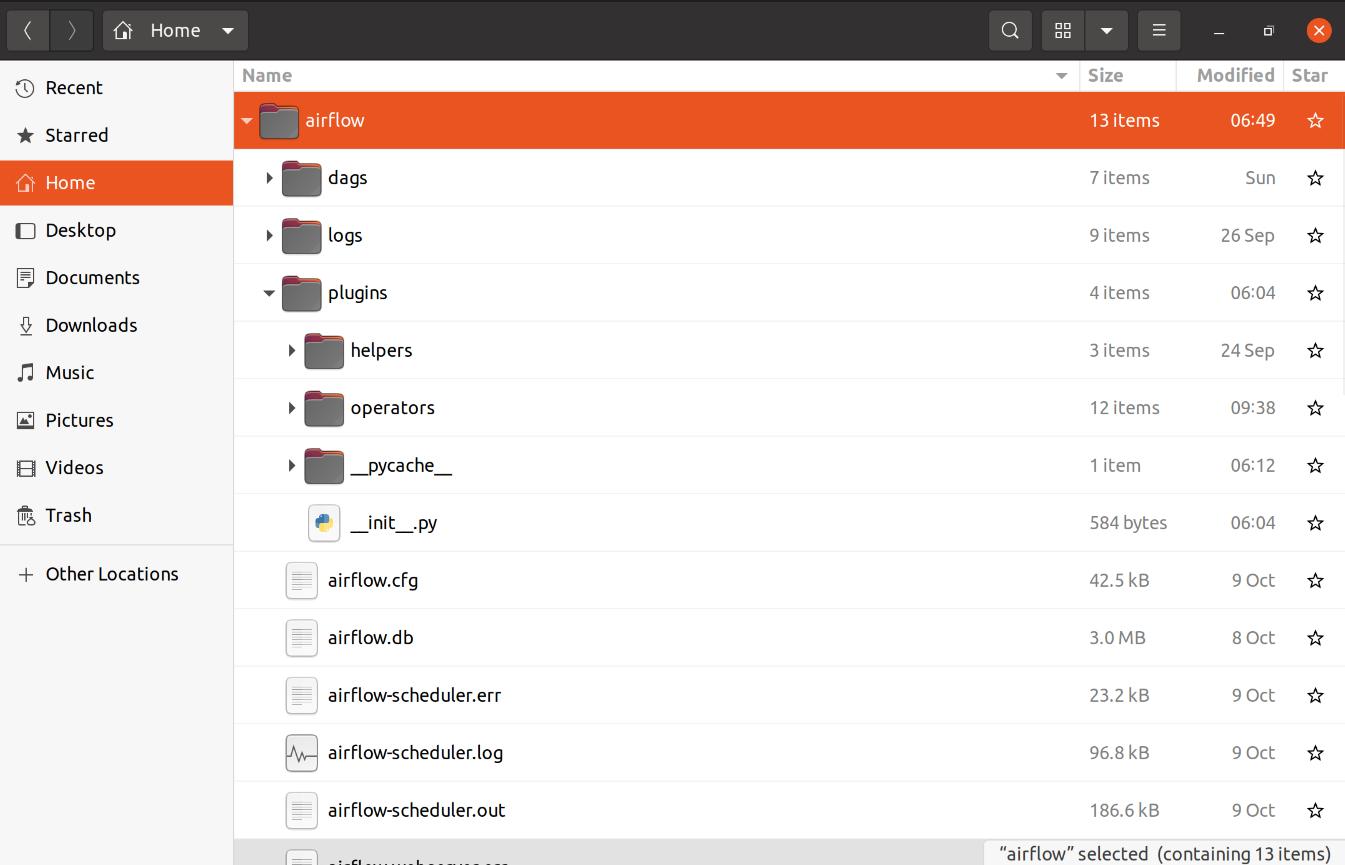
You can specify the path to the dags folder (and many else) in airflow.cfg, by default it will be within the dags folder under Airflow home. This is where Airflow scans to find dags you write.
The most important part of this article is the plugins folder. You can write custom helpers and operators (and any other plugins you use, you can check the official documentation for some plugins example) and store them within a subfolder lying under the plugins folder.
Plugin Python File
Since we already know how the directory structure looks like, we can now create our custom operator. In this article, we will mainly focus on custom operators, but the concept is similar to other kinds of plugins.
Simply start by generating a new blank.py file within the operators folder. Below is a template code for how to write a custom operator.
You can also check the official document for more templates and examples of custom plugins.
__init__.py File in Plugins
To let Airflow recognize your custom plugins, we should modify __init__.py files. The first __init__.py file is located within the plugins folder and below is the template of that file.
__init__.py File in Operators
To be recognized as a module and be imported in the __init__.py file mentioned in the previous section, we also have to add __init__.py within the operators folder (if you have other kinds of plugins, remember to add __init__.py as well, such as hooks and helpers). Below is the template of this __init__.py
Import Custom Operators in Dag File
Finally, we are now able to call our custom operator in the dag file. Below I provide a simple demo of how to import and use custom operators.
Conclusion
Setting up my operators and making it readable by the Airflow program took me quite a few times at the beginning of my Airflow journey. Thus, I tried to capture all details and wrote this post so that it won’t be a problem for Airflow users in the future (hopefully).
That's it for this article. Thanks for reading.
References
- Airflow Official Document
- Astronomer Guides
More content at plainenglish.io


 已为社区贡献15557条内容

所有评论(0)