
Mars3D图层
·
图层
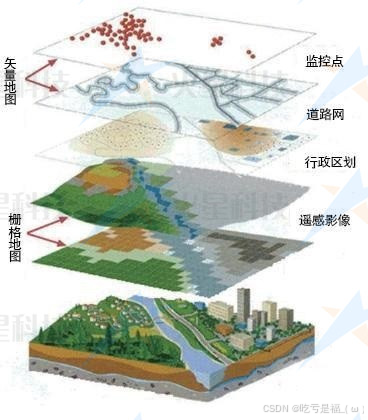
地图内是由各种不同的图层来叠加显示,形成整个三维地图场景;
- 图层分类
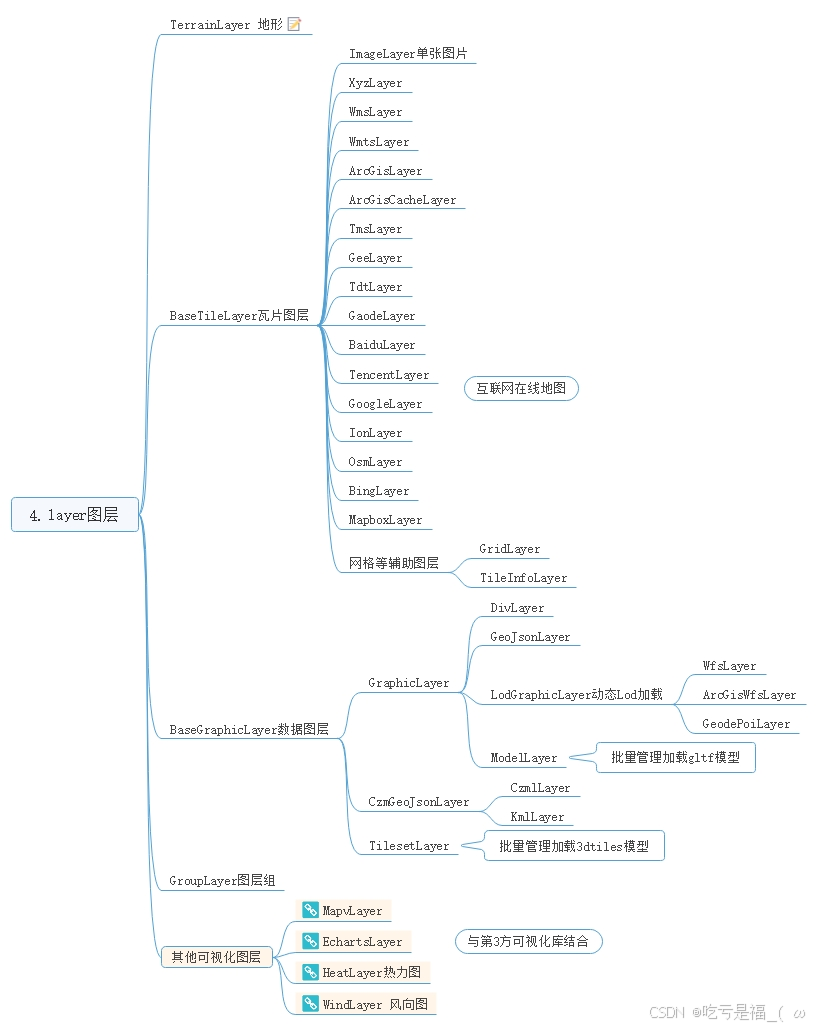
地形图层
TerrainLayer, 三维地图场景 的 基石和骨骼;配置参数terrain
栅格瓦片图层BaseTileLayer,三维地图场景 的 皮肤;配置参数basemaps
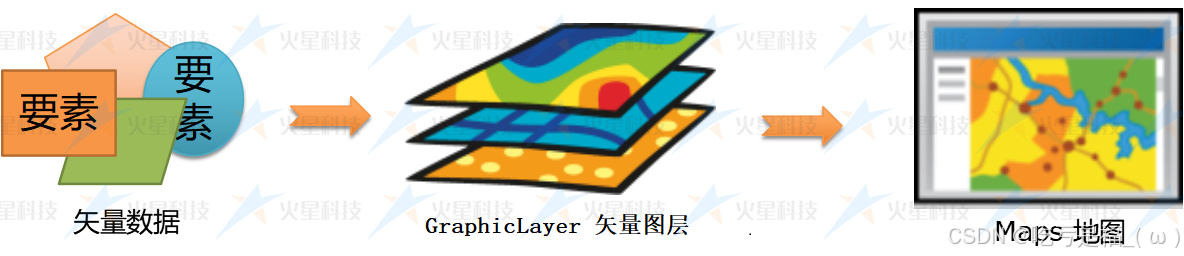
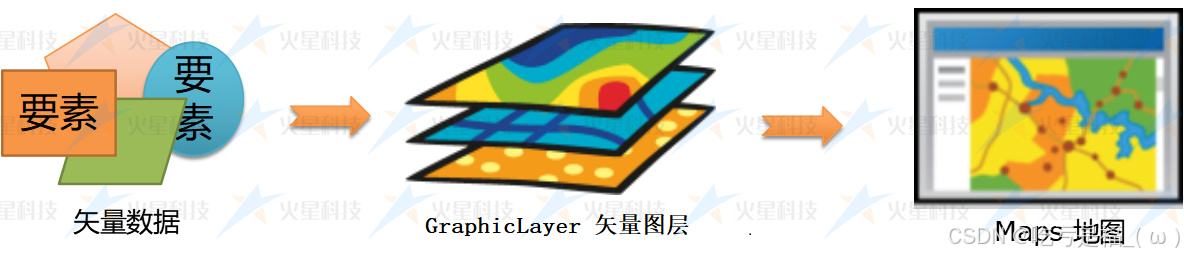
矢量数据图层GraphicLayer,业务数据的叠加
三维模型图层TilesetLayer,呈现更细节的三维
图层组GroupLayer,方便组合管理
其他可视化图层
- 创建图层
// 创建矢量图层
const graphicLayer= new mars3d.layer.GraphicLayer()
map.addLayer(graphicLayer)
矢量图层
三维场景中,
地形和栅格来组成了三维的基础,业务方面由点,线,面等矢量数据来组成, 这就是我们的矢量数据图层。
- 代码中创建图层
// 直接创建具体类型的图层对象
const graphicLayer = new mars3d.layer.GraphicLayer({
	id: 2025,
})
// 添加图层
map.addLayer(graphicLayer)
// 删除图层
map.removeLayer(graphicLayer)
// 判断图层是否添加过
map.hasLayer(2021) // 返回boolean
常用矢量图层类
- GraphicLayer
	// 创建矢量图层
  graphicLayer = new mars3d.layer.GraphicLayer({
  		id: 2025,
  		name: "矢量图层",
  		hasEdit:	false,
		isAutoEditing:false
  })
  // 添加到地图
  map.addLayer(graphicLayer)
  // 查找图层
  map.getLayerById(2025)
  map.getLayer(2025, 'id')
矢量数据
矢量数据 是用
经度、纬度、高度坐标来表示地图图形或地理实体位置的数据,一般是通过记录坐标的方式来尽可能将地理实体的空间位置表现的准确无误,常见的矢量数据有:点、线、面、体等格式。
矢量数据的类别
目前平台内的矢量数据分为四大类:
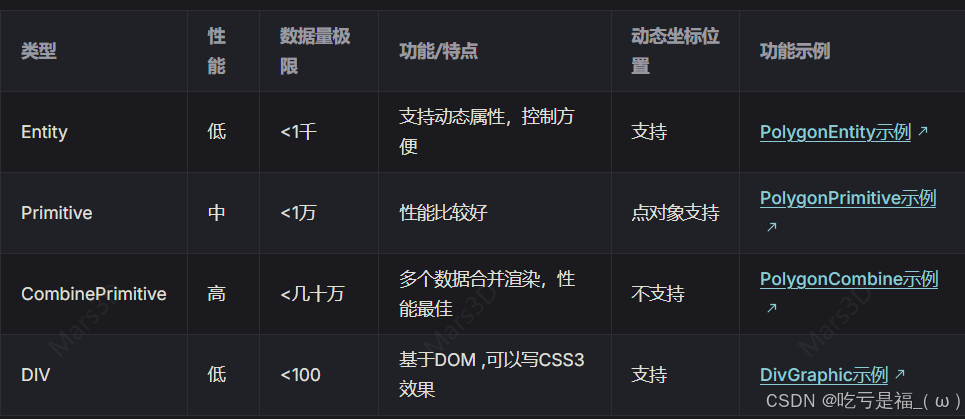
在使用优先级上,推荐按下面顺序:
Combine > Primitive > Entity,DIV主要看你需求选择,不支持太多数据
1,Entity 矢量对象
Entity API的主要目的是定义一组高级对象,它们把可视化和信息存储到统一的数据结果中,这个对象叫Entity
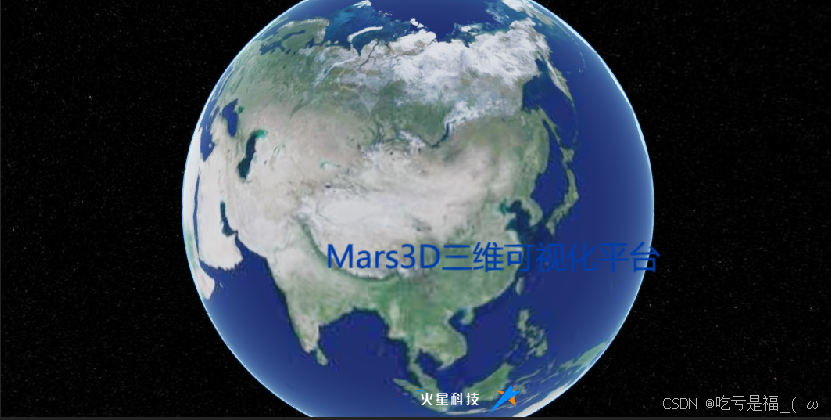
Label 文字
	// 创建标签对象
  const graphic = new mars3d.graphic.LabelEntity({
    position: new mars3d.LngLatPoint(116.1, 31.0, 1000),
    style: {
      text: "Mars3D三维可视化平台",
      font_size: 25,
      color: "#003da6",
    },
  });
  // 添加到图层
  graphicLayer.addGraphic(graphic);
Point 像素点
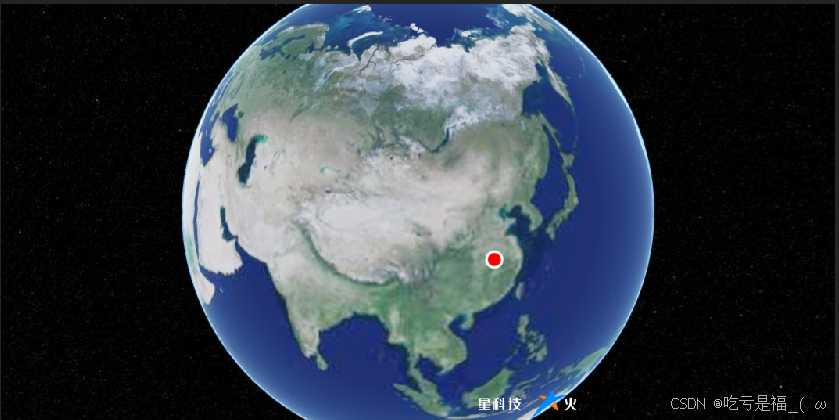
	// 创建点对象
  const graphic = new mars3d.graphic.PointEntity({
    position: [116.2, 31.0, 1000],
    style: {
      color: "#ff0000",
      pixelSize: 10,
      outline: true,
      outlineColor: "#ffffff",
      outlineWidth: 2
    },
    attr: { remark: "点对象" }
  })
  graphicLayer.addGraphic(graphic)
Billboard 图标
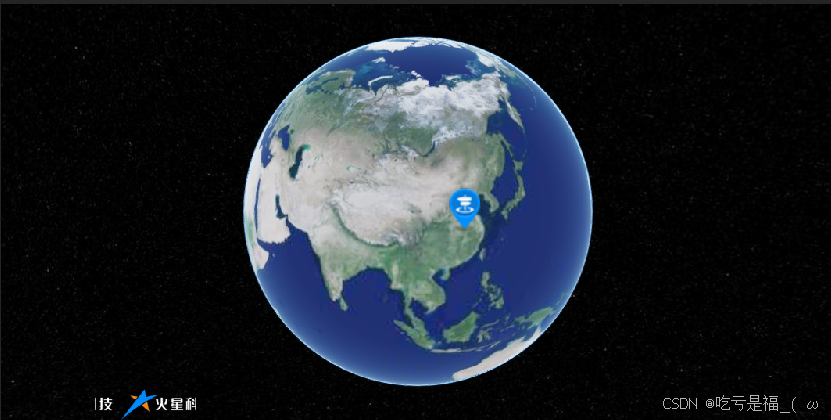
 // 创建图标对象
 const graphic = new mars3d.graphic.BillboardEntity({
    name: "图标对象",
    position: [116.3, 31.0, 1000],
    style: {
      image: "https://data.mars3d.cn/img/marker/mark-blue.png",
      scale: 1,
      horizontalOrigin: Cesium.HorizontalOrigin.CENTER,
      verticalOrigin: Cesium.VerticalOrigin.BOTTOM,
      clampToGround: true
    },
    attr: { remark: "图标对象" }
  })
  graphicLayer.addGraphic(graphic)
DivBillboard Div图片点
FontBillboard 字体图片点
Model 小模型
Box 盒子
polyline 线
2.Primitive 矢量对象
Primitive API的主要目的是为了完成(可视化)任务的最少的抽象需求
Primitive由两个部分组成
几何形状: 定义了Primitive的结构,例如三角形、线条、点等
外观: 定义Primitive的着色(Sharding),包括GLSL(OpenGL着色语言)顶点着色器和片段着色器(vertex and fragment shaders),以及渲染状态(render state)
更多推荐


 1
1 0
0- 0


 已为社区贡献4条内容

所有评论(0)