
将ffmpeg移植到全志t113s3 Tina4.0 开发板(置强全志t113s3开发板)
·
1.准备Tina SDK和交叉编译工具链
确定交叉工具链位置
/home/zws/t113/Tina-Linux/prebuilt/gcc/linux-x86/arm/toolchain-sunxi-musl/toolchain/bin/
/home/zws/t113/Tina-Linux/out/t113-zqboard/staging_dir/target
2.安装FFmpeg依赖包
sudo apt update -y
sudo apt full-upgrade -y
sudo apt install -y ack antlr3 asciidoc autoconf automake autopoint binutils bison build-essential bzip2 ccache cmake cpio curl device-tree-compiler expect flex gawk gcc-multilib g++-multilib gettext git gperf lib32ncurses5-dev lib32readline-dev lib32z1-dev libelf-dev libfreetype6-dev libglib2.0-dev libgmp-dev libmpc-dev libmpfr-dev libncurses5-dev libncursesw5-dev libssl-dev libtool libxml2-dev libxslt1-dev m4 make patch python3 python3-pip python3-pexpect rsync scons squashfs-tools subversion texinfo unzip wget xz-utils zlib1g-dev
3.下载FFmpeg源码
# 下载 FFmpeg 源码
cd ~/
wget https://ffmpeg.org/releases/ffmpeg-5.1.2.tar.gz
tar -zxvf ffmpeg-5.1.2.tar.gz
cd ffmpeg-5.1.2
4.配置FFmpeg交叉编译
4.1创建交叉编译脚本
创建 cross_compile_ffmpeg.sh 文件:
#!/bin/bash

# 交叉编译工具链路径
CROSS_COMPILE=/home/zws/t113/Tina-Linux/prebuilt/gcc/linux-x86/arm/toolchain-sunxi-musl/toolchain/bin/arm-openwrt-linux-
SYSROOT=/home/zws/t113/Tina-Linux/out/t113-zqboard/staging_dir/target

# 输出目录
OUTPUT_DIR=/home/zws/ffmpeg

# 配置
./configure \
    --prefix=$OUTPUT_DIR \
    --cross-prefix=$CROSS_COMPILE \
    --sysroot=$SYSROOT \
    --arch=arm \
    --target-os=linux \
    --enable-cross-compile \
    --enable-shared \
    --disable-static \
    --disable-x86asm \
    --disable-doc \
    --enable-avcodec \
    --enable-avformat \
    --enable-avdevice \
    --enable-avfilter \
    --enable-swresample \
    --enable-swscale \
    --enable-network \
    --enable-protocol=file,http,rtmp,rtsp,udp \
    --enable-demuxer=mp4,flv,avi,wav \
    --enable-muxer=mp4,flv,avi,wav \
    --enable-decoder=aac,mp3,pcm_s16le \
    --enable-encoder=aac,mp3,pcm_s16le \
    --enable-filter=volume,aresample

# 编译
make -j$(nproc)
make install
支持alsa版
#!/bin/bash

# 错误处理
set -e

# 交叉编译工具链路径
CROSS_COMPILE=/home/zws/t113/Tina-Linux/prebuilt/gcc/linux-x86/arm/toolchain-sunxi-musl/toolchain/bin/arm-openwrt-linux-
SYSROOT=/home/zws/t113/Tina-Linux/out/t113-zqboard/staging_dir/target

# 输出目录
OUTPUT_DIR=/home/zws/ffmpeg

# ALSA 库路径
ALSA_LIB=/home/zws/t113/Tina-Linux/out/t113-zqboard/staging_dir/target/usr/lib
ALSA_INC=/home/zws/t113/Tina-Linux/out/t113-zqboard/staging_dir/target/usr/include

# 清理之前的构建
make clean 2>/dev/null || true
rm -rf ${OUTPUT_DIR}
mkdir -p ${OUTPUT_DIR}

# 禁用 pkg-config
export PKG_CONFIG=/bin/false

echo "开始配置 FFmpeg 交叉编译..."
# 配置
./configure \
    --prefix=$OUTPUT_DIR \
    --cross-prefix=$CROSS_COMPILE \
    --sysroot=$SYSROOT \
    --arch=arm \
    --target-os=linux \
    --enable-cross-compile \
    --enable-shared \
    --disable-static \
    --disable-asm \
    --disable-x86asm \
    --disable-yasm \
    --disable-doc \
    --enable-small \
    --enable-avcodec \
    --enable-avformat \
    --enable-avdevice \
    --enable-avfilter \
    --enable-swresample \
    --enable-swscale \
    --enable-network \
    --enable-protocol=file,http,rtmp,rtsp,udp \
    --enable-demuxer=mp4,flv,avi,wav \
    --enable-muxer=mp4,flv,avi,wav \
    --enable-decoder=aac,mp3,pcm_s16le \
    --enable-encoder=aac,mp3,pcm_s16le \
    --enable-filter=volume,aresample \
    --enable-alsa \
    --extra-cflags="-I${ALSA_INC} -D_GNU_SOURCE -include sys/types.h" \
    --extra-ldflags="-L${ALSA_LIB}"\
     --extra-libs="-lasound -lm -ldl -lpthread"

# 编译
make -j$(nproc)
make install
4.2执行交叉编译
chmod +x cross_compile_ffmpeg.sh
./cross_compile_ffmpeg.sh
5.部署 FFmpeg 到开发板
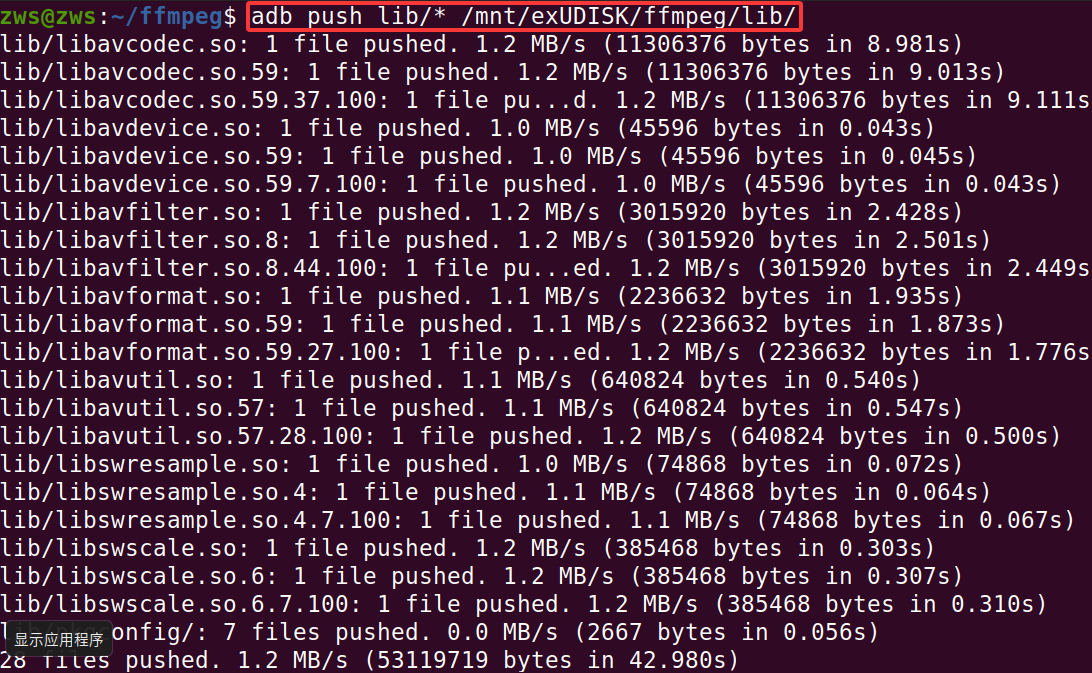
adb push bin/* /mnt/exUDISK/ffmpeg/bin/

adb push lib/* /mnt/exUDISK/ffmpeg/lib/
6.在开发板上设置环境
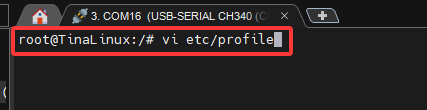
6.1打开环境配置文件
vi etc/profile
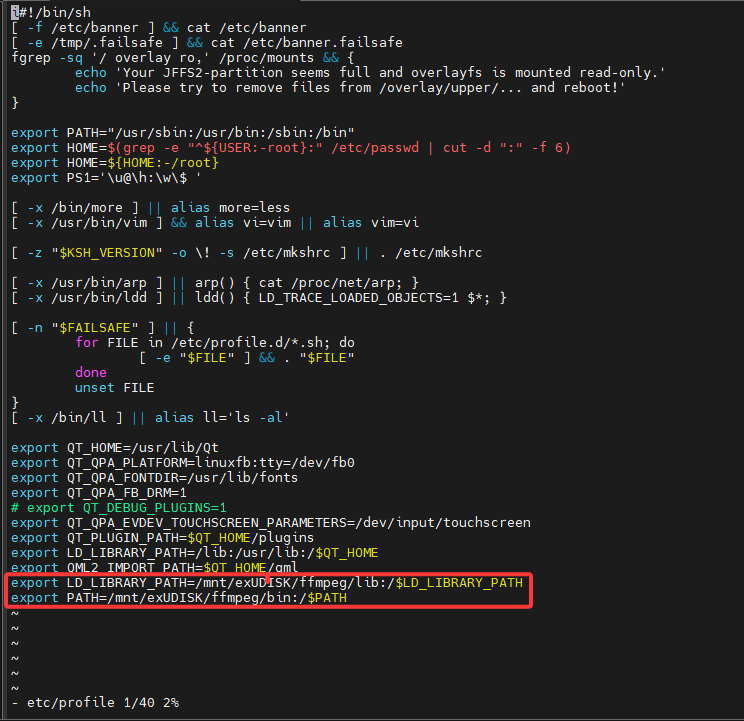
6.2配置ffmpeg运行环境
export LD_LIBRARY_PATH=/mnt/exUDISK/ffmpeg/lib:/$LD_LIBRARY_PATH
export PATH=/mnt/exUDISK/ffmpeg/bin:/$PATH
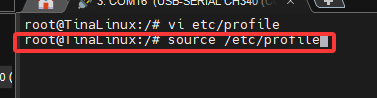
6.3加载环境配置
source /etc/profile
6.4测试ffmpeg
ffmpeg -version

更多推荐


 1
1 0
0- 0


 已为社区贡献1条内容

所有评论(0)