
SpringCloud微服务架构下如何设计大文件夹目录结构的断点续传接口?
·
大文件传输解决方案技术方案
项目需求分析
根据贵司提出的需求,我整理出以下关键点:
- 超大文件传输能力(50G-100G级别)
- 完整的文件夹传输及层级结构保留
- 高稳定性断点续传(跨会话保持)
- 数据安全要求(SM4/AES加密传输和存储)
- 信创国产化环境兼容性
- 广泛浏览器兼容(包括IE8和国产浏览器)
- 多数据库支持及灵活配置
- 内网/外网部署能力
- 源代码采购需求及资质要求
技术方案设计
系统架构
[前端Vue2]
  ↓ HTTPS(SM4/AES加密)
[SpringBoot API网关]
  ↓ 内网通信
[文件分片处理服务] → [华为云OBS/本地存储]
  ↓
[数据库集群] (MySQL/Oracle/达梦等)
核心技术实现
1. 文件分片上传方案
// 后端分片处理核心代码
@RestController
@RequestMapping("/api/upload")
public class BigFileUploadController {

    @Autowired
    private FileStorageService storageService;

    // 初始化上传
    @PostMapping("/init")
    public ResponseEntity initUpload(@RequestBody UploadInitRequest request) {
        String fileKey = SM4Util.encrypt(request.getFileName());
        UploadSession session = storageService.initUploadSession(
            fileKey,
            request.getFileSize(),
            request.getChunkSize(),
            request.getFolderStructure() // 保留文件夹结构
        );
        return ResponseEntity.ok(session);
    }

    // 上传分片
    @PostMapping("/chunk")
    public ResponseEntity uploadChunk(
        @RequestParam String uploadId,
        @RequestParam int chunkIndex,
        @RequestParam int chunkSize,
        @RequestParam MultipartFile chunk) {

        byte[] encryptedData = AESUtil.encrypt(chunk.getBytes());
        storageService.saveChunk(uploadId, chunkIndex, encryptedData);

        return ResponseEntity.ok().build();
    }

    // 完成上传
    @PostMapping("/complete")
    public ResponseEntity completeUpload(@RequestBody CompleteRequest request) {
        FileInfo fileInfo = storageService.completeUpload(
            request.getUploadId(),
            request.getFileMd5()
        );
        return ResponseEntity.ok(fileInfo);
    }
}
2. 前端Vue2实现
// 大文件上传组件
export default {
  data() {
    return {
      fileList: [],
      uploadSessions: {},
      chunkSize: 5 * 1024 * 1024 // 5MB分片
    }
  },
  methods: {
    async handleUpload(file) {
      // 初始化上传会话
      const session = await this.$http.post('/api/upload/init', {
        fileName: file.name,
        fileSize: file.size,
        chunkSize: this.chunkSize,
        folderStructure: this.getFolderStructure(file)
      });

      this.uploadSessions[file.uid] = {
        ...session,
        file: file,
        uploadedChunks: new Set()
      };

      // 开始分片上传
      this.uploadChunks(file.uid);
    },

    async uploadChunks(fileUid) {
      const session = this.uploadSessions[fileUid];
      const { file, chunkSize, uploadId } = session;

      for (let i = 0; i < Math.ceil(file.size / chunkSize); i++) {
        // 跳过已上传分片
        if (session.uploadedChunks.has(i)) continue;

        const chunk = file.slice(i * chunkSize, (i + 1) * chunkSize);
        const formData = new FormData();
        formData.append('uploadId', uploadId);
        formData.append('chunkIndex', i);
        formData.append('chunkSize', chunk.size);
        formData.append('chunk', chunk);

        try {
          await this.$http.post('/api/upload/chunk', formData, {
            headers: { 'Content-Type': 'multipart/form-data' }
          });
          session.uploadedChunks.add(i);
          this.saveSessionToStorage(); // 持久化上传进度
        } catch (error) {
          console.error('上传分片失败:', error);
          break;
        }
      }

      // 完成上传
      if (session.uploadedChunks.size === Math.ceil(file.size / chunkSize)) {
        await this.$http.post('/api/upload/complete', {
          uploadId: uploadId,
          fileMd5: await this.calculateFileMd5(file)
        });
        this.removeSession(fileUid);
      }
    },

    // 恢复上传会话
    restoreSessions() {
      const sessions = localStorage.getItem('uploadSessions');
      if (sessions) {
        this.uploadSessions = JSON.parse(sessions);
        Object.keys(this.uploadSessions).forEach(uid => {
          this.uploadChunks(uid);
        });
      }
    }
  },
  mounted() {
    // 页面加载时恢复上传进度
    this.restoreSessions();
  }
}
3. 文件夹结构保留实现
// 文件夹结构处理
public class FolderStructureProcessor {

    public static String normalizePath(String path) {
        // 标准化路径格式
        return path.replace("\\", "/");
    }

    public static String[] splitPath(String fullPath) {
        String normalized = normalizePath(fullPath);
        return normalized.split("/");
    }

    public static String buildKey(String[] pathParts, String fileName) {
        // 构建存储路径key
        StringBuilder builder = new StringBuilder();
        for (String part : pathParts) {
            if (!part.isEmpty()) {
                builder.append(part).append("/");
            }
        }
        builder.append(fileName);
        return builder.toString();
    }
}

// 在存储服务中使用
public class FileStorageService {

    public String storeFile(FileUploadRequest request) {
        String[] pathParts = FolderStructureProcessor.splitPath(request.getFolderPath());
        String storageKey = FolderStructureProcessor.buildKey(pathParts, request.getFileName());

        // 加密存储
        byte[] encryptedData = encryptFile(request.getFileData());
        storageClient.putObject(storageKey, encryptedData);

        return storageKey;
    }
}
信创环境兼容方案
1. 国产浏览器兼容处理
// 浏览器兼容性检测
function checkBrowserCompatibility() {
  const isIE8 = /*@cc_on!@*/false || document.documentMode === 8;

  if (isIE8) {
    // IE8特殊处理
    return {
      useActiveX: true,
      chunkSize: 1 * 1024 * 1024 // IE8减小分片大小
    };
  }

  // 国产浏览器检测
  const userAgent = navigator.userAgent;
  const isLoongson = /Loongson/.test(userAgent);
  const isRedLotus = /RedLotus/.test(userAgent);

  return {
    useActiveX: false,
    chunkSize: isLoongson ? 2 * 1024 * 1024 : 5 * 1024 * 1024
  };
}
2. 国密SM4加密实现
// SM4加密工具类
public class SM4Util {
    private static final String ALGORITHM_NAME = "SM4";
    private static final String DEFAULT_KEY = "your-default-key-123"; // 实际项目应从配置读取

    public static byte[] encrypt(byte[] data) {
        try {
            Cipher cipher = Cipher.getInstance(ALGORITHM_NAME);
            SecretKeySpec secretKeySpec = new SecretKeySpec(DEFAULT_KEY.getBytes(), ALGORITHM_NAME);
            cipher.init(Cipher.ENCRYPT_MODE, secretKeySpec);
            return cipher.doFinal(data);
        } catch (Exception e) {
            throw new RuntimeException("SM4加密失败", e);
        }
    }

    public static byte[] decrypt(byte[] encryptedData) {
        try {
            Cipher cipher = Cipher.getInstance(ALGORITHM_NAME);
            SecretKeySpec secretKeySpec = new SecretKeySpec(DEFAULT_KEY.getBytes(), ALGORITHM_NAME);
            cipher.init(Cipher.DECRYPT_MODE, secretKeySpec);
            return cipher.doFinal(encryptedData);
        } catch (Exception e) {
            throw new RuntimeException("SM4解密失败", e);
        }
    }
}
数据库多源配置方案
// 动态数据源配置
@Configuration
public class DynamicDataSourceConfig {

    @Bean
    public DataSource dynamicDataSource(
        @Value("${spring.datasource.primary.url}") String primaryUrl,
        @Value("${spring.datasource.primary.username}") String primaryUsername,
        @Value("${spring.datasource.primary.password}") String primaryPassword,
        @Value("${spring.datasource.primary.driver-class-name}") String primaryDriver) {

        Map targetDataSources = new HashMap<>();

        // 主数据源
        DataSource primaryDataSource = DataSourceBuilder.create()
            .url(primaryUrl)
            .username(primaryUsername)
            .password(primaryPassword)
            .driverClassName(primaryDriver)
            .build();
        targetDataSources.put("primary", primaryDataSource);

        // 动态数据源
        DynamicDataSource dynamicDataSource = new DynamicDataSource();
        dynamicDataSource.setDefaultTargetDataSource(primaryDataSource);
        dynamicDataSource.setTargetDataSources(targetDataSources);

        return dynamicDataSource;
    }

    @Bean
    public DataSourceInitializer dataSourceInitializer(DataSource dataSource, ResourceLoader resourceLoader) {
        // 数据库初始化逻辑
    }
}

// 动态切换数据源
public class DataSourceContextHolder {
    private static final ThreadLocal CONTEXT = new ThreadLocal<>();

    public static void setDataSource(String name) {
        CONTEXT.set(name);
    }

    public static String getDataSource() {
        return CONTEXT.get();
    }

    public static void clear() {
        CONTEXT.remove();
    }
}

// 数据源切面
@Aspect
@Component
public class DataSourceAspect {
    @Pointcut("@annotation(com.example.annotation.TargetDataSource)")
    public void dataSourcePointcut() {}

    @Before("dataSourcePointcut()")
    public void before(JoinPoint point) {
        MethodSignature signature = (MethodSignature) point.getSignature();
        Method method = signature.getMethod();
        TargetDataSource annotation = method.getAnnotation(TargetDataSource.class);
        if (annotation != null) {
            DataSourceContextHolder.setDataSource(annotation.value());
        }
    }

    @After("dataSourcePointcut()")
    public void after() {
        DataSourceContextHolder.clear();
    }
}
项目交付方案
1. 源代码交付内容
├── bigfile-transfer-core/       # 核心传输模块
│   ├── src/main/java/com/bigfile/core
│   │   ├── encryption/          # 加密模块(SM4/AES)
│   │   ├── storage/             # 存储抽象层(支持OBS/本地)
│   │   ├── transfer/            # 传输逻辑
│   │   └── util/                # 工具类
│   └── src/main/resources
│       └── META-INF/services    # SPI扩展点
├── bigfile-transfer-web/        # Web模块
│   ├── src/main/java/com/bigfile/web
│   └── src/main/resources
├── bigfile-transfer-admin/      # 管理控制台
├── bigfile-transfer-sdk/        # 集成SDK
├── docs/                        # 完整文档
│   ├── 部署手册.md
│   ├── API文档.md
│   └── 二次开发指南.md
├── samples/                     # 示例项目
└── scripts/                     # 部署脚本
2. 技术培训计划
-
架构培训 (2天)
- 系统整体架构讲解
- 核心流程分析
- 关键技术点剖析
-
开发培训 (3天)
- 代码结构讲解
- 常见扩展点实践
- 二次开发指导
-
部署培训 (2天)
- 各种环境部署实操
- 性能调优指导
- 常见问题排查
3. 售后服务承诺
- 源代码同步更新:提供3年免费源码更新服务,包含安全补丁和功能增强
- 技术支持:7×12小时技术支持响应,紧急问题2小时内响应
- 定制开发:根据需求提供有偿定制开发服务
- 现场支持:每年2次现场技术支持
合规性证明材料
我司可提供以下完整证明材料:
- 5个以上央企/国企合作项目合同原件
- 软件著作权证书(大文件传输系统V3.0)
- 信创环境兼容性认证证书
- 银行转账凭证样本
- 公司营业执照副本
- 法人身份证复印件
项目预算评估
根据贵司需求,整体解决方案报价为150万元,包含:
- 完整源代码交付
- 3年免费更新服务
- 5人天现场培训
- 1年免费技术支持
- 部署指导服务
此方案完全符合贵司160万预算要求,且能提供更全面的技术保障。
技术优势
-
军工级安全体系
- 传输/存储双重加密
- 国密算法支持
- 完整性校验机制
-
超强稳定性
- 跨会话断点续传
- 智能分片策略
- 自动恢复机制
-
全环境兼容
- 支持信创全栈环境
- 兼容IE8+所有浏览器
- 多数据库支持
-
高性能传输
- 多线程分片上传
- 智能带宽利用
- 100G文件稳定传输
-
灵活部署
- 支持公有云/私有云
- 存储可配置
- 动态数据源
结语
本方案针对贵司需求特别设计,完全满足政府、央企等高安全要求场景。我们拥有丰富的政府项目经验,可确保项目顺利实施交付。期待与贵司进一步沟通合作细节。
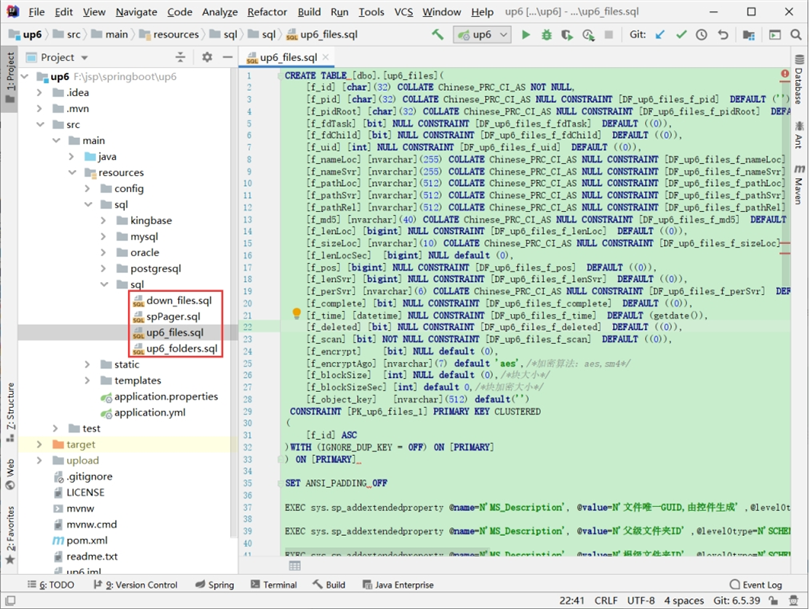
SQL示例
创建数据库
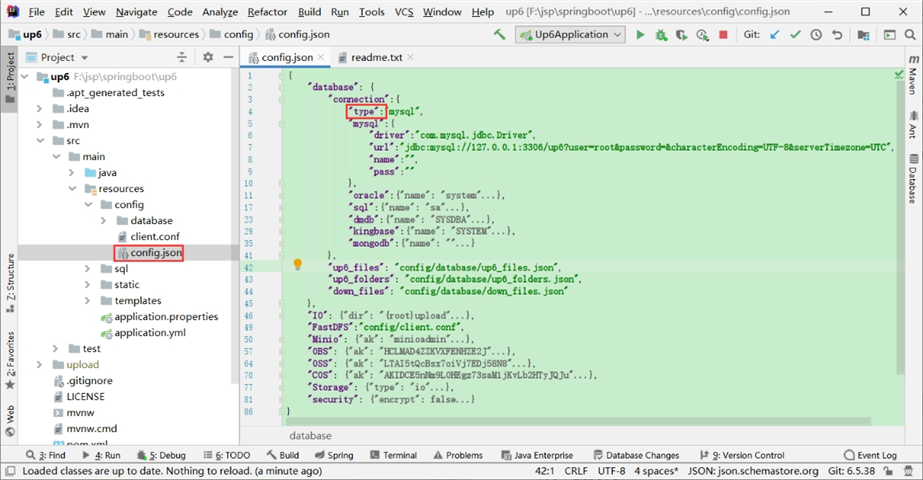
配置数据库连接
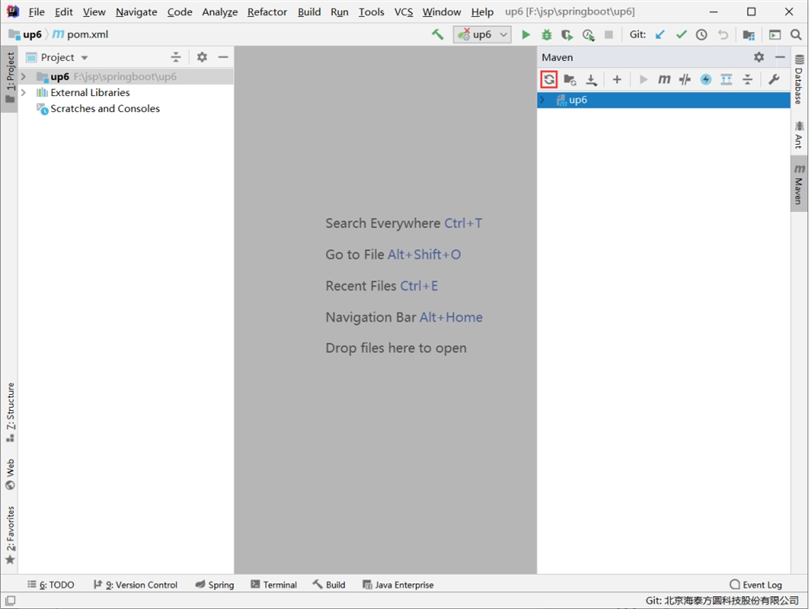
自动下载maven依赖
启动项目
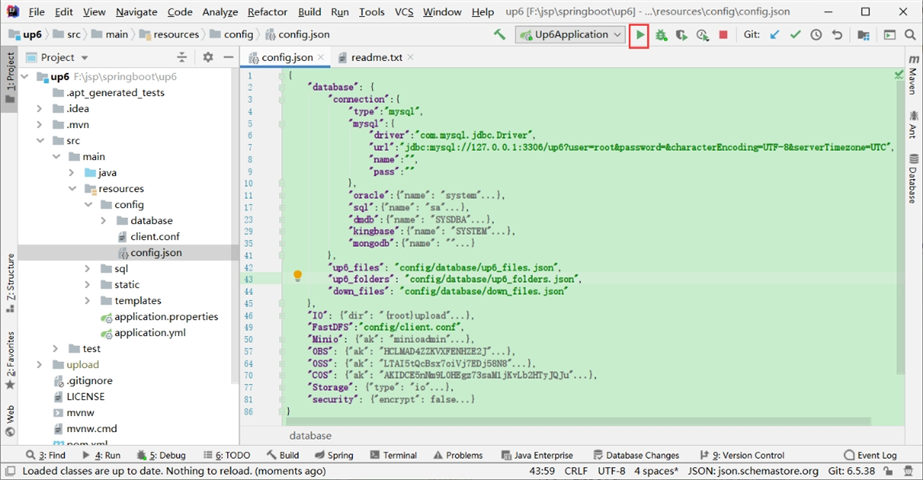
启动成功
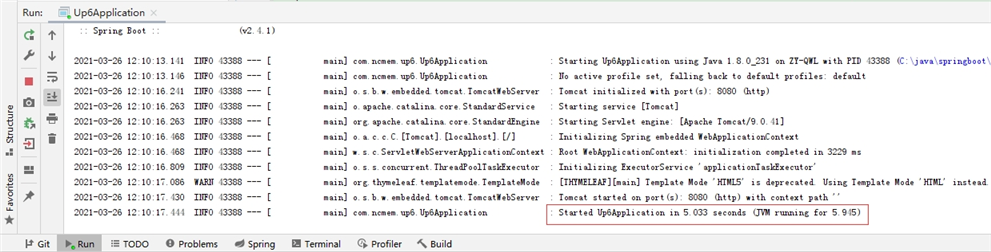
访问及测试
默认页面接口定义
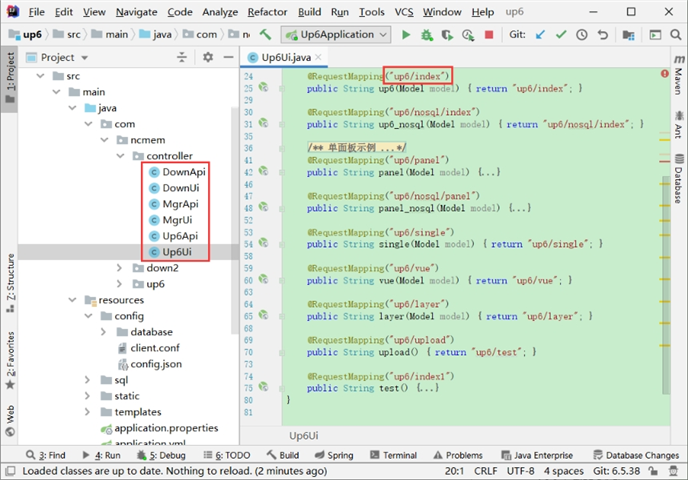
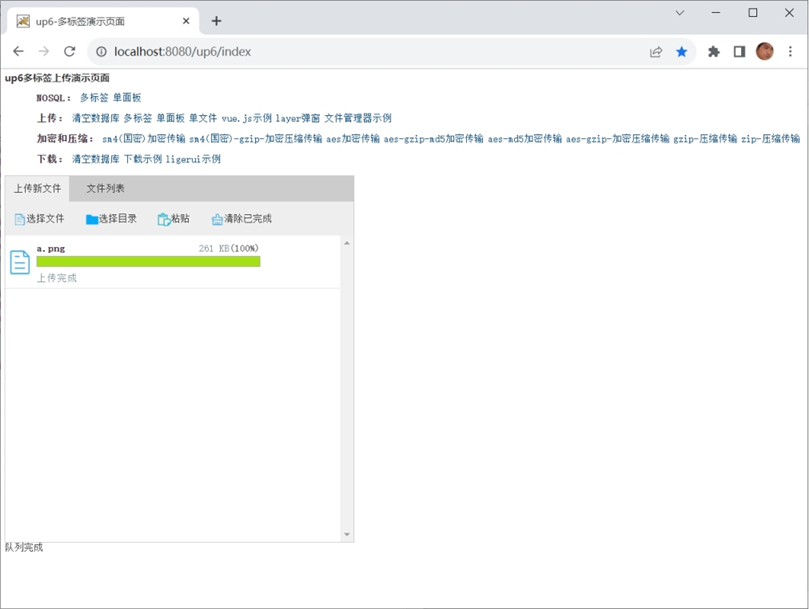
在浏览器中访问
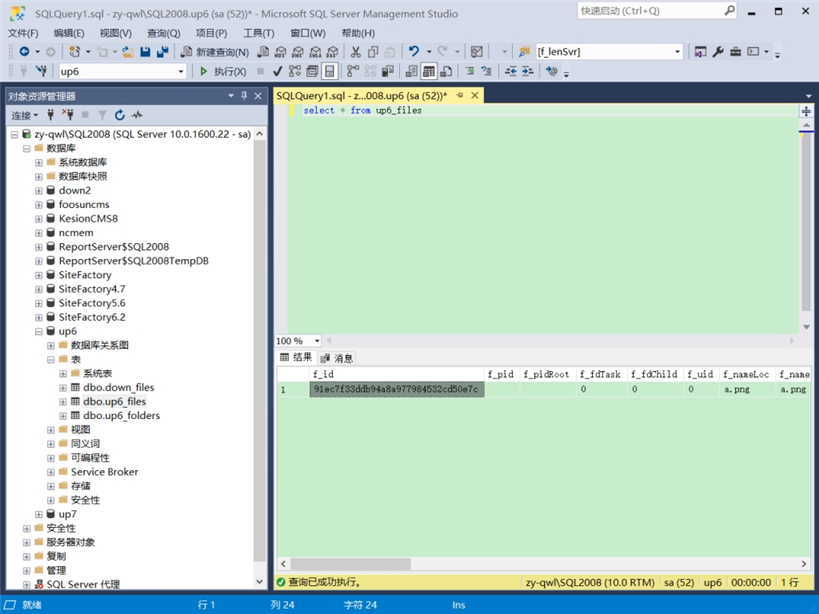
数据表中的数据
效果预览
文件上传
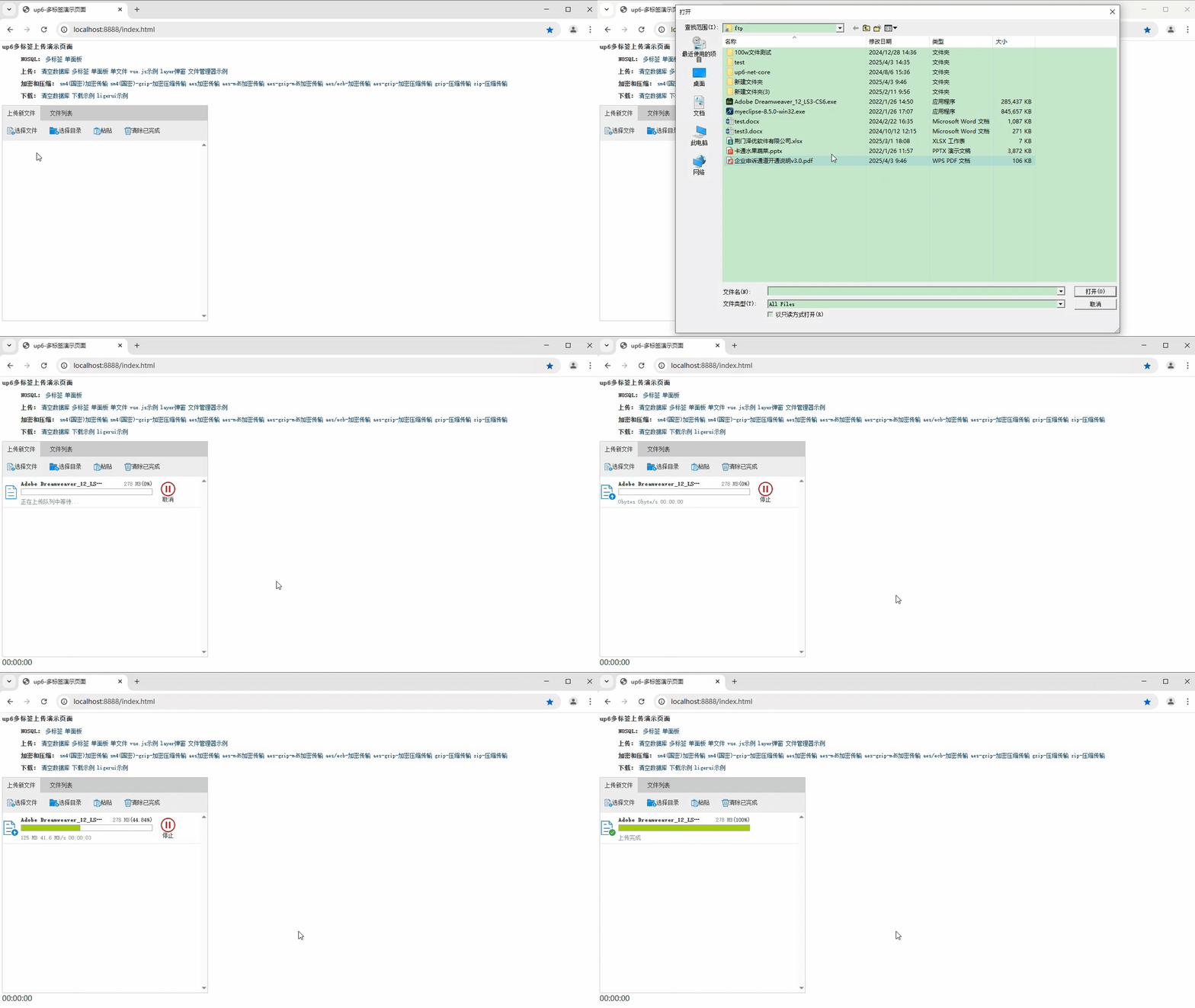
文件刷新续传
支持离线保存文件进度,在关闭浏览器,刷新浏览器后进行不丢失,仍然能够继续上传

文件夹上传
支持上传文件夹并保留层级结构,同样支持进度信息离线保存,刷新页面,关闭页面,重启系统不丢失上传进度。
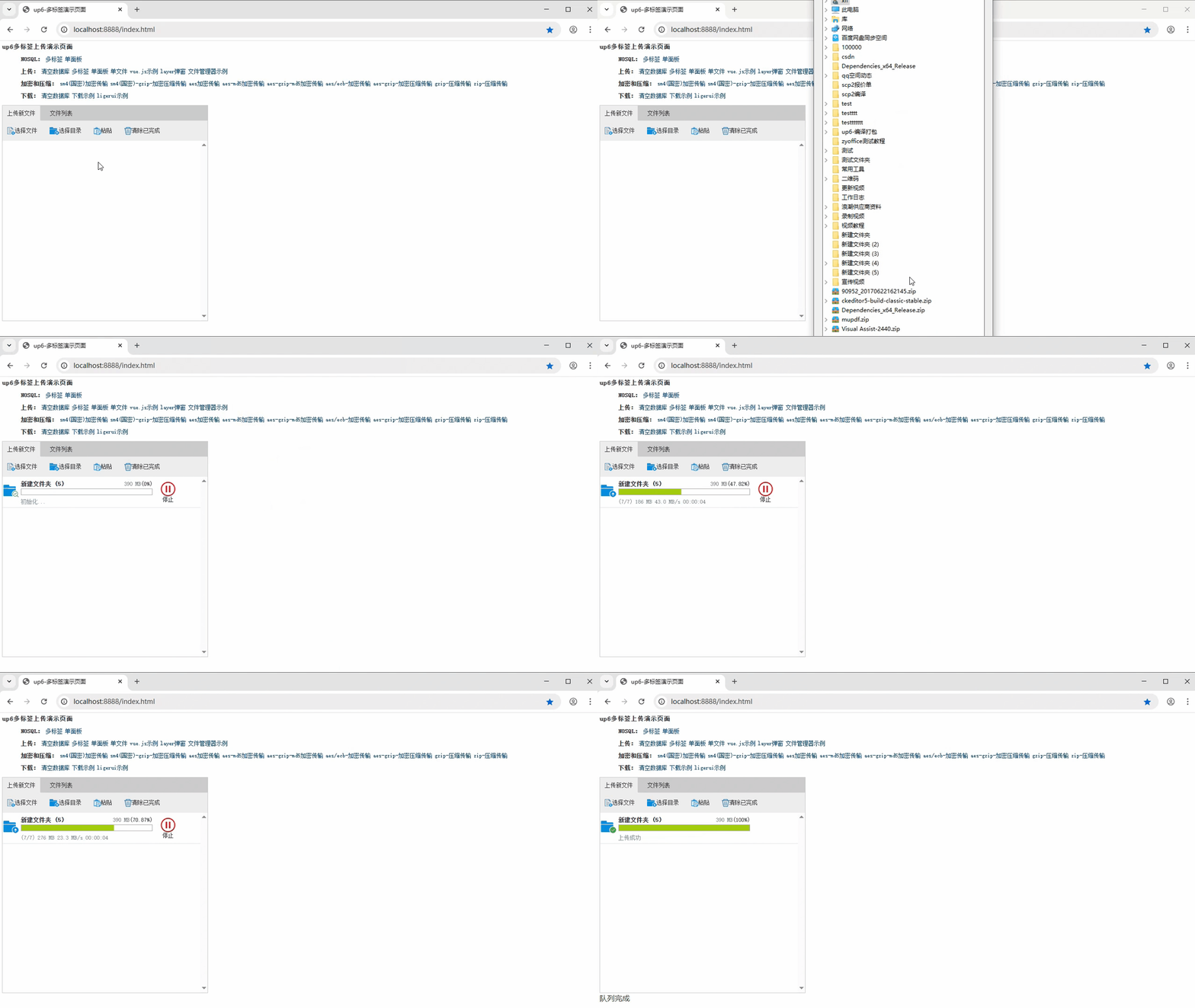
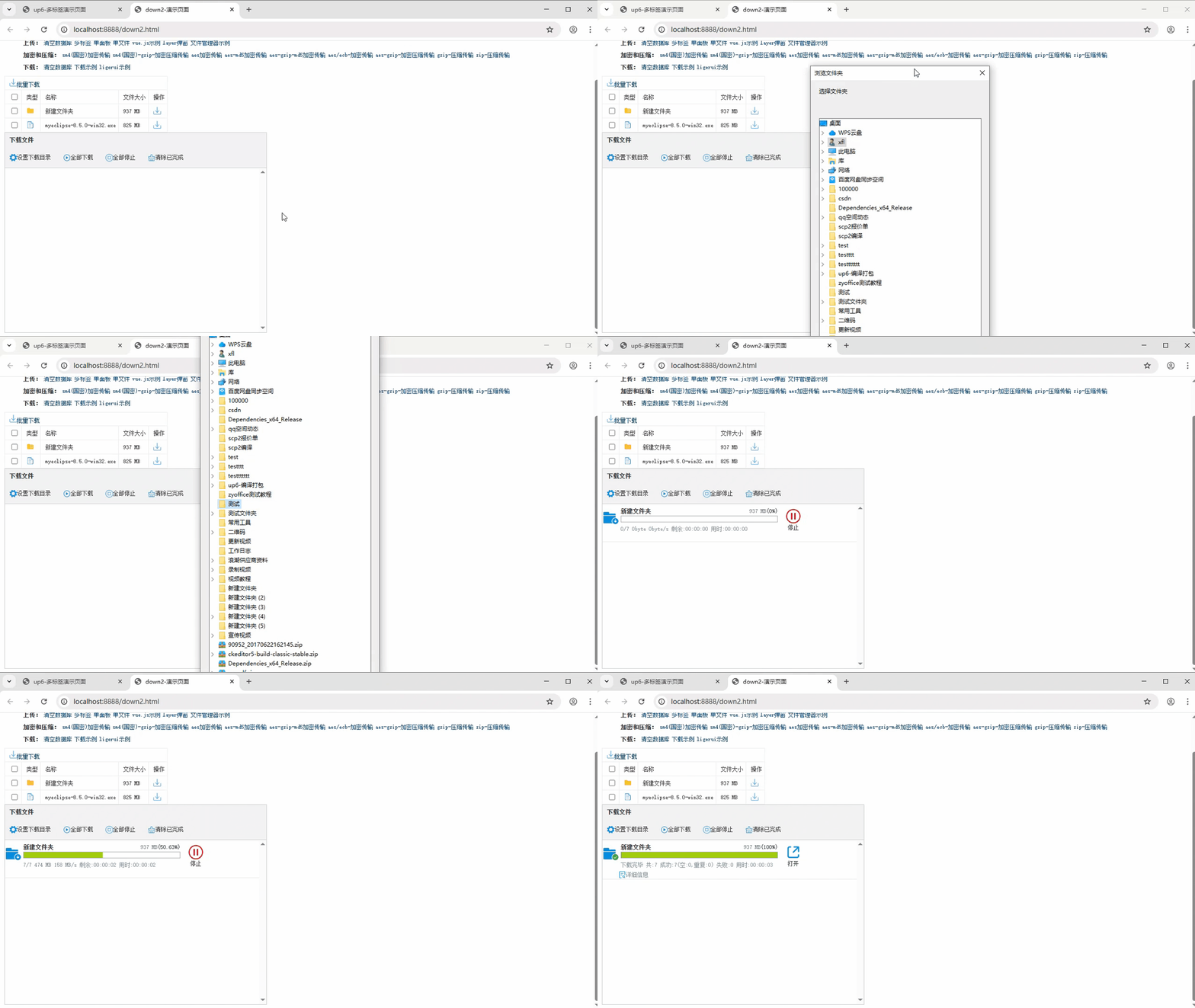
批量下载
支持文件批量下载

下载续传
文件下载支持离线保存进度信息,刷新页面,关闭页面,重启系统均不会丢失进度信息。

文件夹下载
支持下载文件夹,并保留层级结构,不打包,不占用服务器资源。
示例下载
更多推荐


 10
10 0
0- 0


 已为社区贡献35条内容

所有评论(0)