
关于JavaWeb项目上线 —— 从配置云服务器到安全排查
一、前言
前面我也尝试过让项目上线,当时使用的是nginx和tomcat的双重内网穿透,确实是可以通过内网穿透来让项目在公网访问,虽然是免费的,但是这个方法是有很多问题的,所以在这里我们需要使用云服务来重新实现。
二、内网穿透
这个方法是有很多问题的:
1. 内网穿透的网络性能极差,由于当时使用的是copolar免费版,事实上这个工具只作为了一个网络之间的桥梁,实质上并不是服务器,而且作为免费版,是被严重限流了的。
2. 无法实现多人合作开发,有人可能会说,用git不可以做到吗?事实上很难做到,因为后端最重要的部分——docker,在git上面都是无法共享的,而通常我们都是将mysql、nacos、redis等数据库或中间件容器部署在我们本地的虚拟机中的,本地虚拟机当然是不能够实现共享的,那就只能去使用云服务器了。
3.是将自己的电脑作为服务器的,这个带了的问题就是,只要电脑关机,就无法实现内网穿透了,并且并发只要变高,性能也会不够(会占用电脑的资源,导致在电脑上干其他事情会很卡)。
三、云服务器
云服务器是很通用的解决方式,还有一种云服务叫做云数据库,但是对于低需求的开发来说,云数据库又将成为一笔开销,并且无法作为虚拟机使用。
这里需要搞清楚,云服务器本质就是一台虚拟机,但是这台虚拟机是面向所有人的,也就是可以在公网中访问这个虚拟机的,当然,这个虚拟机是有自己的防火墙的,所以一般来讲是不会有安全问题的。
1.购买云服务器
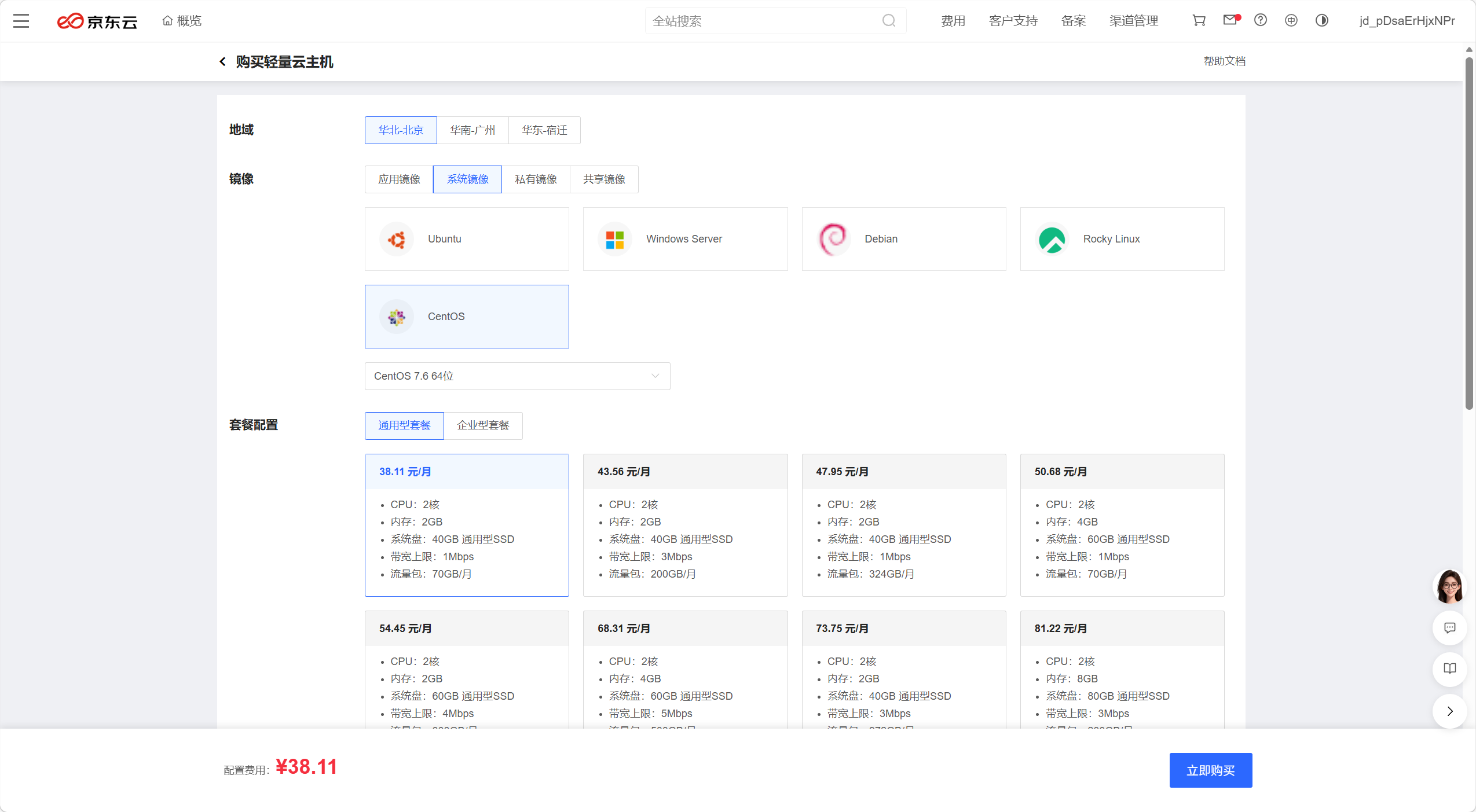
这里只要选择大厂的最便宜的云服务器即可,我选择的是京东云,似乎比较下来是最便宜的:
选择购买最便宜的轻量云主机就可以了:
镜像选择自己最常用的系统镜像,这里我是CentOS7:
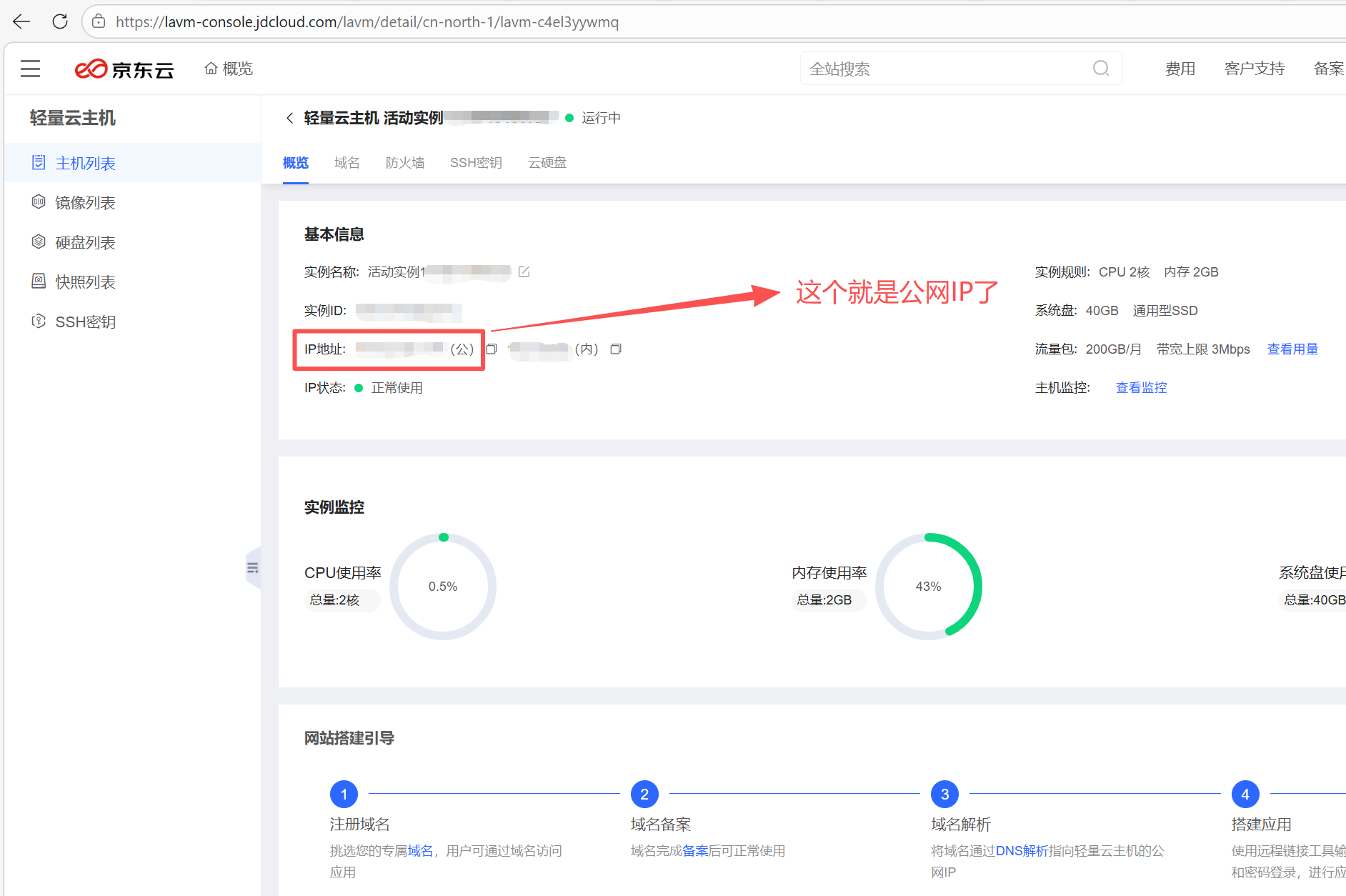
购买成功后就可以直接进入控制台了,下面就有公网IP,这个类似于我们本地虚拟机的ip,只是不同的是所有人都能看得见这个虚拟机了。
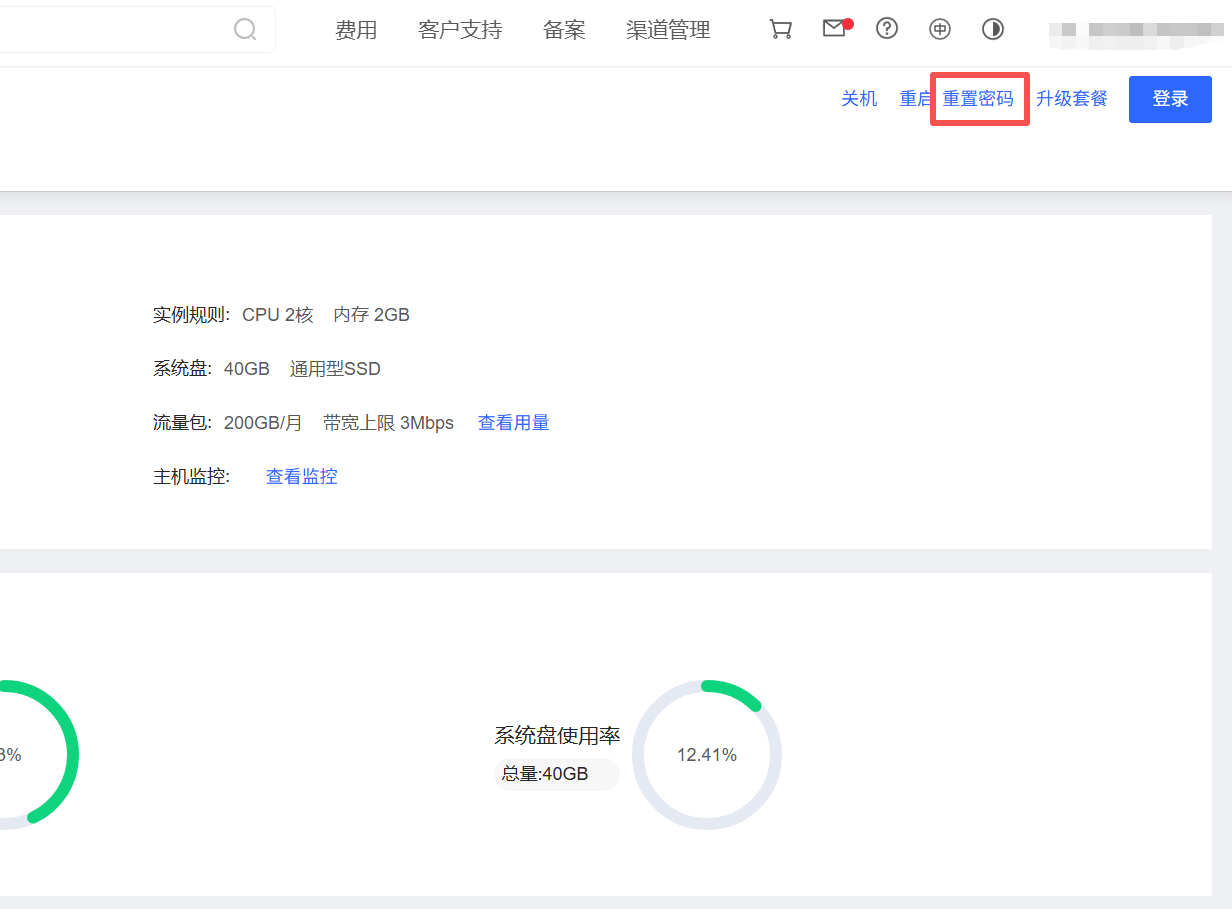
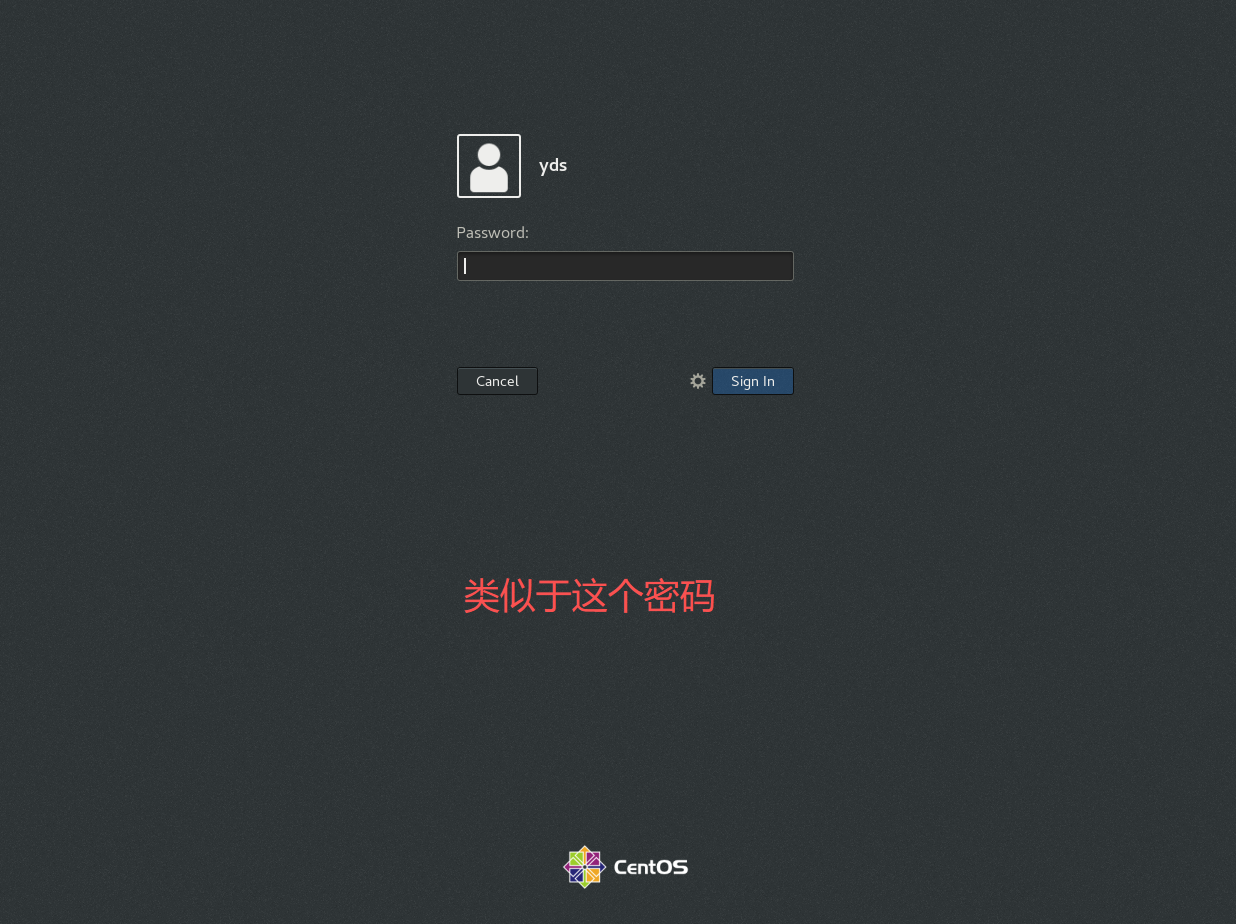
然后我们可以重置密码,这个密码就相当于虚拟机的登录密码,由于是公网中的,我们需要考虑安全性,密码最好设置复杂一些!
2.控制云服务器
这里注意不要关闭其余端口的防火墙,只需要暴露22端口SSH的防火墙,后续docker和里面容器,都使用SSH来登录,一定不要把其他端口暴露!!!这样会有很大的安全问题!!!
尤其是docker的守护线程2375,一定不能像之前本地虚拟机一样暴露出来,如果被人攻击,将会把docker的所有控制权交给攻击者,这样攻击者可能会在你的正常容器中安装木马进行挖矿等违法操作,并且可能会删除你的数据库然后敲诈勒索。
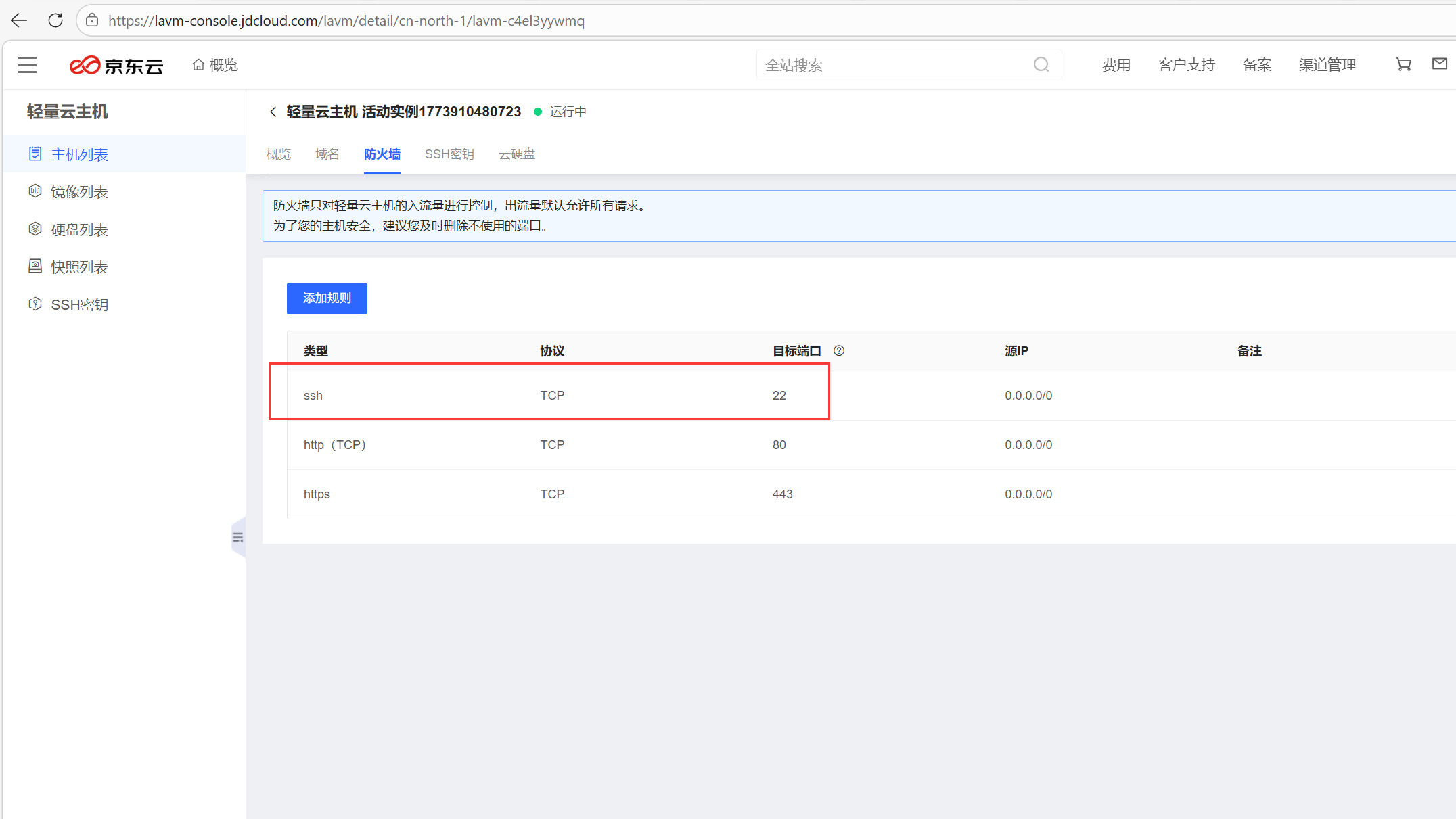
为啥使用SSH,原理图如下:
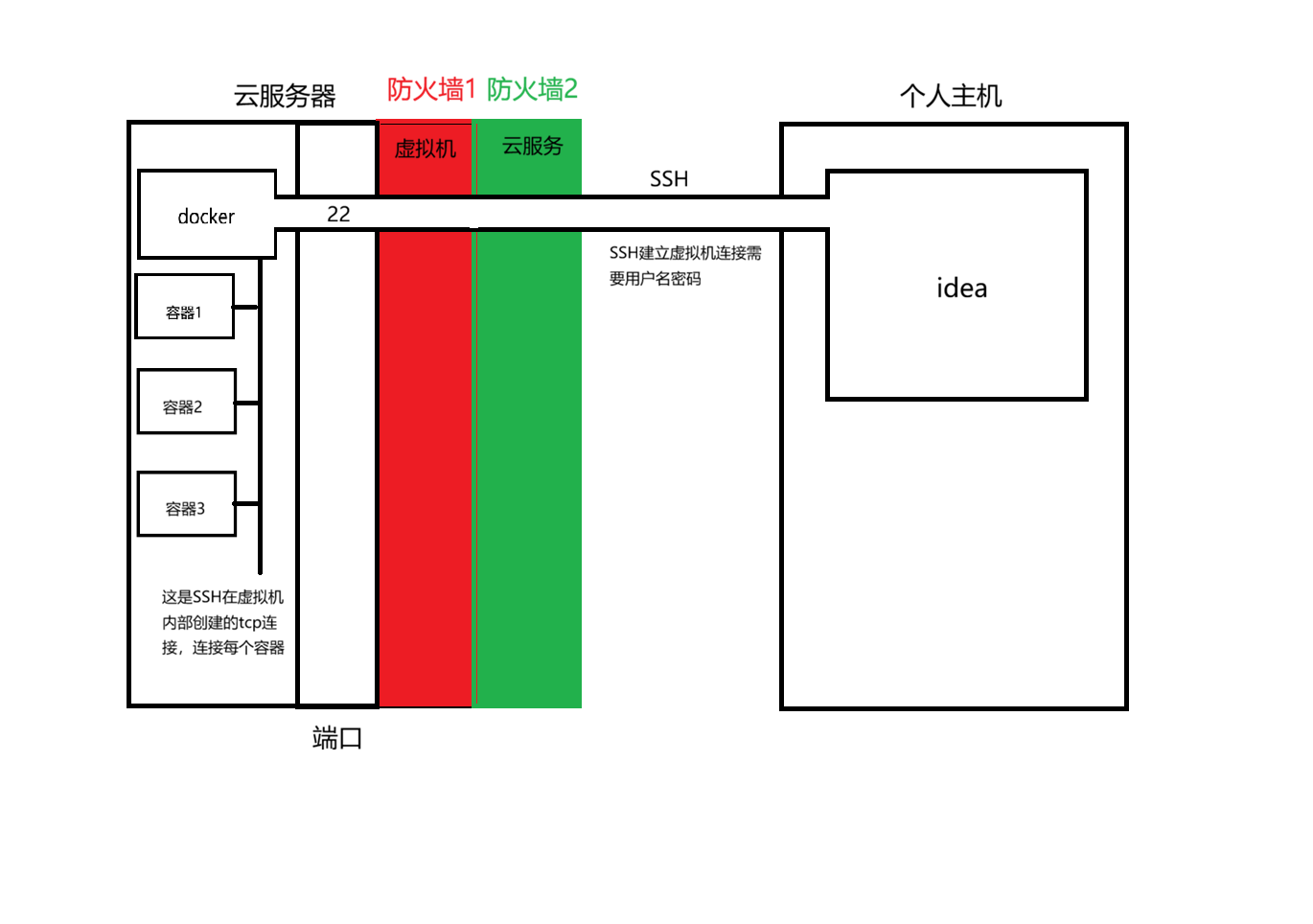
而如果暴露端口2375:
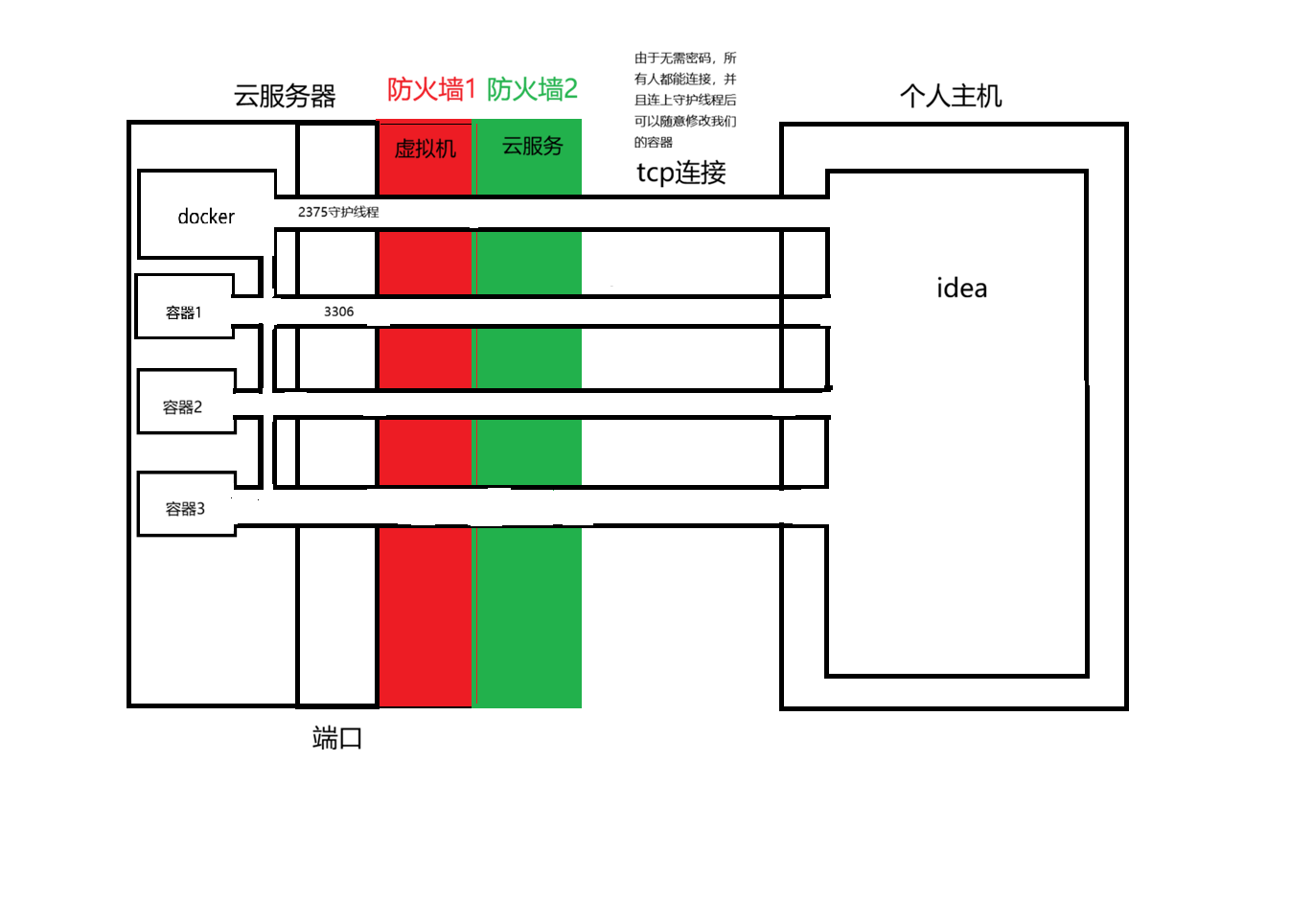
四、SSH连接
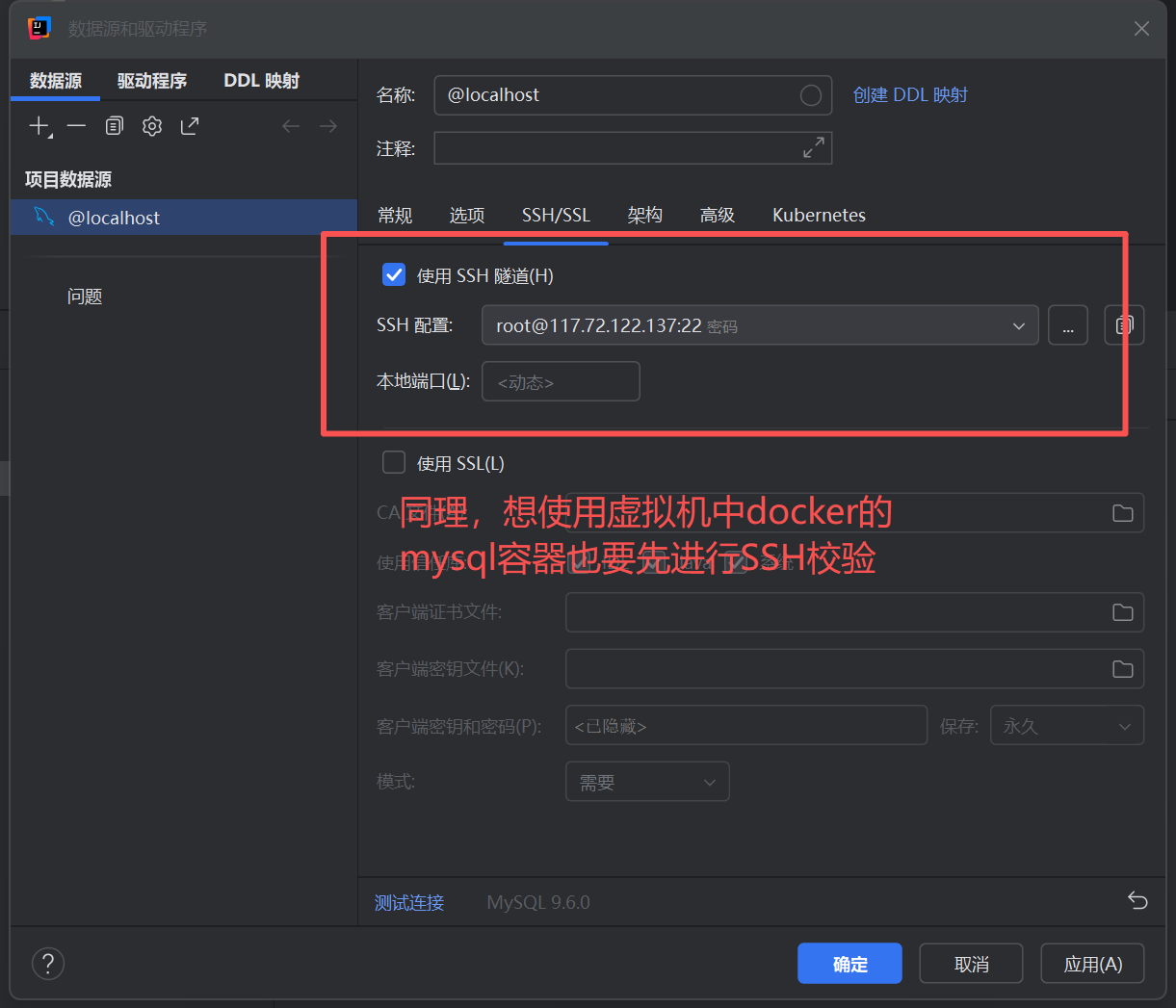
SSH相当于是个保安,只负责校验,只有通过了SSH验证,我们才可以在主机对远程的云服务器做任何操作,当我们想使用云服务器中的docker,将进行以下流程:
1.windows的SSH客户端与云服务器的SSH服务端连接(校验身份)
2.验证通过了,直接让你进入云服务器内部,后续所有操作视为在本机(云服务器中)操作
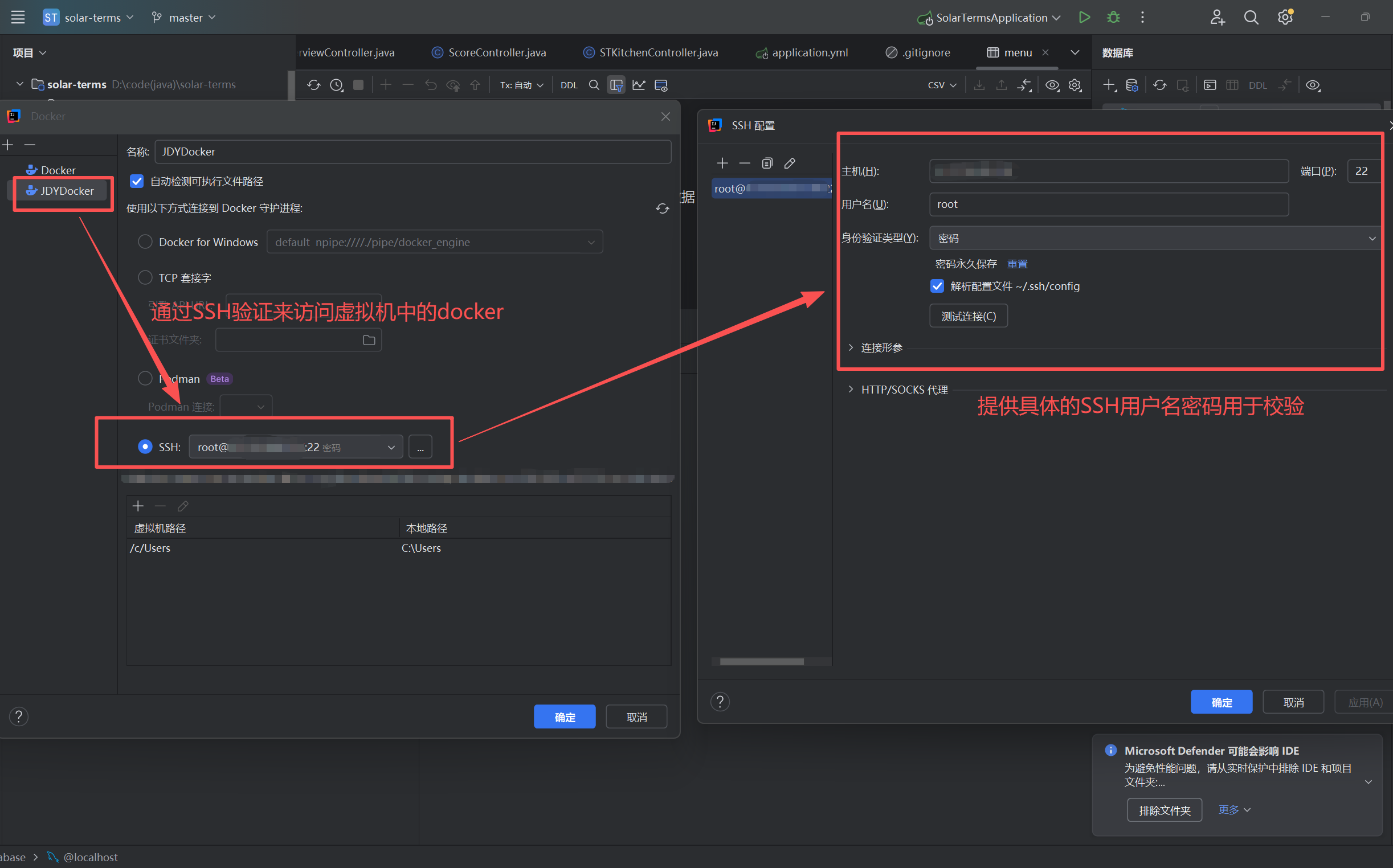
SSH是证明你拥有该云服务器使用权的工具,它需要提供用户名和密码(云服务器的),所以使用SSH是相对安全的。
使用SSH校验后连接docker:
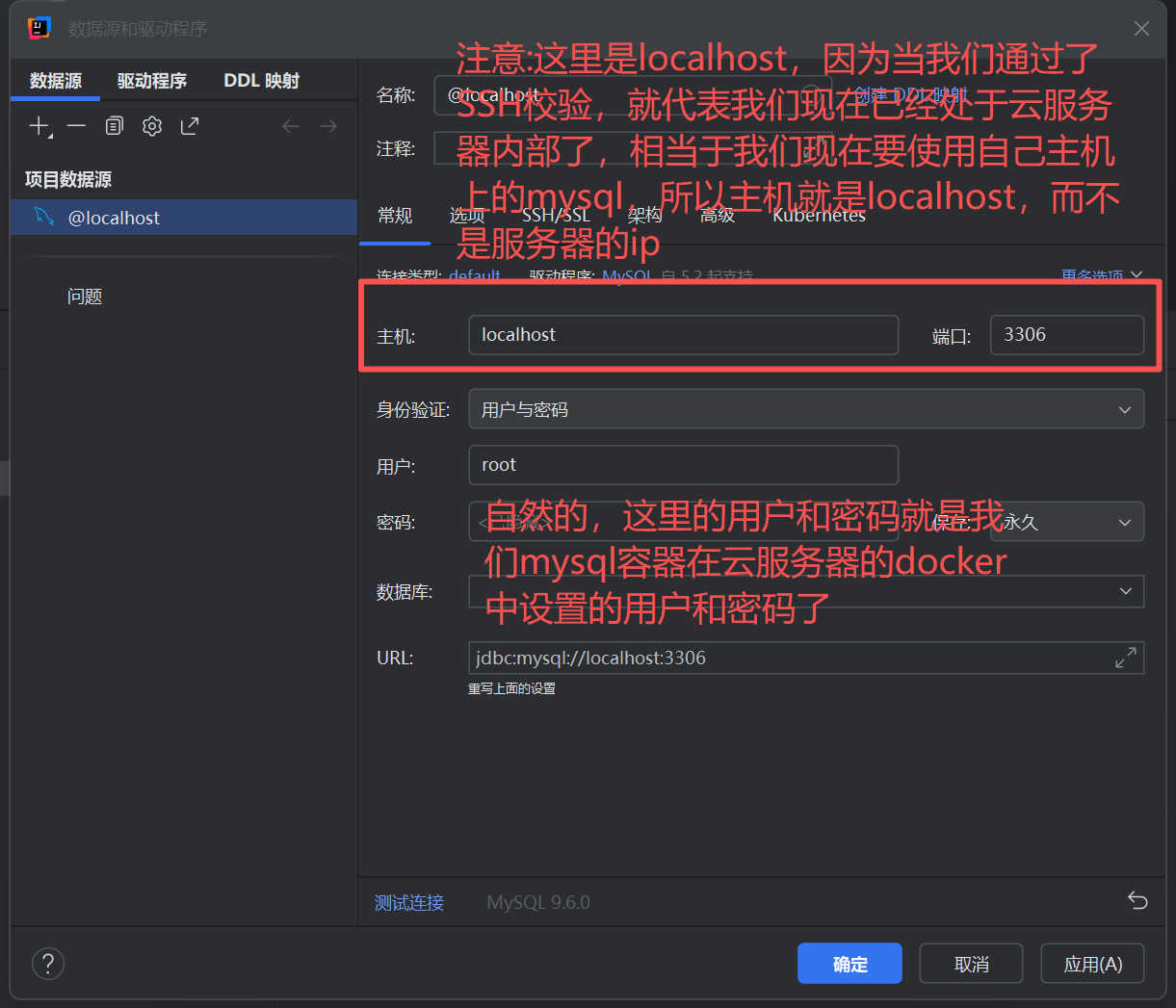
使用SSH校验后连接数据库:分两步:
1.SSH校验
2.数据库连接
五、案例
以下是作者被攻击的案例:
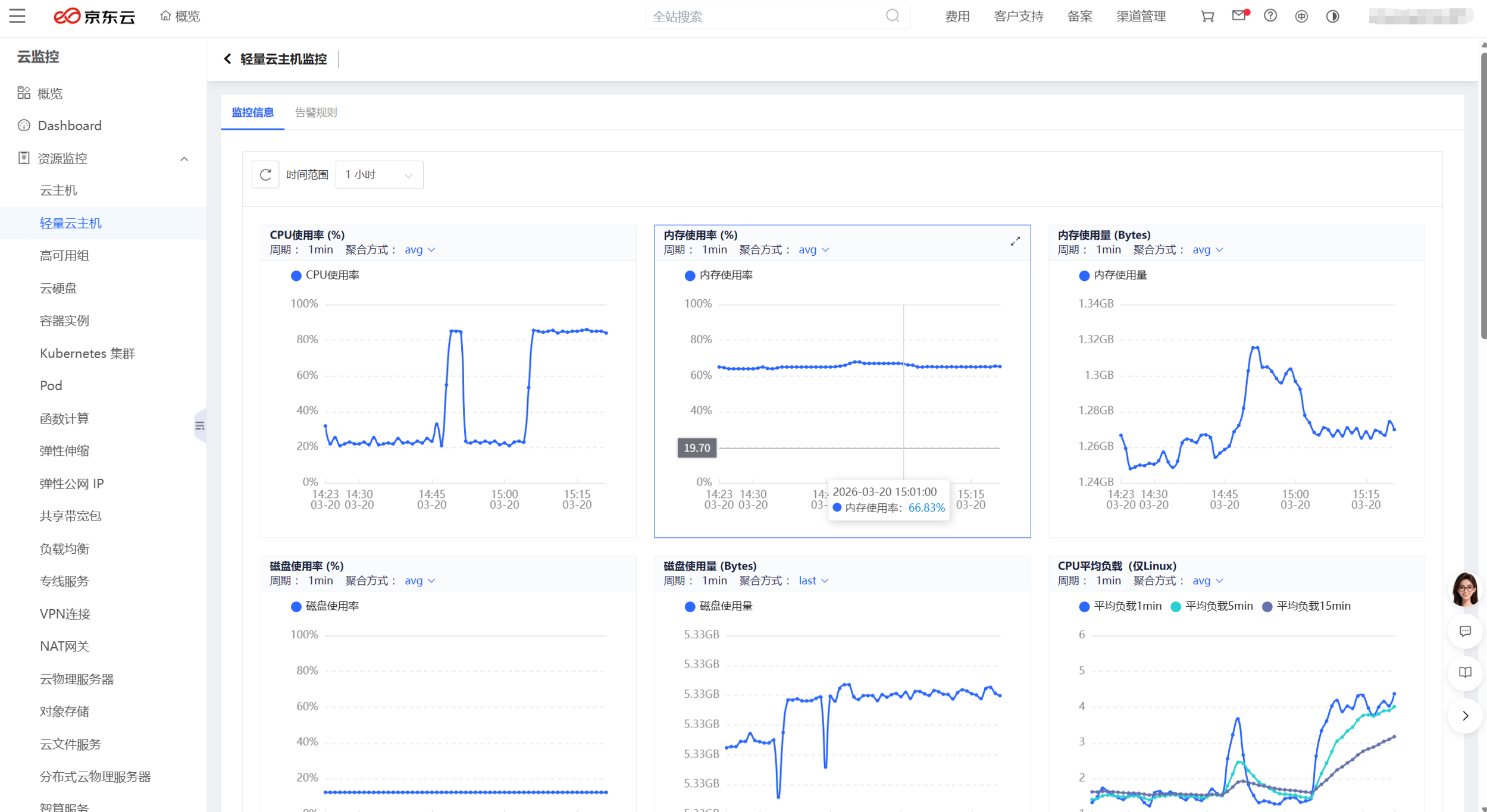
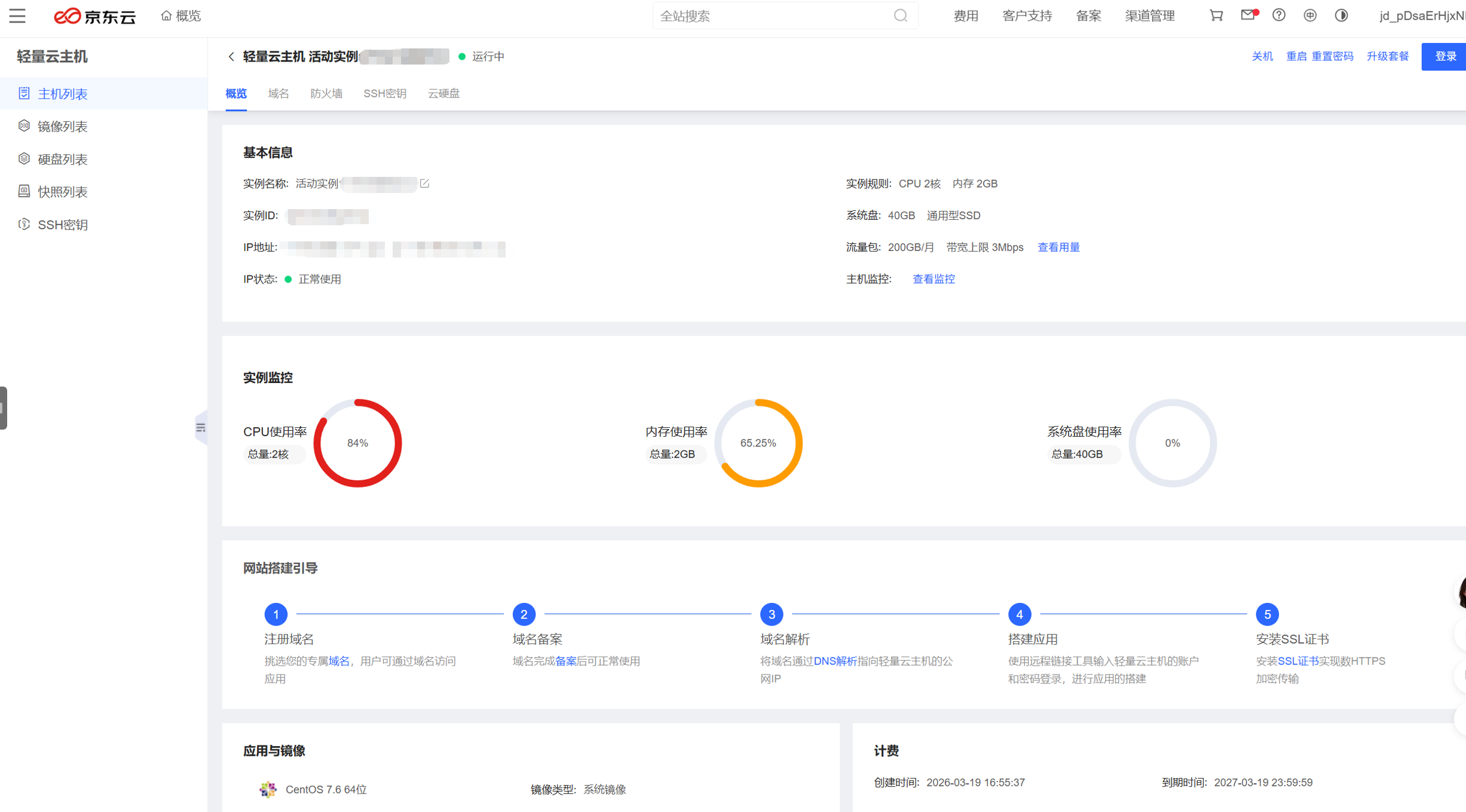
1.CPU爆红
疑似被用来挖矿,像发现这种情况出现,马上关服务器!然后去检查防火墙情况,打开所有防火墙,(除ssh等需要关闭的),包括虚拟机的和云服务器厂商提供的两道防火墙,最好删除重装docker和容器,以防植入木马。
特征是:CPU爆红,有人恶意创建我们不认识的容器和镜像,数据库消失,流量爆涨。
2.敲诈信
我们的云服务器因为之前安全意识不够,为了自己方便,关闭了部分的端口防火墙,导致我们的数据库表被删除,攻击者发出了敲诈信如下(我删除了部分敏感信息):
Dear Sir/Madam,

We hope this message finds you well.

We would like to inform you that we have backed up your databases/tables. We keep them for 30 days and then will be publicly disclosed and permanently delete them from our servers.

We offer two options:

Option 1.: recovery service + leak protection

if you want to recover your corrupted or incomplete databases/tables and you want to prevent it from being leaked, simply transfer 0.012 BTC to this address:

17msFwNuiB1CjaRwPMXehXV1a9hbf1p84P

This address is assigned to your database credentials (host + user: xxx.xxx.xxx + root). We will know when you have paid.

After payment confirmation, our program will restore the entire databases/tables automatically, so please do not change your database login details and make sure the database is still accessible from outside the local network. Don not worry. All your databases and tables will be restored. (If the restore fails the current field will be modified and provide links for you to download your datas). The saved files will be immediately deleted from our servers.

Option 2.: leak protection only

If you don not need to restore your databases but you want to prevent it from being leaked, send 0.005 BTC to this address:

17msFwNuiB1CjaRwPMXehXV1a9hbf1p84P

In this case, your datas will not be made public and will be deleted from our servers without any recovery service.

-------------
Please take note of the following:

After 30 days, we cannot guarantee the restoration of your data.

The only way to recover your data (and prevent it from being leaked) is by making the payment.

Data leaks can have serious consequences. Rest assured, your data is protected.

Once your payment is completed, all your data will be deleted from our servers. Currently, government agencies, competitors, contractors, and local media remain unaware of the incident. Upon receiving your payment, we guarantee that these entities will not be contacted about this matter, ensuring your privacy and the confidentiality of the situation are maintained.

Pay now, and we guarantee that your data will not be sold on dark web resources or used to attack your company, employees, or counterparties in the future. The full database dump will be restored, and all other data will be immediately deleted from our servers.

If you do not send the requested amount within 30 days from the date of the incident, we will consider the transaction incomplete. Your data will then be sent to any interested parties. This is your responsibility.

After payment confirmation, our system will automatically restore the entire databases/tables, so please do not change your database login details and make sure the database is still accessible from outside the local network.

-------------
The only accepted payment method is Bitcoin. To the wallet specified above.

Be advised: PayPal, WeTransfer, Alipay, credit cards, and other methods will not be accepted.

If you do not have Bitcoin, you can purchase it using a credit card from the following websites:


Alternatively, you can buy Bitcoin using other payment methods from the following platforms (some of them work in China):


For users in China, Bitcoin can be purchased with Alipay from:


Thank you for your time and consideration. Good luck.更多推荐

 11
11 0
0- 0


 已为社区贡献3条内容

所有评论(0)