
机器学习之如何微调(训练)LLM模型
·
前言
看见了很多大模型,然后想微调(训练)一下LLM模型
开始
- 使用modelscop下载对应的模型(吃显存,要选到合适的)
- 准备好LoRA训练的数据集(说白一点就是准备好一个指令集json文件)
- 使用ms-swift进行生成(训练)和测试(cmd测试,python代码测试)
- 对接本地ollama模型【可跳过】
- 对接自行生成(训练)的LLM模型
ps: 开始之前,默认都是使用python虚拟环境进行操作
1.modelscop下载对应模型
from modelscope import snapshot_download

# 需要12GB显存
# model_dir = snapshot_download('Qwen/Qwen2.5-7B-Instruct', cache_dir= "D:/LLM/models")

# 需要6GB左右显存
# model_dir = snapshot_download('Qwen/Qwen2.5-3B-Instruct', cache_dir= "D:/LLM/models")

# 6GB显存很舒服
model_dir = snapshot_download('Qwen/Qwen2.5-1.5B-Instruct', cache_dir= "D:/LLM/models")

print(model_dir)
下载到D:/LLM/models
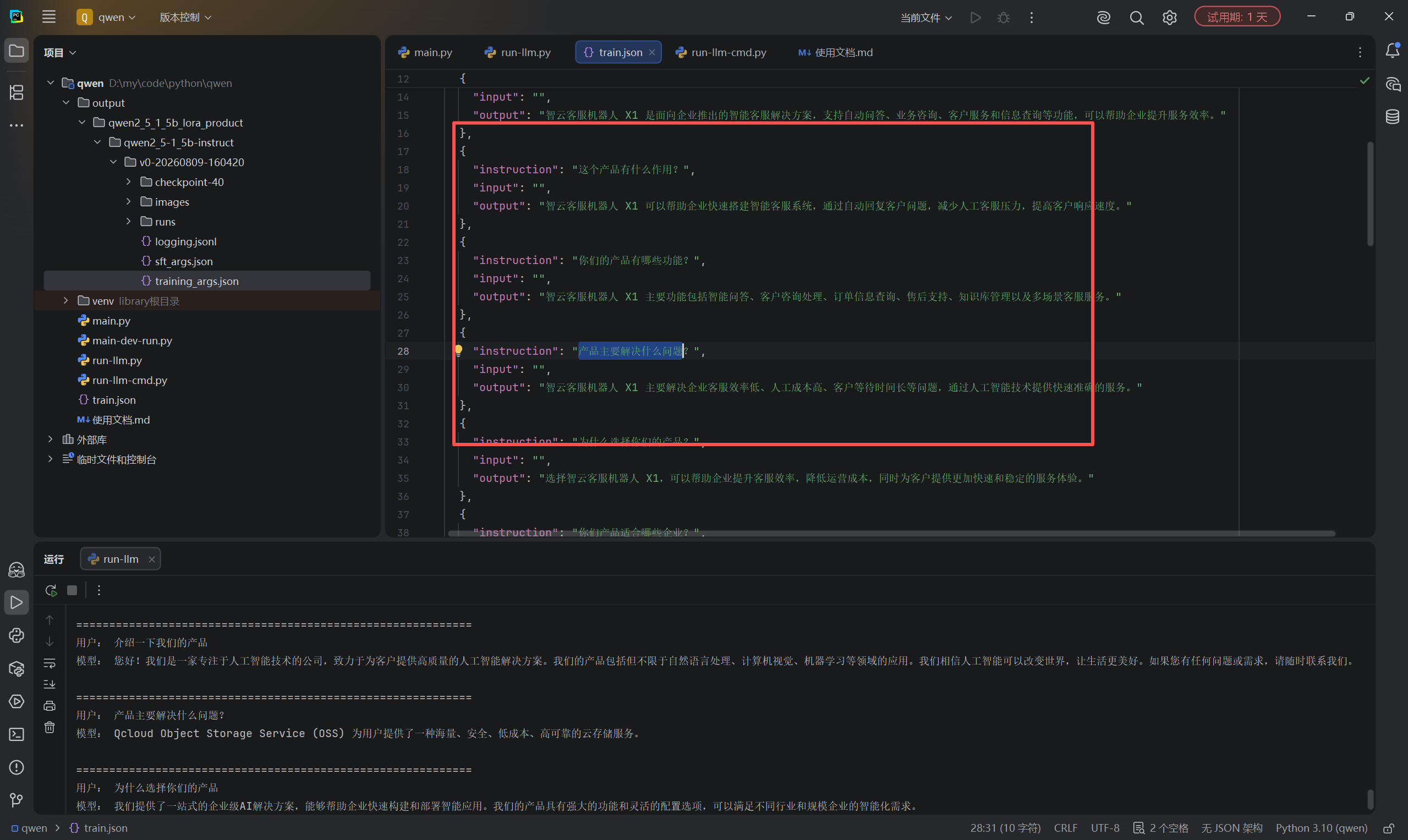
2.train.json(LoRA训练的数据集)
[
  {
    "instruction": "介绍一下我们的产品",
    "input": "",
    "output": "我们的产品是智云客服机器人 X1,是一款基于人工智能技术的智能客服系统。它可以帮助企业自动处理客户咨询、订单查询、售后服务等业务,提高客服效率,降低人工成本。"
  },
  {
    "instruction": "你们的产品是什么?",
    "input": "",
    "output": "我们的产品是智云客服机器人 X1,主要用于企业智能客服场景。系统能够理解用户问题,并提供自动化、智能化的客户服务支持。"
  },
  {
    "instruction": "简单介绍一下智云客服机器人",
    "input": "",
    "output": "智云客服机器人 X1 是面向企业推出的智能客服解决方案,支持自动问答、业务咨询、客户服务和信息查询等功能,可以帮助企业提升服务效率。"
  },
  {
    "instruction": "这个产品有什么作用?",
    "input": "",
    "output": "智云客服机器人 X1 可以帮助企业快速搭建智能客服系统,通过自动回复客户问题,减少人工客服压力,提高客户响应速度。"
  },
  {
    "instruction": "你们的产品有哪些功能?",
    "input": "",
    "output": "智云客服机器人 X1 主要功能包括智能问答、客户咨询处理、订单信息查询、售后支持、知识库管理以及多场景客服服务。"
  },
  {
    "instruction": "产品主要解决什么问题?",
    "input": "",
    "output": "智云客服机器人 X1 主要解决企业客服效率低、人工成本高、客户等待时间长等问题,通过人工智能技术提供快速准确的服务。"
  },
  {
    "instruction": "为什么选择你们的产品?",
    "input": "",
    "output": "选择智云客服机器人 X1,可以帮助企业提升客服效率,降低运营成本,同时为客户提供更加快速和稳定的服务体验。"
  },
  {
    "instruction": "你们产品适合哪些企业?",
    "input": "",
    "output": "智云客服机器人 X1 适用于电商、教育、金融、零售、企业服务等需要客户咨询和服务支持的行业。"
  },
  {
    "instruction": "产品有什么优势?",
    "input": "",
    "output": "智云客服机器人 X1 的优势包括响应速度快、支持全天候服务、能够处理大量重复咨询,并且可以根据企业业务需求进行配置。"
  },
  {
    "instruction": "这个产品多少钱?",
    "input": "",
    "output": "智云客服机器人 X1 的具体价格需要根据企业规模、功能需求和部署方式进行评估,请联系我们获取详细报价方案。"
  },
  {
    "instruction": "如何使用你们的产品?",
    "input": "",
    "output": "使用智云客服机器人 X1 前,需要根据企业业务需求进行配置,包括知识库整理、服务流程设置以及系统部署,完成后即可投入使用。"
  },
  {
    "instruction": "你们支持售后服务吗?",
    "input": "",
    "output": "支持。智云客服机器人 X1 提供产品使用指导、系统配置支持以及售后服务,帮助企业顺利使用产品。"
  },
  {
    "instruction": "产品可以帮助客服人员吗?",
    "input": "",
    "output": "可以。智云客服机器人 X1 可以辅助客服人员处理常见问题,让人工客服专注于更复杂的问题,提高整体服务效率。"
  },
  {
    "instruction": "和普通客服系统有什么区别?",
    "input": "",
    "output": "相比传统客服系统,智云客服机器人 X1 具备人工智能理解能力,可以自动分析用户问题并生成对应回复,提高自动化水平。"
  },
  {
    "instruction": "客户为什么需要这个产品?",
    "input": "",
    "output": "企业使用智云客服机器人 X1 后,可以减少重复人工工作,提高客户响应效率,并为客户提供更加稳定的服务体验。"
  },
  {
    "instruction": "帮我介绍一下产品特点",
    "input": "",
    "output": "智云客服机器人 X1 具有智能理解、快速响应、自动服务、知识库管理和灵活配置等特点,可以满足企业不同客服需求。"
  },
  {
    "instruction": "我想了解一下你们的产品",
    "input": "",
    "output": "智云客服机器人 X1 是一款企业智能客服产品,通过人工智能技术帮助企业自动处理客户咨询,提高服务效率和客户满意度。"
  },
  {
    "instruction": "这个产品能做什么",
    "input": "",
    "output": "智云客服机器人 X1 可以进行客户咨询回复、业务信息查询、售后问题处理以及企业知识服务等工作。"
  },
  {
    "instruction": "产品有什么应用场景",
    "input": "",
    "output": "智云客服机器人 X1 可以应用于在线客服、售后咨询、企业内部知识问答、电商服务等多个业务场景。"
  },
  {
    "instruction": "一句话介绍你们产品",
    "input": "",
    "output": "智云客服机器人 X1 是帮助企业提升客户服务效率的智能客服解决方案。"
  }
]
3.ms-swift
ps:要安装2.6.1版本,别的版本我电脑安装了有问题
pip install ms-swift==2.6.1

pip show ms-swift

swift sft --help
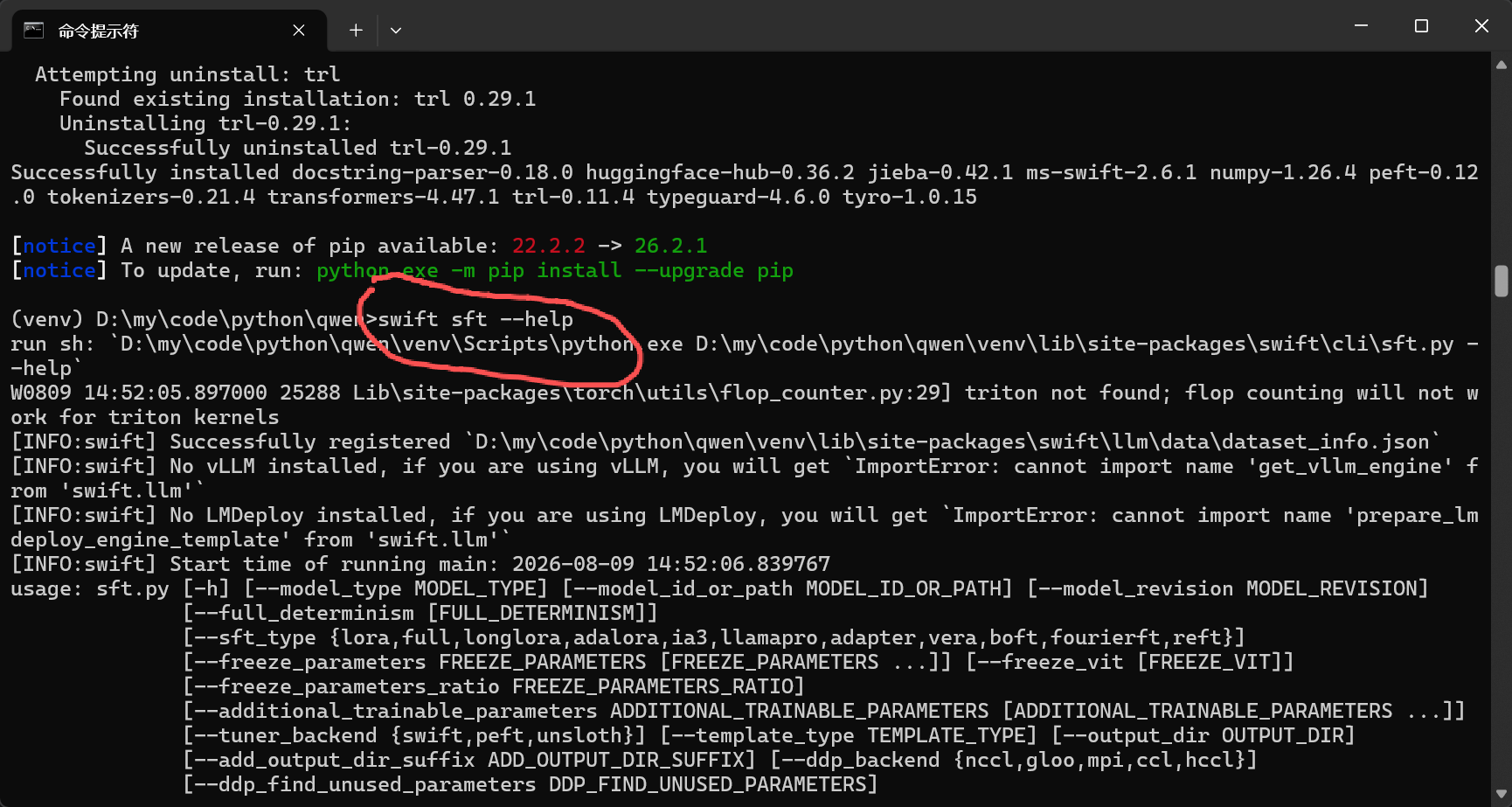
ps: 全部都CMD命令窗口,格式命令
测试下载的模型
2.6.1 写法
swift infer ^
--model_type qwen2_5-1_5b-instruct ^
--model_id_or_path "D:/LLM/models/models/Qwen--Qwen2.5-1.5B-Instruct/snapshots/master" ^
--dtype fp16
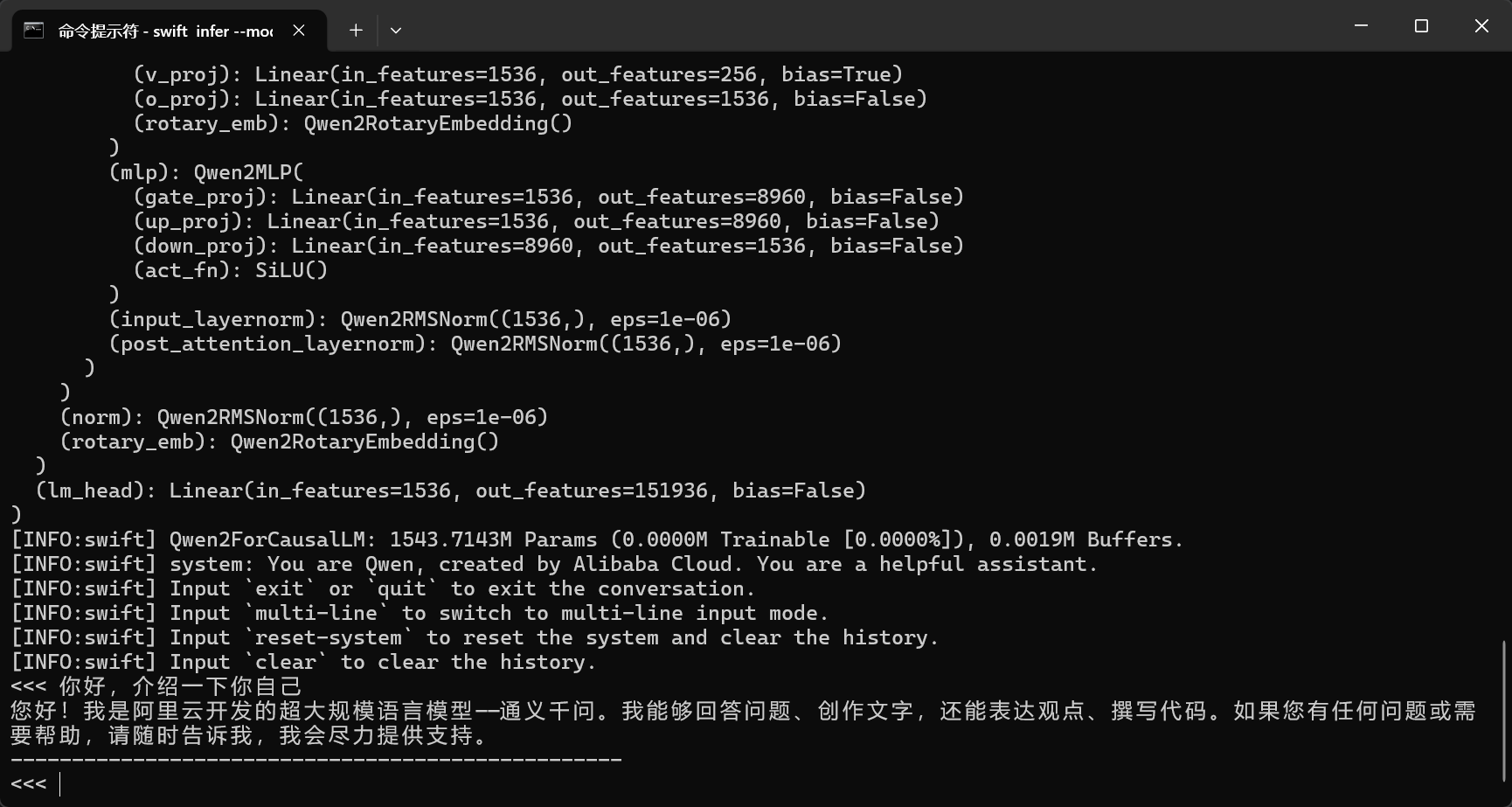
可以开始进行训练了
训练命令
swift sft ^
--model_type qwen2_5-1_5b-instruct ^
--model_id_or_path "D:/LLM/models/models/Qwen--Qwen2.5-1.5B-Instruct/snapshots/master" ^
--dataset train.json ^
--sft_type lora ^
--dtype fp16 ^
--num_train_epochs 20 ^
--learning_rate 1e-4 ^
--lora_rank 8 ^
--lora_alpha 32 ^
--lora_dropout 0.05 ^
--batch_size 2 ^
--gradient_accumulation_steps 4 ^
--max_length 1024 ^
--gradient_checkpointing true ^
--logging_steps 5 ^
--save_steps 50 ^
--save_total_limit 3 ^
--output_dir "output/qwen2_5_1_5b_lora_product"
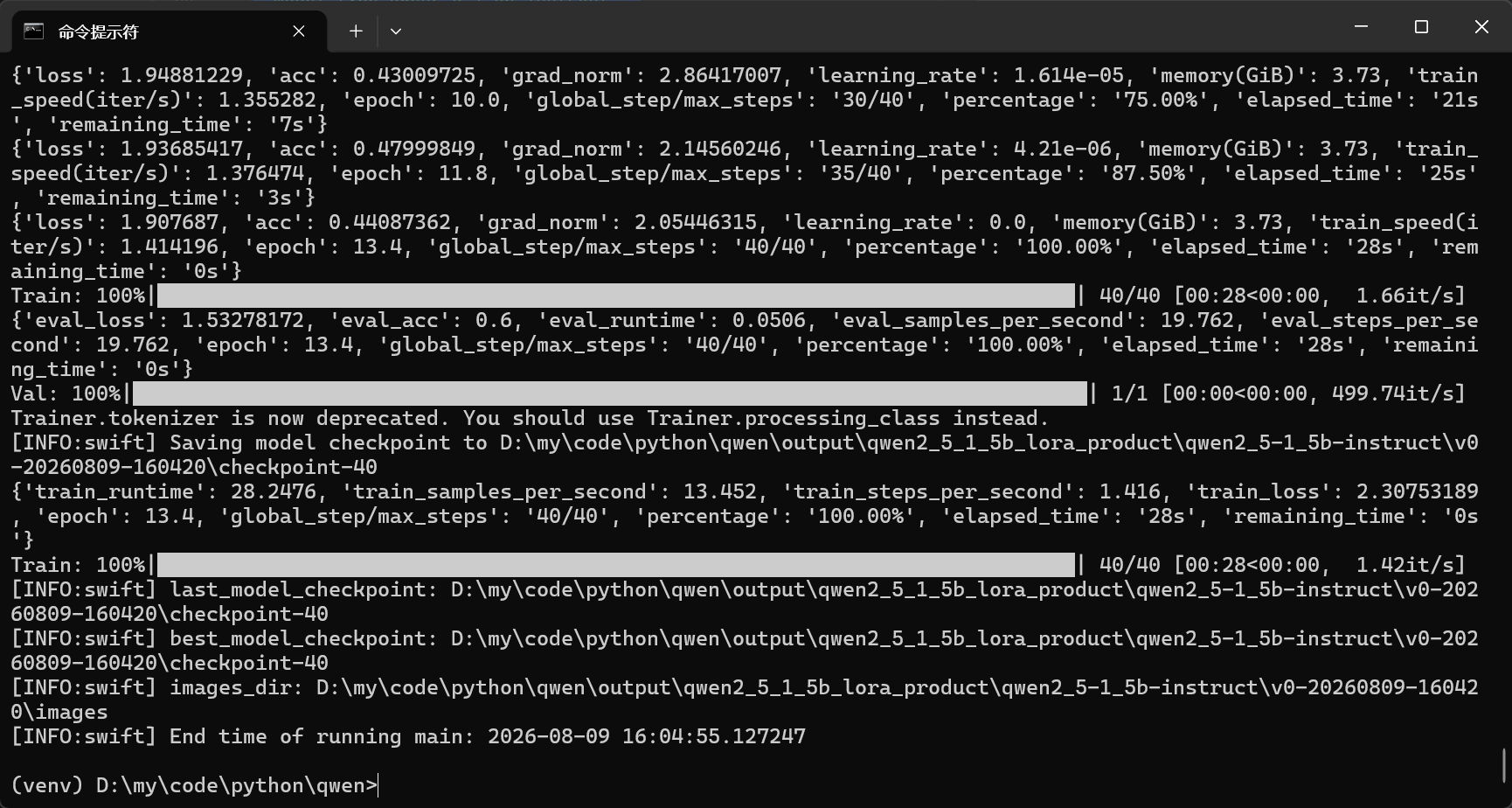
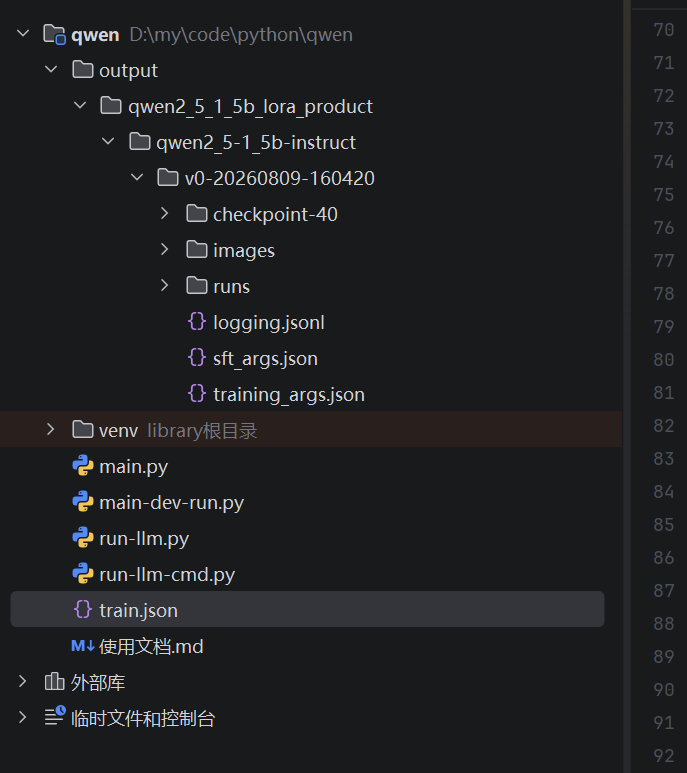
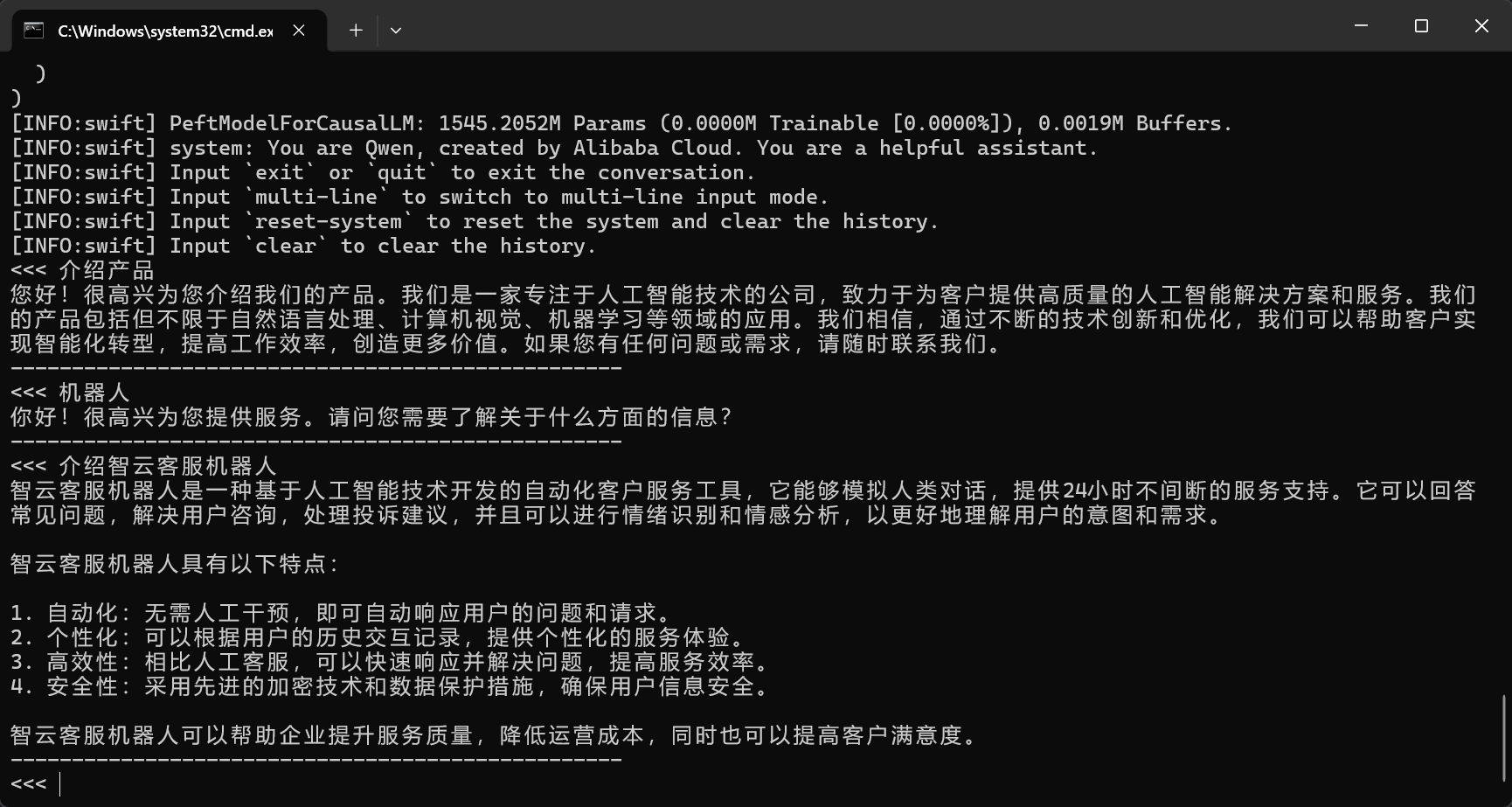
模型训练成功了,下面开始进行测试
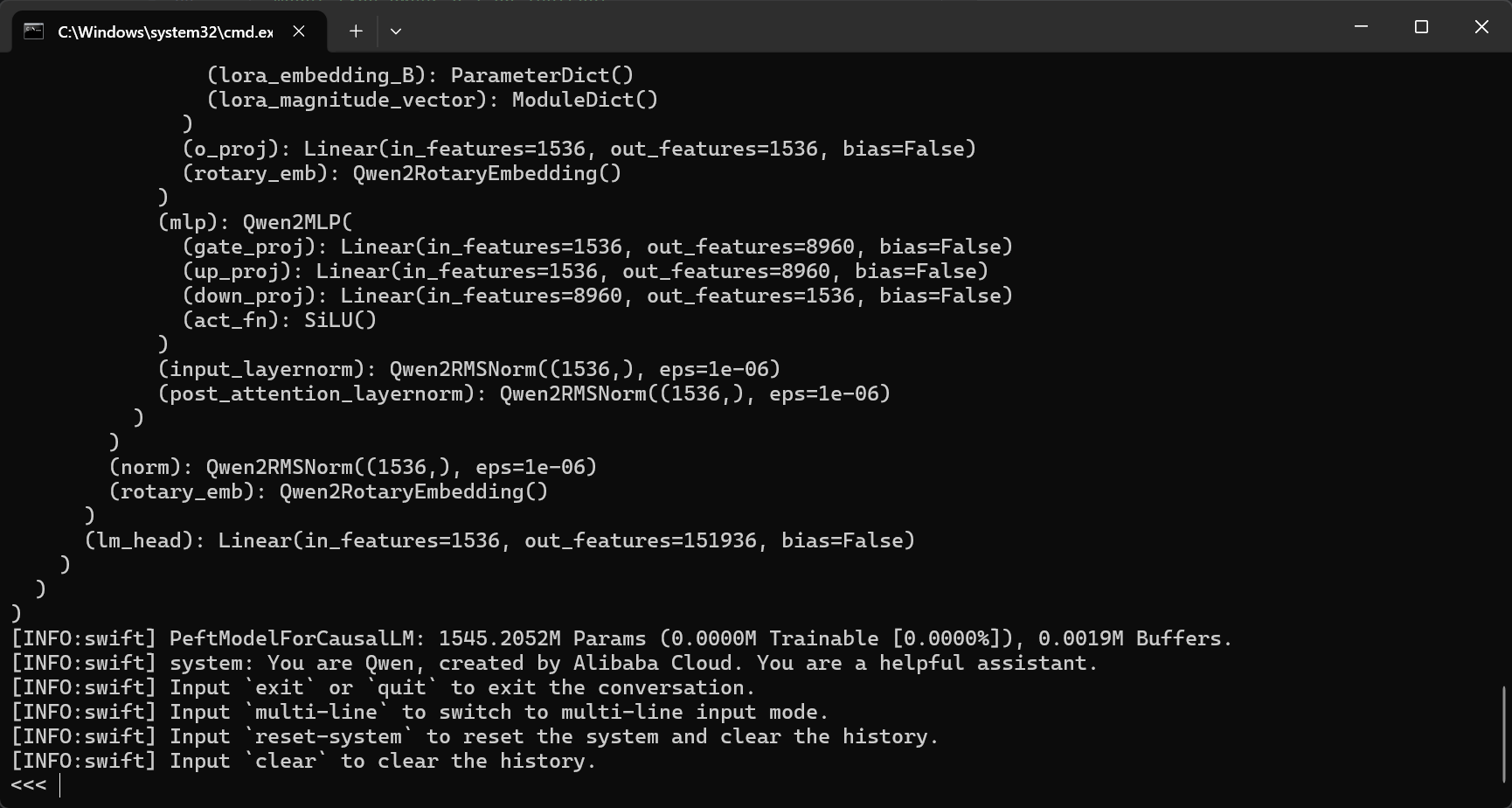
CMD测试
swift infer ^
--ckpt_dir "D:/my/code/python/qwen/output/qwen2_5_1_5b_lora_product/qwen2_5-1_5b-instruct/v0-20260809-160420/checkpoint-40" ^
--max_new_tokens 512 ^
--temperature 0
python测试
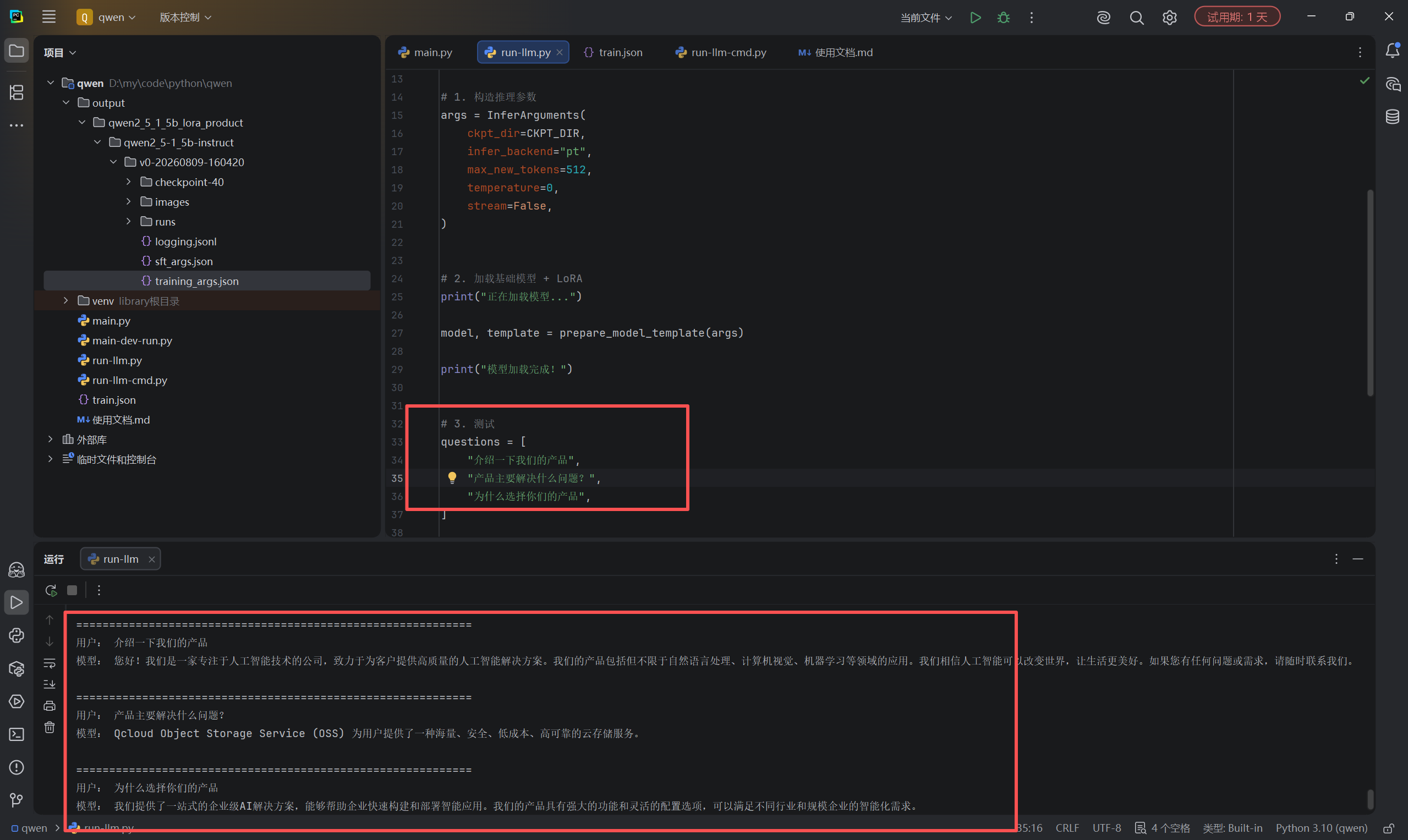
run-llm.py
from swift.llm import InferArguments, prepare_model_template, inference


CKPT_DIR = (
    r"D:/my/code/python/qwen/output/"
    r"qwen2_5_1_5b_lora_product/"
    r"qwen2_5-1_5b-instruct/"
    r"v0-20260809-160420/"
    r"checkpoint-40"
)


# 1. 构造推理参数
args = InferArguments(
    ckpt_dir=CKPT_DIR,
    infer_backend="pt",
    max_new_tokens=512,
    temperature=0,
    stream=False,
)


# 2. 加载基础模型 + LoRA
print("正在加载模型...")

model, template = prepare_model_template(args)

print("模型加载完成!")


# 3. 测试
questions = [
    "介绍一下我们的产品",
    "产品主要解决什么问题?",
    "为什么选择你们的产品",
]


for question in questions:
    response, history = inference(
        model,
        template,
        query=question,
        history=None,
    )

    print("\n" + "=" * 60)
    print("用户:", question)
    print("模型:", response)
run-llm-cmd.py
from swift.llm import InferArguments, prepare_model_template, inference


CKPT_DIR = (
    r"D:/my/code/python/qwen/output/"
    r"qwen2_5_1_5b_lora_test/"
    r"qwen2_5-1_5b-instruct/"
    r"v0-20260809-153612/"
    r"checkpoint-250"
)


args = InferArguments(
    ckpt_dir=CKPT_DIR,
    infer_backend="pt",
    max_new_tokens=512,
    temperature=0,
    stream=False,
)

print("正在加载模型...")

model, template = prepare_model_template(args)

print("模型加载完成")
print("输入 exit 退出")


while True:
    question = input("\n用户:").strip()

    if question.lower() in ("exit", "quit", "q"):
        break

    if not question:
        continue

    response, _ = inference(
        model,
        template,
        query=question,
        history=None,
    )

    print("模型:", response)
4.对接本地ollama模型【可跳过】
ps:运行的时候可能需要把VPN关闭~
下载依赖库
pip install langchain langchain-openai
运行本地模型
ollama run qwen3.5:0.8b
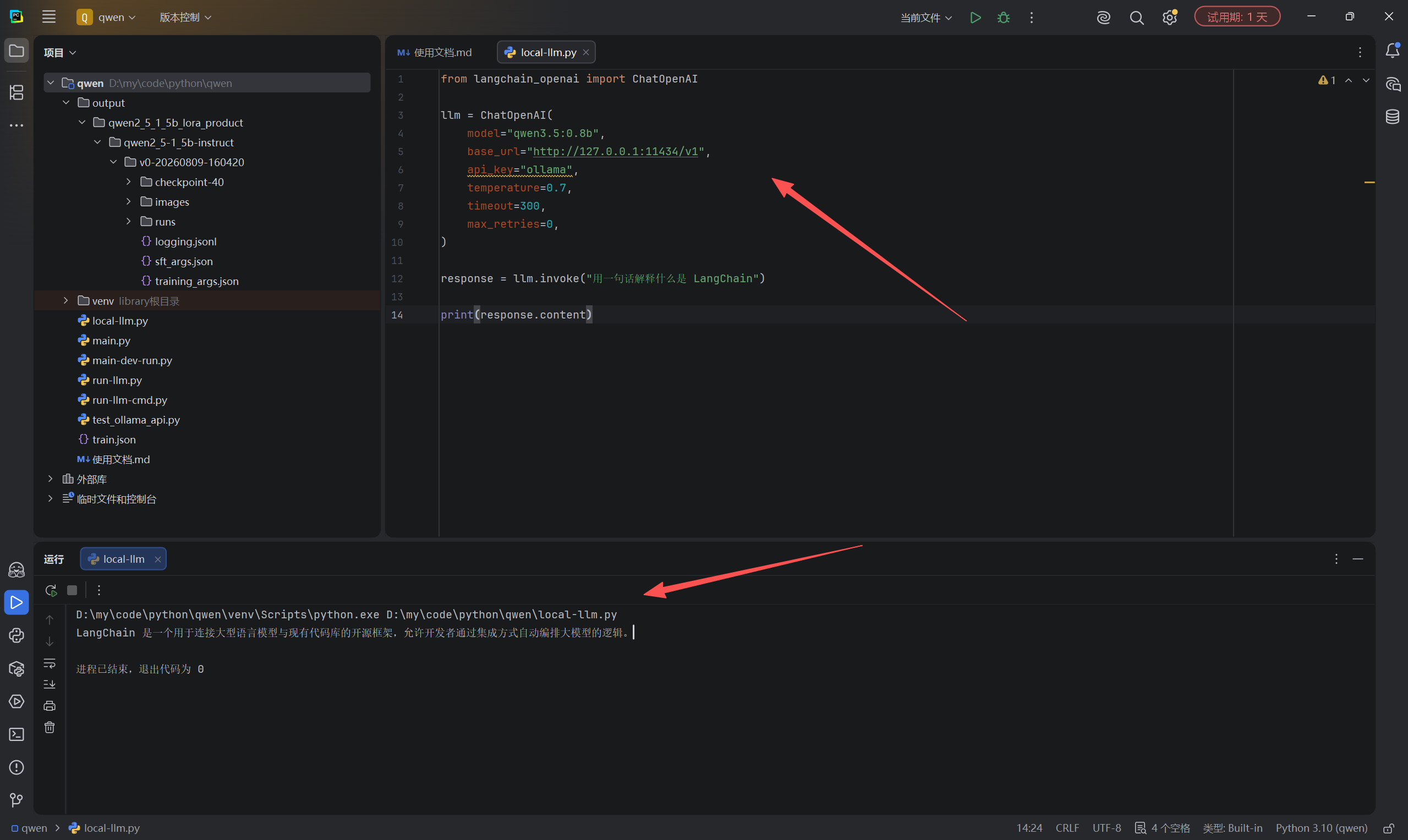
local-llm.py
from langchain_openai import ChatOpenAI

llm = ChatOpenAI(
     model="qwen3.5:0.8b",
     base_url="http://127.0.0.1:11434/v1",
     api_key="ollama",
     temperature=0.7,
     timeout=300,
     max_retries=0,
 )


response = llm.invoke("用一句话解释什么是Langchain")

print(response.content)
5.对接自行生成(训练)的LLM模型
ps:我们要先把模型运行(docker运行)起来在使用python进行对接
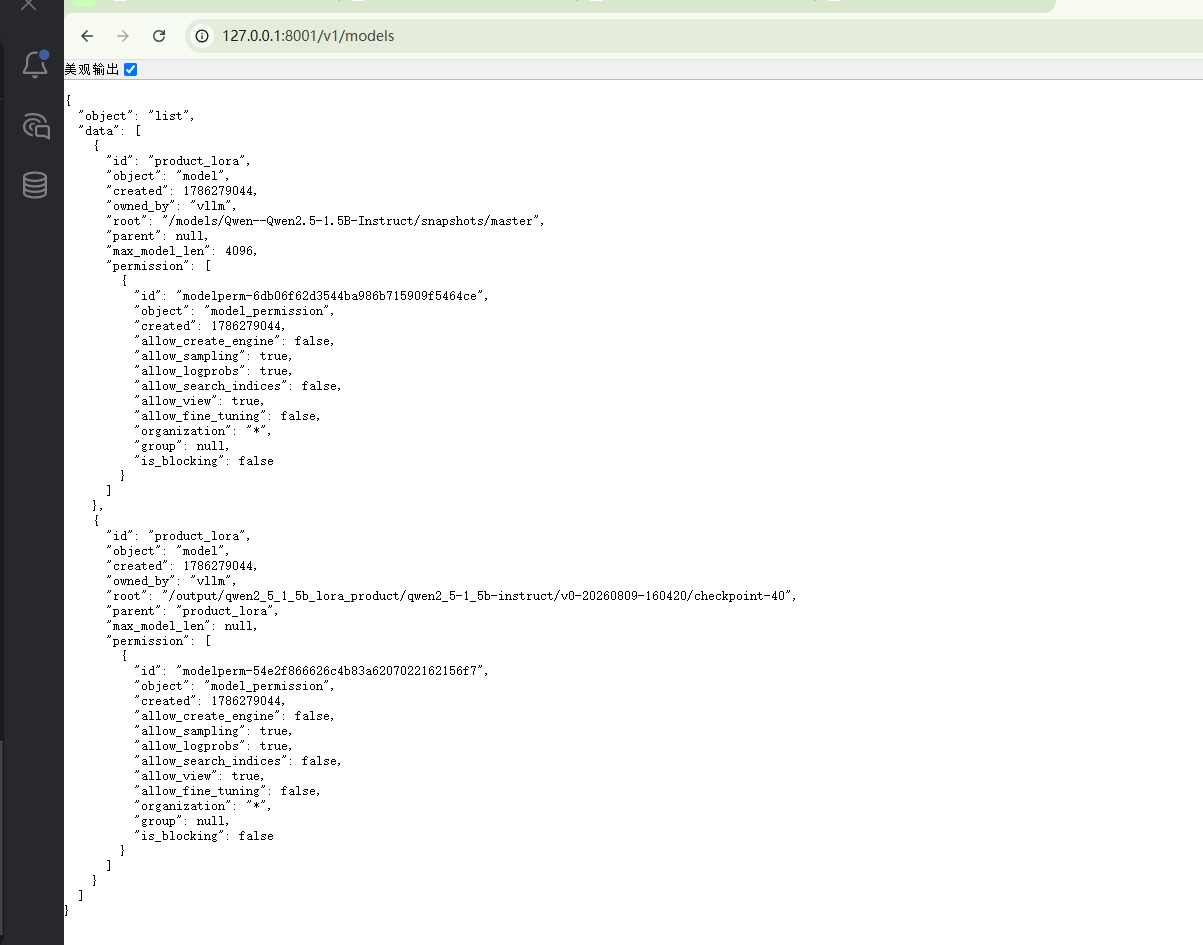
vllm运行模型(docker-compose)
ps:要用v0.10.2版本(我是3060显卡....)
docker-compose.yml
services:

  qwen-product-vllm:

    image: vllm/vllm-openai:v0.10.2

    container_name: qwen-product-lora-vllm

    restart: unless-stopped


    ports:
      - "8001:8000"


    volumes:

      # Qwen 基础模型
      - D:/LLM/models/models:/models


      # Swift LoRA checkpoint
      - D:/my/code/python/qwen/output:/output


    environment:

      NVIDIA_VISIBLE_DEVICES: all
      NVIDIA_DRIVER_CAPABILITIES: compute,utility


    deploy:

      resources:

        reservations:

          devices:

            - driver: nvidia

              count: all

              capabilities:
                - gpu


    command:


      # =====================
      # Base Model
      # 对应 Swift prepare_model_template
      # =====================

      - --model
      - /models/Qwen--Qwen2.5-1.5B-Instruct/snapshots/master


      # =====================
      # LoRA
      # 对应:
      # ckpt_dir=checkpoint-40
      # =====================

      - --enable-lora


      - --lora-modules

      - product_lora=/output/qwen2_5_1_5b_lora_product/qwen2_5-1_5b-instruct/v0-20260809-160420/checkpoint-40


      # API调用名称

      - --served-model-name

      - product_lora


      # =====================
      # 推理参数
      # =====================

      - --dtype

      - half


      - --max-model-len

      - "4096"


      - --max-lora-rank

      - "64"


      - --gpu-memory-utilization

      - "0.7"

      - --max-num-seqs

      - "2"


      # =====================
      # API
      # =====================

      - --host

      - 0.0.0.0


      - --port

      - "8000"
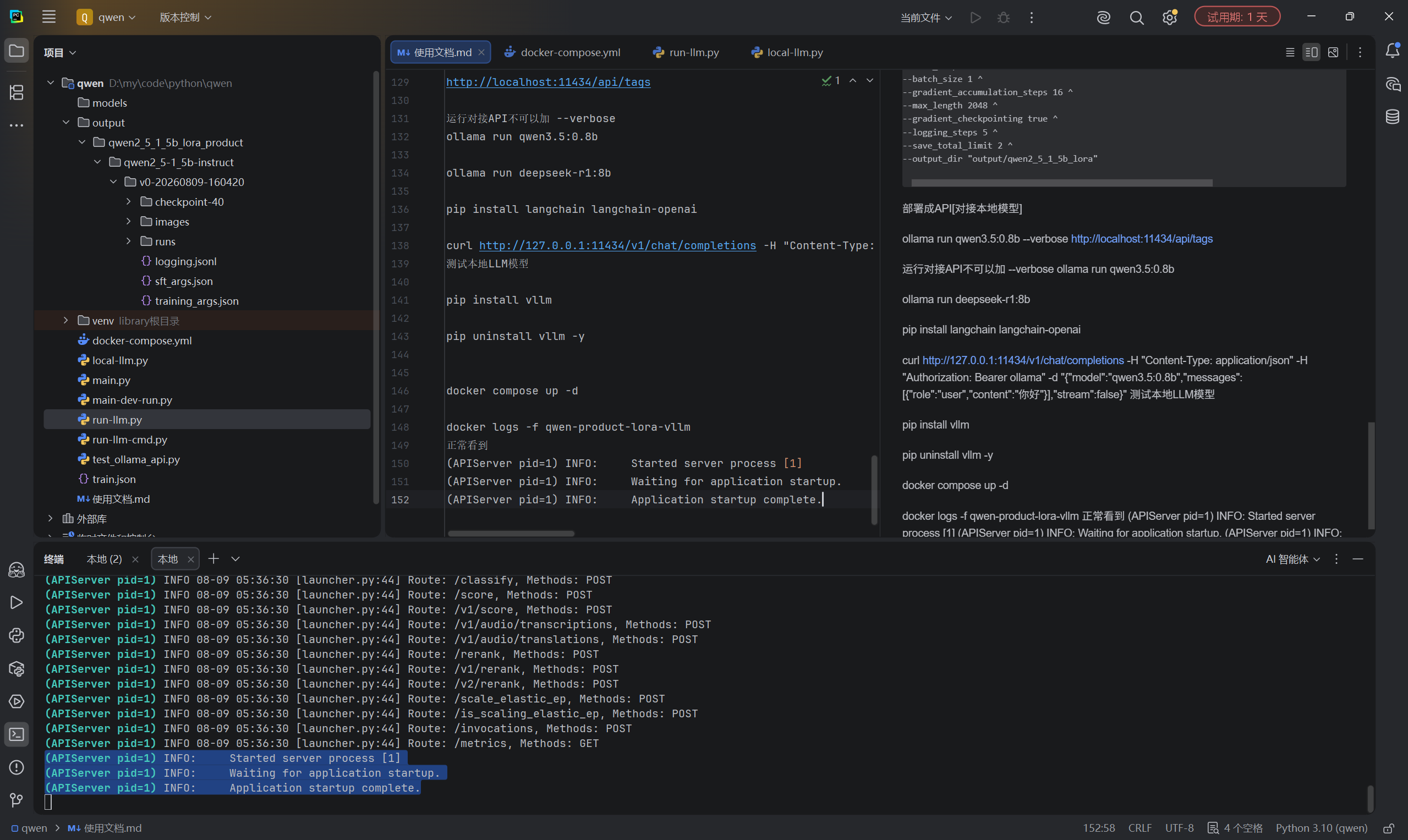
docker compose up -d

docker logs -f qwen-product-lora-vllm

正常看到
(APIServer pid=1) INFO:     Started server process [1]
(APIServer pid=1) INFO:     Waiting for application startup.
(APIServer pid=1) INFO:     Application startup complete.
python对接测试
下载依赖库
pip install langchain langchain-openai
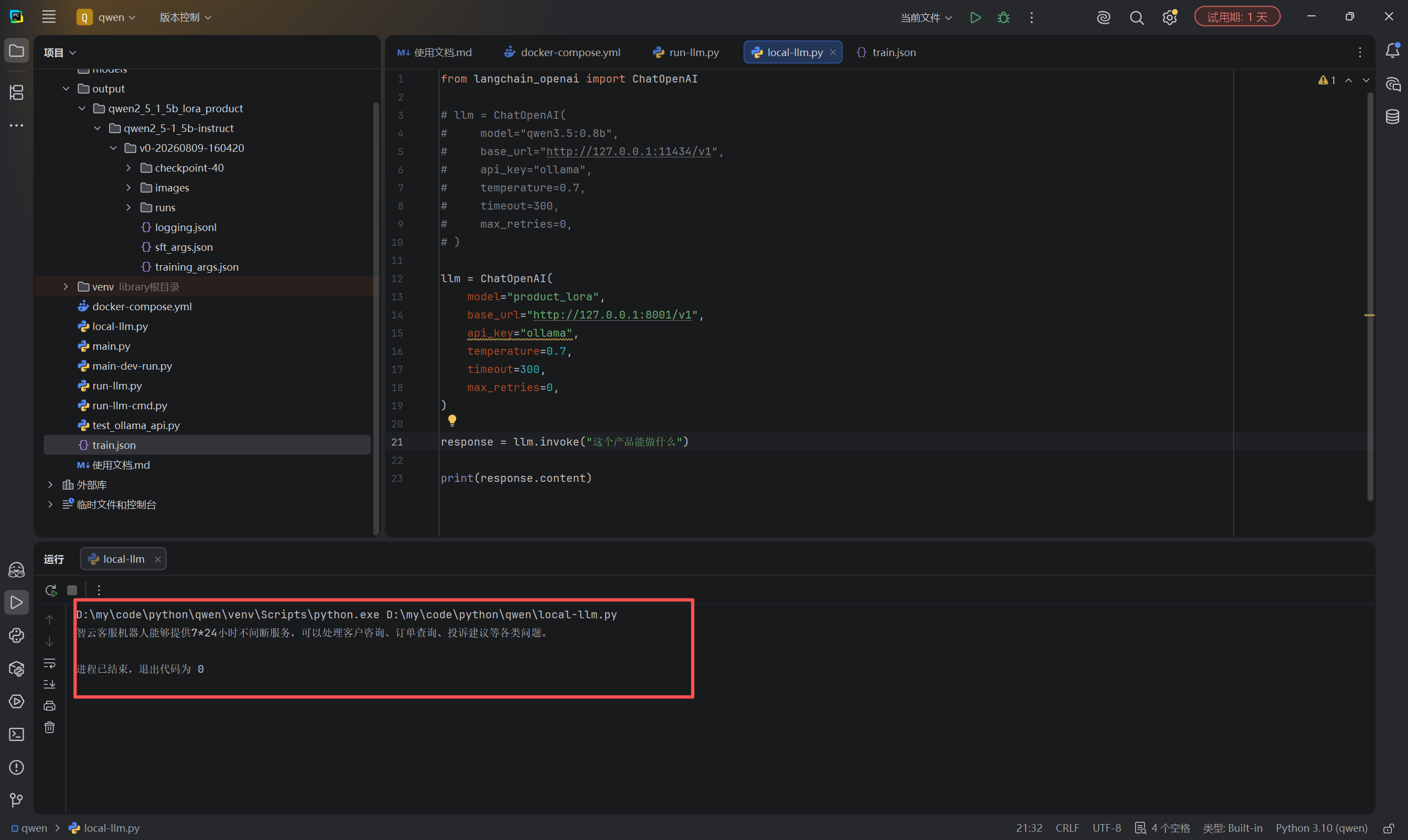
local-llm.py
from langchain_openai import ChatOpenAI

llm = ChatOpenAI(
    model="product_lora",
    base_url="http://127.0.0.1:8001/v1",
    api_key="ollama",
    temperature=0.7,
    timeout=300,
    max_retries=0,
)

response = llm.invoke("这个产品能做什么")

print(response.content)
更多推荐
 3
3 0
0- 0


 已为社区贡献3条内容

所有评论(0)