
LLaMa factory 大模型高效微调(三)
·
train_config.json
# ===== 1. 模型相关 =====
model_name_or_path: LLM-Research/Meta-Llama-3-8B-Instruct  # 【必须】你的模型名称或路径[reference:9]
stage: sft                          # 训练阶段:SFT (监督微调)[reference:10]
finetuning_type: lora               # 微调方法:LoRA[reference:11]

# ===== 2. 数据集相关 =====
dataset: test                   # 【关键】指定在 dataset_info.json 中注册的数据集名称[reference:12]
template: llama3                    # 【必须】数据集模板,需与模型匹配[reference:13]

# ===== 3. 训练超参数(可调整) =====
per_device_train_batch_size: 1      # 根据显存调整[reference:14]
gradient_accumulation_steps: 8      # 梯度累积步数[reference:15]
learning_rate: 1.0e-4               # 学习率[reference:16]
num_train_epochs: 3.0               # 训练轮数[reference:17]
lr_scheduler_type: cosine           # 学习率调度器[reference:18]
warmup_ratio: 0.1                   # 预热比例[reference:19]
bf16: true                          # 是否使用 bf16 精度[reference:20]

# ===== 4. 输出和日志 =====
output_dir: saves/llama3-8b/lora/sft  # 模型保存路径[reference:21]
logging_steps: 10                   # 日志记录间隔[reference:22]
save_steps: 500                     # 模型保存间隔[reference:23]


# 添加这一行,指定 DeepSpeed 配置文件路径
deepspeed: /app/LLaMA-Factory/data/ds_config.json
ds_config.json
{
    "train_batch_size": "auto",
    "train_micro_batch_size_per_gpu": "auto",
    "gradient_accumulation_steps": "auto",
    "gradient_clipping": "auto",

    "fp16": {
        "enabled": "auto",
        "loss_scale": 0,
        "loss_scale_window": 1000,
        "initial_scale_power": 16,
        "hysteresis": 2,
        "min_loss_scale": 1
    },
    "bf16": {
        "enabled": "auto"
    },

    "zero_optimization": {
        "stage": 2,
        "offload_optimizer": {
            "device": "cpu",
            "pin_memory": true
        },
        "allgather_partitions": true,
        "allgather_bucket_size": 5e8,
        "overlap_comm": true,
        "reduce_scatter": true,
        "reduce_bucket_size": 5e8,
        "contiguous_gradients": true,
        "round_robin_gradients": true
    }
}
dataset_info.json 注册数据集配置
{
  "huanhuan": {
    "file_name": "test.json",   #下载下来的带训练数据集
    "formatting": "alpaca",
    "columns": {
      "prompt": "instruction",
      "query": "input",
      "response": "output"
    }
  }
}
test.json待训练的数据集,直接魔塔社区查找前文有说过
将上述4个配置文件分别平均分摊到每个可以运算的机器上,我这两就2个验证测试机器,分别192.168.11.136 和 192.168.11.24,136作为master,24作为worker,下述进行分别处理
master启动容器
docker run -d   --name llamafactory_master   -p 29500:29500   --gpus all   -v E:/vm/Llama/data:/app/LLaMA-Factory/data   -v E:/vm/Llama/models:/root/.cache/huggingface   -v E:/vm/Llama/output:/app/LLaMA-Factory/output   -e TZ=Asia/Shanghai   hiyouga/llamafactory:latest   sleep infinity
61288946dc23f17e4123e66a04dbebbda000f4de6e54e6d9ceff715e2067b66f
进入容器执行
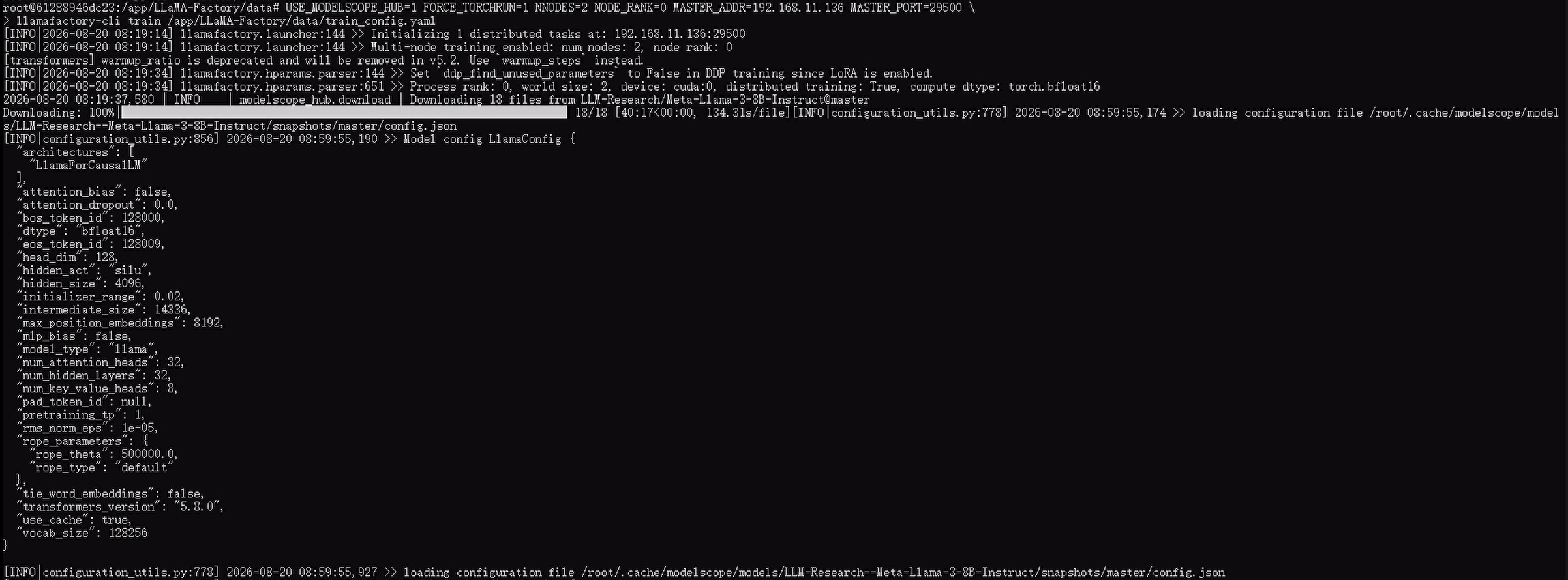
 USE_MODELSCOPE_HUB=1 FORCE_TORCHRUN=1 NNODES=2 NODE_RANK=0 MASTER_ADDR=192.168.11.136 MASTER_PORT=29500 \
> llamafactory-cli train /app/LLaMA-Factory/data/train_config.yaml
worker启动容器
docker run -d --name llamafactory_worker --network=host --gpus all -v E:/vm/Llama/data:/app/LLaMA-Factory/data -v E:/vm/Llama/models:/root/.cache/huggingface -v E:/vm/Llama/output:/app/LLaMA-Factory/output -e TZ=Asia/Shanghai hiyouga/llamafactory:latest sleep infinity
进入容器执行,进行数据训练
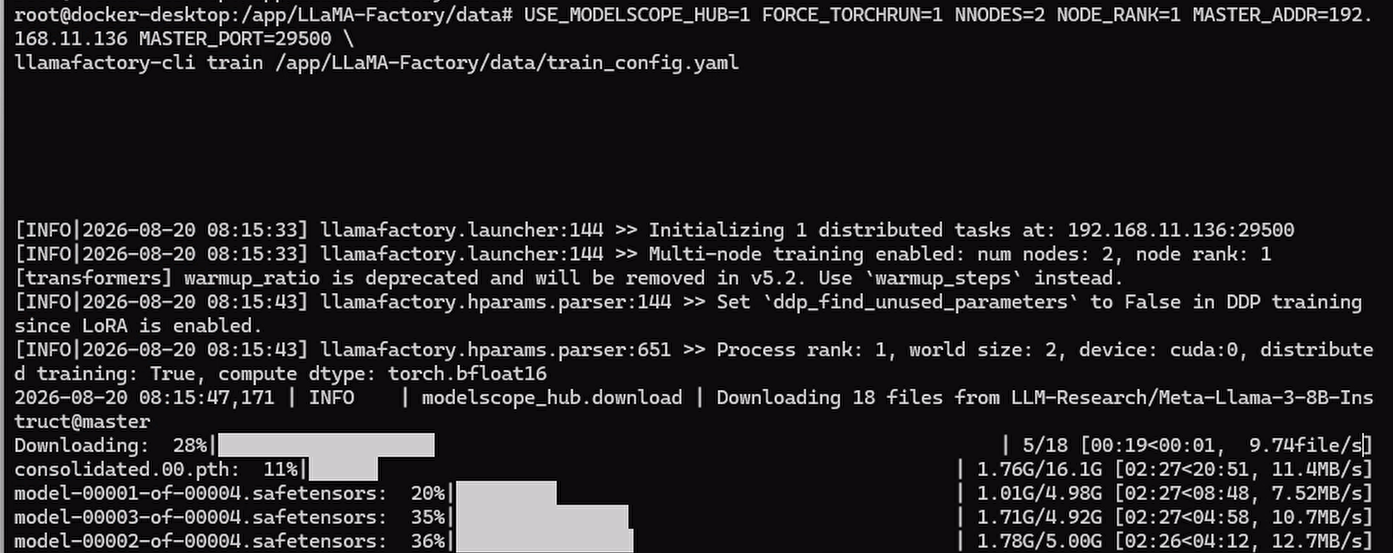
USE_MODELSCOPE_HUB=1 FORCE_TORCHRUN=1 NNODES=2 NODE_RANK=1 MASTER_ADDR=192.168.11.136 MASTER_PORT=29500 \
llamafactory-cli train /app/LLaMA-Factory/data/train_config.yaml
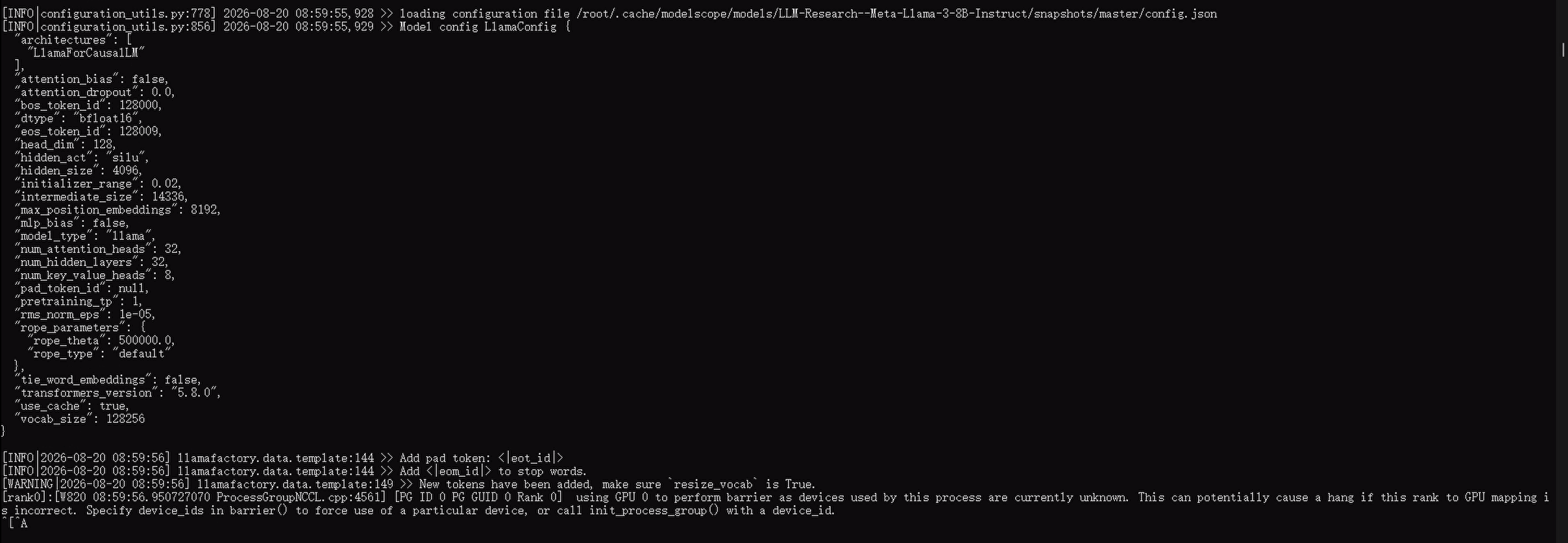
正常执行起来如下
下载完模型后,所有准备工作已成功完成,正等待进入训练循环,训练尚未开始,但如下
更多推荐
 0
0 0
0- 0


 已为社区贡献6条内容

所有评论(0)