
HyperView Python二次开发测量座椅靠背动态角,安全带有效固定点到限制面距离(附源码)
·
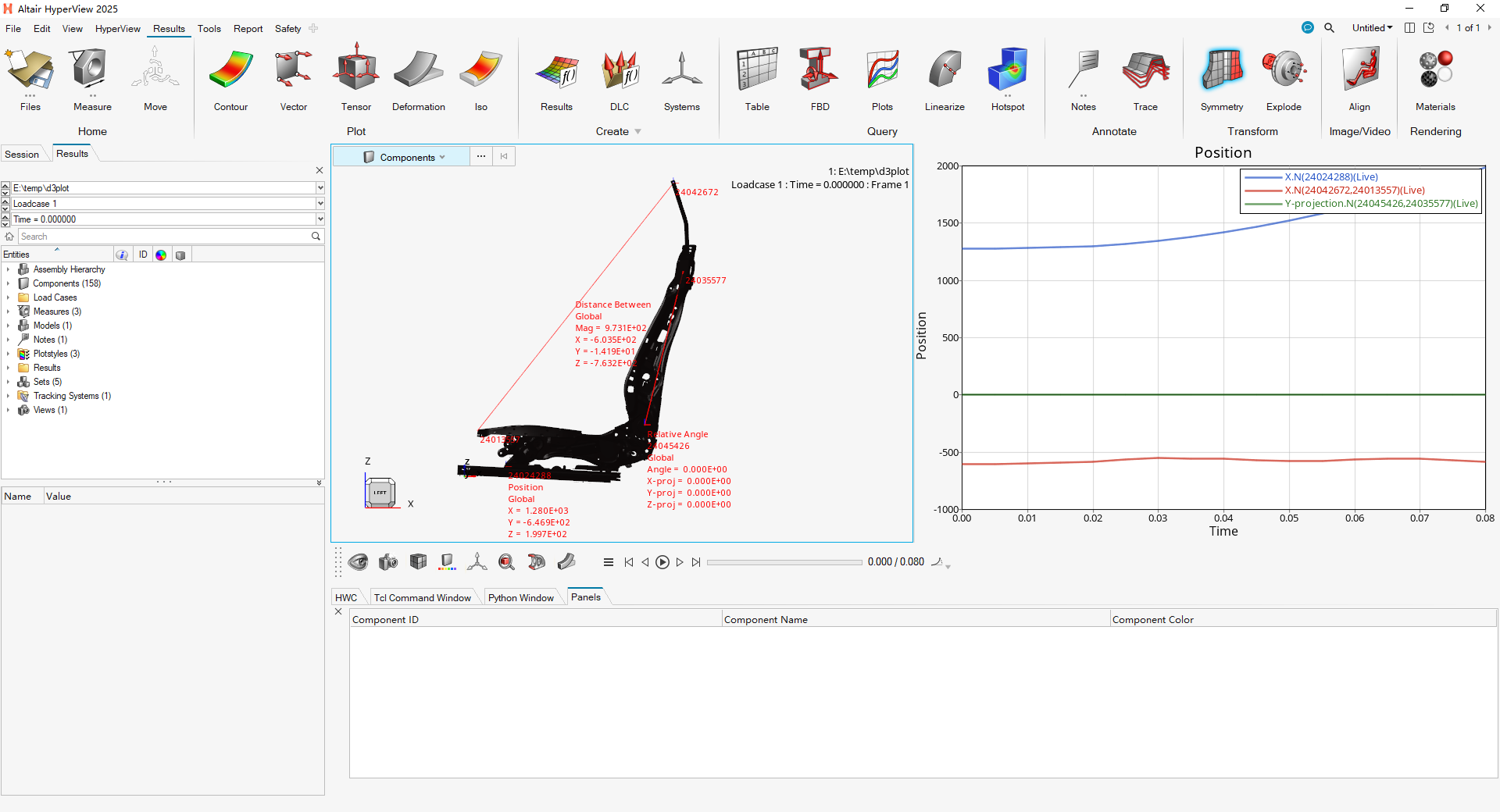
更多笔记,欢迎关注 公众号 CAE仿真记
def measure_position (nodeid):

    import hw

    import hw.hv as hv

    sess = hw.Session()


# 获取当前激活的page

    page = sess.get(hw.Page)


# 获取当前激活的window

    win = sess.get(hw.Window)


# 获取当前激活的model

    model = win.getActiveModel()


# or model = sess.get(hv.Model)


# 新建一个测量position类,并设置测量属性,测量节点,显示字体等

    position = hv.MeasurePosition()

    position_id = position.id

    node_object = model.get(hv.Node,nodeid)

    position.addEntities(node_object)

    position.label               =
'Position'

    position.displayLabel        = True

    position.displayId           = True

    position.color               = (255,0,0)

    position.fontSize            = 8

    position.numericFormat       =
'scientific'

    position.numericPrecision    = 3

    position.transparency        = True

    position.autohide            = True

    position.prefix              = True

#   增加一个window 设置window类型为curve plot

    page.setAttributes(layout = 1)

    win2 = sess.get(hw.Window,window = 2)

    win2.type =
"xy"

    hw.evalHWC(f
'annotation measure curve measure={position_id} plot=w:2 livelink=true yaxis=X'
)

def measure_distance (node1id,node2id):

    import hw

    import hw.hv as hv

    sess = hw.Session()


# 获取当前激活的page

    page = sess.get(hw.Page)


# 获取当前激活的window

    win = sess.get(hw.Window)


# 获取当前激活的model

    model = win.getActiveModel()


# or model = sess.get(hv.Model)


# 新建一个测量距离类,并设置测量点,显示字体等属性

    distance = hv.MeasureDistanceBetween()

    distance_id = distance.id

    node_1_object = model.get(hv.Node,node1id)

    node_2_object = model.get(hv.Node,node2id)

    distance.addEntities([node_1_object,node_2_object])

    distance.label               =
'Distance Between'

    distance.displayLabel        = True

    distance.displayId           = True

    distance.color               = (255,0,0)

    distance.fontSize            = 8

    distance.numericFormat       =
'scientific'

    distance.numericPrecision    = 3

    distance.transparency        = True

    distance.autohide            = True

    distance.prefix              = True

    distance.displayX              = True

    distance.displayY              = True

    distance.displayZ              = True

#   增加一个window 设置window类型为curve plot

    page.setAttributes(layout = 1)

    win2 = sess.get(hw.Window,window = 2)

    win2.type =
"xy"

    hw.evalHWC(f
'annotation measure curve measure={distance_id} plot=w:2 livelink=true yaxis=X'
)

#

def measure_relativeangle (node1id,node2id):

    import hw

    import hw.hv as hv

    sess = hw.Session()


# 获取当前激活的page

    page = sess.get(hw.Page)


# 获取当前激活的window

    win = sess.get(hw.Window)


# 获取当前激活的model

    model = win.getActiveModel()


# or model = sess.get(hv.Model)


# 新建一个测量相对角度类,并设置测量点,显示字体等属性

    relativeangle = hv.MeasureAngleRelative()

    relativeangle_id = relativeangle.id

    node_1_object = model.get(hv.Node,node1id)

    node_2_object = model.get(hv.Node,node2id)

    relativeangle.addEntities([node_1_object,node_2_object])

    relativeangle.label               =
'Relative Angle'

    relativeangle.displayLabel        = True

    relativeangle.displayId           = True

    relativeangle.color               = (255,0,0)

    relativeangle.fontSize            = 8

    relativeangle.numericFormat       =
'scientific'

    relativeangle.numericPrecision    = 3

    relativeangle.transparency        = True

    relativeangle.autohide            = True

    relativeangle.prefix              = True

    relativeangle.displayXprojection              = True

    relativeangle.displayYprojection              = True

    relativeangle.displayZprojection              = True

#   增加一个window 设置window类型为curve plot

    page.setAttributes(layout = 1)

    win2 = sess.get(hw.Window,window = 2)

    win2.type =
"xy"

    hw.evalHWC(f
'annotation measure curve measure={relativeangle_id} plot=w:2 livelink=true yaxis="Y-projection"'
)

#

def start_animation ():

    import hw

    import hw.hv as hv

    ani = hw.AnimationTool()

    ani.start(num_cycles = 1)

def refresh_window ():

    import hw

    import hw.hv as hv

    sess = hw.Session()

    page = sess.get(hw.Page)

    win = sess.get(hw.Window)

    win.draw()

#
更多推荐
 5
5 0
0- 0


 已为社区贡献1条内容

所有评论(0)