
易百纳_玄武S3 OpenClaw安装配置指南
·
本文主要介绍 易百纳玄武S3 平台OpenClaw的安装、配置以及相关使用方法。
一、环境搭建
环境要求:
- 硬件平台:易百纳玄武S3
- 系统:Debian/Ubuntu
- nodejs版本:24
nodejs 24安装:
sudo apt update

curl -fsSL https://deb.nodesource.com/setup_24.x | bash -

sudo apt install nodejs -y
查看node版本:
node -v

如上图所示,nodejs24安装成功。
如果系统之前有安装过OpenClaw,请在安装前使用下面命令一键卸载清理,然后再重新安装OpenClaw
openclaw uninstall --all --yes --non-interactive
二、OpenClaw安装
方式一:官方获取安装
npm install -g openclaw@2026.3.24

如上图所示,openclaw安装成功。
方式二:从 易百纳-玄武S3 openclaw仓库编译安装
- 仓库链接地址:openclaw
https://gitee.com/xuanwu_s3/openclaw
-
按照openclaw仓库文档编译得到openclaw-2026.3.24.tgz。
-
然后将openclaw-2026.3.24.tgz拷贝到板端进行安装:
npm install -g openclaw-2026.3.24.tgz
三、OpenClaw配置
配置命令:
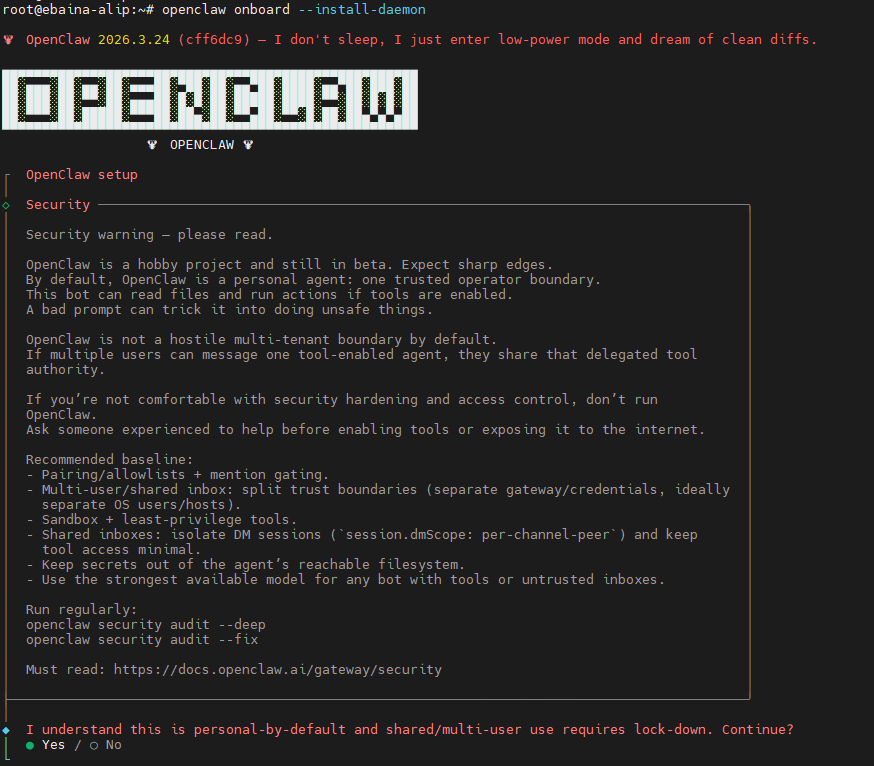
openclaw onboard --install-daemon
详细步骤:
- 安全确认:选择yes后enter
- 选择初始化模式:选择QuickStart后enter

-
模型配置(Qwen API key接入为例):
-
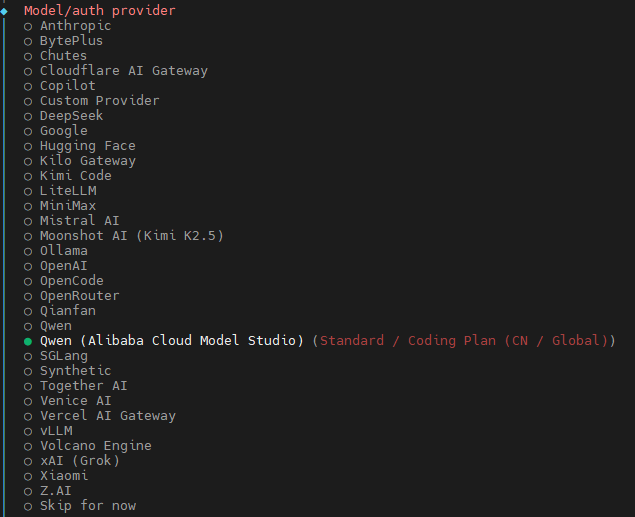
选择云端模型厂商的名称:选择Qwen (Alibaba Cloud Model Studio)后enter
-
选择认证方式:选择Standard API Key for China (pay-as-you-go)后enter

-
配置API key: 输入API key后enter

-
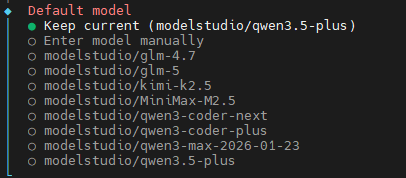
选择模型:选择Keep current后enter
-
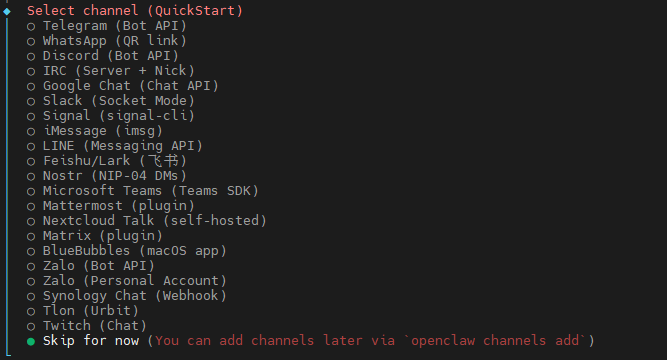
选择通道:选择Skip for now后enter
-
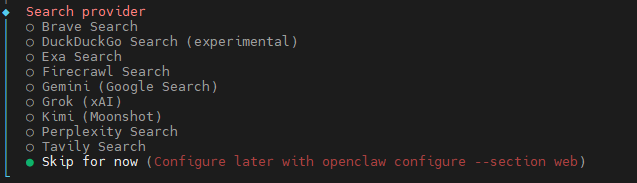
搜索厂商:选择Skip for now后enter
-
-
配置skills:选择No后enter

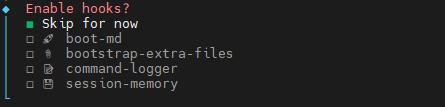
- 使能hooks:用space键选中Skip for now后enter
- 启动方式:选择Do this later后enter

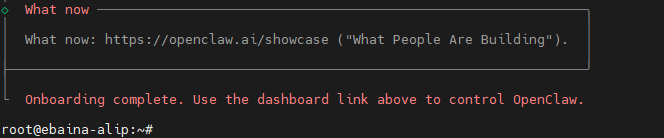
- 配置完成:
- 终端下进行会话测试:
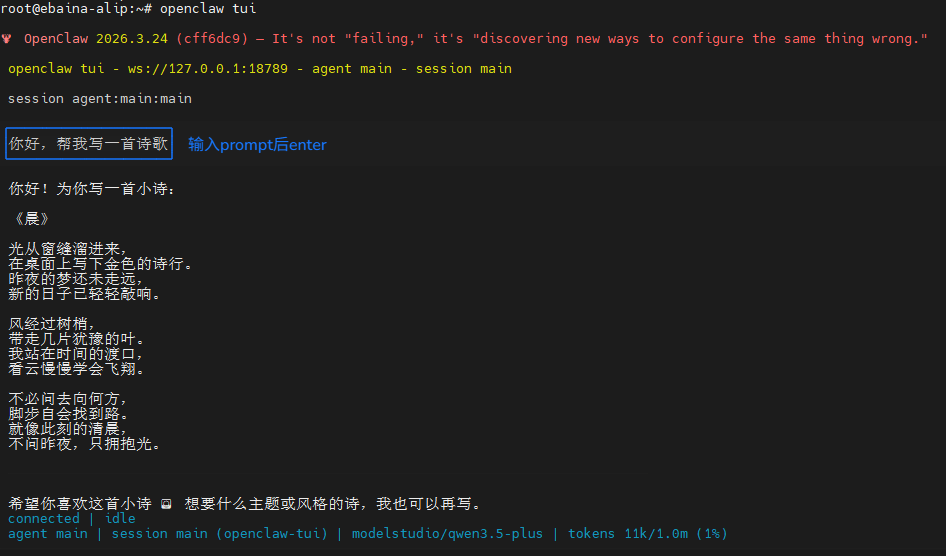
如上图所示,OpenClaw配置Qwen API key已成功。
四、局域网访问配置
- 允许局域网配置:
openclaw config set gateway.bind lan
openclaw config set gateway.controlUi.allowInsecureAuth true
openclaw config set gateway.controlUi.dangerouslyDisableDeviceAuth true
openclaw config set gateway.controlUi.dangerouslyAllowHostHeaderOriginFallback true
openclaw gateway restart
- 获取web访问链接(带token):
openclaw dashboard --no-open

获取到上图中URL:
http://127.0.0.1:18789/#token=d16323fff49fb0b3072eed55094c2fe3d673af7d7d46818a
- 查看板端IP地址,替换上面URL中的127.0.0.1,例如:
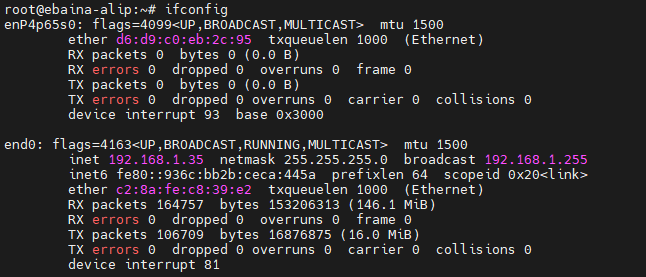
板端IP是192.168.1.35,所以我的web访问URL就是:
http://192.168.1.35:18789/#token=d16323fff49fb0b3072eed55094c2fe3d673af7d7d46818a
- 局域网内web访问效果图:
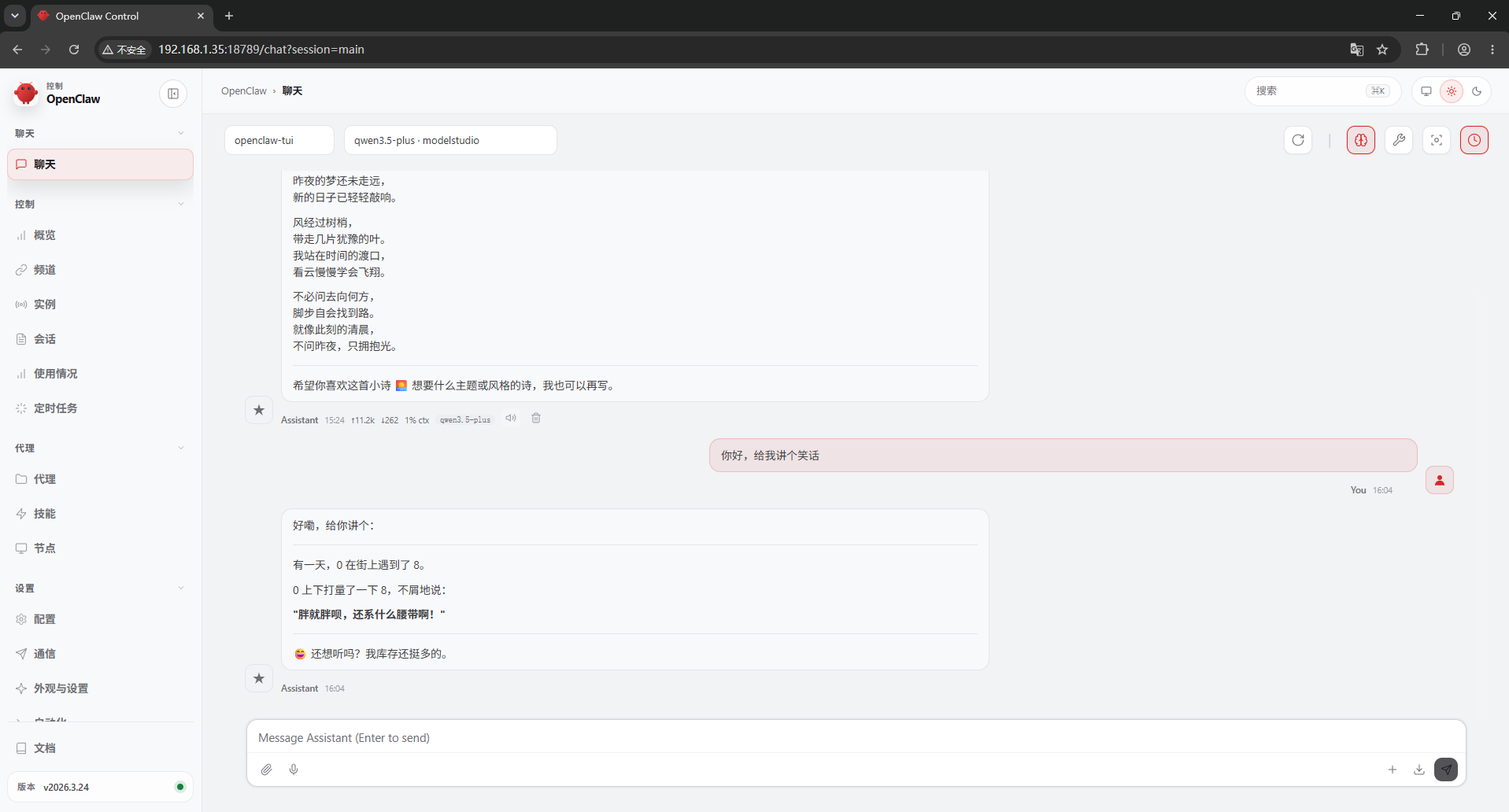
五、接入QQ机器人
- 访问QQ开放平台,创建机器人并获取AppID和AppSecret
https://q.qq.com/qqbot/openclaw/
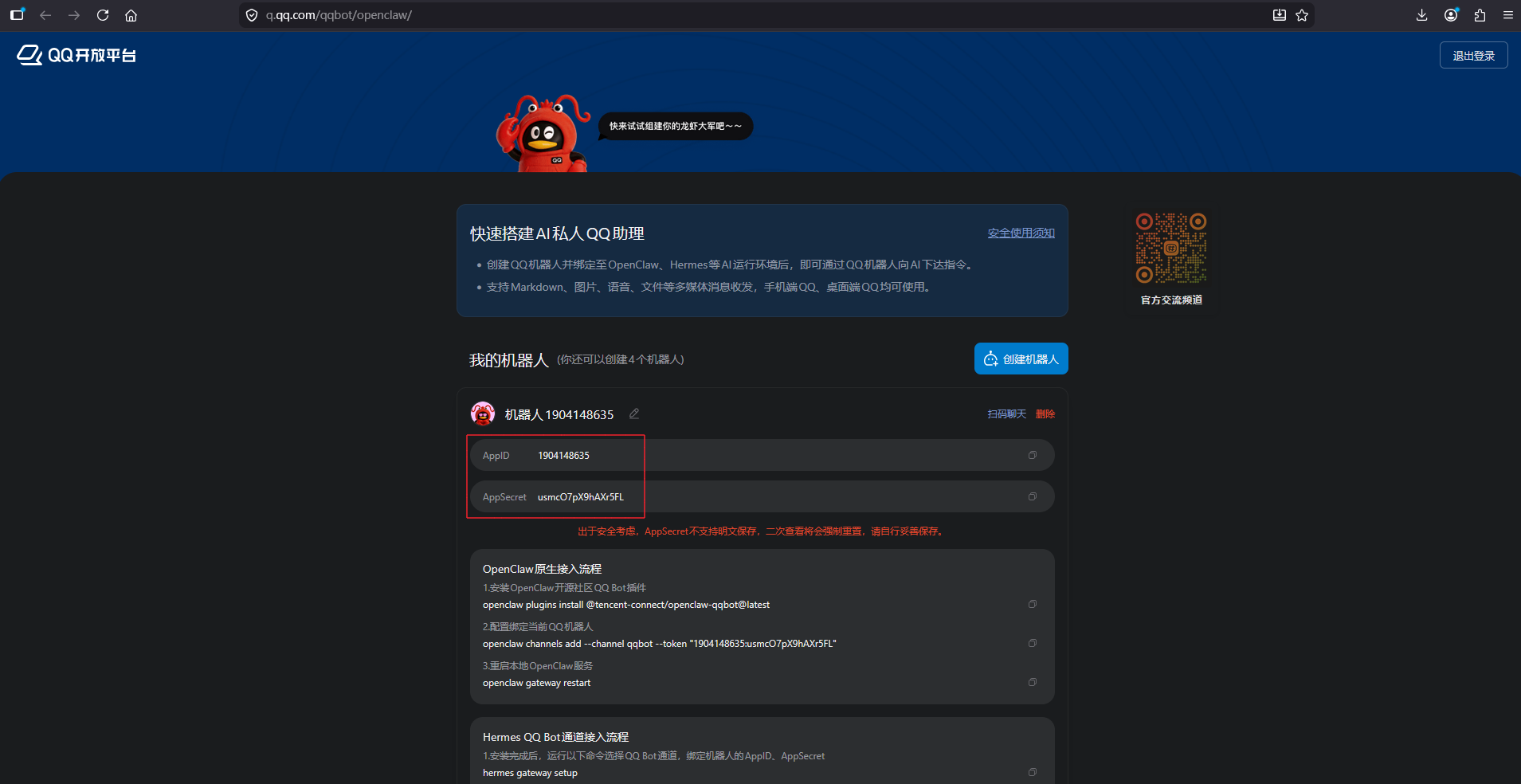
如上图已获取到AppID和AppSecret
- OpenClaw安装QQ机器人插件
openclaw plugins install @tencent-connect/openclaw-qqbot@latest
- 添加QQ频道(替换自己的 AppID和AppSecret)
openclaw channels add --channel qqbot --token "AppID:AppSecret"
- 重启OpenClaw网关
openclaw gateway restart
- 最后在手机端QQ App中测试效果:
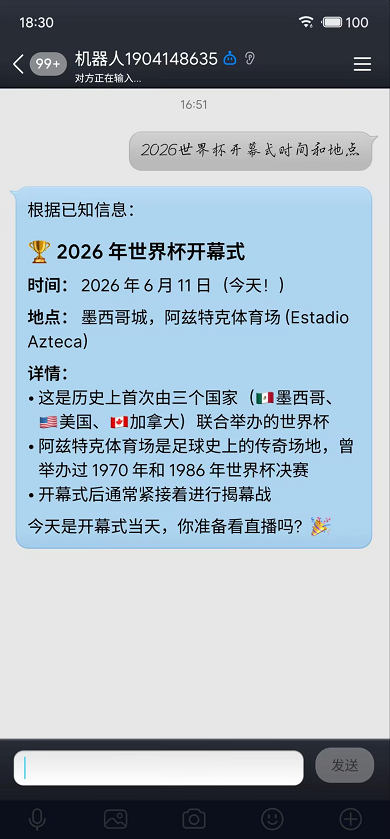
六、OpenClaw卸载
如果想卸载,或者安装前系统有残留OpenClaw数据,可使用下面命令一键卸载:
openclaw uninstall --all --yes --non-interactive
至此 易百纳_玄武S3 平台OpenClaw安装配置,QQ机器人接入,以及卸载方法阐述完毕。
更多推荐
 8
8 0
0- 0


 已为社区贡献7条内容

所有评论(0)