
vue3+element-plus,动态渲染icon不显示?
·
根据后端获取的数据结构:
{
      path:'/home',
      component:Home,
      redirect:'/report',
      children:[
        {
          path:'/report',
          component:Report,
          icon:'Document',
          name:'报告页面'
        },
        {
          path:'/table',
          component:Table,
          icon:'DocumentCopy',
          name:'列表页面'
        }
      ]
    }
动态生成侧边导航时,发现:
<el-icon><component v-bind:is="item.icon"/></el-icon>
icon并没有显示出来,因为vue3官方文档中说:is后面绑定的是组件,不能是字符串了。
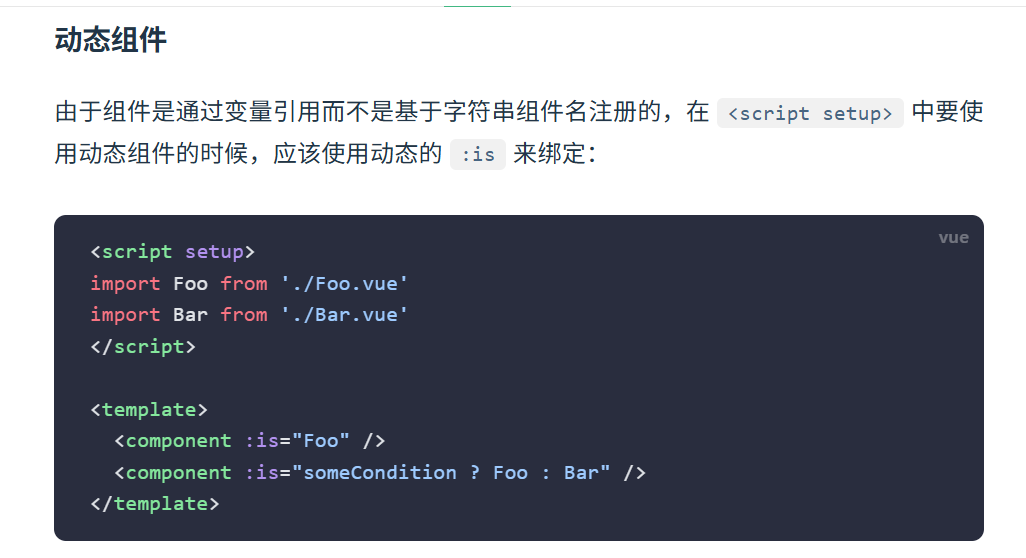
所以,上面的收到的后端的数据需要做一些处理:
先导入需要使用的icon,然后数据中icon不再是字符串,而是组件
import {
  Document,
  Menu as IconMenu,
  Location,
  Setting,
  DocumentCopy,
} from "@element-plus/icons-vue";
{
      path:'/home',
      component:Home,
      redirect:'/report',
      children:[
        {
          path:'/report',
          component:Report,
          icon:Document,
          name:'报告页面'
        },
        {
          path:'/table',
          component:Table,
          icon:DocumentCopy,
          name:'列表页面'
        }
      ]
    }
这样就可以啦
更多推荐
 1
1 0
0- 0


 已为社区贡献1条内容

所有评论(0)